
Увод
This manual provides essential information for setting up, operating, and maintaining your Amazon Basics 24-inch FHD 1080p monitor. Please read these instructions carefully before use and retain them for future reference.

The Amazon Basics 24-inch FHD 1080p monitor, featuring a sleek design and integrated speakers.
Сетуп
1. Распакивање и провера компоненти
Пажљиво извадите све компоненте из паковања. Уверите се да су присутне све ставке наведене у наставку:
- Монитор дисплаи
- База постоља за монитор
- Врат постоља за монитор
- Повер Адаптер
- ХДМИ кабл
- Кориснички приручник (овај документ)

Included accessories: stand base, stand neck, power adapter, and HDMI cable.
2. Склоп штанда
- Attach the stand neck to the stand base. Secure it with the screw provided, usually located on the underside of the base.
- Carefully attach the assembled stand to the back of the monitor panel. Ensure it clicks securely into place or is fastened with screws if applicable.
IMPORTANT: Remove the protective film (with the date code) from the panel surface before use. This film protects against scratches during shipping.
3. Повезивање са уређајем
The monitor supports HDMI and DisplayPort (DP) connections. It also features integrated speakers and VESA compatibility for wall mounting.
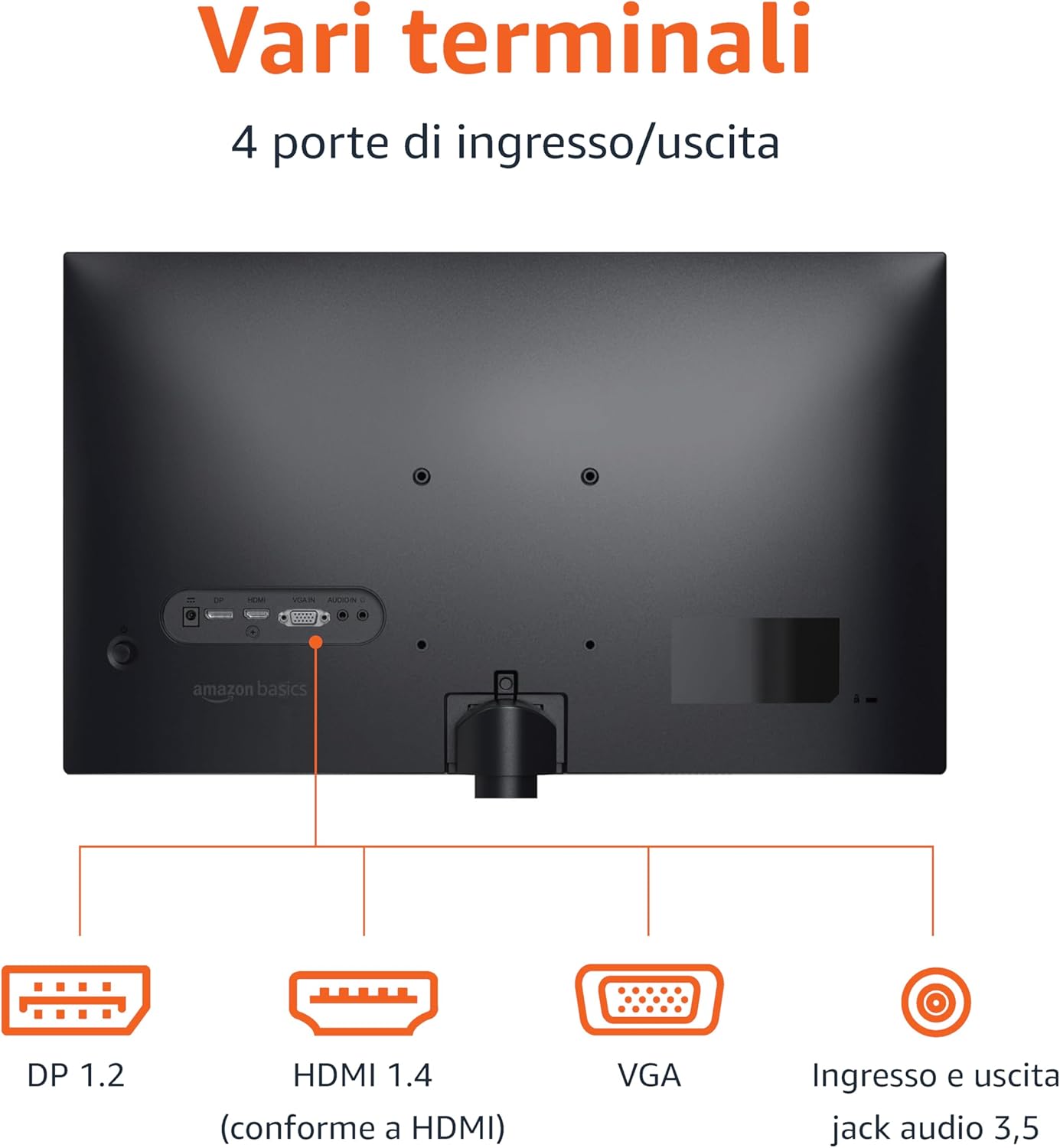
Rear panel connections: DP 1.2, HDMI 1.4, VGA, and 3.5mm audio input/output ports.
- ХДМИ веза: Connect one end of the HDMI cable to the HDMI port on your computer or device and the other end to the HDMI 1.4 port on the monitor.
- DisplayPort (DP) веза: Connect one end of the DP cable (not included) to the DP port on your computer or device and the other end to the DP 1.2 port on the monitor.
- ВГА конекција: Connect one end of the VGA cable (not included) to the VGA port on your computer or device and the other end to the VGA port on the monitor.
- Аудио веза: If using a VGA connection or an external audio source, connect a 3.5mm audio cable from your device's audio output to the monitor's audio input.
- Прикључак за напајање: Прикључите адаптер за напајање на улаз за напајање монитора, а затим укључите адаптер у утичницу.
4. VESA монтажа (опционо)
This monitor is VESA compatible, allowing it to be mounted on a wall or an adjustable arm. Refer to your VESA mount's instructions for installation. Ensure the mount supports the monitor's weight and VESA pattern.

The monitor stand allows for tilt adjustment from -5° to 20°.
Упутство за употребу
1. Укључивање/искључивање
Притисните дугме за напајање, које се обично налази у доњем десном углу или на задњој страни монитора, да бисте га укључили или искључили. Индикаторска лампица напајања ће светлети када је монитор укључен.
2. Он-Сцреен Дисплаи (ОСД) мени
Use the control buttons (typically located on the bottom right or rear) to navigate the OSD menu. The OSD allows you to adjust various settings:
- Осветљеност/контраст: Подесите нивое осветљености и контраста слике.
- Подешавања боја: Промените температуру боје, нијансу и засићеност.
- Избор улаза: Ручно пребацујте између HDMI, DisplayPort и VGA улаза.
- Аудио подешавања: Контролишите јачину звука за уграђене звучнике или повезане слушалице.
- Режим слике: Select preset display modes (e.g., Standard, Movie, Game).
- Брзина освежавања: Ensure your device is configured to output at 100Hz for the smoothest experience. This setting is usually adjusted in your computer's display settings.
3. Уграђени звучници
The monitor includes integrated speakers for audio output. Adjust the volume through the OSD menu or your connected device's audio controls.
Одржавање
1. Чишћење екрана
- Увек искључите монитор и извуците кабл за напајање пре чишћења.
- Користите меку крпу која не оставља длачицеampводом или специјализованим средством за чишћење екрана.
- Не прскајте средство за чишћење директно на екран.
- Избегавајте употребу абразивних средстава за чишћење, воскова или растварача.
2. Општа нега
- Држите монитор даље од директне сунчеве светлости, извора топлоте и прекомерне прашине.
- Осигурајте одговарајућу вентилацију око монитора.
- Не стављајте тешке предмете на монитор или његове каблове.
Решавање проблема
| Проблем | Могуће решење |
|---|---|
| Но Повер |
|
| Нема сигнала / Празан екран |
|
| Flickering or Distorted Image |
|
| No Audio from Built-in Speakers |
|
Спецификације
| Феатуре | Детаљ |
|---|---|
| Бранд | Амазон Басицс |
| Број модела | C24M2020DEU |
| Величина екрана | 24 инча |
| Резолуција | FHD 1080p (1920 x 1080) |
| Рефресх Рате | Макс. 100 Хз |
| Панел Типе | ИПС |
| Аспецт Ратио | 16:9 |
| Однос контраста | 1500:1 |
| Површина екрана | Глосси |
| Повезивање | HDMI, DisplayPort (DP), VGA |
| Посебне карактеристике | Built-in Speakers, VESA Compatible |
| Тежина | 3 килограма |
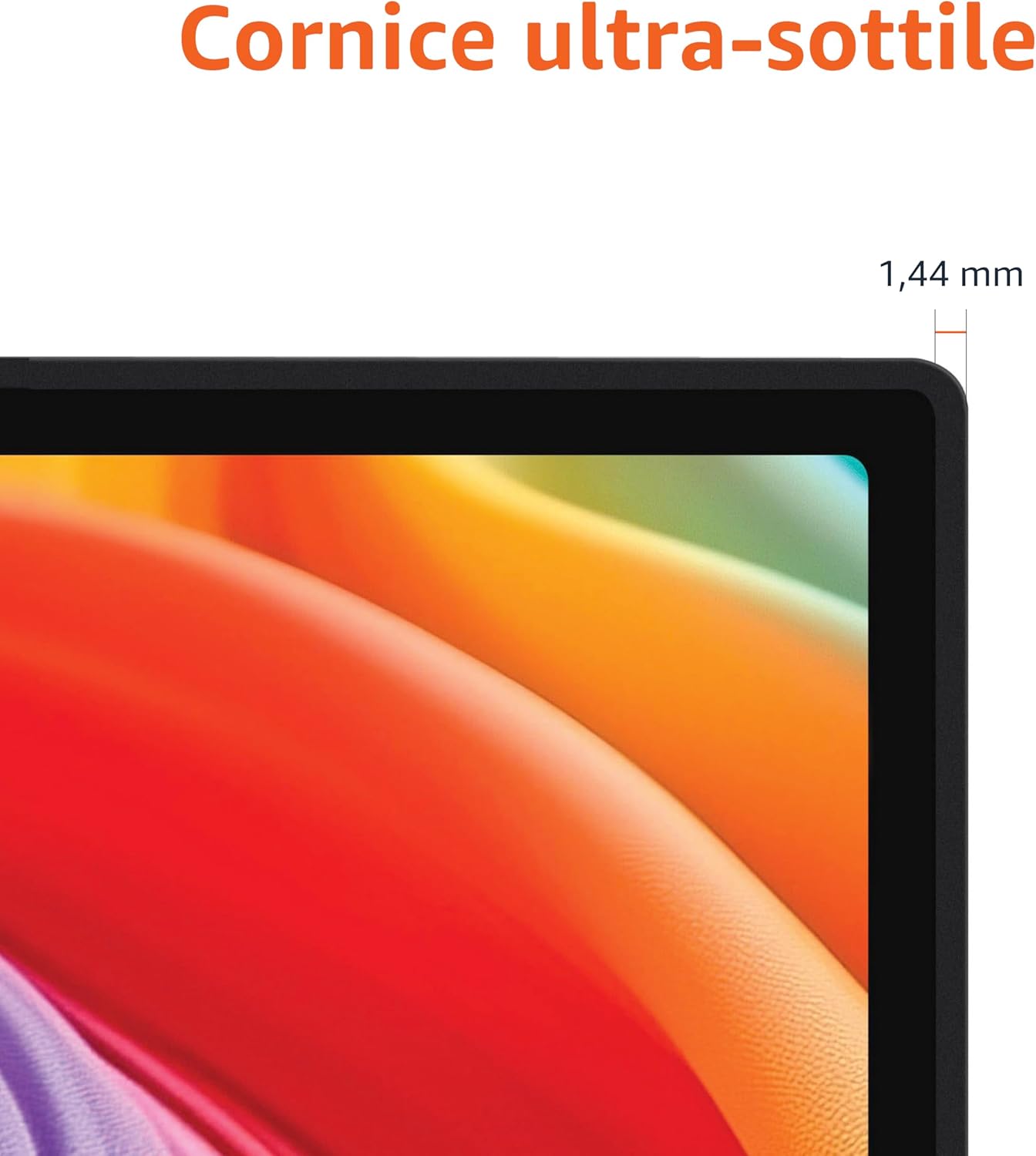
Approximate monitor dimensions (width x height x depth).
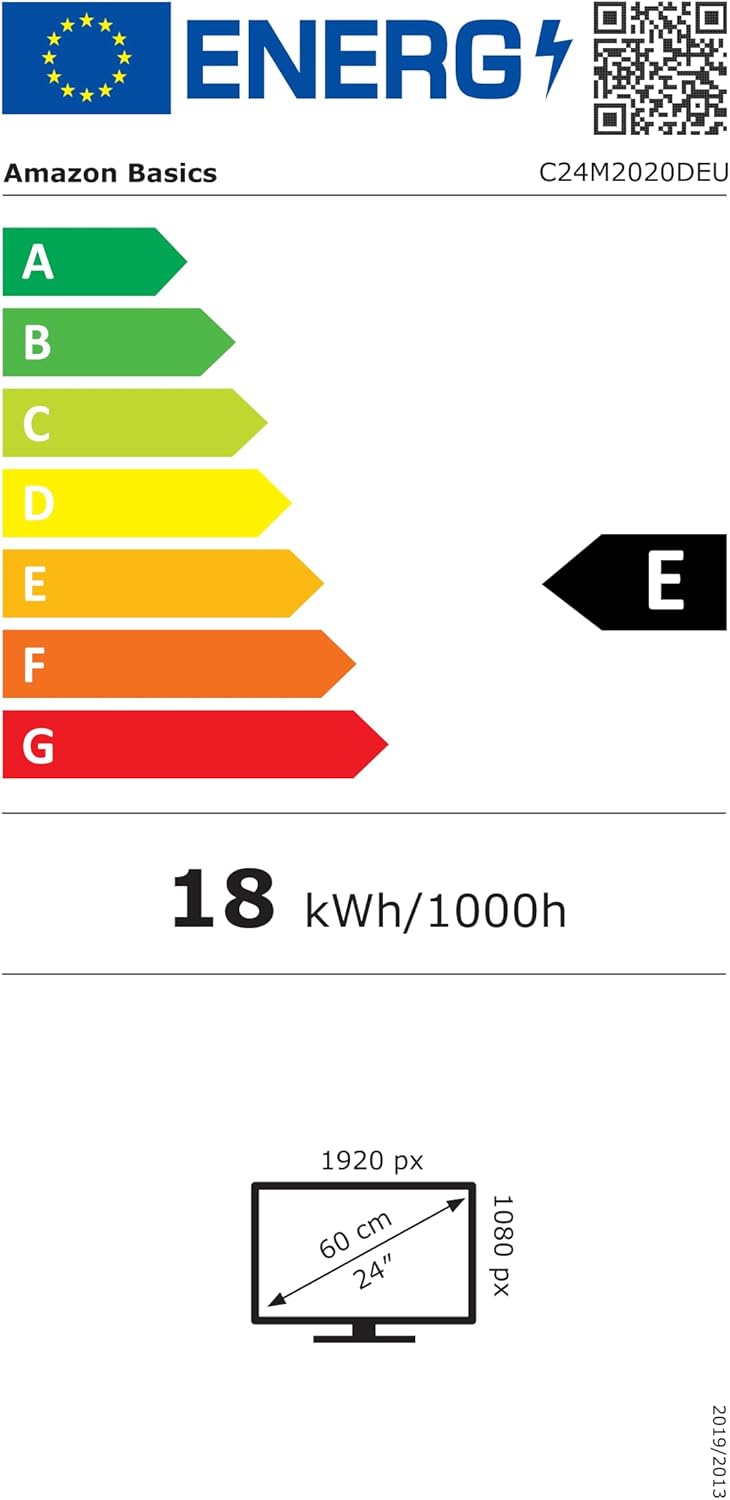
EU Energy Label for model C24M2020DEU. For more details, visit the ЕПРЕЛ база података.
Информације о гаранцији
Овај производ долази са а 1-годишња ограничена гаранција. For specific terms and conditions, please refer to the warranty documentation provided with your purchase or contact Amazon Basics customer support.
Подршка
For technical assistance, troubleshooting, or warranty claims, please contact Amazon Basics customer support through the Amazon webсајт или вашу платформу за куповину.
You can also refer to the official Amazon Basics store for additional product information and support resources: Amazon Basics Store