
1. Увод
This manual provides detailed instructions for the installation, setup, operation, and maintenance of your Warmall WiStat Wi-Fi Thermostat for electric in-floor heating systems. Please read this manual thoroughly before installation and use to ensure proper function and safety.
2. Безбедносне информације
- Инсталацију мора обавити квалификовани електричар у складу са локалним електричним прописима.
- Disconnect power at the circuit breaker before installing or servicing the thermostat.
- Do not install the thermostat in areas exposed to direct sunlight, drafts, or extreme temperatures.
- Ensure all wiring connections are secure to prevent electrical hazards.
- This thermostat is designed for electric in-floor heating systems only. Do not use with other heating types.
3. Садржај пакета
Проверите да ли су све ставке присутне у пакету:
- Warmall WiStat Wi-Fi Thermostat
- Подни сензор
- Упутство за употребу (овај документ)
4. Карактеристике производа
The Warmall WiStat Wi-Fi Thermostat offers advanced features for optimal comfort and energy efficiency:
- Интеграција паметне куће: Compatible with smart home ecosystems for voice control and remote management.
- даљински управљач: Adjust floor temperature via an intuitive mobile application from any location.
- Intelligent Scheduling: Customize heating schedules to align with daily routines.
- Energy Insights: Monitor energy consumption and receive suggestions for usage optimization.
- Елегантан дизајн: Modern and minimalist aesthetic with a touchscreen display.
- Безбедност безбедност: Equipped with advanced safety features and encrypted Wi-Fi connections.
- Двопојасни Ви-Фи: Supports both 2.4 GHz and 5 GHz Wi-Fi networks for flexible connectivity.
5. Инсталација
The thermostat is designed for wall mounting and requires connection to your electric in-floor heating system. Refer to the wiring diagram below.

Слика 5.1: Позади view of the Warmall WiStat thermostat, illustrating the wiring terminals for power input (L, N) and heating load (LOAD). The floor sensor connection is also visible.
- Искључивање струје: Turn off the main power supply to the heating circuit at the breaker.
- Монтажа: Secure the thermostat's backplate to a standard electrical junction box on the wall.
- Ожичење: Connect the live (L) and neutral (N) wires from your power supply to the corresponding terminals on the thermostat. Connect the heating load wires to the LOAD terminals. Connect the floor sensor wires to the designated sensor terminals. Ensure all connections are tight and secure.
- Положај сензора: Install the floor sensor cable into the floor according to your heating system's instructions, ensuring it is positioned correctly to measure floor temperature.
- Завршна скупштина: Attach the thermostat's front panel to the backplate.
- Обнова напајања: Вратите напајање на прекидач.
6. Подешавање
After installation, configure your thermostat for Wi-Fi connectivity and initial settings.

Слика 6.1: Фронт view of the Warmall WiStat Wi-Fi Thermostat, displaying the current temperature, auto mode, and control buttons.
- Почетно укључивање: The thermostat display will illuminate.
- Ви-Фи веза: Follow the on-screen prompts or refer to the dedicated app instructions to connect the thermostat to your home Wi-Fi network. The WiStat supports both 2.4 GHz and 5 GHz networks.
- Преузимање апликације: Download the Warmall smart home application from your device's app store.
- Упаривање уређаја: Open the app and follow the instructions to pair your WiStat thermostat.
- Основна подешавања: Set the current time, date, and desired temperature units (Celsius/Fahrenheit) through the thermostat's touchscreen or the mobile app.
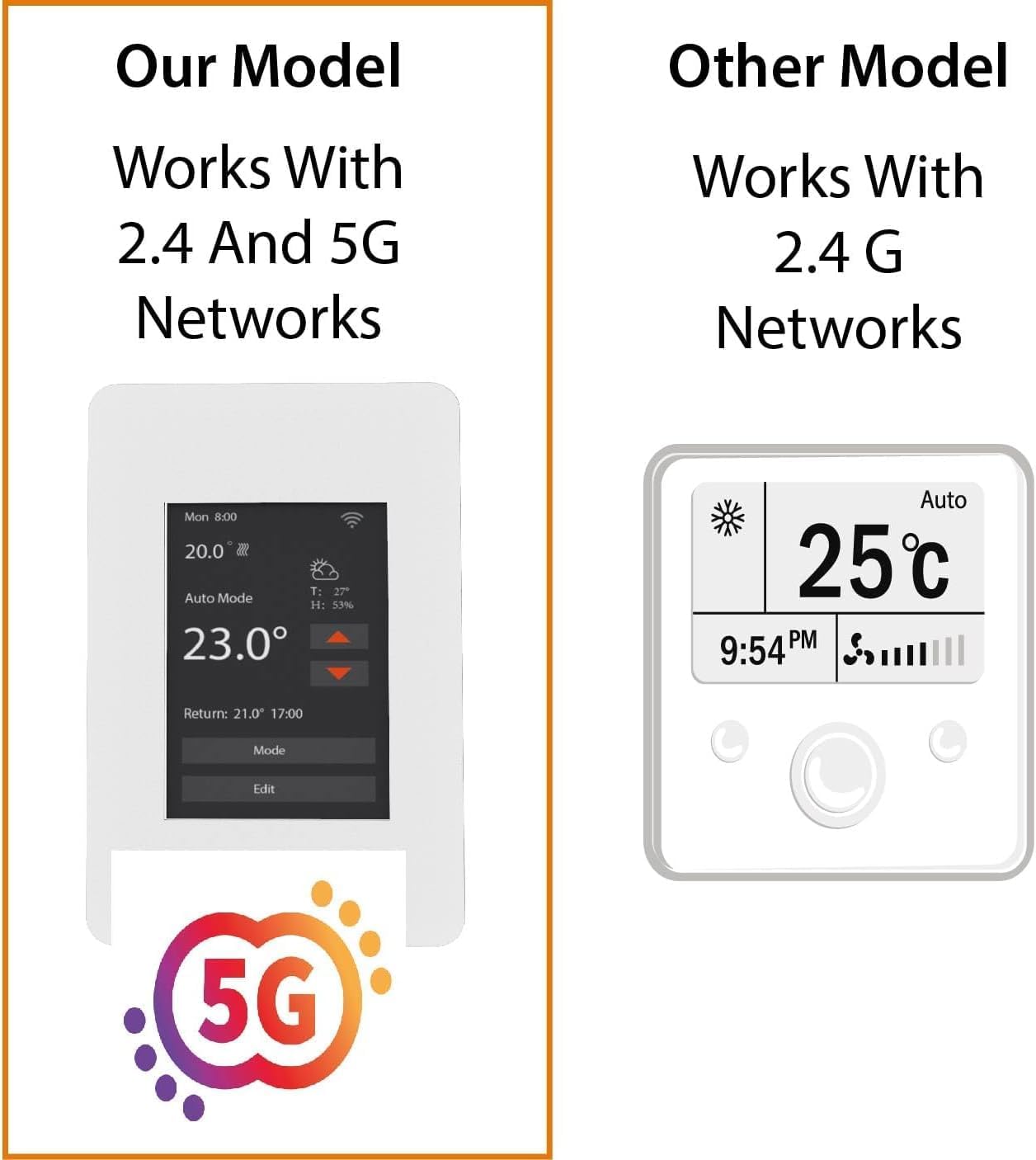
Слика 6.2: This image highlights the Warmall WiStat's compatibility with both 2.4 GHz and 5 GHz Wi-Fi networks, offering enhanced connectivity options compared to some other models.
7. Упутство за употребу
Control your in-floor heating system using the touchscreen or the mobile application.
7.1. Управљање екраном осетљивим на додир
- Подешавање температуре: Use the up/down arrows on the display to set the desired temperature.
- Избор режима: Press the 'Mode' button to cycle through available operating modes (e.g., Auto, Manual).
- Editing Schedules: Press the 'Edit' button to access and modify heating schedules.
- Позадинско осветљење екрана: The display backlight will dim or turn off after a few seconds of inactivity to save energy. Touch the screen to reactivate it.
7.2. Mobile App Operation
The Warmall app provides comprehensive control and monitoring features:
- Даљинска контрола температуре: Adjust the set temperature from anywhere.
- Заказивање: Create and manage detailed heating schedules for different days and times.
- Мониторинг енергије: View historical energy consumption data.
- Управљање режимом: Switch between heating modes.
- Контрола гласом: Integrate with Amazon Alexa for hands-free operation.
8. Одржавање
The Warmall WiStat Thermostat requires minimal maintenance.
- Чишћење: Обришите екран и цasinг са меким, дamp тканина. Немојте користити абразивна средства за чишћење или раствараче.
- Ажурирања софтвера: Ensure your mobile app is up-to-date for the latest features and security enhancements. Firmware updates for the thermostat may be pushed automatically or require manual initiation via the app.
КСНУМКС. Решавање проблема
If you encounter issues with your Warmall WiStat Thermostat, refer to the following common problems and solutions.
- Термостат се не укључује:
- Check the circuit breaker for the heating system.
- Проверите да ли су сви прикључци ожичења безбедни и исправни.
- Нема Ви-Фи везе:
- Уверите се да је ваш Wi-Fi рутер укључен и да ради.
- Confirm the thermostat is within range of your Wi-Fi signal.
- Verify correct Wi-Fi password entry during setup.
- The thermostat supports both 2.4 GHz and 5 GHz networks. Ensure your router is configured appropriately.
- Inaccurate or fluctuating temperature readings:
- Ensure the floor sensor is correctly installed and not damaged.
- Avoid placing the thermostat in direct sunlight or near heat sources/drafts that could affect its internal temperature sensor.
- Ако проблем и даље постоји, контактирајте корисничку подршку.
- Ground Fault trips frequently:
- A ground fault trip indicates a potential electrical issue. This should be investigated by a qualified electrician.
- Ensure the heating mat/cable is not damaged and is properly insulated.
- If the ground fault trips even when heating is off, it suggests a persistent electrical issue that requires immediate attention.
- Thermostat display turns off too quickly:
- This is a normal energy-saving feature. Touch the screen to reactivate the display. There is no option to keep the display permanently on.
10. Спецификације
| Феатуре | Спецификација |
|---|---|
| Бранд | Warmall |
| Назив модела | WiStat |
| Број модела ставке | 831459009418 |
| УПЦ | 831459009418 |
| Технологија повезивања | Wi-Fi (2.4 GHz & 5 GHz) |
| Контролни метод | App, Voice (Amazon Alexa), Touchscreen |
| Дисплаи Типе | Тоуцхсцреен |
| Извор напајања | Цордед Елецтриц |
| Материјал | Пластика |
| Тип монтаже | Валл Моунт |
| Димензије производа | 6 к 3 к 3 инча |
| Тежина артикла | 12 унци |
11. Гаранција и подршка
For warranty information and technical support, please refer to the contact details provided with your purchase or visit the official Warmall webсајт. Сачувајте доказ о куповини за потребе гаранције.