
Увод
Thank you for choosing the LIORQUE S7509 Projection Alarm Clock. This manual provides detailed instructions for setting up and operating your new device. Please read it carefully to ensure proper use and to fully utilize all features.
Садржај пакета
Приликом распакивања, молимо вас да се уверите да су присутни сви следећи предмети:
- LIORQUE S7509 Projection Alarm Clock
- Повер Адаптер
- УСБ кабл за напајање
- Упутство за употребу

Image: The LIORQUE S7509 Projection Alarm Clock, its power adapter, USB cable, and user manual are displayed next to the product box. Product dimensions are indicated as 18cm (7.1in) width, 9.8cm (3.9in) height, and 5cm (2in) depth.
Феатурес Продуцт Оверview
The LIORQUE S7509 Projection Alarm Clock is designed to enhance your daily routine with its versatile features:
- Пројекција ротирајућа за 180°: Project the time onto your ceiling or wall with adjustable brightness.
- Велики ЛЕД екран: Clear time display with 4 adjustable brightness levels.
- Двоструки аларми: Set two separate alarms for different schedules.
- ФМ радио: Enjoy your favorite radio stations with 15 preset memory slots and 15 adjustable volume levels.
- Одгода функција: Provides an extra 9 minutes of sleep.
- Мерач спавања: Automatically turns off the radio after a set duration (5-90 minutes).
- Формат 12/24 сата: Easily switch between time formats.
- Уграђена батерија: За резервно напајање током ванредног стањаtagес.

Image: The LIORQUE S7509 Projection Alarm Clock is shown with its digital display set to 22:30. Surrounding icons highlight key features including 12/24 hour time, adjustable brightness, FM radio, snooze function, dual alarms, time projection, built-in battery, and a sleep timer.
Упутства за подешавање
1. Прикључак за напајање
Connect the provided USB power cable to the alarm clock and plug the adapter into a standard wall outlet. The display will light up, indicating the device is powered on.

Image: The LIORQUE S7509 Projection Alarm Clock is shown on a bedside table, connected to a wall outlet via its power adapter. The clock displays 8:30, illustrating its readiness for use after power connection.
2. Почетно подешавање времена
- Притисните и држите ВРЕМЕНСКИ СКЛОП button (usually labeled with a clock icon) for 3 seconds to enter time setting mode.
- Користите ХОУР и МИНУТЕ buttons (often labeled with '+' and '-' or arrows) to adjust the current time.
- Притисните ВРЕМЕНСКИ СКЛОП поново да бисте потврдили и изашли.
3. Формат 12/24 сата
While in time setting mode, or by a dedicated button (refer to specific button labels on your device), you can toggle between 12-hour (with AM/PM indicator) and 24-hour formats.
Упутство за употребу
1. Подешавање аларма
The clock supports two independent alarms (Alarm 1 and Alarm 2).
- Притисните и држите АЛАРМ 1 or АЛАРМ 2 button for 3 seconds. The alarm time will flash.
- Користите ХОУР и МИНУТЕ дугмад да бисте подесили жељено време аларма.
- Притисните тастер АЛАРМ поново притисните дугме да бисте потврдили време.
- You can then select the alarm sound (buzzer or FM radio) and alarm volume.
- Притисните тастер АЛАРМ button one more time to save settings and activate the alarm. An alarm icon will appear on the display.

Image: Two LIORQUE S7509 Projection Alarm Clocks are displayed side-by-side. One shows an alarm set for 8:30, labeled 'Workday', and the other shows 10:00, labeled 'Weekend', demonstrating the dual alarm capability.
2. Projection Function
The projector allows you to display the time on your ceiling or wall.
- Активирај/Деактивирај: Притисните тастер ПРОЈЕКЦИЈА button (often labeled with a projection icon) to turn the projection on or off.
- Подесите осветљеност: Више пута притискајте ПРОЈЕКЦИЈА button to cycle through 3 brightness levels (Low, Medium, High) or turn it off.
- Ротациона пројекција: The projector lens can be physically rotated 180° to adjust the angle of the projected time.

Image: The LIORQUE S7509 Projection Alarm Clock is shown in a bedroom, projecting the time '22:30' onto the ceiling. Below, three smaller images illustrate the three adjustable brightness levels for the projection.

Image: The LIORQUE S7509 Projection Alarm Clock is depicted with its projection arm extended, casting the time '12:45' onto a nearby surface. This image demonstrates the adjustable angle and direction of the projection feature.
3. Дисплаи Бригхтнесс
Adjust the main display brightness to your preference.
- Притисните тастер ДИММЕР button (or similar, often labeled with a sun icon) to cycle through 4 levels of display brightness.
- The levels typically range from brightest to off, allowing for comfortable viewдању или ноћу.

Image: The LIORQUE S7509 Projection Alarm Clock shows the time 22:30. Below, four distinct panels illustrate the four adjustable levels of screen brightness, ranging from completely off to maximum illumination, allowing users to select the appropriate brightness for night vision.
4. ФМ радио
Слушајте своје омиљене ФМ радио станице.
- Укључи/искључи: Притисните тастер РАДИО дугме да бисте укључили или искључили ФМ радио.
- Аутоматско скенирање: Притисните и држите РАДИО button for 3 seconds to automatically scan and save up to 15 FM stations.
- Промена станица: Користите ПРЕТХОДНО/СЛЕДЕЋЕ buttons (or '+' and '-') to switch between saved stations.
- Подесите јачину звука: Користите ВОЛУМЕ +/- buttons to adjust the radio volume through 15 levels.

Image: The LIORQUE S7509 Projection Alarm Clock displays 'FM 7.84' on its screen, surrounded by graphic representations of radio waves indicating different FM frequencies (e.g., FM90.2, FM95.6, FM96.8, FM97.5, FM98.5). The image also highlights that the device can store 15 favorite radio stations and has 15 adjustable volume levels.
5. Функција одлагања
Када се огласи аларм, притисните велико СНООЗЕ / СВЕТЛО button on top of the clock. The alarm will pause for 9 minutes and then sound again.
6. Мерач спавања
Тајмер за спавање омогућава радију да ради одређено време пре него што се аутоматски искључи.
- Док радио свира, притисните дугме СЛЕЕП дугме (или слично).
- Више пута притискајте СЛЕЕП button to cycle through preset sleep times (e.g., 5, 10, 15, 30, 60, 90 minutes).
- The radio will automatically turn off after the selected time.
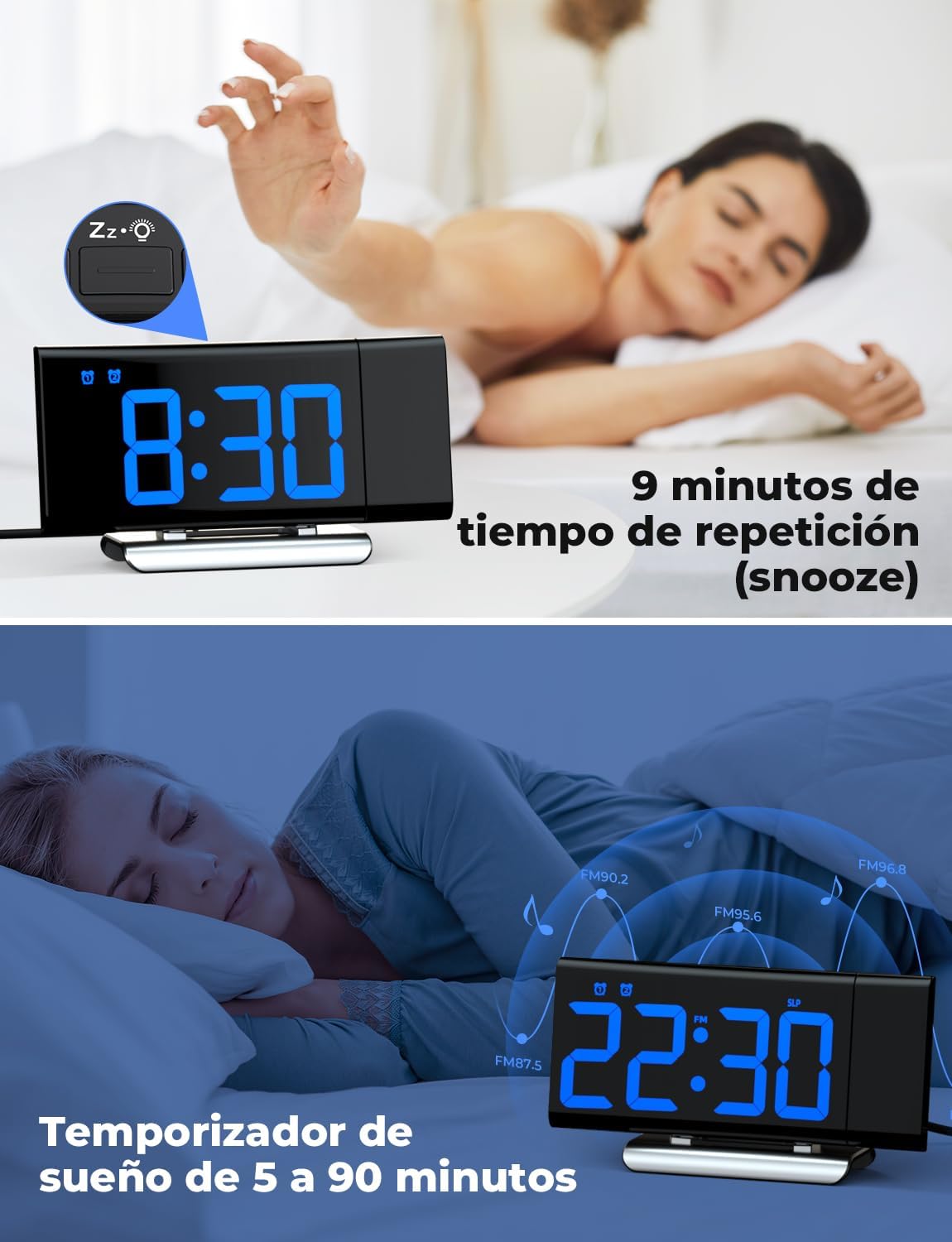
Image: The top section shows a person reaching for the snooze button on the LIORQUE S7509 Projection Alarm Clock, which displays 8:30, indicating a 9-minute snooze period. The bottom section features the clock displaying 22:30 with radio waves, illustrating the sleep timer function which can be set from 5 to 90 minutes, with a person sleeping peacefully in the background.
Одржавање
To ensure the longevity and optimal performance of your LIORQUE S7509 Projection Alarm Clock, follow these simple maintenance guidelines:
- Чишћење: Use a soft, dry cloth to wipe the surface of the clock. Do not use abrasive cleaners, solvents, or chemical sprays, as these can damage the finish and electronic components.
- Уклањање прашине: Gently wipe the projector lens with a soft, lint-free cloth to maintain clear projection quality.
- Пласман: Поставите сат на стабилну, равну површину, даље од директне сунчеве светлости, извора топлоте и прекомерне влаге.
- Снага: Always use the provided power adapter. If the clock is not used for an extended period, you may unplug it. The built-in battery will retain settings for a short duration.
Решавање проблема
If you encounter any issues with your alarm clock, please refer to the following common problems and solutions:
| Проблем | Могући узрок | Решење |
|---|---|---|
| Приказ сата је празан. | Нема снаге или снагеtage. | Ensure the power adapter is securely plugged into the clock and a working outlet. Check if the display brightness is set to 'off'. |
| Пројекција је мутна или нејасна. | Incorrect focus or distance. | Adjust the distance of the clock from the projection surface. Ensure the projector lens is clean. |
| Аларм се не оглашава. | Аларм није активиран или је јачина звука прениска. | Verify that the alarm icon is displayed on the screen. Check the alarm volume setting. Ensure the alarm time is correctly set. |
| Слаб ФМ радио пријем. | Слаб сигнал или положај антене. | Extend the FM antenna fully. Reposition the clock to improve reception. |
| Дугмад не реагују. | Привремени софтверски квар. | Unplug the power adapter for a few seconds, then plug it back in to reset the device. |
Спецификације
| Феатуре | Детаљ |
|---|---|
| Димензије производа | КСНУМКС к КСНУМКС к КСНУМКС цм; КСНУМКС г |
| Број модела | С7509 |
| Бранд | ЛИОРКУЕ |
| Боја | Плава |
| Дисплаи Типе | Дигитал |
| Извор напајања | Both: Battery and AC power (with adapter) |
| Облик | Правоугаона |
| Употреба | Индоор |
| Материјал оквира | Метал |
| Батерије укључене | Да |
| Тип монтаже | Таблетоп |
| Аларм Цлоцк | Да |
| Број ставки | 1 |
Гаранција и подршка
The LIORQUE S7509 Projection Alarm Clock comes with a manufacturer's warranty. For specific details regarding warranty coverage and duration, please refer to the warranty card included in your package or contact LIORQUE customer support.
If you require further assistance, have questions, or encounter issues not covered in this manual, please contact LIORQUE customer support. Contact information can typically be found on the product packaging, the official LIORQUE webсајту или преко вашег продавца.