
1. Увод
The Loftie Alarm Clock is a smart device designed to enhance your sleep and wake-up experience. It integrates an alarm clock, sound machine, Bluetooth speaker, and night light into one unit, aiming to reduce reliance on smartphones for sleep-related functions. This manual provides comprehensive instructions for setting up, operating, and maintaining your Loftie Alarm Clock.

Слика 1.1: Предња страна view of the Loftie Alarm Clock displaying the time 7:35 AM.
2. Производ је готовview
The Loftie Alarm Clock combines multiple functionalities to support a healthy sleep routine. Key features include customizable alarms, a built-in sound machine, Bluetooth connectivity, and a gentle night light.
2.1 Кључне карактеристике
- Two-Phase Alarm System: Gentle chime followed by a louder tone for a gradual wake-up.
- Integrated Sound Machine: Over 100 sleep sounds, including white noise, nature sounds, and guided meditations.
- Блутут звучник: Stream audio from your devices.
- Ноћно светло: Warm, gentle light, adjustable and syncable with alarms.
- Режим затамњења: Keeps screen and light off while alarms remain active.
- Офлајн режим: Operates without Wi-Fi after initial setup.
- Контрола апликације: Optional control via the Loftie app (iOS or Android).

Слика 2.1: Готовоview of the Loftie Alarm Clock's primary features, including customizable alarms, Bluetooth, sound machine, and night light.
2.2 Компоненте и контроле
The Loftie Alarm Clock features intuitive controls located on its top surface.

Слика 2.2: Врх view of the Loftie Alarm Clock, highlighting the Snooze, Arrow, and Select buttons.
- Дугме за одлагање: Press once to turn the nightlight on or off. Hold to activate Blackout Mode, which turns off the display.
- Дугмад са стрелицама: Used to navigate through menus and options. Hold to adjust volume.
- Изаберите дугме: Turns off an active alarm. Also used to pause and play audio content.

Слика 2.3: Детаљно view of the Snooze Button and its functions.

Слика 2.4: Детаљно view of the Arrow Buttons for navigation and volume control.

Слика 2.5: Детаљно view of the Select Button for alarm dismissal and audio control.
3. Упутства за подешавање
Follow these steps for the initial setup of your Loftie Alarm Clock:
- Укључено: Connect the Loftie Alarm Clock to a power source using the provided adapter.
- Преузми апликацију: Download the Loftie app from the iOS App Store or Google Play Store on your smartphone.
- Прво упаривање: Open the Loftie app and follow the on-screen instructions to pair your device. This requires a 2.4 GHz Wi-Fi connection and Bluetooth to be enabled on your phone.
- Ви-Фи веза: The app will guide you through connecting your Loftie to your home Wi-Fi network.
- Временска синхронизација: Once connected, the clock will automatically synchronize its time.
- Optional Offline Mode: After successful setup and time synchronization, you can enable Offline Mode via the clock's settings if you prefer to use it without a continuous Wi-Fi connection.
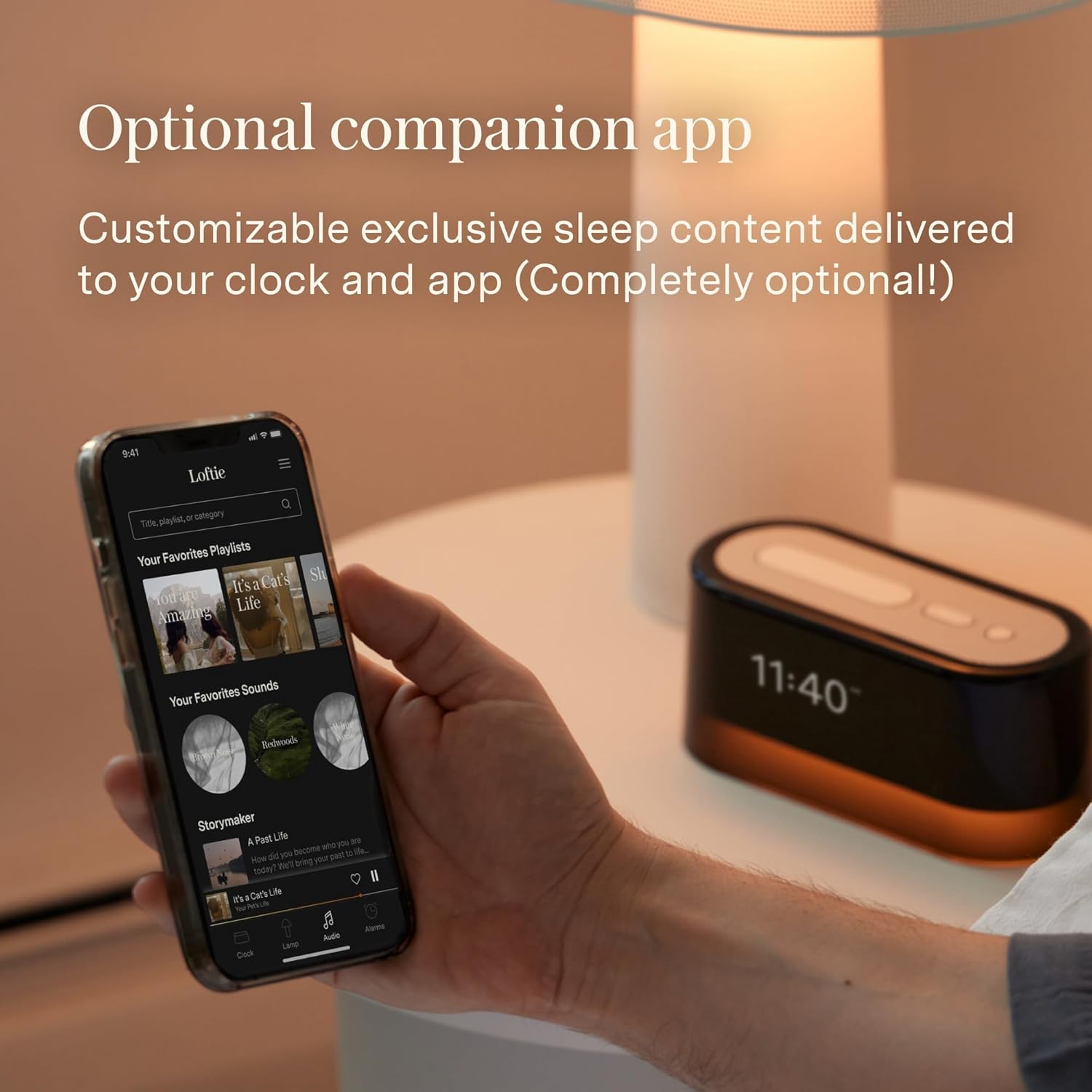
Image 3.1: The Loftie Alarm Clock can be controlled and set up using its companion mobile application.
4. Упутство за употребу
4.1 Подешавање аларма
- Navigate to the 'Alarms' menu on the clock using the Arrow Buttons.
- Select 'Add New Alarm' and set your desired wake-up time.
- Choose your preferred alarm sound and volume. The Loftie uses a two-phase alarm system: a gentle chime followed by a louder tone.
- Alarms can also be set and managed through the Loftie app.

Image 4.1: The Loftie Alarm Clock provides a gentle alternative to jarring phone alarms.
4.2 Using the Sound Machine
- Access the 'Sounds' menu using the Arrow Buttons.
- Browse through over 100 available sleep sounds, including white noise, nature sounds, and guided meditations.
- Select a sound to begin playback. You can set a sleep timer for automatic shutdown.

Image 4.2: The Loftie offers a wide selection of original sleep sounds and audio tracks.
4.3 Функционалност Bluetooth звучника
- Navigate to the 'Bluetooth' option in the clock's menu.
- Enable Bluetooth pairing mode on the Loftie.
- On your smartphone or other device, search for and connect to the 'Loftie' device.
- Once connected, you can stream audio directly to the Loftie Alarm Clock. Note that the device does not support headphone jacks.

Image 4.3: The Loftie's speaker is engineered to deliver high-quality sound for sleep and relaxation.
4.4 Night Light and Blackout Mode
- Ноћно светло: Press the Snooze Button once to toggle the warm, gentle night light on or off.
- Режим затамњења: Hold the Snooze Button to activate Blackout Mode. This turns off the display and night light while keeping alarms active, ideal for a completely dark sleeping environment.

Image 4.4: The Loftie's nightlight provides a warm, gentle illumination.
4.5 Режим ван мреже
After the initial setup with Wi-Fi, you can enable Offline Mode through the clock's settings. In this mode, the Loftie Alarm Clock will function independently without an active Wi-Fi connection, maintaining time and active alarms. Content updates and app control will require Wi-Fi to be re-enabled.

Image 4.5: The dimmable display allows quick viewing of time and features without the app.
5. Одржавање
- Чишћење: Use a soft, dry cloth to clean the exterior of the Loftie Alarm Clock. Avoid abrasive cleaners or solvents.
- Изложеност течности: Do not expose the device to water or other liquids. It is not waterproof.
- температура: Operate the device within normal room temperatures. Avoid extreme heat or cold.
- батерија: The device includes a 9V battery. If replacement is needed, ensure it is a compatible 9V battery.
КСНУМКС. Решавање проблема
| Иссуе | Могући узрок | Решење |
|---|---|---|
| Clock loses time or disconnects from Wi-Fi. | Unstable Wi-Fi connection, device interference, or software issue. | Ensure the clock is within Wi-Fi range. Restart your router. Reconnect the clock via the Loftie app. Check for software updates. |
| Аларм се не оглашава. | Alarm not set, volume too low, or Blackout Mode active without audible alarm. | Verify alarm settings and volume. Check if Blackout Mode is enabled and adjust settings if necessary. |
| Повезивање на Блуетоотх није могуће. | Loftie not in pairing mode, device too far, or previous connection interference. | Ensure Loftie is in Bluetooth pairing mode. Move your device closer. Forget previous Bluetooth connections and try again. |
| Дисплеј је искључен. | Blackout Mode is active. | Press and hold the Snooze Button to exit Blackout Mode. |
| Дугмад не реагују. | Привремени софтверски квар. | Unplug the device from power for 30 seconds, then plug it back in to perform a soft reset. |
7. Спецификације
| Феатуре | Детаљ |
|---|---|
| Бранд | Лофтие |
| Број модела | LOFTIE -CLOCK |
| Боја | Бресква |
| Дисплаи Типе | Дигитал |
| Стиле | Модерна |
| Посебне карактеристике | Nightlight, Special Alarm |
| Димензије производа | 6.5" Ш x 2.7" В |
| Извор напајања | Battery Powered (with AC adapter) |
| Тип собе | Спаваћа соба |
| Облик | Правоугаона |
| Унутрашња/спољна употреба | Индоор |
| Материјал | Поликарбонат (ПЦ) |
| Материјал оквира | Пластика |
| Батерије укључене | Yes (1 x 9V battery) |
| Тип монтаже | Таблетоп |
| Тежина артикла | 1.57 фунте (0.71 килограма) |
| Подржани радио бендови | 2.4 ГХз |
| УПЦ | 850051264100 |
8. Гаранција и подршка
For warranty information and customer support, please refer to the official Loftie website or contact their customer service directly. The Loftie Alarm Clock includes core functions without a subscription. An optional Loftie+ membership is available, offering additional content such as custom wind-down routines, extended sleep tracks, and exclusive bedtime stories. This membership starts at $5.99/month after a free trial and is accessible via the Loftie app.

Image 8.1: The Loftie Alarm Clock can be controlled directly on the device or through the companion app.