
ARROWMAX SGS MAX (AM-199213-24)
ARROWMAX SGS MAX Mini Smart Electric Engraving Pen User Manual
Model: SGS MAX (AM-199213-24)
Марка: ARROWMAX
Увод
The ARROWMAX SGS MAX Mini Smart Electric Engraving Pen is a precision tool designed for engraving and polishing various materials. It features a HollowCup motor, OLED display, magnetic charging, and intelligent motion control, offering versatility for tasks ranging from grinding and polishing to carving and engraving on materials such as metal, wood, crystal, and glass.

Image: The ARROWMAX SGS MAX Engraving Pen shown with its aluminum carrying case, various engraving and polishing bits, USB charging cable, and a smartphone displaying the companion app interface.
Производ је завршенview и компоненте
Familiarize yourself with the main components of your SGS MAX engraving pen and the included accessories.

Image: A detailed diagram of the ARROWMAX SGS MAX Engraving Pen, highlighting its key features: Magnetic Charging Port, Status Display (showing battery, mode, and direction), Aluminium Alloy Body, Power Button, and Chuck.
Укључене компоненте:
- 1 x ARROWMAX SGS MAX Engraving Pen
- 30 x Engraving Bits
- 12 x Polishing Bits
- 1 к торба за складиштење
- 1 к УСБ кабл за пуњење
- 1 к Упутство за употребу

Image: A complete set of items included with the SGS MAX, featuring the engraving pen, its aluminum case, USB cable, and all 30 engraving bits and 12 polishing bits laid out.
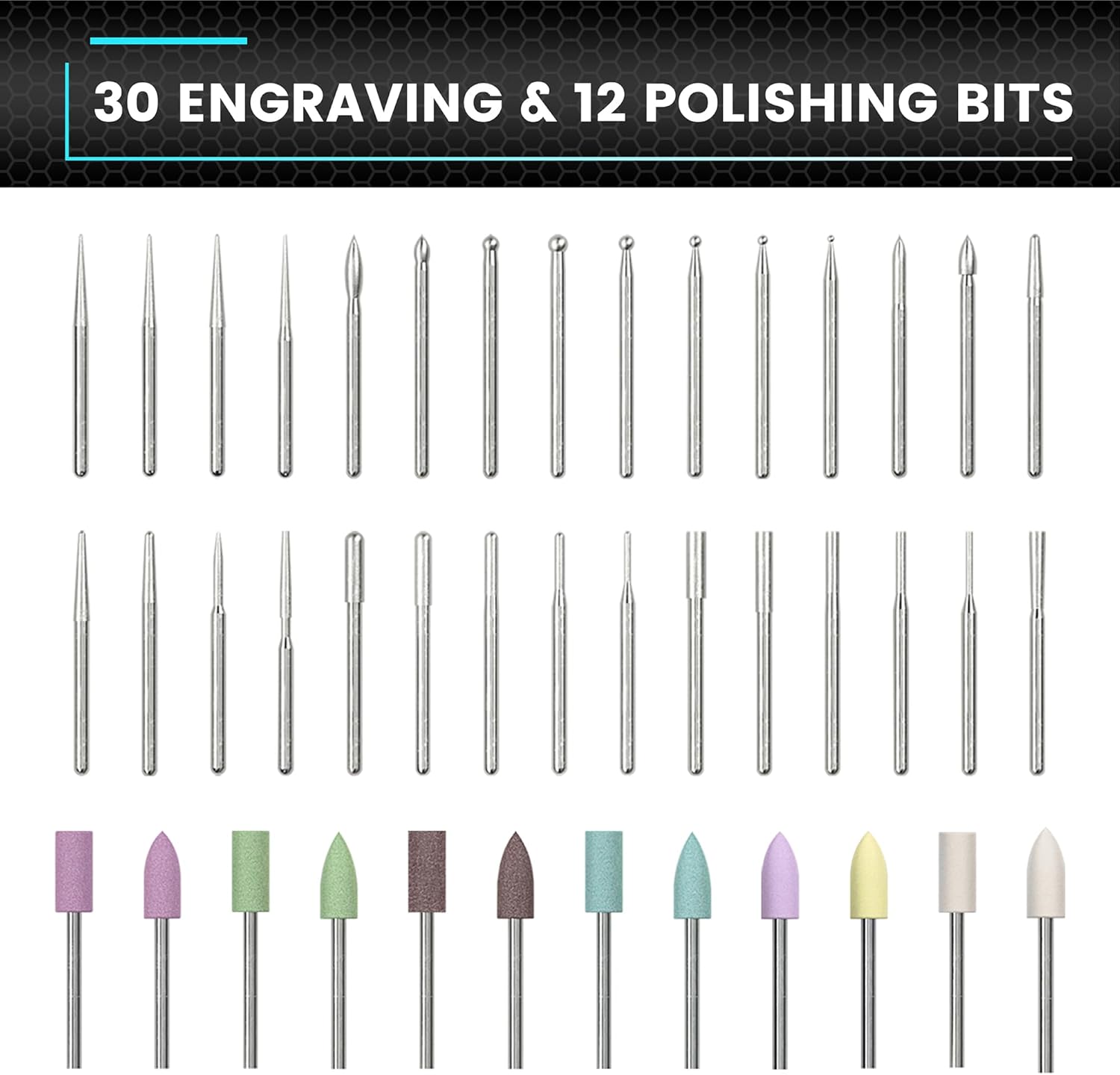
Слика: Крупни план view of the 30 distinct engraving bits and 12 polishing bits that come with the SGS MAX, showcasing their various shapes and sizes for different applications.
Сетуп
1. Почетно пуњење
Before first use, fully charge the engraving pen. Connect the magnetic charging cable to the pen's magnetic charging port and plug the USB end into a compatible USB power adapter (not included). The OLED display will indicate charging status. A full charge ensures optimal performance and battery life.
2. Attaching/Changing Bits
- Ensure the engraving pen is turned off.
- Gently insert the desired engraving or polishing bit into the chuck at the tip of the pen.
- Twist the chuck clockwise to secure the bit firmly in place. Do not overtighten.
- To remove a bit, twist the chuck counter-clockwise and pull the bit out.
The chuck is designed for easy bit changes without requiring additional tools.
Упутство за употребу
1. Укључивање/искључивање
Press and hold the Power Button located on the pen's body to turn the device on or off. The OLED display will illuminate upon activation.
2. Adjusting Speed Modes
The SGS MAX offers 5 adjustable speed modes to suit different tasks and materials. Briefly press the Power Button to cycle through the modes:
- A (Auto Sensing): 10,000 - 30,000 RPM (Automatically adjusts speed based on pressure/angle).
- 1 (Low): 15,000 РПМ
- 2 (Medium): 20,000 РПМ
- 3 (High): 25,000 РПМ
- 4 (Maximum): 30,000 РПМ

Image: A visual representation of the five adjustable speed modes (A, 1, 2, 3, 4) and their corresponding RPM ranges, displayed next to the engraving pen's OLED screen.
3. Forward/Reverse Direction
The pen supports both forward and reverse rotation. Use the companion app to switch directions for each mode, providing greater control and flexibility for various engraving and polishing techniques.
4. Using the ARROWMAX App
Enhance your control and customization by connecting your SGS MAX to the ARROWMAX app. The app allows for precise speed adjustments beyond the factory settings and enables switching between forward and reverse directions.
- Download the 'Arrowmax' app from Google Play Store or Apple App Store.
- Уверите се да је Блуетоотх омогућен на вашем паметном телефону.
- Open the app and follow the on-screen instructions to pair with your SGS MAX.

Image: A screenshot of the ARROWMAX app interface on a smartphone, showing battery percentage, a dial for RPM adjustment (up to 30,000 r/min), and buttons for selecting modes (A, 1, 2, 3, 4) and switching between Forward and Reverse rotation.
5. Пријава Прampлес
The SGS MAX is suitable for customizing and working on a variety of materials:
- Кристал: For delicate etching and polishing.
- дрво: For detailed carving and surface finishing.
- злато: For fine engraving and polishing of precious metals.
- стакло: For personalized designs and intricate patterns.

Image: A collage showing the SGS MAX being used on different materials: polishing a crystal, engraving wood, polishing a gold ring, and engraving glass with text.
6. Општи савети за употребу
- Always wear appropriate safety gear, such as eye protection, when operating the tool.
- Select the correct bit and speed mode for the material and task at hand.
- Apply light, consistent pressure. Let the tool do the work to avoid overheating or damaging the material/bit.
- For polishing, use the designated polishing bits and appropriate polishing compounds.
- For engraving, practice on scrap material before working on your final piece.
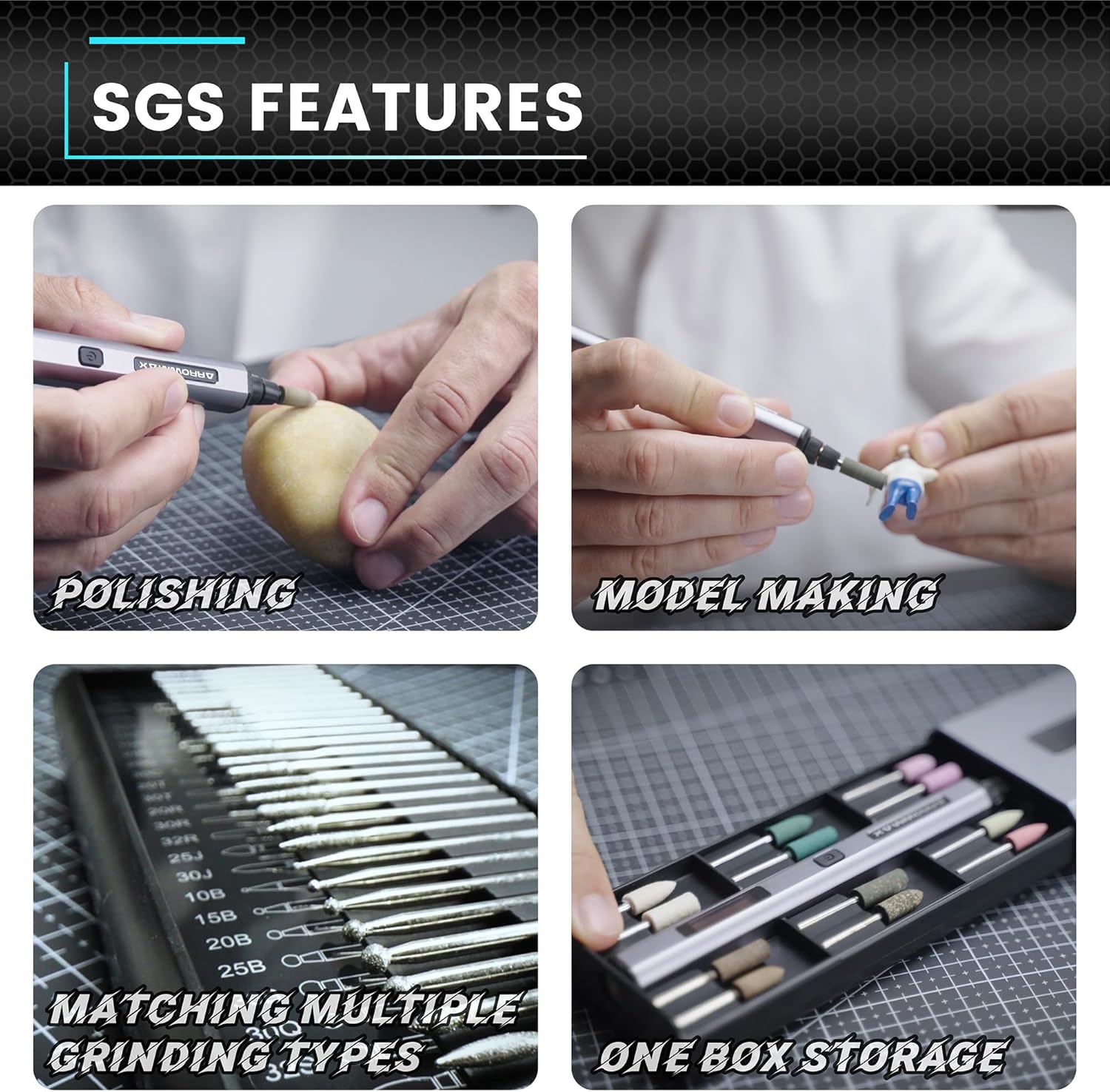
Image: A four-panel image demonstrating SGS features: Polishing a small object, Model Making with precision, Matching Multiple Grinding Types with various bits, and One Box Storage for organized accessories.
Одржавање
1. Чишћење
After each use, wipe down the engraving pen with a soft, dry cloth to remove dust and debris. For stubborn grime, a slightly damp cloth can be used, but ensure the device is completely dry before storage or next use. Do not use harsh chemicals or abrasive cleaners.
2. Bit Care
Inspect bits regularly for wear or damage. Replace worn-out bits to maintain precision and prevent damage to your work. Clean bits as needed to remove accumulated material.
3. Складиштење
Store the engraving pen and its accessories in the provided aluminum case or storage bag in a cool, dry place, away from direct sunlight and extreme temperatures. Ensure the pen is fully charged before long-term storage to preserve battery health.
Решавање проблема
This section provides solutions to common issues you might encounter with your SGS MAX engraving pen.
- Pen does not turn on: Ensure the battery is charged. Connect the pen to the charger and allow it to charge for at least 30 minutes before attempting to power on again.
- Bit is loose or wobbles: Ensure the bit is fully inserted into the chuck and the chuck is tightened securely.
- Смањене перформансе/брзина: Check the selected speed mode. Ensure the battery is sufficiently charged. Clean the bit and the chuck area to remove any obstructions.
- Проблеми са повезивањем апликације: Ensure Bluetooth is enabled on your device and the pen is powered on. Try restarting both the pen and your smartphone.
If you experience issues not covered here, please refer to the contact information for customer support.
Спецификације
| Произвођач | Freemax Technology Company Limited (IMPORT) |
| Број модела ставке | АМ-199213-24 |
| Стиле | SGS MAX |
| Боја | Црно |
| Материјал | Алуминијум |
| Врста извора напајања | Баттери Поверед |
| Волtage | 5 Волтс |
| Тип батерије | 1 литијум-полимер (укључена) |
| Посебне карактеристике | ОЛЕД екран |
| Максимална брзина ротације | 30,000 RPM (5 modes) |
| Димензије пакета | 22.1 к 7.6 к 2.9 цм; 390 грама |
Гаранција и подршка
Specific warranty information for the ARROWMAX SGS MAX Engraving Pen is not provided within this manual. For details regarding warranty coverage, returns, or technical support, please contact the seller or manufacturer directly through their official channels. Please retain your proof of purchase for any warranty claims.
Spare parts availability information is not available at this time.