
ES-28ML-BK
RENPHO ES-28ML-BK Smart Scale User Manual
Model: ES-28ML-BK | Brand: Generic
1. Увод
This user manual provides detailed instructions for the RENPHO ES-28ML-BK Bluetooth Body Fat Smart Scale. This digital bathroom scale is designed to help you monitor various body composition metrics, including weight, body fat percentage, BMI, muscle mass, and bone mass, through its accompanying smartphone application.

Слика 1: Предња страна view of the RENPHO ES-28ML-BK Smart Scale, displaying its sleek black tempered glass surface and digital readout.
2. Кључне карактеристике
- Свеобухватна анализа састава тела: Measures weight, Body Fat%, BMI, Muscle Mass, Bone Mass, and more.
- Интеграција апликације за паметне телефоне: Syncs data with the RENPHO app, which displays progress graphs and allows for unlimited user accounts.
- Fitness App Compatibility: Seamlessly syncs with popular fitness applications such as Samsung Health, Apple Health, Google Fit, and Fitbit APP.
- УСБ пуњива батерија: Features a long-lasting lithium battery that charges in 3-4 hours for 2-3 months of use, eliminating the need for disposable batteries.
- High Accuracy Sensors: Equipped with auto-calibrated high-precision sensors and 4 sensitive electrodes for accurate measurements.
- Издржљив дизајн: Constructed with a 6mm tempered glass platform, making it easy to clean, lightweight, and portable.
- Offline Measurement Sync: Allows weighing without the app open; data syncs automatically once the app is connected.

Figure 2: The RENPHO Smart Scale positioned next to a smartphone displaying the RENPHO app interface, illustrating the seamless data synchronization and detailed measurement readouts.
3. Водич за подешавање
3.1 Распакивање
Carefully remove the scale from its packaging. Ensure all components, including the USB charging cable, are present and undamaged.
3.2 Пуњење ваге
Before first use, fully charge the scale. The charging port is located on the side of the device.
- Connect the provided USB charging cable to the scale's USB charging port.
- Plug the other end of the USB cable into any standard USB power source (e.g., AC adapter, desktop PC, notebook, portable power bank).
- The display will indicate charging status. A full charge typically takes 3-4 hours.

Слика 3: Крупни план view of the RENPHO Smart Scale, highlighting the USB charging port and the reset button, along with various compatible charging modes.
3.3 Инсталација апликације
The RENPHO scale requires the RENPHO app for full functionality and data tracking.
- Тражи "RENPHO" in the Apple App Store (for iOS devices) or Google Play Store (for Android devices).
- Download and install the official RENPHO app.
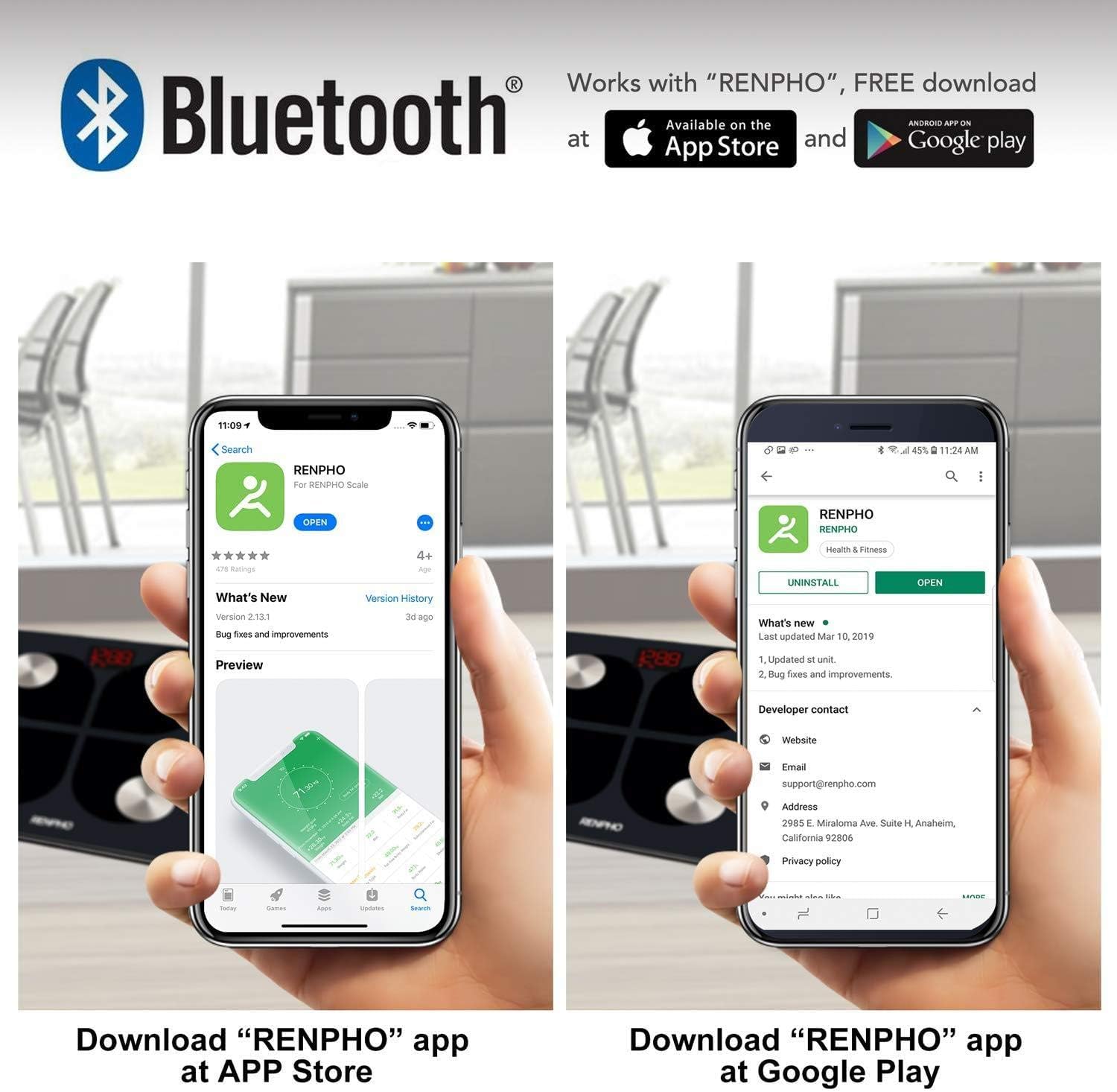
Figure 4: Visual guide showing how to download the RENPHO app from both the Apple App Store and Google Play Store, emphasizing Bluetooth connectivity.
3.4 Почетно упаривање
- Уверите се да је Блуетоотх омогућен на вашем паметном телефону.
- Open the RENPHO app and create a user profile или се пријавите.
- Накратко станите на вагу да бисте је активирали. Екран ће се упалити.
- The app should automatically detect and connect to the scale. Follow any on-screen prompts within the app to complete the pairing process.
4. Упутство за употребу
4.1 Мерење
- Поставите вагу на тврду, равну површину. Избегавајте тепихе или неравне подове.
- Уверите се да су вам стопала чиста и сува.
- Step onto the scale barefoot, placing your feet on the four metal electrodes. Stand still until your weight is displayed and stabilized.
- If the app is open and connected, your measurements will automatically sync. If not, the data will sync the next time the app is opened and connected.
4.2 Understanding Measurements
The RENPHO app provides a detailed breakdown of your body composition:
- Тежина: Ваша укупна телесна маса.
- Проценат телесне мастиtagе (%): Удео масти у укупној телесној тежини.
- БМИ (индекс телесне масе): Мера телесне масти на основу висине и тежине.
- Мишићна маса: Укупна тежина мишића у вашем телу.
- Коштана маса: Укупна тежина костију у вашем телу.
- Additional metrics may include Body Water, Visceral Fat, Protein, BMR, and Metabolic Age.
4.3 Коришћење апликације
The RENPHO app is your central hub for tracking progress and managing users.
- Контролна табла: View your latest measurements and a summary of your progress.
- Трендови: Access historical data and graphs for each metric to visualize changes over time.
- Управљање корисницима: Add unlimited user accounts, making it suitable for the whole family. Each user's data is kept separate.
- Синхронизација са апликацијама за фитнес: Configure the app to automatically transfer your data to Samsung Health, Apple Health, Google Fit, or Fitbit APP.

Figure 5: An illustration demonstrating the RENPHO app's capability to synchronize body measurement data with various popular health platforms, including Samsung Health, Fitbit App, Google Fit, and Apple Health.
5. Одржавање и њега
- Чишћење: Обришите површину ваге огласомamp крпу и благи детерџент. Не користите абразивна средства за чишћење нити потапајте вагу у воду.
- Складиштење: Чувајте вагу на хладном и сувом месту. Избегавајте екстремне температуре или директну сунчеву светлост.
- Одржавање батерије: Recharge the scale when the battery indicator is low. Avoid completely draining the battery for extended periods.
- Руковање: Handle the scale with care. Avoid dropping it or subjecting it to strong impacts, as this may damage the sensors or glass platform.
КСНУМКС. Решавање проблема
| Иссуе | Могући узрок | Решење |
|---|---|---|
| Вага се не укључује. | Ниска батерија. | Напуните вагу помоћу приложеног УСБ кабла. |
| Measurements are inaccurate or inconsistent. | Scale on uneven surface; feet not properly placed; scale needs calibration. | Place scale on a hard, flat surface. Ensure bare feet are centered on electrodes. Step on and off the scale quickly to re-calibrate to zero before weighing. |
| Апликација се не повезује са вагом. | Bluetooth off; app not open; scale not activated. | Ensure Bluetooth is on. Open the RENPHO app. Step on the scale to activate it. Restart app/phone if necessary. |
| Body composition data not showing in app. | Not weighing barefoot; profile непотпуна. | Ensure you are weighing barefoot with feet on electrodes. Check your profile in the app for complete height, age, and gender information. |
7. Спецификације производа
| Феатуре | Детаљ |
|---|---|
| Број модела | ES-28ML-BK |
| Тип | Дигитална паметна вага |
| Повезивање | Блуетоотх |
| Максимални капацитет тежине | 180 кг (396 лбс) |
| Извор напајања | USB Rechargeable Lithium Battery |
| Дисплаи Типе | Дигитал ЛЕД |
| Материјал платформе | 6 мм каљено стакло |
| Посебне карактеристике | Body Fat, Muscle Mass, Bodyweight, BMI, Bone Mass, App Sync |
| Боја | Црно |
8. Гаранција и подршка
For warranty information and customer support, please refer to the product packaging or contact the retailer from whom you purchased the RENPHO ES-28ML-BK Smart Scale. You may also find support resources on the official RENPHO webсајту.
Ask a question about this manual
Ask about setup, troubleshooting, compatibility, parts, safety, or missing instructions. Manuals+ will review the question and use this page’s manual context to help answer it.