
1. Увод
The km5 Instant Disk Audio CP2 is a portable CD player designed for easy enjoyment of your CD collection. It features an integrated speaker, Bluetooth 5.1 connectivity, and a rechargeable lithium-ion battery for extended playback. The unique design allows for displaying CD jacket art, and it can be used as a standalone unit or mounted on a wall with an optional bracket.
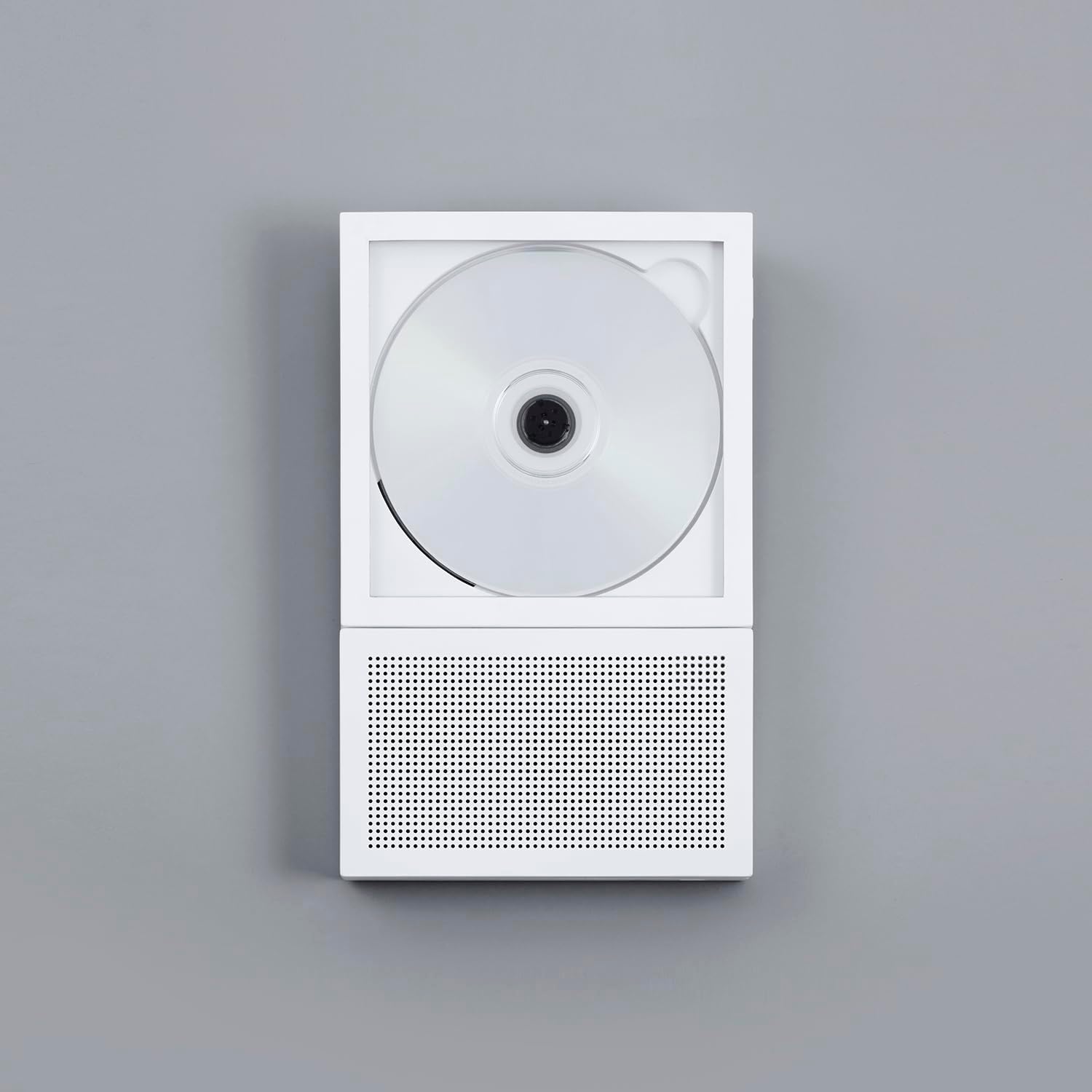
Image 1.1: The km5 Instant Disk Audio CP2 CD Player in white, showcasinг његов компактни дизајн.
2. Садржај пакета
Молимо вас да проверите да ли су све ставке присутне у пакету:
- km5 Instant Disk Audio CP2 CD Player
- Упутство за употребу (овај документ)
- Гарантни лист
- USB-C Charging Cable (not explicitly listed but implied by 'USB-C Connector Type')
3. Карактеристике производа
- Instant Photo Frame Design: Allows for displaying CD jackets, enhancing aesthetic appeal. Can be wall-mounted (bracket sold separately).
- Интегрисани звучник: A 27mm-thin speaker with a passive radiator provides balanced audio reproduction.
- Блуетоотх 5.1 повезивање: Enables wireless connection to Bluetooth earbuds or external speakers.
- Пуњива батерија: Provides 6-7 hours of continuous playback with the internal speaker or 7-8 hours via Bluetooth.
- Компактан и лаган: Dimensions of 225mm x 140mm x 27mm and a weight of 735g for portability.
- CD-R/RW and MP3 Compatible: Supports various CD formats.
- 3.5 мм прикључак за слушалице: За приватно слушање.
- УСБ-Ц пуњење: Модерни и практични интерфејс за пуњење.
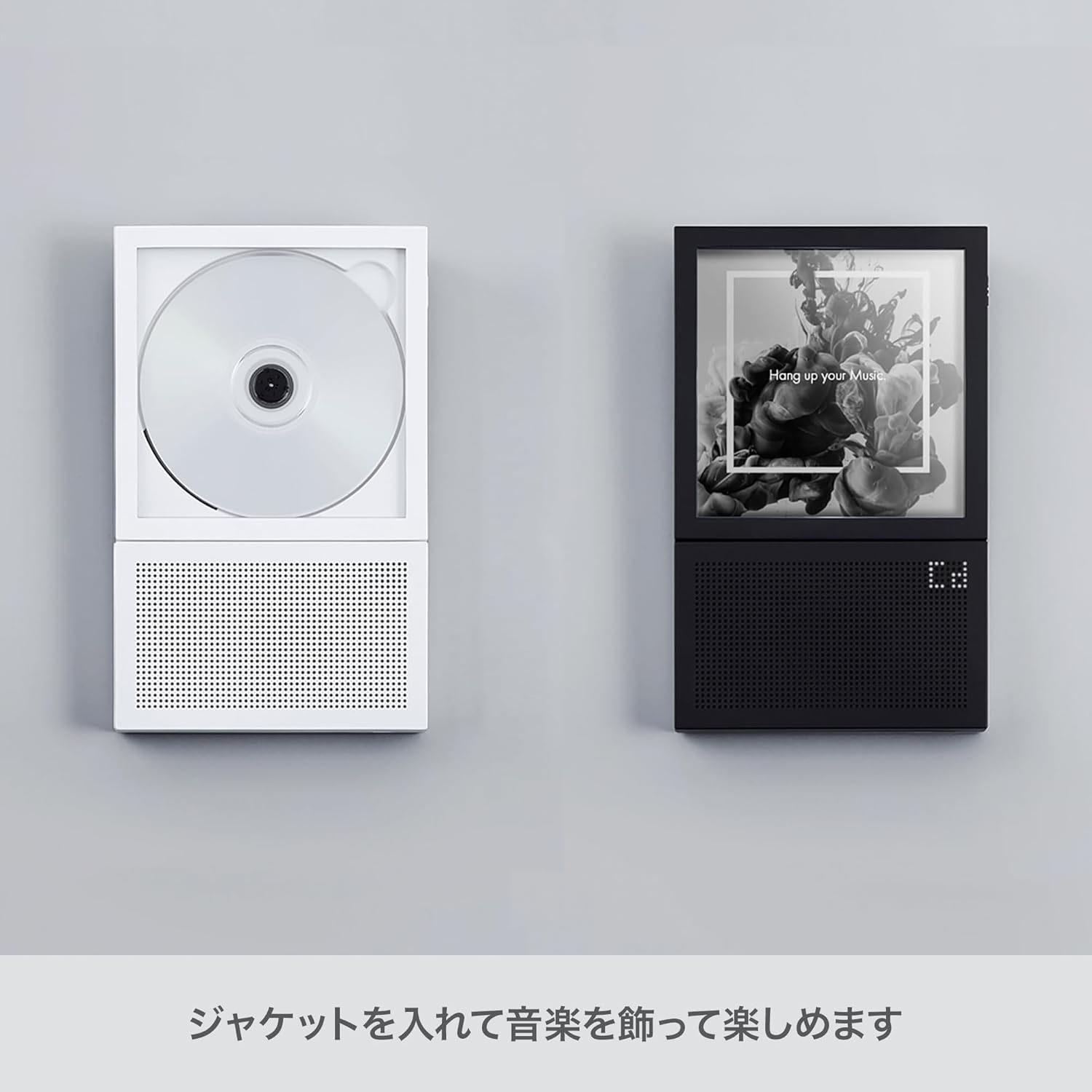
Image 3.1: The CP2 player's design allows for displaying CD jacket art, integrating music into your decor.
4. Подешавање
4.1 Пуњење уређаја
- Locate the USB-C port on the side of the CP2 player.
- Connect the provided USB-C cable to the player and the other end to a compatible USB power adapter (not included) or a computer USB port.
- Индикаторска лампица пуњења ће се упалити. Када се потпуно напуни, лампица може променити боју или се искључити, у зависности од модела.
4.2 Убацивање CD-a
- Gently open the CD compartment cover.
- Place the CD onto the spindle with the label side facing up. Ensure the CD is securely seated.
- Close the CD compartment cover firmly until it clicks into place.
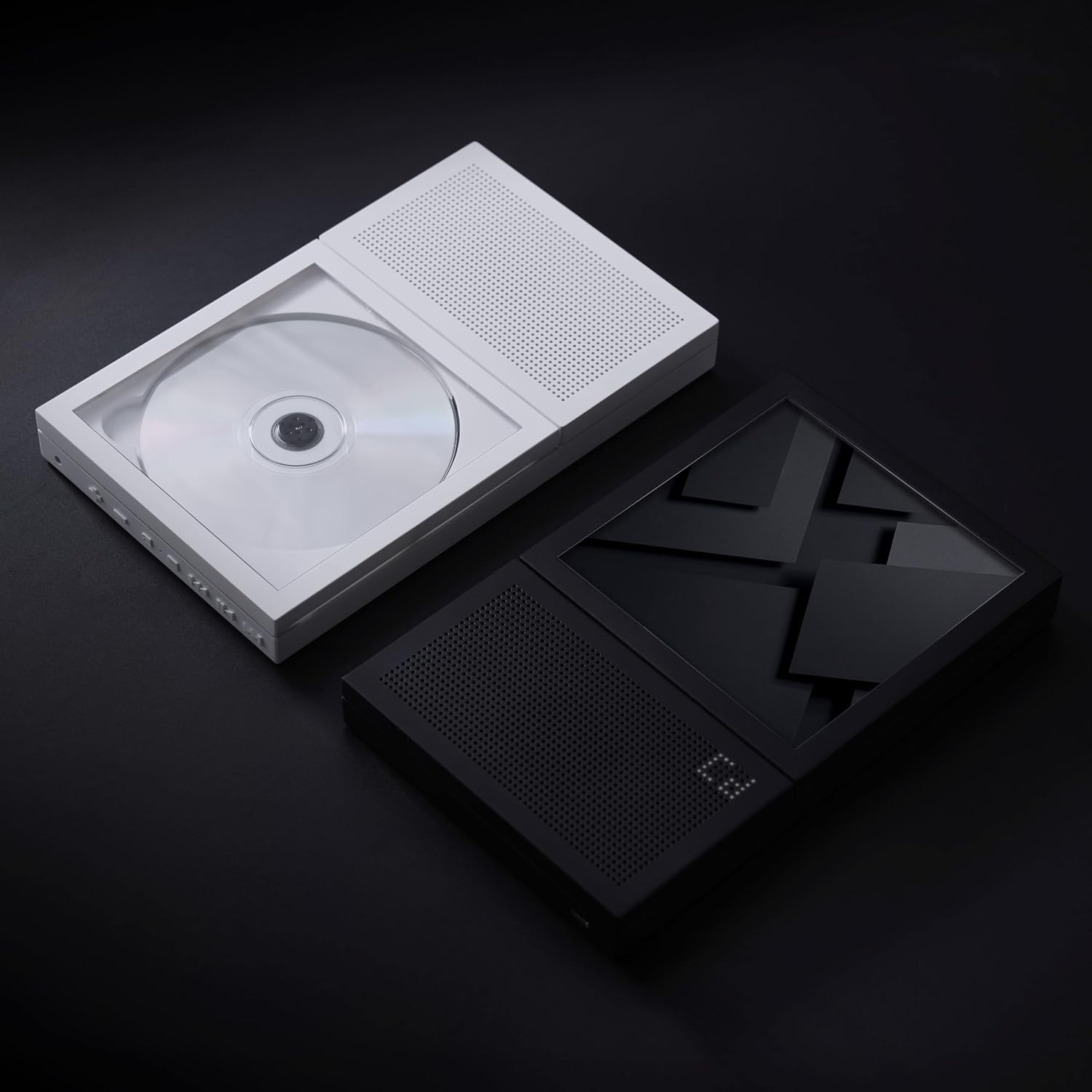
Image 4.1: A CD correctly inserted into the CP2 player's transparent compartment.
4.3 Укључивање/искључивање
- To power on, press and hold the Power button (usually located on the side or top edge) for a few seconds until the display illuminates.
- Да бисте искључили напајање, поново притисните и држите дугме за напајање док се екран не искључи.
5. Упутство за употребу
5.1 Репродукција ЦД-а
- After inserting a CD and powering on the device, the player will typically begin reading the disc automatically.
- Користите Пусти/Паузирај button to start or temporarily stop playback.
- Користите Нект Трацк и Превиоус Трацк buttons to skip between songs.
- Притисните и држите Нект Трацк or Превиоус Трацк buttons to fast-forward or rewind within a track.
- Adjust the volume using the dedicated Волуме Уп и Утишавање звука дугмад.
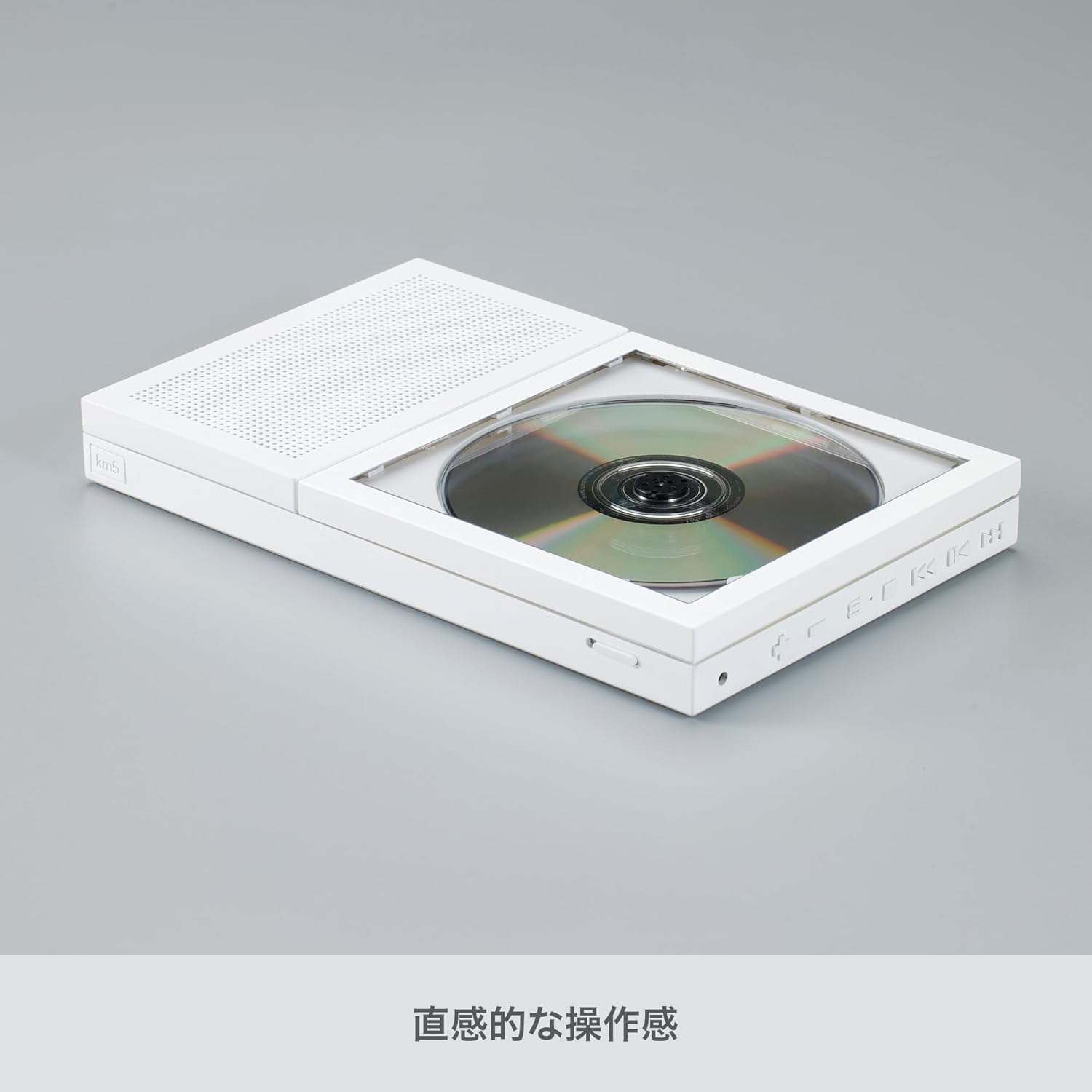
Слика 5.1: Бочна страна view of the CP2, highlighting the control buttons for playback and volume.
5.2 Блуетоотх упаривање
The CP2 can connect wirelessly to Bluetooth earbuds or speakers.
- Ensure the CP2 is powered on.
- Притисните тастер Блуетоотх button on the player. The Bluetooth indicator light will flash, indicating it is in pairing mode.
- Activate Bluetooth on your desired receiving device (earbuds, speaker) and put it into pairing mode.
- Select "km5 CP2" from the list of available devices on your receiving device.
- Once connected, the Bluetooth indicator light on the CP2 will become solid, and audio will stream to your paired device.
5.3 Using the 3.5mm Headphone Jack
For private listening, plug any standard 3.5mm headphones into the headphone jack located on the side of the player.
5.4 Монтажа на зид (опционо)
The CP2 can be mounted on a wall using a separately sold wall bracket. Refer to the instructions provided with the wall bracket for proper installation.

Image 5.2: The CP2 player displayed on an optional aluminum stand.
6. Одржавање
- Чишћење: Користите меку, суву крпу за чишћење спољашњости плејера. Не користите течна средства за чишћење или абразивне материјале.
- CD Handling: Always handle CDs by their edges. Avoid touching the playing surface. Store CDs in their cases to prevent scratches and dust accumulation.
- Складиштење: Када се плејер не користи дуже време, чувајте га на хладном и сувом месту, даље од директне сунчеве светлости и екстремних температура.
КСНУМКС. Решавање проблема
| Проблем | Могући узрок | Решење |
|---|---|---|
| Плејер се не укључује. | Батерија је празна. | Connect the player to a power source using the USB-C cable and allow it to charge. |
| CD се не репродукује или прескаче. | CD је прљав, изгребан или је погрешно уметнут. | Clean the CD with a soft cloth. Check for scratches. Re-insert the CD correctly with the label side up. |
| Нема звука из звучника/слушалица. | Volume is too low or muted. Headphones not fully plugged in. | Increase the volume. Ensure headphones are securely connected. |
| Блутут уређај не може да се повеже. | CP2 is not in pairing mode. Bluetooth device is out of range or not in pairing mode. | Ensure the CP2's Bluetooth indicator is flashing. Put your receiving device into pairing mode. Move devices closer together. |
8. Спецификације
- Бренд: км5
- Назив модела: ЦП2
- Број модела: CP2-002(W)
- Боја: Бела
- Технологија повезивања: Блуетоотх 5.1
- Посебна карактеристика: CD-R/RW Compatible
- Број дискова: 1
- Подржани аудио формат: МП3
- Тип конектора: УСБ-Ц
- Специфичне употребе за производ: ЦД репродукција
- Број канала: 2
- Media Format Type: Аудио ЦД
- Просечан век трајања батерије: 7-8 Hours (Bluetooth), 6-7 Hours (Speaker)
- Компатибилни уређаји: Bluetooth Speakers, Bluetooth Earbuds
- Прикључак за слушалице: 3.5 мм Јацк
- МП3 плејер: Да
- Број батерија: 1 литијум јон (укључено)
- Димензије артикла (Д к Ш к В): 8.86" x 5.51" x 1.06" (225 mm x 140 mm x 27 mm)
- Тежина артикла: 735г
9. Гаранција и подршка
The km5 Instant Disk Audio CP2 comes with a 1 година гаранције од датума куповине. Молимо вас да сачувате доказ о куповини за потребе гаранције.
For technical support, troubleshooting assistance, or warranty inquiries, please contact km5 customer service through the retailer where the product was purchased or visit the official km5 webсајт за контакт информације.