
LC-Power LC-POWER
LC-M27-QHD-180 - 27" PC Monitor User Manual
Brand: LC-Power | Model: LC-POWER
Производ је завршенview
The LC-M27-QHD-180 is a 27-inch (68.58 cm) PC monitor designed to deliver a high-quality visual experience. It features a QHD resolution of 2560 x 1440 pixels, providing sharp and detailed images. The IPS panel ensures an ultra-fast 1 ms response time, excellent color accuracy, and wide viewing angles. With a refresh rate of 180 Hz, content display is very fluid, making it suitable for fast-paced applications and gaming.
Key features include Adaptive Sync for smooth gameplay, Picture-by-Picture (PbP) and Picture-in-Picture (PiP) for multi-source viewing, and a height-adjustable stand with integrated cable management for ergonomic use. The monitor also supports a pivot feature, allowing it to be rotated 90 degrees for vertical document viewинг.
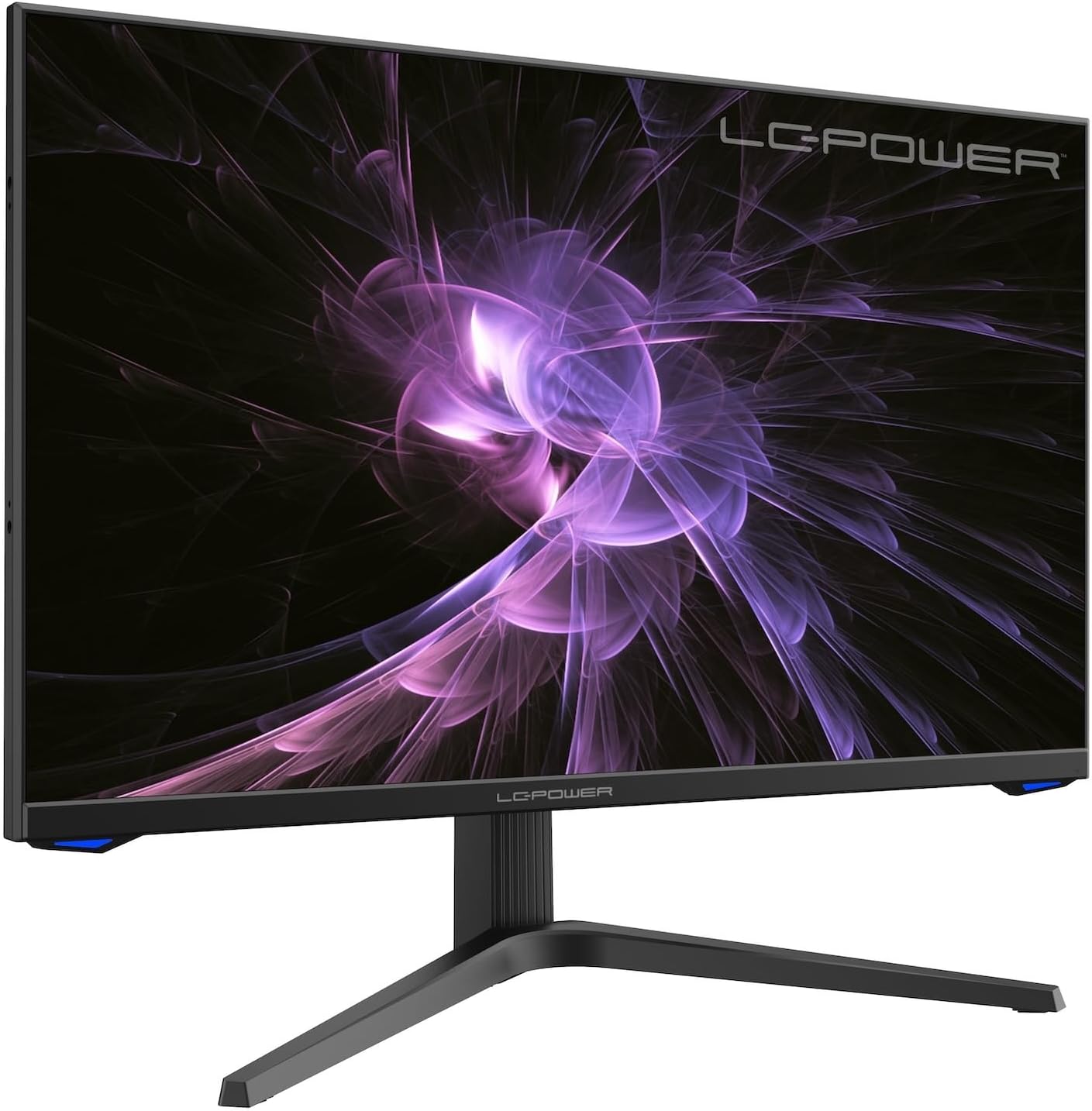
Слика: Фронт view of the LC-M27-QHD-180 monitor, showcasinњегов дисплеј и елегантан дизајн.
Водич за подешавање
1. Распакивање и садржај
Carefully remove all components from the packaging. Please verify that all items listed below are present:
- LC-M27-QHD-180 Monitor
- Монитор Басе
- ХДМИ кабл
- Повер Адаптер
- Монтажни материјал
- Кориснички приручник (овај документ)
2. Скупштина
Причвршћивање основе:
- Поставите екран монитора лицем надоле на меку, чисту површину како бисте спречили огреботине.
- Align the stand arm with the slot on the back of the monitor.
- Secure the stand arm to the monitor using the provided screws.
- Attach the base plate to the stand arm and tighten the screws.
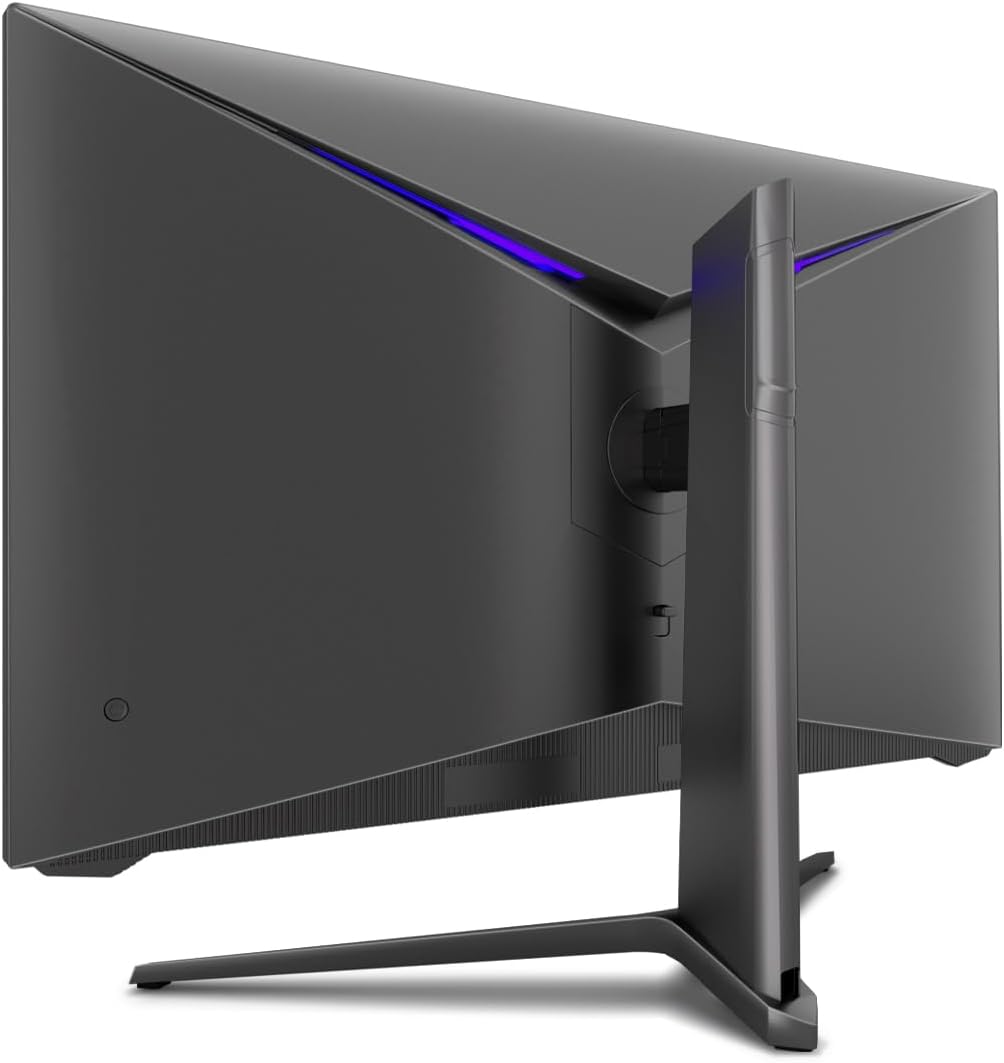
Слика: Позади view of the monitor, illustrating the stand assembly area and cable management design.
ВЕСА монтажа: The monitor is VESA compatible. If you intend to use a VESA mount, remove the stand arm after assembly and attach your VESA mount according to its instructions.
3. Повезивање монитора
- Прикључак за напајање: Connect the power adapter to the monitor's power input and then plug the power adapter into a wall outlet.
- Видео веза: Connect one end of the provided HDMI cable to the HDMI port on your computer's graphics card and the other end to an HDMI input port on the monitor.
- Уверите се да су све везе безбедне.
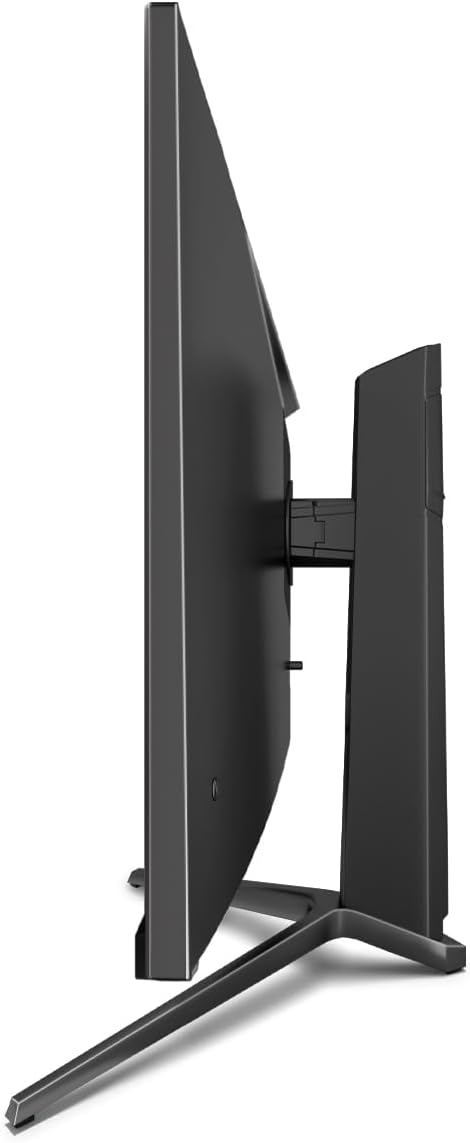
Слика: Са стране view of the monitor, showing its slim design and connectivity ports.
4. Прво укључивање
Press the power button on the monitor. The power indicator light should illuminate. Your computer should automatically detect the new display. If not, adjust display settings in your operating system.
Упутство за употребу
Он-Сцреен Дисплаи (ОСД) мени
The monitor features an On-Screen Display (OSD) menu for adjusting various settings. Use the control buttons located on the monitor (typically on the back or bottom edge) to navigate the OSD menu.
Кључне карактеристике и подешавања
- Прилагодљива синхронизација: This technology synchronizes the monitor's refresh rate with your graphics card's frame rate, reducing screen tearing and stuttering for a smoother gaming experience. Enable this feature in your graphics card settings and on the monitor's OSD if applicable.
- Овердриве: Overdrive pre-calculates and accelerates specific pixels, significantly reducing response times for both black-and-white and color nuance changes, resulting in clearer motion.
- Слабо плаво светло: The Low Blue Light filter reduces the emission of harmful blue light from the screen, minimizing eye strain and fatigue during prolonged use. This feature can be adjusted via the OSD menu.
- Picture-by-Picture (PbP) / Picture-in-Picture (PiP):
- PbP: Allows you to display content from two different input sources side-by-side on the same screen.
- слика у слици: Displays the image from a second source as a smaller, scalable window (up to 25% of original size) that can be positioned anywhere on the main screen.
- FPS / RTS Modes: Dedicated display modes optimized for First Person Shooter (FPS) and Real-Time Strategy (RTS) games. These modes enhance visibility and provide a better gaming experience by adjusting display parameters.
- Окретна карактеристика: The monitor can be rotated 90 degrees to a vertical (portrait) orientation. This is particularly useful for reading documents, coding, or web прегледавање.

Image: Diagram illustrating the monitor's ability to pivot 90 degrees for vertical viewинг.
Note: After physically rotating the monitor, you must adjust the display orientation settings within your operating system (e.g., Windows Display Settings) to match the new physical orientation.
- Height Adjustable Stand & Cable Management: The integrated stand allows for height adjustment to achieve an ergonomic viewing position. Cables can be neatly routed through the stand's built-in cable management system to maintain a tidy workspace.

Image: Close-up of the monitor's stand, highlighting the integrated cable management feature.
Одржавање
Да бисте осигурали дуготрајност и оптималне перформансе вашег монитора, пратите ова упутства за одржавање:
- Чишћење екрана: Gently wipe the screen with a soft, lint-free cloth specifically designed for electronics. For stubborn marks, lightly dampОперите крпу водом или неабразивним средством за чишћење, безбедним за монитор. Не прскајте течност директно на екран.
- Чишћење Цasing: Користите меку, суву крпу за чишћење површине монитораasinг. Избегавајте употребу јаких хемикалија или абразивних материјала.
- вентилација: Уверите се да вентилациони отвори на монитору нису блокирани како бисте спречили прегревање.
- Искључивање: Увек искључите монитор и извуците га из утичнице пре чишћења или ако га нећете користити дуже време.
- Избегавајте директну сунчеву светлост: Не излажите монитор директној сунчевој светлости или прекомерној топлоти.
Решавање проблема
If you encounter issues with your LC-M27-QHD-180 monitor, please refer to the following common troubleshooting steps:
| Проблем | Могући узрок | Решење |
|---|---|---|
| Нема слике на екрану | Monitor not powered on; video cable loose or disconnected; incorrect input source selected. | Ensure power cable is securely connected and monitor is turned on. Check video cable connections (HDMI). Select the correct input source via the OSD menu. |
| Слика је мутна или искривљена | Incorrect resolution setting; video cable issue. | Set the display resolution to 2560 x 1440 pixels in your computer's display settings. Try a different HDMI cable if available. |
| Нема звука (ако монитор има звучнике/аудио излаз) | Аудио кабл није повезан; јачина звука је прениска; на рачунару је изабран погрешан аудио излаз. | Ensure audio cable (if used) is connected. Adjust monitor volume via OSD. Select the monitor as the default audio output device in your computer's sound settings. |
| Екран трепери | Refresh rate mismatch; faulty cable; graphics driver issue. | Ensure refresh rate is set to 180 Hz in display settings. Try a different video cable. Update your graphics card drivers. |
For more detailed troubleshooting or persistent issues, please consult the full user manual or contact LC-Power customer support.
Спецификације
| Феатуре | Детаљ |
|---|---|
| Број модела | LC-POWER (LC-M27-QHD-180) |
| Величина екрана | 27 инча (68.58 цм) |
| Резолуција | QHD Wide 1440p (2560 x 1440 pixels) |
| Аспецт Ратио | 16:9 |
| Рефресх Рате | 180 Хз |
| Време одговора | 1 мс |
| Панел Типе | ИПС |
| Површина екрана | Flach (Flat) |
| Димензије производа (Д к Ш к В) | 28.74 к 18.9 к 8.66 инча |
| Тежина артикла | 17.73 фунти |
| Произвођач | ЛЦ Повер |
| ASIN | B0CQJNV3YR |
| Датум првог доступног | 31. маја 2024. године |

Image: EU Energy Label for the LC-M27-QHD-180 monitor. For more details, scan the QR code or visit епрел.ец.еуропа.еу/кр/1758049.
Гаранција и подршка
The LC-M27-QHD-180 monitor is manufactured by LC Power.
- Општа гаранција: The product comes with a 3-year general warranty from the date of purchase.
- Guaranteed Availability of Spare Parts: Spare parts are guaranteed to be available for 7 years from the date of placing the product on the market.
- Гарантована подршка за производ: Product support is guaranteed for 7 years.
For technical support, warranty claims, or service inquiries, please contact LC-Power customer support through their official channels. Refer to the packaging or the brand's official webсајт за конкретне контакт информације.