
1. Увод
The Tera Mini 1D Barcode Scanner 1100L is a compact, portable, and versatile laser barcode reader designed for efficient data collection. It features 3-in-1 connectivity options, including Bluetooth, 2.4GHz wireless, and USB wired modes, making it compatible with various operating systems such as iOS, Windows, and Android. Its robust design includes IP66 waterproof and dustproof protection, suitable for diverse working environments.
2. Садржај пакета
- Баркод скенер к1
- УСБ кабл кКСНУМКС
- 2.4G USB Dongle x1
- Упутство за употребу к1
3. Производ је готовview

The Tera Mini 1D Barcode Scanner is designed for comfortable, single-handed operation, featuring a prominent pink scan button and a wrist strap for security. The package includes a USB cable and a 2.4G wireless dongle for versatile connectivity.
- Компактан и лаган: Weighing only 1.4oz (39g) with dimensions of 1.1 x 1.5 x 3.4 inches, it is designed for portability.
- Издржљив дизајн: Features an IP66 waterproof and dustproof rating, enhanced by a silicone port plug for protection against environmental elements.
- Ergonomic Button: A soft silicone button ensures a smooth and comfortable scanning experience.

With a weight of only 1.4oz (39g) and compact dimensions, the Tera Mini 1D Barcode Scanner is highly portable, easily fitting into a pocket for on-the-go use.
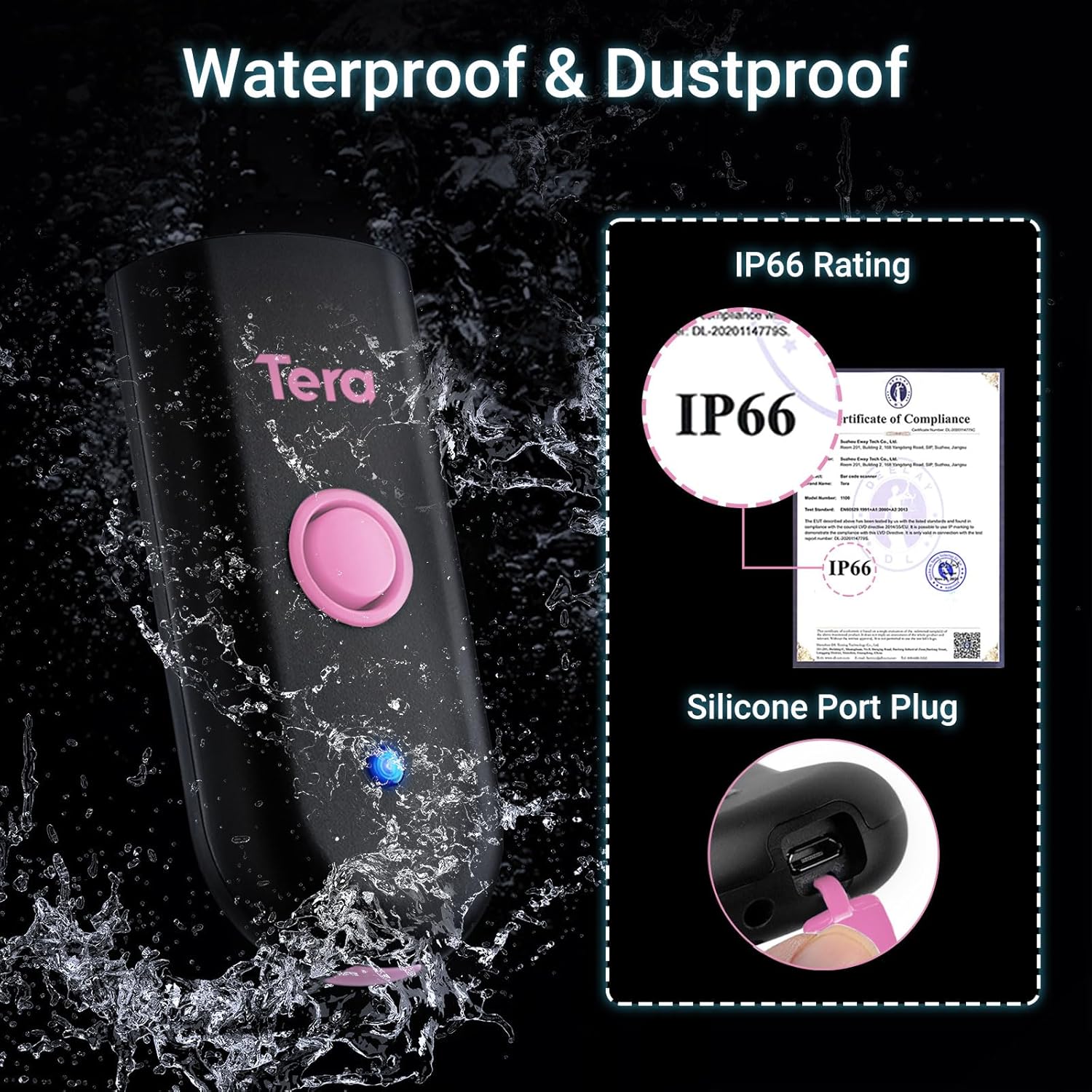
The scanner features an IP66 waterproof and dustproof rating, ensuring durability in various environments. A silicone port plug protects the charging port from moisture and dust.
4. Подешавање и повезивање
4.1 Пуњење скенера
Before first use, fully charge the scanner. The built-in 650mAh rechargeable battery provides up to 12 hours of continuous scanning or 4 weeks of standby time. A full charge typically takes 3.5 hours.

This image highlights the scanner's 650mAh high-capacity rechargeable battery, providing up to 12 hours of continuous scanning, 4 weeks of standby time, and a full charge in approximately 3.5 hours.
Important Charging Note:
- Use a standard 5V/1A charging adapter.
- Do NOT use USB Power Delivery (USB PD) standard power adapters or cables to charge this product.
- It is recommended to use the original USB cable included in the package for charging.

For optimal charging, use a 5V/1A adapter. Avoid using USB Power Delivery (USB PD) standard power adapters and cables, as they are not compatible with this device.
4.2 Начини повезивања
Скенер подржава три начина повезивања:
- Блуетоотх КСНУМКС: For wireless connection to smartphones, tablets, and computers.
- Бежична веза од 2.4 GHz: Using the included USB dongle for wireless connection to computers. Offers a transmission distance of up to 656ft in barrier-free environments and 98ft with obstacles.
- USB 2.0 Wired: Direct connection via the USB cable to a computer.
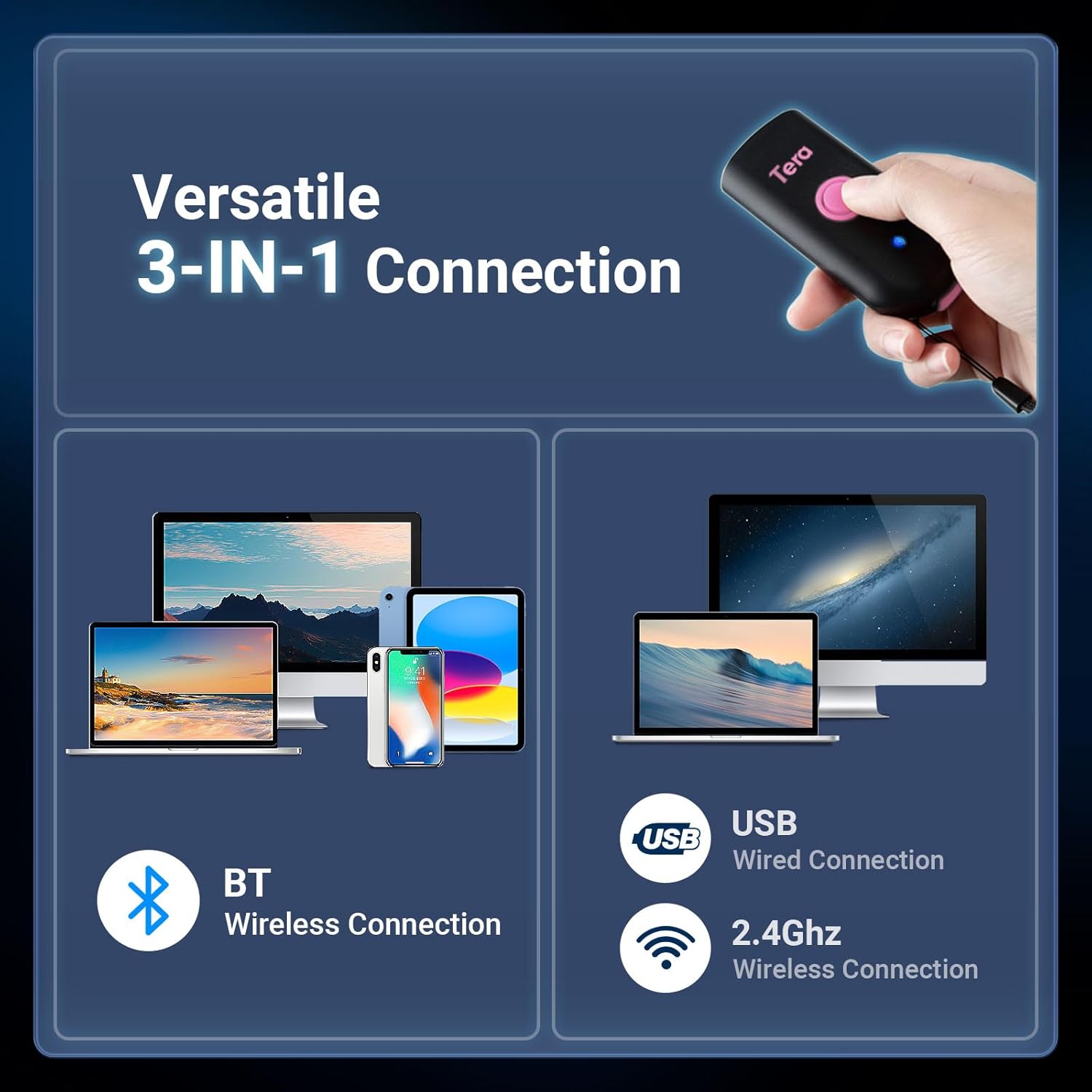
The scanner offers flexible connectivity with three modes: Bluetooth wireless for mobile devices, USB wired for direct connection, and 2.4GHz wireless via a dongle for extended range, supporting a wide range of operating systems.
4.3 Водич за упаривање путем Bluetooth-а
To connect the scanner to your device via Bluetooth:
- Scan the 'Bluetooth HID' barcode.
- Scan the 'Pairing' barcode.
- On your smartphone or computer, go to Bluetooth settings and select 'Barcode Scanner HID' to connect.

To connect via Bluetooth, scan the 'Bluetooth HID' barcode, then the 'Pairing' barcode. Afterward, enable Bluetooth on your device and select 'Barcode Scanner HID' from the available devices.
5. Operating Modes and Configuration
5.1 Режими скенирања
Скенер подржава два основна режима скенирања:
- Режим окидача тастера: Притисните дугме за скенирање да бисте покренули скенирање.
- Континуирани режим: The scanner continuously emits a laser for automatic scanning without needing to press the button for each scan.

Users can choose between Key Trigger Mode for manual scanning by pressing the button, or Continuous Mode for automatic, uninterrupted scanning.
5.2 Data Transmission Modes
- Режим тренутног отпремања: Скенирани подаци се одмах преносе на повезани уређај.
- Режим складиштења: Scanned data is stored in the scanner's internal memory and can be uploaded later.
5.3 Опције прилагођавања
The scanner offers various configuration options to suit your needs:
- Звук и вибрација: Adjust sound levels (Off, Low, Medium, High) and enable/disable vibration feedback.
- Префикс/Суфикс: Add custom characters before or after scanned barcode data.
- Подршка за више језика: The scanner supports various keyboard layouts for different languages.

Customize sound and vibration feedback.

Configure custom prefixes or suffixes.

Supports multiple language keyboard layouts.
6. Могућности скенирања
The Tera Mini 1D Barcode Scanner 1100L is designed to read printed 1D barcodes efficiently.
6.1 Supported 1D Symbologies
- Цодабар
- Код 11
- Код 93
- МСИ
- Код 128
- УЦЦ/ЕАН-128
- Код 39
- ЕАН-КСНУМКС
- ЕАН-КСНУМКС
- УПЦ-А
- ИСБН
- Индустријска 25
- Интерлеавед 25
- Стандард 25
- 2/5 Матрица
6.2 Advanced Decoding
The scanner features super decoding ability, allowing it to read damaged, distorted, colorful, and reflective barcodes.
Important Scanning Limitations:
- This scanner cannot scan 2D barcodes.
- This scanner cannot scan 1D barcodes displayed on screens (e.g., phone or computer displays).
- It can ONLY scan printed 1D barcodes.
7. Одржавање
The Tera Mini 1D Barcode Scanner 1100L is built with an IP66 rating, providing protection against dust ingress and powerful water jets. This makes it suitable for use in environments where exposure to dust or water splashes is possible.
- Ensure the silicone port plug is securely closed when not charging to maintain waterproof and dustproof integrity.
- Clean the scanner's lens and body with a soft, dry cloth. Avoid abrasive cleaners or solvents.
КСНУМКС. Решавање проблема
If you encounter issues with your scanner, please refer to the following common solutions:
- Скенер се не повезује:
- Уверите се да је скенер потпуно напуњен.
- For Bluetooth, re-scan the 'Bluetooth HID' and 'Pairing' barcodes, then re-attempt connection from your device's Bluetooth settings.
- For 2.4GHz wireless, ensure the USB dongle is securely plugged into your device.
- For USB wired, ensure the cable is properly connected to both the scanner and your device.
- Скенер не чита баркодове:
- Verify that the barcode is a printed 1D barcode. This scanner does not read 2D barcodes or 1D barcodes from screens.
- Уверите се да је баркод чист и да није претерано оштећен.
- Подесите растојање и угао скенера у односу на баркод.
- Без звучних/вибрационих повратних информација: Check the configuration settings for sound and vibration.
9. Спецификације
| Феатуре | Детаљ |
|---|---|
| Димензије производа | 1.1 к 1.5 к 3.4 инча |
| Тежина артикла | 5.5 ounces (1.4oz / 39g for scanner only) |
| Технологија повезивања | Bluetooth 5.0, 2.4G Wireless, USB Cable |
| Компатибилни уређаји | Desktop, Laptop, Smartphone, Tablet (iOS, Windows, Android) |
| Извор напајања | Напајање батеријом (650mAh) |
| Сцан Рате | 100 скенирања у секунди |
| Децоде Цапабилити | 1D: Codabar, Code 11, Code93, MSI, Code 128, UCC/EAN-128, Code 39, EAN-8, EAN-13, UPC-A, ISBN, Industrial 25, Interleaved 25, Standard 25, 2/5 Matrix etc. |
| Оцена водоотпорности / отпорности на прашину | ИП66 |
10. Подршка
For further assistance or technical support, please refer to the contact information provided in your product packaging or visit the official Tera webсајту.