
MorePro M-HM08
MorePro Fitness Tracker User Manual
Model: M-HM08
Your guide to a healthier lifestyle.
1. Увод
The MorePro Fitness Tracker (Model M-HM08) is a versatile smartwatch designed to help you monitor your health and fitness activities. It features a 1.47-inch HD color display and offers comprehensive tracking for heart rate, blood pressure, blood oxygen, sleep, and various sports modes. This manual provides detailed instructions to help you get the most out of your device.

Image: MorePro Fitness Tracker with customizable watch faces and a 1.47-inch HD color display.
2. Подешавање
2.1. Распакивање и компоненте
Пре него што почнете, уверите се да су све компоненте присутне у пакету:
- MorePro Fitness Tracker (M-HM08)
- Гледај Банд
- Магнетни УСБ кабл за пуњење
- Кориснички приручник (овај документ)
2.2. Пуњење уређаја
To charge your fitness tracker:
- Connect the magnetic end of the USB charging cable to the charging points on the back of the watch. Ensure the pins align correctly.
- Прикључите УСБ крај кабла у стандардни УСБ адаптер за напајање (препоручује се 5V/1A) или УСБ порт рачунара.
- The watch screen will display a charging indicator. A full charge typically takes about 2 hours and provides up to 10 days of standby time.

Image: The MorePro Fitness Tracker connected to its magnetic charging cable, illustrating the charging process and highlighting its 10-day standby mode.
2.3. Installing the Watch Band
The watch band is designed for easy installation:
- Locate the spring bars on the watch band.
- Align one end of the spring bar with the lug hole on the watch case.
- Push the spring bar inwards and slide the other end into the corresponding lug hole on the opposite side.
- Release the spring bar to secure the band. Gently pull on the band to ensure it is firmly attached.
Video: Official MorePro guide demonstrating how to install the watch band on the HM08 fitness tracker, showing the process of attaching the strap to the watch body.
2.4. Connecting to the App (FitCloudPro)
To unlock the full potential of your MorePro Fitness Tracker, connect it to the FitCloudPro app:
- Download the 'FitCloudPro' app from your smartphone's app store (available on iOS and Android).
- Уверите се да је Блуетоотх омогућен на вашем паметном телефону.
- Open the FitCloudPro app and follow the on-screen instructions to create an account and set up your personal profile.
- In the app, navigate to the 'Device' section and select 'Bind Bracelet' or 'Add Device'.
- The app will search for nearby devices. Select 'HM08' or the corresponding device name from the list to pair.
- Потврдите захтев за упаривање и на телефону и на сату ако се то од вас затражи.
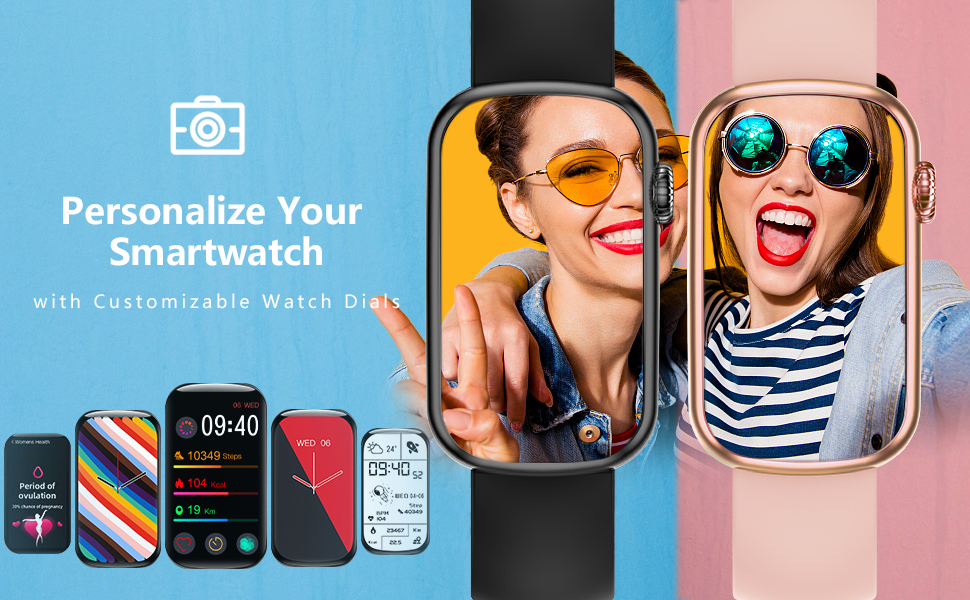
Image: The FitCloudPro app interface, showcasing practical tools like music control, water reminder, calorie tracking, camera control, alarm clock, pedometer, weather, and find phone features.
Video: Official MorePro tutorial on how to connect the HM08 fitness tracker to a smartphone using the FitCloudPro app, demonstrating the pairing process.
3. Руковање уређајем
3.1. Основна навигација
The MorePro Fitness Tracker features a responsive touchscreen and a side button for navigation:
- екран осетљив на додир: Swipe left/right or up/down to navigate through different menus and features. Tap to select an option.
- Бочно дугме: Press the side button to return to the previous screen or the main watch face. Long-press to power on/off the device.

Image: The MorePro Fitness Tracker displaying its main screen with time, steps, calories, and distance, showcasinг његов елегантан дизајн.
3.2. Monitoring Health Metrics
Your fitness tracker can monitor several key health indicators:
- Откуцаји срца (ХР): Access the HR interface on the watch to measure your real-time heart rate. For continuous monitoring, enable the feature in the FitCloudPro app.
- Blood Pressure (BP): Navigate to the BP interface to take a blood pressure reading. Ensure the watch is worn correctly on your wrist for accurate results.
- Кисеоник у крви (SpO2): Select the SpO2 function to measure your blood oxygen saturation level.
- Праћење спавања: The device automatically tracks your sleep patterns, including deep sleep, light sleep, and awake times. View детаљни подаци о спавању у апликацији FitCloudPro.

Image: Visual representation of the watch's health monitoring capabilities, including heart rate, blood pressure, blood oxygen, and sleep tracking, with corresponding app screens.

Image: A woman sleeping with the MorePro Fitness Tracker, highlighting its scientific sleep analysis function that differentiates between deep sleep, light sleep, and awake states.
Video: An official MorePro video showcasing the HM08 Fitness Tracker's capabilities, including heart rate monitoring, various sports modes, and overall health tracking.
Video: An official MorePro video demonstrating the activity and blood pressure tracking features of the fitness tracker, highlighting its health monitoring functions.
3.3. Праћење активности
The tracker supports multiple sport modes and records your daily activity:
- Кораци, калорије, удаљеност: The watch automatically tracks your daily steps, estimated calories burned, and distance covered.
- Спортски режими: Select from various built-in sport modes (e.g., walking, running, cycling) to get more accurate data for specific activities.

Image: The MorePro Fitness Tracker highlighting its 7 common sport modes for activity tracking and its IP68 waterproof rating, suitable for various activities.

Image: The MorePro Fitness Tracker showing different sport modes available for tracking, including walking, running, cycling, and yoga, to help users monitor specific activities.
3.4. Паметне карактеристике
Enhance your daily routine with these smart functionalities:
- Call & Message Reminders: Receive notifications for incoming calls, text messages, and app alerts directly on your watch. Manage notification settings in the FitCloudPro app.
- Контрола музике: Контролишите репродукцију музике на свом паметном телефону директно са свог сата.
- Време: View real-time weather updates on your watch after syncing with the app.
- Пронађите телефон: Use this feature on your watch to make your paired smartphone ring, helping you locate it quickly.
- Будилник: Set alarms through the app, and your watch will vibrate to wake you up or remind you of tasks.
- Подсетник за пиће: Поставите подсетнике како бисте били сигурни да ћете остати хидрирани током целог дана.
- Праћење менструалног циклуса: Utilize the dedicated women's health feature to track and predict menstrual cycles.
- Прилагодљиви сатови: Personalize your watch with a variety of pre-installed watch faces or create your own using the FitCloudPro app.
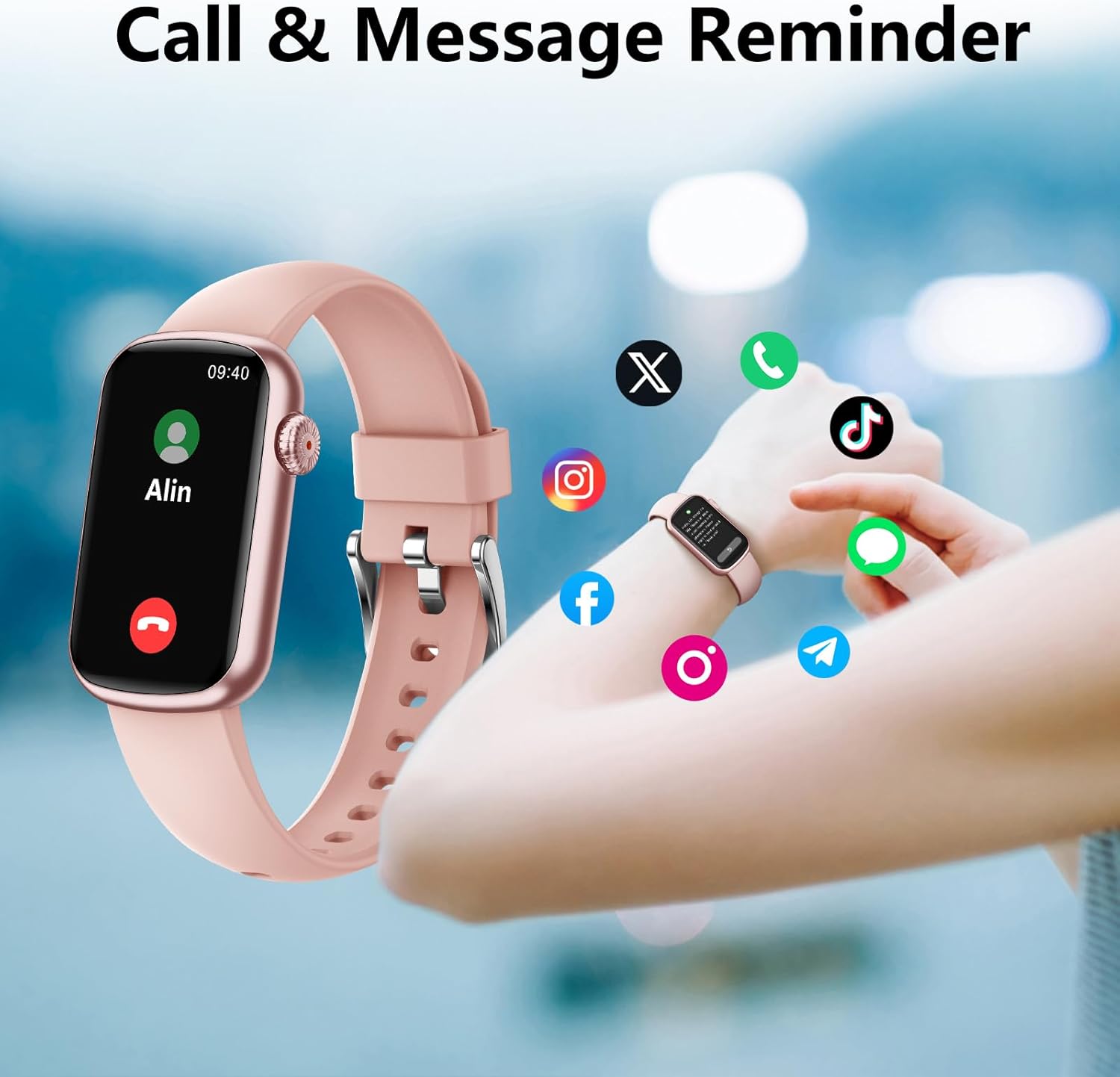
Image: The MorePro Fitness Tracker showing an incoming call notification and various social media app icons, illustrating its call and message reminder features.
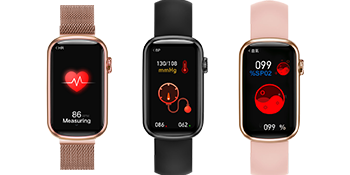
Image: The MorePro Fitness Tracker showing message notifications from popular social media and messaging applications, ensuring you stay connected.

Image: The MorePro Fitness Tracker displaying a menstrual cycle reminder, indicating its built-in features for women's health tracking.

Image: The MorePro Fitness Tracker showcasing its customizable watch faces and additional features like motion record, menstrual cycle tracking, music player, blood oxygen, weather, find phone, alarm clock, and drink reminder.
4. Одржавање
4.1. Чишћење уређаја
Да бисте одржали оптималне перформансе и хигијену:
- Wipe the watch screen and body regularly with a soft, lint-free cloth.
- Ако је потребно, користите мало дamp крпу благим сапуном, затим исперите и темељно осушите.
- Clean the charging contacts periodically to ensure proper connection.
4.2. Отпорност на воду (IP68)
The MorePro Fitness Tracker is IP68 waterproof, meaning it is resistant to dust and can withstand immersion in water up to 1.5 meters for 30 minutes. While it is suitable for daily use and light swimming, it is not recommended for hot showers, saunas, or diving, as steam and hot water can damage the seals.
Image: The MorePro Fitness Tracker highlighting its 7 common sport modes for activity tracking and its IP68 waterproof rating, suitable for various activities.
КСНУМКС. Решавање проблема
If you encounter any issues with your MorePro Fitness Tracker, try the following solutions:
| Иссуе | Могуће решење |
|---|---|
| Уређај се не укључује | Ensure the device is fully charged. Connect to the magnetic charging cable and check for the charging indicator. |
| Упаривање са апликацијом није могуће | Ensure Bluetooth is enabled on your phone. Restart both the watch and your phone. Make sure the app is updated to the latest version. Keep the watch close to your phone during pairing. |
| Нетачна здравствена очитавања | Ensure the watch is worn snugly on your wrist, about one finger's width from your wrist bone. Avoid excessive movement during measurements. |
| Обавештења нису примљена | Check notification settings in the FitCloudPro app and your phone's system settings to ensure permissions are granted. Ensure the app is running in the background. |
| Кратко трајање батерије | Reduce screen brightness, disable continuous heart rate monitoring, and limit frequent notifications. |
For more detailed troubleshooting and FAQs, please refer to the FitCloudPro app's help section or the official MorePro support resources.
6. Спецификације
| Феатуре | Детаљ |
|---|---|
| Назив модела | M-HM08 |
| Величина екрана | 1.47 инча |
| Технологија повезивања | Блуетоотх |
| Отпорност на воду | ИП68 |
| Тежина артикла | 30 грама |
| Материјал | Rubber (Band) |
| Трајање батерије (приправност) | До 10 дана |
| Посебне карактеристике | Activity Tracker, Heart Rate Monitor, Blood Pressure, Blood Oxygen, Sleep Tracking, Call/Message Reminders, Menstrual Cycle Tracking |
7. Гаранција и подршка
7.1. Информације о гаранцији
The MorePro Fitness Tracker (Model M-HM08) comes with a 1-year warranty from the date of purchase. This warranty covers manufacturing defects and issues arising from normal use. It does not cover damage caused by misuse, accidents, unauthorized repairs, or normal wear and tear.
7.2. Корисничка подршка
For any questions, technical assistance, or warranty claims, please contact MorePro customer support through the following channels:
- Службено Webсајт: Visit the MorePro official webсајт за ресурсе подршке, честа питања и контакт форме.
- Подршка путем е-поште: Погледајте паковање производа или званична упутства webсајт за адресу е-поште за корисничку подршку.
- Подршка у апликацији: The FitCloudPro app may offer a direct support or feedback option.
Такође се можете позвати на Упутство за употребу (ПДФ) за додатне информације.
Ask a question about this manual
Ask about setup, troubleshooting, compatibility, parts, safety, or missing instructions. Manuals+ will review the question and use this page’s manual context to help answer it.