
Увод
Thank you for choosing the RAZEAK Portable 60% Mechanical Gaming Keyboard. This manual provides detailed instructions for the proper setup, operation, and maintenance of your new keyboard. Please read this manual thoroughly before use to ensure optimal performance and longevity of your device.
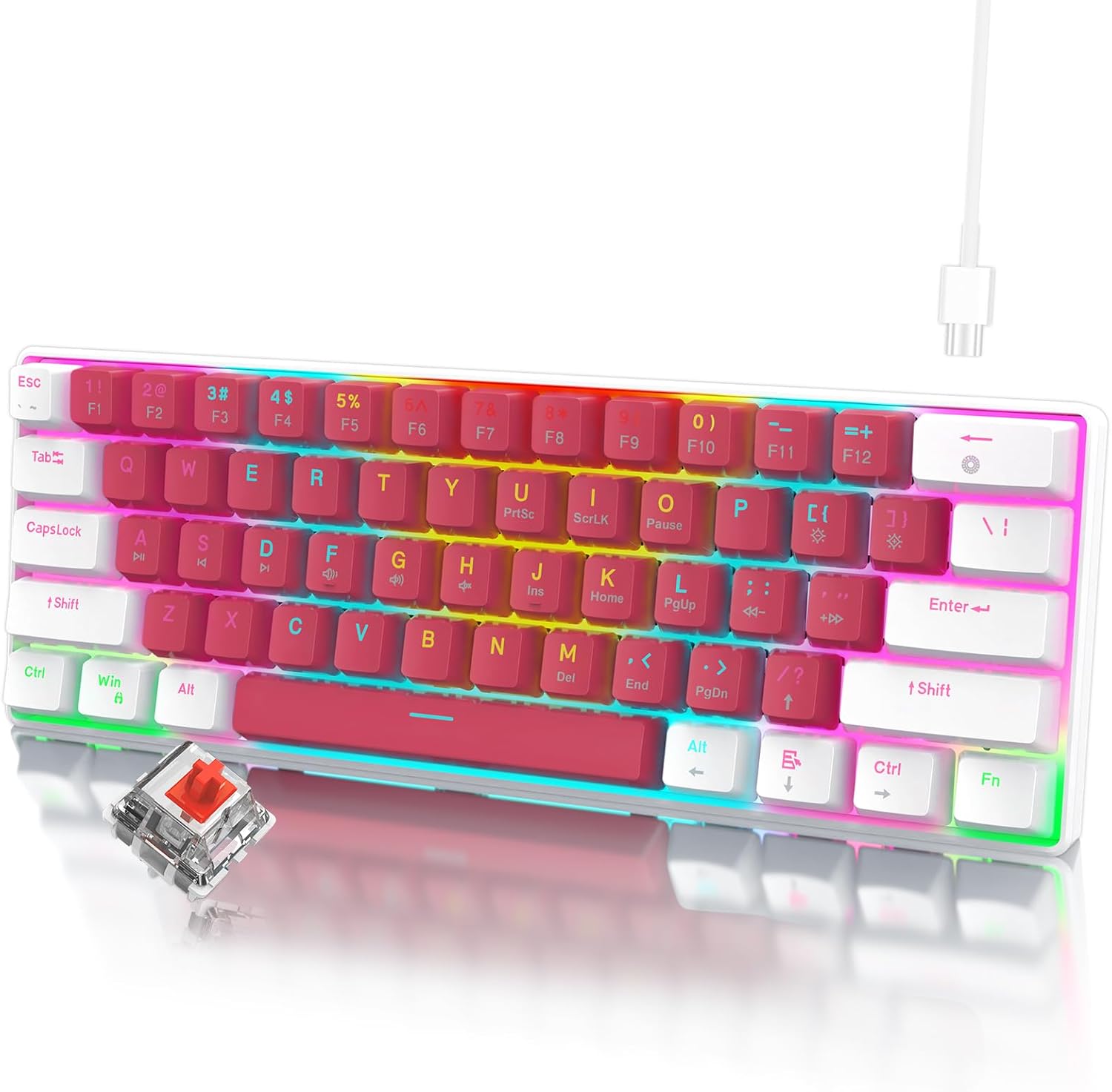
Image: The RAZEAK Portable 60% Mechanical Gaming Keyboard in Pink-White, showcasing its compact design and included USB-C cable. A single red switch is visible in the foreground.
Водич за подешавање
1. Садржај пакета
Уверите се да су све ставке присутне у пакету:
- RAZEAK Portable 60% Mechanical Gaming Keyboard
- УСБ-Ц кабл
2. Повезивање тастатуре
- Locate the USB-C port on the back or side of the keyboard.
- Повежите један крај приложеног USB-C кабла са USB-C портом тастатуре.
- Connect the other end of the USB-C cable to an available USB port on your computer (Windows PC or Laptop).
- Ваш оперативни систем ће аутоматски препознати тастатуру. За основне функционалности обично нису потребни додатни драјвери.
Упутство за употребу
Компактан 60% распоред
The RAZEAK keyboard features a compact 60% layout with 61 keys, designed to save desk space while retaining full functionality through key combinations. Many standard keys (e.g., F-keys, navigation keys) are accessed via the Function (Fn) key.

Image: A diagram illustrating the 60% ultra-compact 61-key layout of the keyboard, highlighting its space-saving design.
Key Combinations (Fn Key Functions)
Да бисте приступили секундарним функцијама одштампаним на тастерима, притисните и држите Fn тастер, а затим притисните жељени тастер.
- Fn + 1-0, -, =: Access F1-F12 keys.
- Fn + P, {, }, |, :, ", <, >, ?, /: Access various navigation and editing keys (e.g., Print Screen, Scroll Lock, Pause, Insert, Home, Page Up, Delete, End, Page Down).
- Fn + W, A, S, D: Swap arrow key functions with W, A, S, D for gaming.
- Consult the keycap legends for specific secondary functions.
Н-Кеи Ролловер
The keyboard features N-Key Rollover (NKRO), meaning all 61 keys can be pressed simultaneously and registered correctly. This prevents ghosting and ensures precise input, especially beneficial for fast-paced gaming.
Контрола позадинског осветљења
The keyboard offers multi-colored LED backlighting with 19 different modes. Use the following key combinations to adjust the lighting:
- Fn + \ |: Cycle through 19 backlight modes.
- Fn + [ {: Смањите јачину позадинског осветљења.
- Fn + ] }: Повећајте јачину позадинског осветљења.
- Фн + ; :: Decrease backlight speed/animation.
- Fn + '": Increase backlight speed/animation.

Слика: Крупни план view of the keyboard highlighting the backlit key legends and the Red mechanical switches visible beneath the keycaps.
Ергономски дизајн
The keyboard features ergonomic curved keycaps and two adjustable height angles to suit different user preferences and promote comfortable typing during extended use.

Слика: Споредни професионалацfile of the RAZEAK keyboard demonstrating its ergonomic high and low key design and adjustable feet for varied typing angles.
Одржавање
Чишћење тастатуре
Редовно чишћење помаже у одржавању изгледа и функционалности тастатуре.
- Искључите тастатуру из рачунара пре чишћења.
- Лагано користите меку крпу која не оставља длачице дampводом или благим раствором за чишћење да бисте обрисали капице тастера и површину.
- За прашину и остатке између тастера користите компримовани ваздух.
- Избегавајте употребу јаких хемикалија, абразивних средстава за чишћење или директно прскање течности на тастатуру.
Keycap Care
The dual-color injection molded keycaps are designed for durability and to prevent legends from fading. If you need to remove keycaps for deeper cleaning or replacement, use a keycap puller to avoid damage.
Решавање проблема
If you encounter issues with your RAZEAK keyboard, refer to the following common solutions:
- Тастатура не реагује:
- Уверите се да је USB-C кабл безбедно повезан и са тастатуром и са рачунаром.
- Покушајте да повежете тастатуру са другим УСБ портом на рачунару.
- Disconnect and reconnect the USB-C cable.
- Поново покрените рачунар.
- Backlighting not working or incorrect:
- Check if the backlight brightness is set to maximum using Fn + ] }.
- Cycle through backlight modes using Fn + \ | да видимо да ли то решава проблем.
- Одређени тастери не раде:
- Уверите се да нема остатака испод капице тастера.
- If using secondary functions, ensure you are pressing the Fn тастер истовремено.
Спецификације
| Број модела | X44-WTRD-RS_W |
| Димензије производа | 11.5 к 4.02 к 1.57 инча |
| Тежина артикла | 1.39 фунти |
| Произвођач | WINSTAR TECHNOLOGY INDUSTRIAL LIMITED |
| Компатибилни уређаји | Виндовс уређаји |
| Технологија повезивања | УСБ-Ц |
| Опис тастатуре | Гејминг, Механички |
| Посебна карактеристика | Portable, Backlit |
| Боја | Ружичасто-бело |
| Backlighting Color Support | РГБ |
| Материјал | Пластика |
| Укључене компоненте | УСБ кабл |
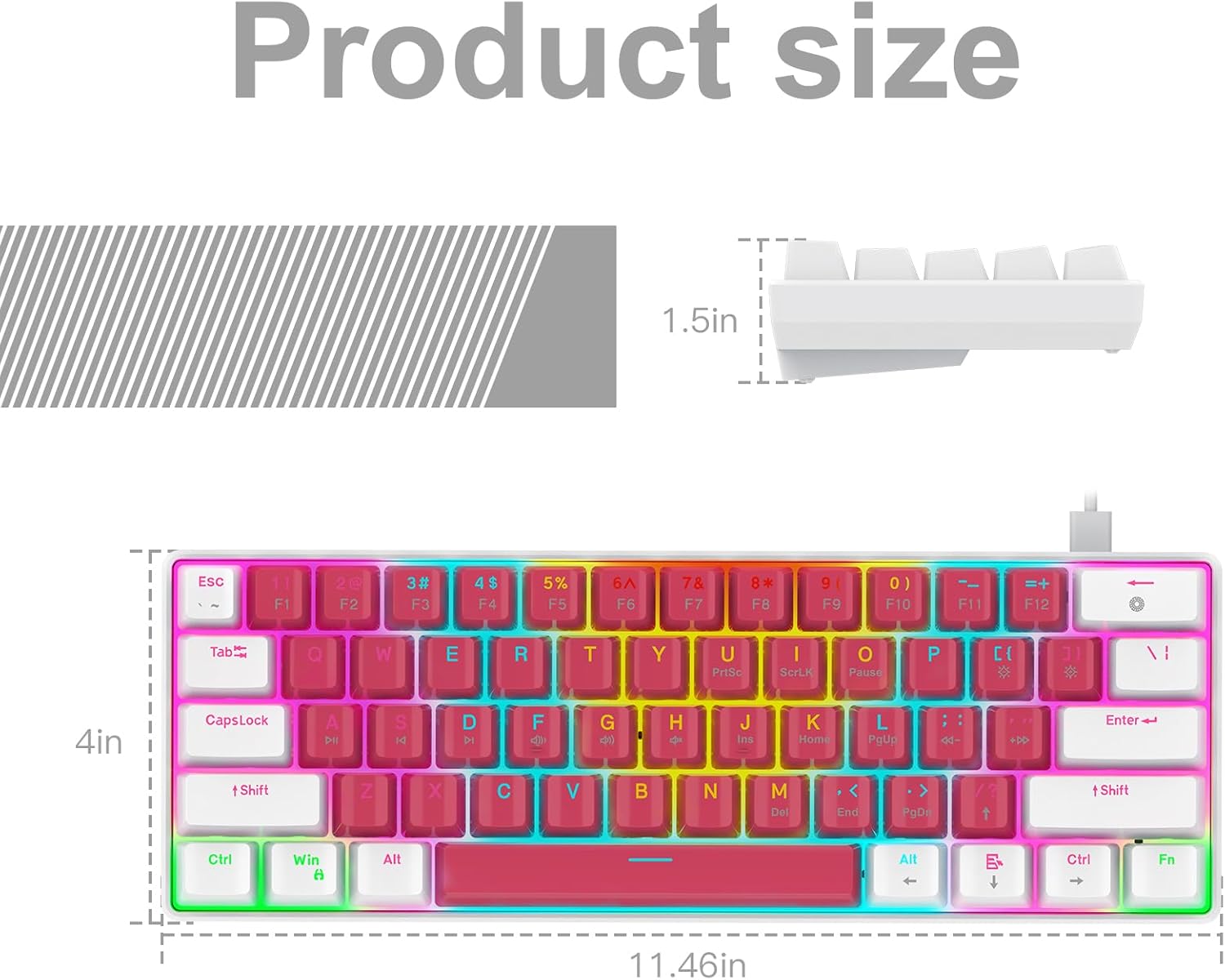
Image: A technical diagram illustrating the product dimensions (length, width, height) of the RAZEAK Portable 60% Mechanical Gaming Keyboard.
Информације о гаранцији
Specific warranty details for the RAZEAK Portable 60% Mechanical Gaming Keyboard are typically provided with your purchase documentation or can be found on the official RAZEAK webсајт. Молимо вас да сачувате доказ о куповини за потребе гаранције.
Корисничка подршка
For further assistance, technical support, or inquiries regarding your RAZEAK keyboard, please visit the official RAZEAK store or contact their customer service through the details provided on their webсајту.
You can visit the RAZEAK store at: RAZEAK Store on Amazon