
1. Увод
This manual provides essential information for the safe and efficient use of your GOBOULT Y1 Wireless Ear Buds. Please read it thoroughly before using the product and retain it for future reference.
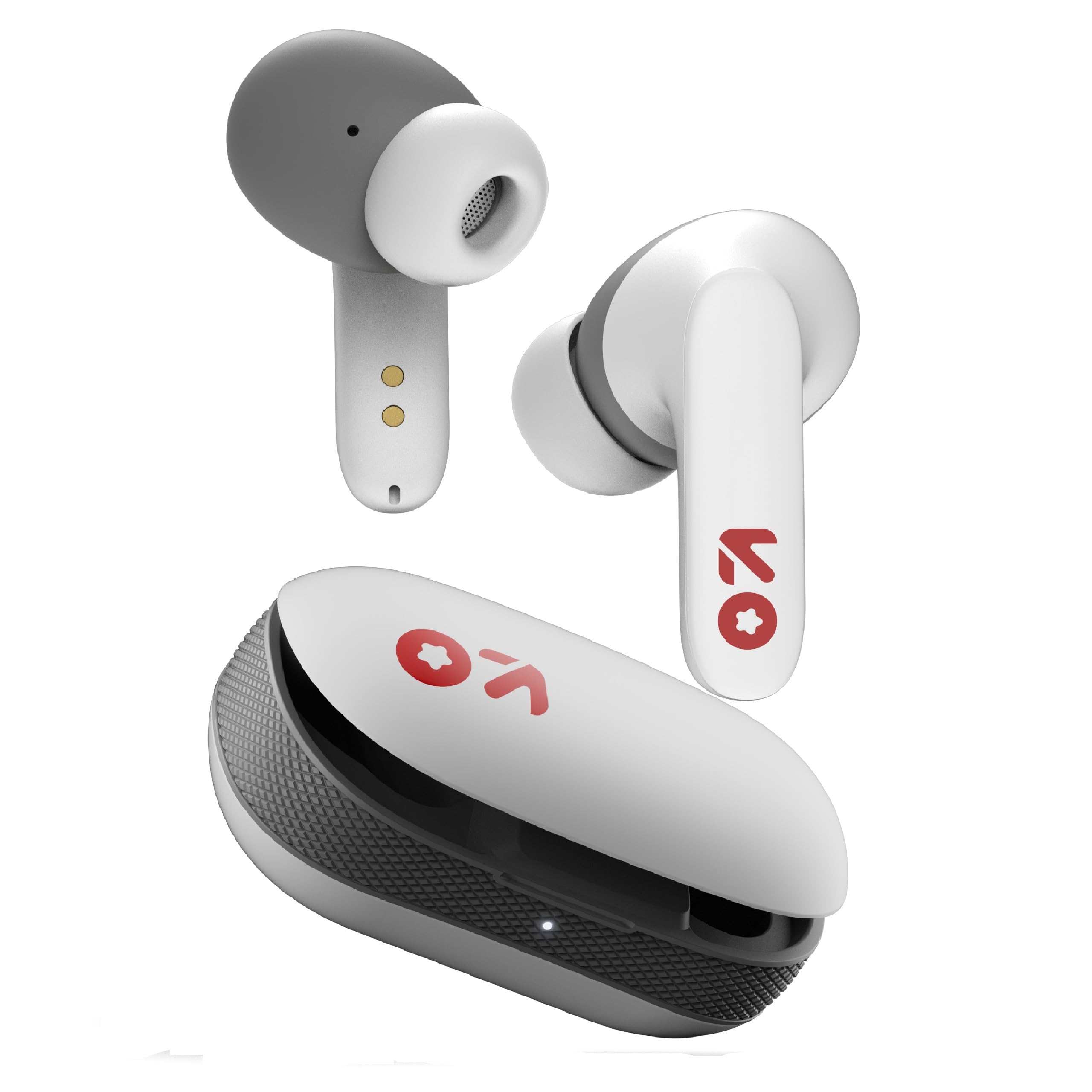
Image: GOBOULT Y1 Wireless Ear Buds and their charging case. The earbuds are white with grey tips and red GOBOULT logos, resting beside the matching white charging case.
2. Шта је у кутији
Проверите да ли су сви предмети присутни у паковању:
- Y1 Earphones (Left and Right)
- Y1 Charging Case
- УСБ кабл за пуњење типа Ц
- Additional Eartips (various sizes)
- Кориснички приручник (овај документ)
3. Подешавање
3.1 Почетно пуњење
Before first use, fully charge the ear buds and the charging case.
- Place the ear buds into the charging case. Ensure they are correctly seated.
- Повежите приложени USB Type-C кабл са портом за пуњење на кућишту и са компатибилним USB извором напајања (нпр. адаптером за зид, USB портом рачунара).
- The indicator light on the charging case will show charging status. A full charge typically takes approximately 90 minutes.
- A 10-minute charge provides approximately 100 minutes of playtime.

Image: GOBOULT Y1 Ear Buds and their charging case, illustrating the Type-C fast charging port and cable connection. Text indicates "10 mins = 100 mins playtime".
3.2 Блуетоотх упаривање
The GOBOULT Y1 Ear Buds feature Blink & Pair™ Bluetooth 5.3 for fast and stable connection.
- Ensure the ear buds are charged.
- Open the lid of the charging case. The ear buds will automatically enter pairing mode, indicated by flashing LED lights.
- На свом уређају (паметном телефону, таблету, лаптопу) омогућите Блутут.
- Тражи "GOBOULT Y1" in the list of available Bluetooth devices.
- Select "GOBOULT Y1" to connect. Once connected, a voice prompt will confirm successful pairing, and the LED lights on the ear buds will stop flashing.
- For subsequent use, the ear buds will automatically connect to the last paired device when removed from the case.

Image: GOBOULT Y1 Ear Buds and case with a smartphone displaying music, highlighting Bluetooth v5.3, Blink & Pair, Stable Connection, and Power efficient features.
4. Упутство за употребу
4.1 Контроле на додир
The GOBOULT Y1 Ear Buds feature intuitive touch controls on each ear bud. The specific functions are as follows:

Image: A detailed diagram showing the touch control functions for the GOBOULT Y1 Ear Buds. It illustrates single taps, double taps, triple taps, and long presses for various actions like music playback, call management, and voice assistant activation.
- Single Tap (Left/Right Bud): Пуштање/паузирање музике, одговарање на позив
- Double Tap (Left Bud): Претходна песма
- Double Tap (Right Bud): Нект Сонг
- Triple Tap (Left Bud): Утишавање звука
- Triple Tap (Right Bud): Волуме Уп
- Long Press (Left/Right Bud): Activate Voice Assistant (Google Assistant/Siri), Reject Call, End Call
- Four Taps (Left/Right Bud): Activate Combat Mode (Low Latency Gaming)
4.2 Гласовни асистент
Activate your device's voice assistant (Google Assistant or Siri) by long-pressing either ear bud.
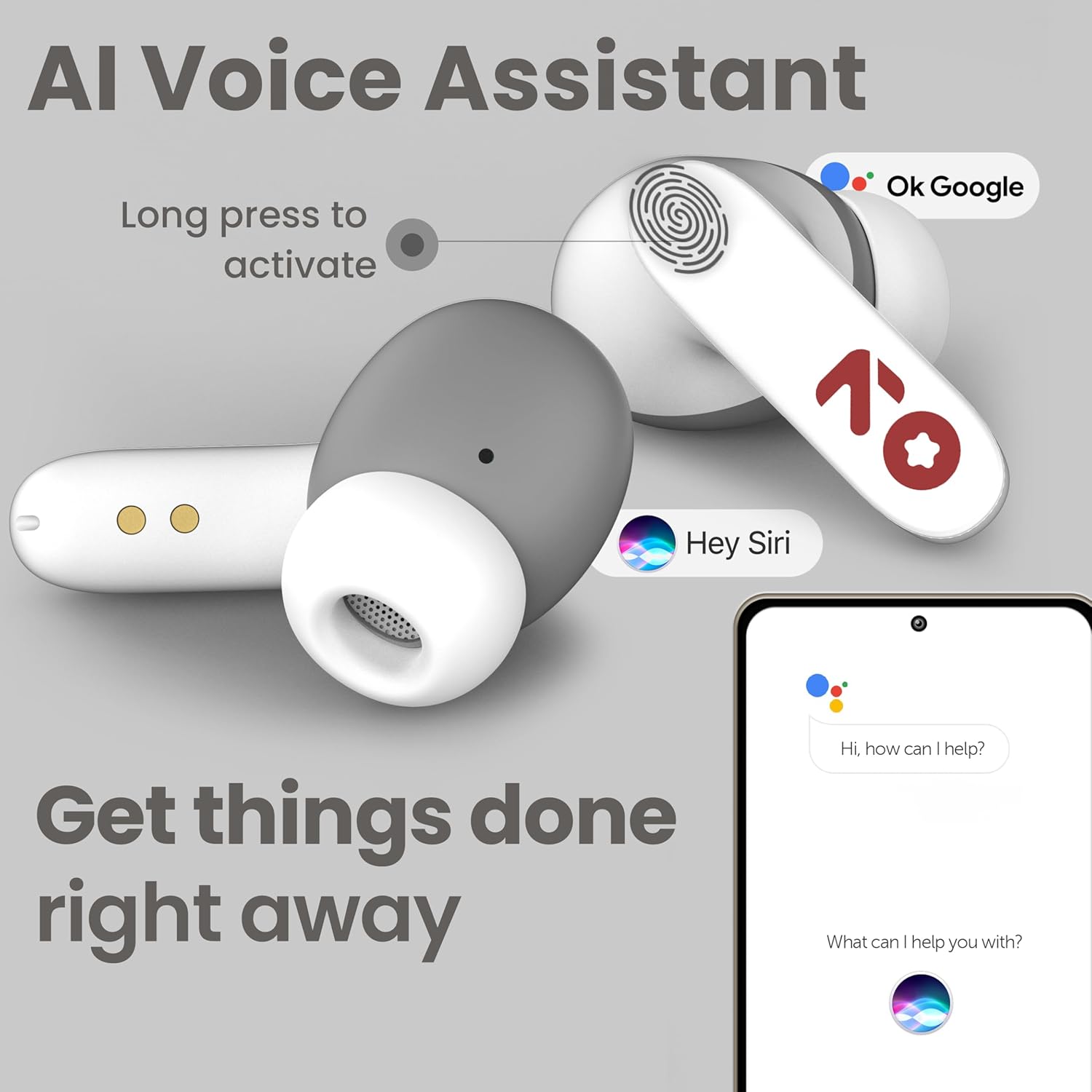
Image: GOBOULT Y1 Ear Buds with an illustration of a long press gesture activating a voice assistant like Google Assistant or Siri on a smartphone.
4.3 Calling with Zen ENC Mic
The GOBOULT Y1 Ear Buds are equipped with a Zen ENC (Environmental Noise Cancellation) microphone for clear call quality.
- Одговори на позив: Single tap either ear bud.
- Одбиј позив: Long press either ear bud.
- Заврши позив: Long press either ear bud during a call.

Image: A diagram illustrating how Environmental Noise Cancellation (ENC) works, showing a user's voice being filtered from environmental noise for clear communication. A detailed view of an earbud highlights the ENC microphone.
4.4 Режим играња са ниском латенцијом
Activate Combat Mode for a low-latency gaming experience, ensuring audio sync with minimal delay.
- Активирајте режим играња: Four taps on either ear bud.
- Деактивирајте режим играња: Four taps on either ear bud again.
5. Одржавање
5.1 Чишћење
Да бисте одржали оптималне перформансе и хигијену:
- Gently wipe the ear buds and charging case with a soft, dry, lint-free cloth.
- Не користите абразивна средства за чишћење, раствараче или аеросолне спрејеве.
- Уклоните врхове за уши и очистите их одвојено благим сапуном и водом ако је потребно, водећи рачуна да буду потпуно суви пре него што их поново ставите.
- Clean the charging contacts on both the ear buds and the case periodically with a dry cotton swab.
5.2 Отпорност на воду (IPX5)
The GOBOULT Y1 Ear Buds are IPX5 water-resistant, meaning they are protected against low-pressure water jets from any direction. This makes them suitable for workouts and light rain.

Image: GOBOULT Y1 Ear Buds shown with water droplets, indicating IPX5 water resistance. Icons for sweatproof, rainproof, and splashproof are also displayed.
Важно:
- Do not submerge the ear buds in water.
- Кућиште за пуњење није водоотпорно.
- Avoid exposing the ear buds to saltwater, chlorinated water, or other chemicals.
- If the ear buds get wet, dry them thoroughly before placing them back in the charging case.
КСНУМКС. Решавање проблема
| Проблем | Могуће решење |
|---|---|
| Ear buds not pairing |
|
| Нема звука или је тиха |
|
| Ear buds not charging |
|
| Проблеми са квалитетом позива |
|
7. Спецификације
| Феатуре | Детаљ |
|---|---|
| Бранд | ГОБУЛТ |
| Назив модела | Y1 (also referred to as Airbass) |
| Блуетоотх верзија | 5.3 |
| Блуетоотх домет | До 10 метара (33 стопе) |
| Постављање уха | Ин Еар |
| Тип аудио драјвера | Динамички драјвер (10 мм бас драјвери) |
| Импеданса | 32 Охмс |
| Фреквенцијски одзив | 20 Хз |
| Осетљивост | 117 дБ |
| Контрола буке | Уклањање буке из околине (ЕНЦ) |
| Трајање батерије (укупно) | До 51 сати (са кућиштем за пуњење) |
| Време пуњења батерије | Приближно 90 минута |
| Порт за пуњење | УСБ Типе-Ц |
| Отпорност на воду | IPX5 (Ear Buds only) |
| Контролни метод | Додир, глас |
| Компатибилни уређаји | Android, Cellphones, Desktops, Laptops, Tablets |
| Материјал | Пластика |
| Weight (Carrying Case) | 65 грама |
| Земља порекла | Индија |
8. Гаранција и подршка
8.1 Гаранција произвођача
The GOBOULT Y1 Wireless Ear Buds come with a 1-годишња гаранција произвођача од датума куповине. Ова гаранција покрива производне недостатке. Молимо вас да сачувате доказ о куповини за потребе подношења захтева за гарантни захтев.
For warranty service or support, please contact the manufacturer or authorized service center.
8.2 Контакт информације
Произвођач: Exotic Mile Private Limited
Адреса: B-67 Wazirpur Industrial Area, New Delhi 110052, India
увозник: Exotic Mile Pvt. Ltd.
For further assistance, please refer to the contact details provided on the product packaging or the official GOBOULT webсајту.