
1. Увод
The MAGIC-REFINER AKL680 is an ultra-thin wireless mechanical keyboard designed for versatility and comfort. It features an updated low-latency wireless chip, enabling connection to up to three wireless devices simultaneously: one via 2.4G wireless and two via Bluetooth. The compact 68-key layout prioritizes practicality, including a full set of arrow keys and frequently used control keys. This keyboard is battery-powered (batteries not included) and offers extended usage thanks to its smart hibernation function and non-backlit design.
This manual provides essential information for setting up, operating, and maintaining your keyboard.
2. Садржај пакета
- 1 x MAGIC-REFINER AKL680 Wireless Mechanical Keyboard
- 1 к Извлакач за кључеве
- 1 x USB Receiver (2.4G dongle)
- 1 к Упутство за употребу
3. Производ је готовview
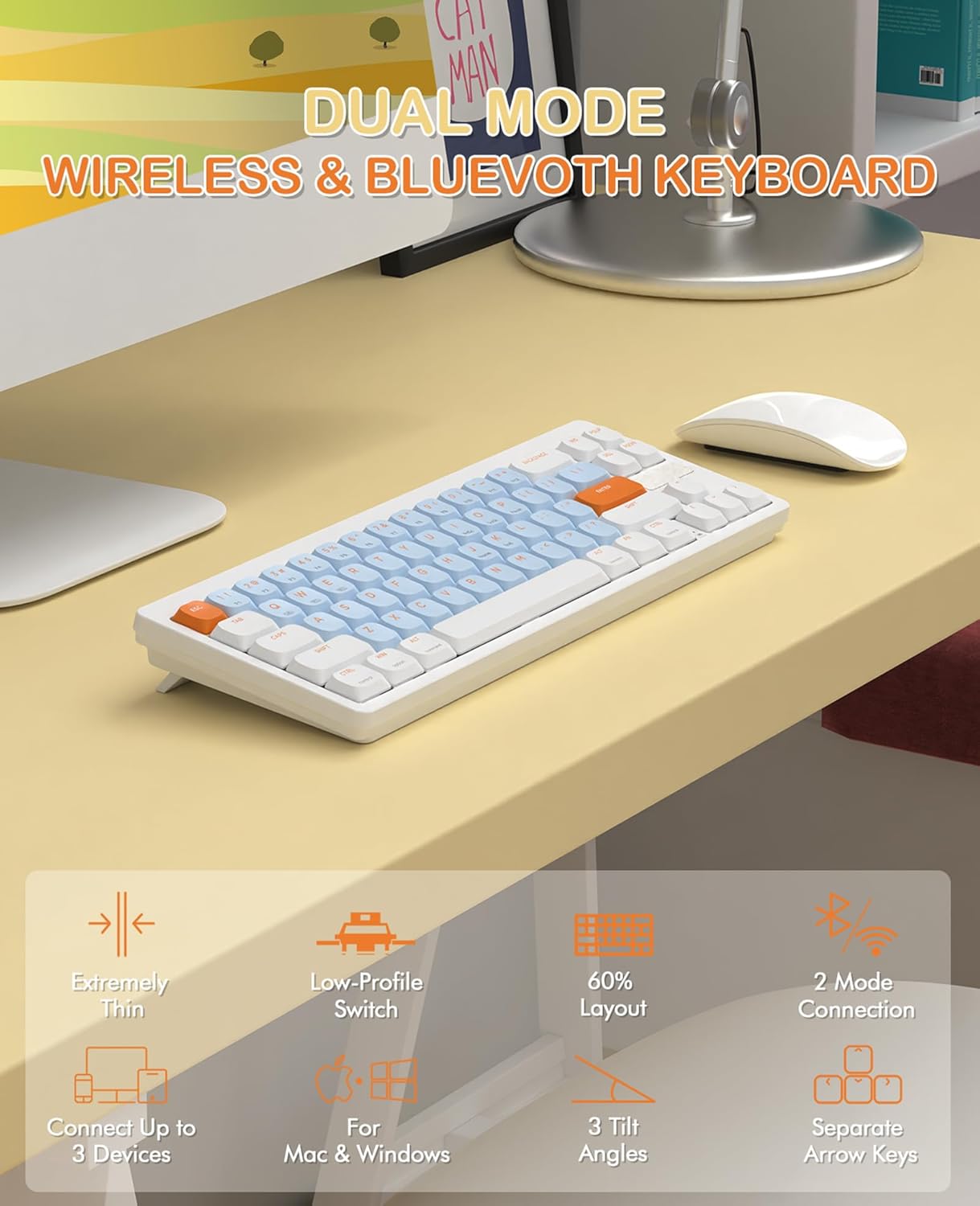
Image 3.1: The MAGIC-REFINER RKL680 keyboard showcasing its dual wireless modes and compact design with low-profile switches and adjustable tilt angles.
Кључне карактеристике:
- Ултра танак дизајн: Слим проfile and lightweight (450g) for portability and reduced wrist strain.
- Dual Wireless Modes: Supports 2.4 GHz wireless and Bluetooth 5.0 connectivity.
- Повезивање са више уређаја: Connects up to three devices simultaneously (1 x 2.4G, 2 x Bluetooth).
- Распоред са 68 тастера: Compact yet practical, including dedicated arrow keys and essential control keys.
- Лов-Проfile Тактилни браон прекидачи: Ensures faster response, easier typing, and quiet operation with tactile feedback.
- Подесиви углови нагиба: Дуал-сtage kickstands provide 3 different typing angles for ergonomic comfort.
- Издржљиве капице за тастере: Double-shot ABS keycaps are oil and wear-resistant.
- Широка компатибилност система: Supports Windows XP/7/8/10/11, Mac OS, Android, and iOS.
- Дуг век трајања батерије: Non-backlit design and smart hibernation allow up to 6 months of use (batteries not included).
4. Подешавање
4.1 Инсталација батерије
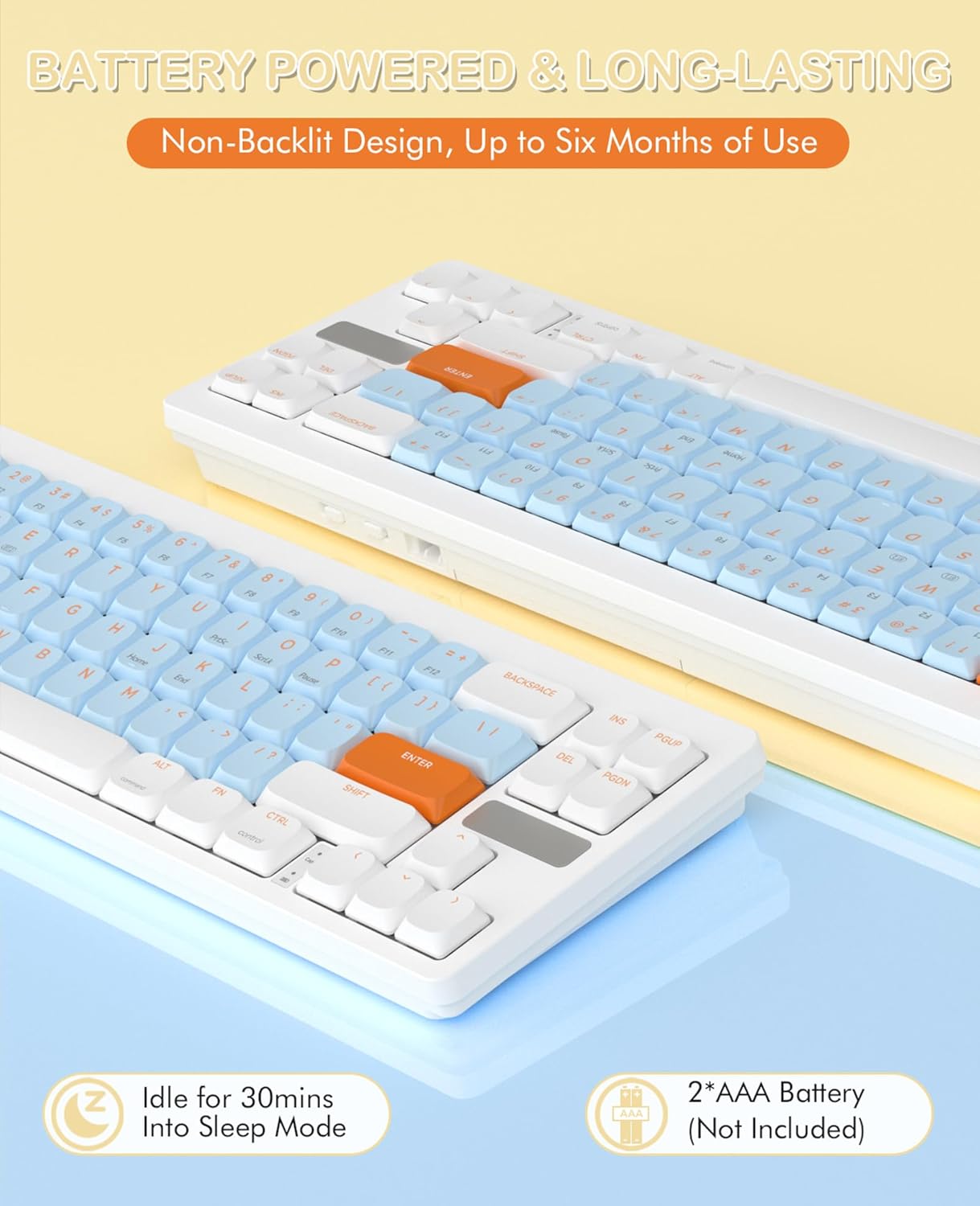
Image 4.1: The keyboard requires two AAA batteries, which are not included in the package. Locate the battery compartment on the underside of the keyboard.
- Пронађите поклопац одељка за батерију на доњој страни тастатуре.
- Gently slide or open the cover.
- Уметните две ААА батерије, водећи рачуна о исправном поларитету (+/-).
- Добро затворите поклопац одељка за батерије.
4.2 Повезивање

Image 4.2: The keyboard supports simultaneous connections to up to three devices using 2.4GHz wireless and Bluetooth 5.0.
Бежични режим од 2.4 GHz:
- Locate the USB receiver (dongle) in the package.
- Прикључите УСБ пријемник у слободан УСБ-А порт на рачунару.
- На тастатури притисните Фн + К to switch to 2.4G wireless mode. The keyboard should automatically connect.
Bluetooth Mode (up to 2 devices):
- На тастатури притисните Фн + В or Фн + Е да бисте изабрали Bluetooth канал.
- The keyboard will enter pairing mode.
- On your device (PC, laptop, smartphone, tablet), open Bluetooth settings.
- Тражи available devices and select "AKL680" or "AKL6802" (depending on the channel selected) to pair.
- Once paired, the keyboard will be connected. Repeat for a second Bluetooth device using the other channel.
4.3 System Switching (Windows/Mac)

Image 4.3: The keyboard supports both Windows and Mac operating systems, allowing seamless switching.
The keyboard features a toggle switch to adapt its layout for Windows or Mac OS. Locate the switch on the back or side of the keyboard and set it to the appropriate operating system for optimal key functionality.
5. Упутство за употребу
5.1 FN Key Combinations
The Function (Fn) key allows access to secondary functions printed on certain keys. Press and hold the Fn тастер, а затим притисните жељени функцијски тастер.
- Фн + К: Пребаците се на 2.4G бежични режим.
- Фн + В: Switch to Bluetooth device 1.
- Фн + Е: Switch to Bluetooth device 2.
- Other Fn combinations may be indicated on the keycaps for multimedia control or system functions (e.g., F1-F12, volume control).
5.2 Ергономско подешавање
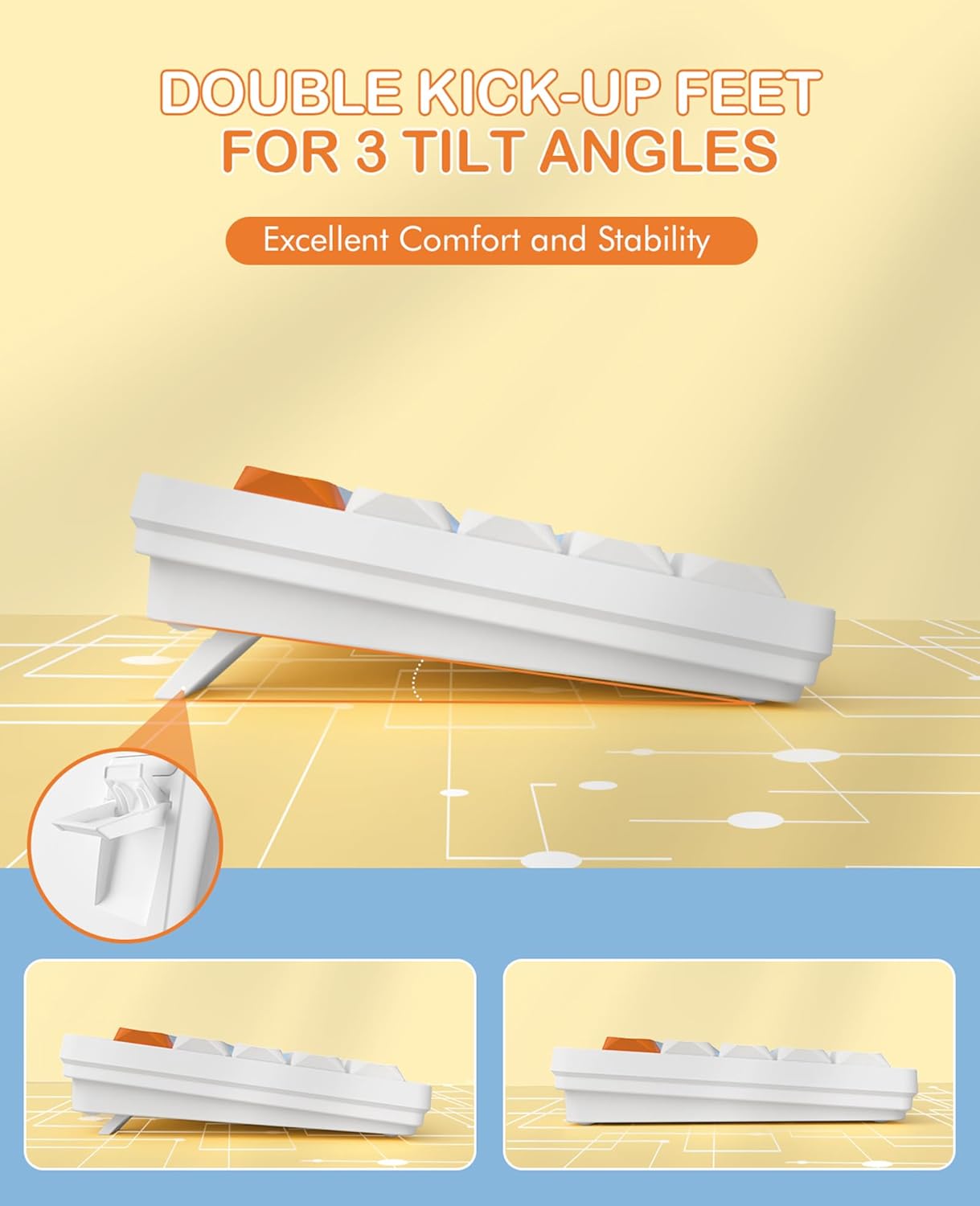
Image 5.1: The keyboard features dual-stage kickstands for three adjustable tilt angles, enhancing typing comfort.
The keyboard is equipped with dual-stage kickstands on its underside. Extend these feet to adjust the typing angle to one of three available positions, optimizing comfort and reducing wrist strain during prolonged use.
6. Одржавање
6.1 Чишћење тастатуре
- Turn off the keyboard and disconnect it from any devices.
- Користите меку крпу која не оставља длачицеampened with water or a mild cleaning solution to wipe the keycaps and surface. Avoid excessive moisture.
- For deeper cleaning, use the provided keycap puller to carefully remove keycaps. Clean the switches and keyboard plate with compressed air or a small brush.
- Ensure all parts are completely dry before reattaching keycaps and using the keyboard.
6.2 Замена батерије
When the keyboard's performance degrades or it stops responding, it may be time to replace the batteries. Follow the steps in Section 4.1 to replace the two AAA batteries.
КСНУМКС. Решавање проблема
- Тастатура не реагује:
- Уверите се да су батерије правилно инсталиране и да су довољно напуњене. Замените их ако је потребно.
- Check that the keyboard is powered on.
- Verify the correct connection mode (2.4G or Bluetooth) is selected using Fn+Q or Fn+W/E.
- For 2.4G mode, ensure the USB receiver is securely plugged into your device. Try a different USB port.
- For Bluetooth mode, ensure Bluetooth is enabled on your device and the keyboard is paired. Try re-pairing the keyboard.
- Ensure the system switch (Windows/Mac) is set correctly for your operating system.
- Повремена веза или кашњење:
- Приближите тастатуру уређају да бисте смањили сметње.
- Avoid using the keyboard near other wireless devices that may cause interference.
- Ensure your device's drivers are up to date.
- Одређени тастери не раде:
- Carefully remove the keycap using the keycap puller and check for any debris obstructing the switch. Clean if necessary.
- Уверите се да је капица тастера правилно постављена на прекидачу.
8. Спецификације

Image 8.1: Detail of the low-profile design and mechanical switches, highlighting the slim profile.
| Бранд | MAGIC-REFINER |
| Број модела | АКЛ680 |
| Боја | Blue (silent brown switches) |
| Број кључева | 68 |
| Технологија повезивања | 2.4 GHz Wireless / Bluetooth 5.0 |
| Компатибилни уређаји | Лаптоп, рачунар, паметни телефон, таблет |
| Подршка за оперативни систем | Windows XP/7/8/10/11, Mac OS, Android, iOS |
| Димензије тастатуре | 31.2L x 10.2W x 4.2H centimeters (approx. 12.3 x 4 x 1.65 inches) |
| Материјал | Plastic or aluminum |
| Посебне карактеристике | Lightweight, Ultra-thin, Low-profile switches, Adjustable tilt angles |
| Извор напајања | 2 к ААА батерије (нису укључене) |
| Лигхтинг Еффецтс | Без позадинског осветљења |
9. Гаранција и подршка
For warranty information and technical support, please refer to the documentation provided with your purchase or contact MAGIC-REFINER customer service through their official webсајт или продавницу где је производ купљен.