
1. Производ је готовview
The ROCAM 11.5-inch Large Display Digital Calendar Clock (Model ROCAM-CR1005) is designed for clear readability, displaying time, period of the day, full day of the week, month, date, and indoor temperature. It features multiple alarm settings, a 5-level adjustable dimmer, and dual USB charging ports for convenience.
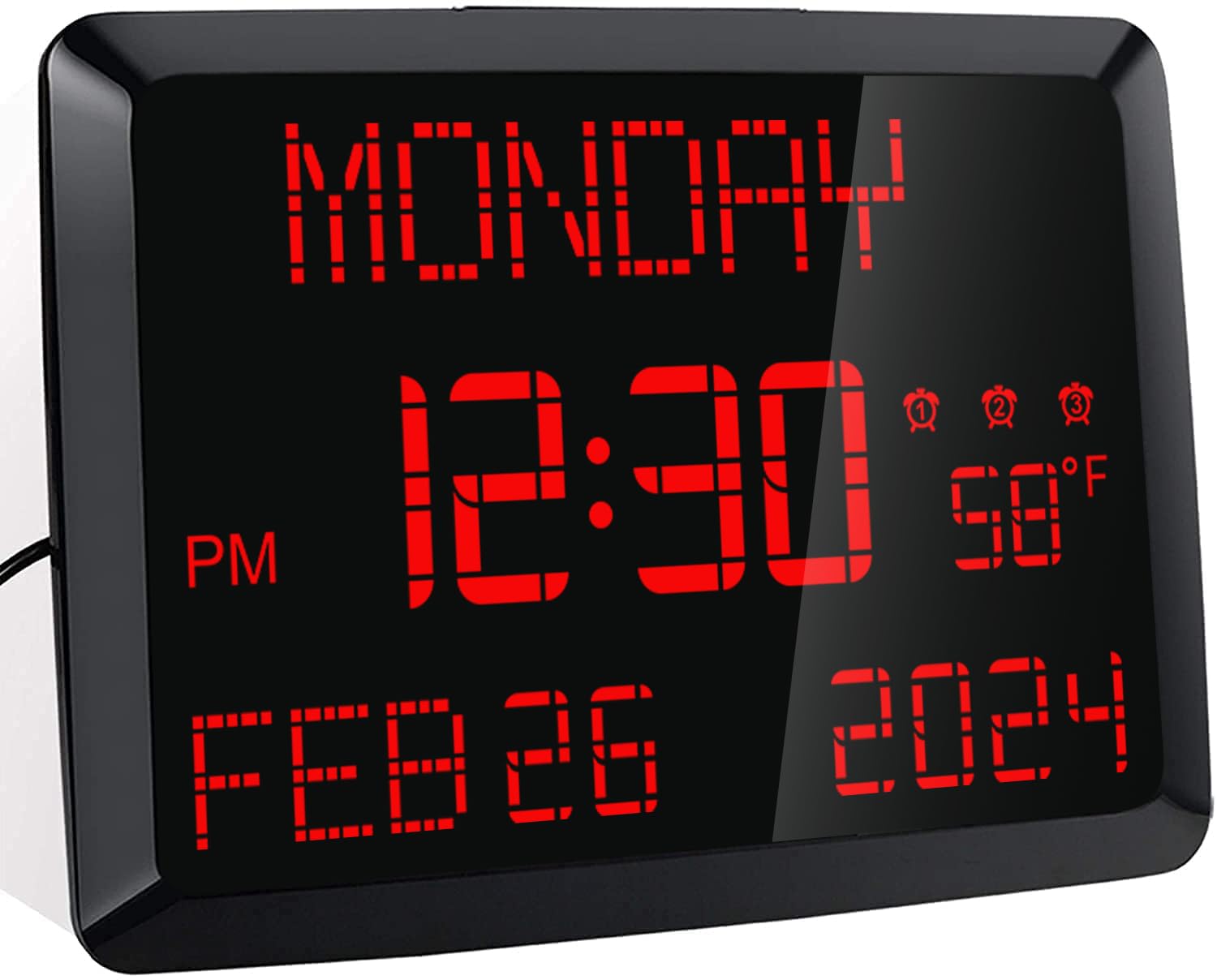
Слика: Фронт view of the ROCAM 11.5-inch Digital Calendar Clock displaying time, date, day of the week, and temperature.
2. Садржај пакета
Проверите да ли су све ставке присутне у пакету:
- ROCAM 11.5" Digital Calendar Clock
- Повер Адаптер
- УСБ кабл за напајање
- CR2032 Backup Battery (pre-installed or included separately)
- Упутство за употребу
- Desk Stand Bracket
- Wall Mounting Hardware (if applicable)
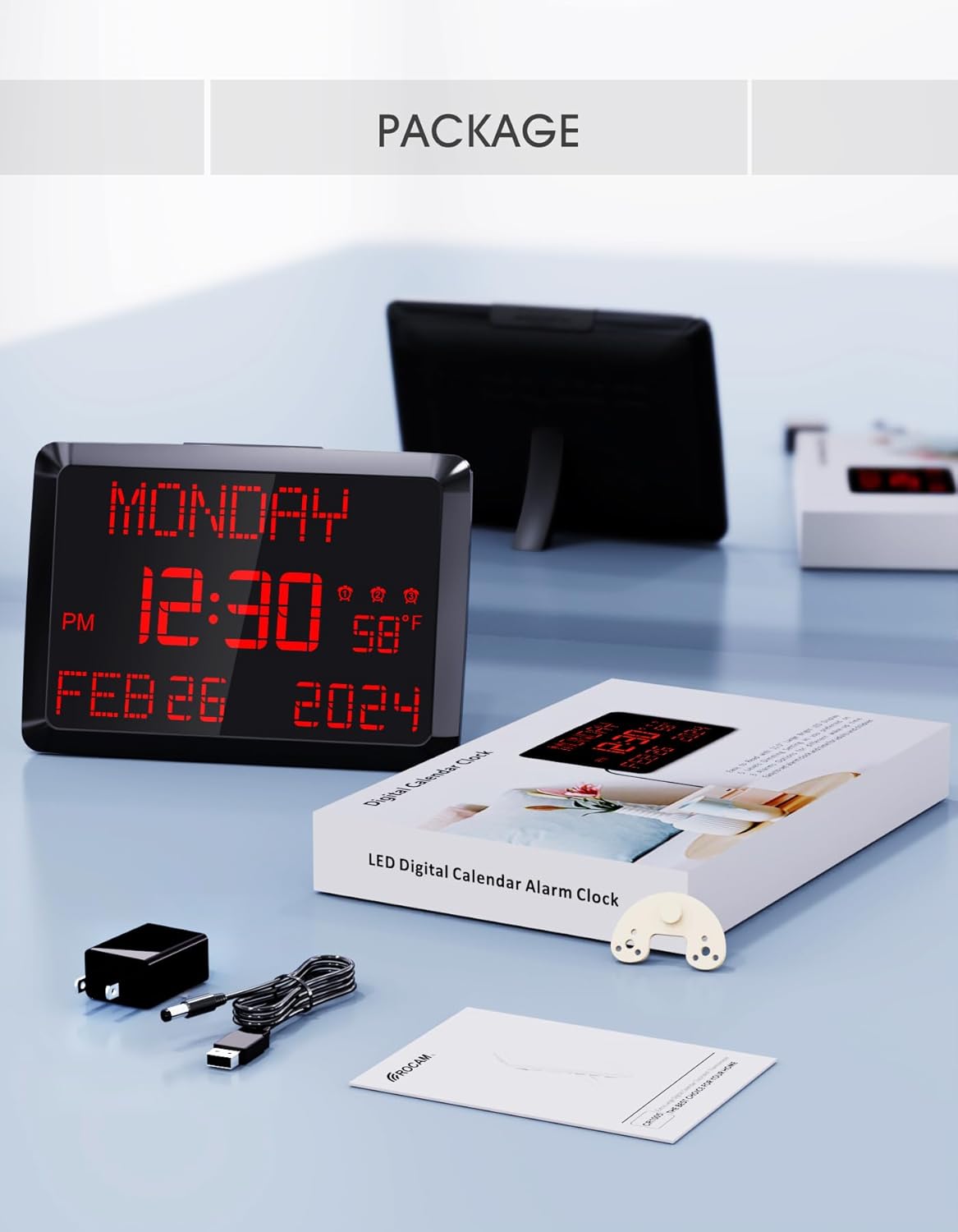
Image: The ROCAM Digital Calendar Clock and its accessories, including the power adapter, USB cable, and user manual.
3. Упутства за подешавање
3.1 Прикључак за напајање
- Connect the USB power cable to the clock's DC 5V input port.
- Укључите адаптер за напајање у стандардну електричну утичницу.
- The clock display will illuminate.
Video: Demonstrates plugging in the power cord and connecting it to the clock, showing the clock's display activating. This video also shows the dual USB charging ports in use.
3.2 Backup Battery Installation (if not pre-installed)
The clock includes a CR2032 backup battery to retain time and settings during power outages. If not already installed, locate the battery compartment on the back of the clock and insert the CR2032 battery with the positive (+) side facing up.

Image: Detail of the CR2032 backup battery slot on the rear of the clock, indicating its location for power failure memory.
3.3 Опције пласмана
The clock can be placed on a desk or mounted on a wall.
- Положај стола: Attach the provided stand bracket to the back of the clock.
- Монтажа на зид: Use the keyhole slot on the back of the clock to hang it on a screw or nail. Ensure the clock is securely mounted and level.

Слика: Позади view of the clock illustrating both the desk stand and the wall hanging hole. Dual USB charging ports are also visible.
4. Упутство за употребу
4.1 Подешавање времена и датума
Use the buttons on the back of the clock to adjust the time and date. Specific buttons are provided for ДАН, МЕСЕЦ, ГОДИНА, ХОУР, и МИНУТЕ adjustments. Refer to the labels on the back panel for precise control.
- Режим 12/24 сата: Use the dedicated switch button on the back to toggle between 12-hour and 24-hour time formats.
- Летње рачунање времена (ДСТ): Притисните дугме 'ДСТ' button to activate or deactivate Daylight Saving Time.

Image: The clock showing both 12-hour and 24-hour display options, highlighting the switch for changing modes.
4.2 Подешавање аларма
The clock supports up to three independent alarms. Use the alarm setting buttons on the back to configure each alarm.
- Press the corresponding alarm button (1, 2, или 3) to enter alarm setting mode.
- Користите '+'и'-' buttons to adjust the alarm time.
- Press 'OK' to confirm the time.
- Select the alarm frequency: Everyday, Weekdays Only (Mon-Fri), or Weekend Only (Sat-Sun).
- To turn off an alarm for 24 hours or permanently, use the 'Аларм ОФФ' button.
- Одгода функција: Press the large 'СНООЗЕ / ДИММЕР' button on top of the clock to activate a 9-minute snooze.
- Јачина звука аларма: The alarm volume is adjustable with 15 levels (60dB-108dB). Adjust using the volume controls during alarm setup.

Image: Visual guide to setting the three alarms, including options for daily, weekday, or weekend activation, and volume adjustment.
Video: Demonstrates setting the alarm time, adjusting volume, and selecting alarm frequency (Mon-Fri, Mon-Sun, Sat-Sun).
4.3 Display Brightness (Dimmer)
The clock features a 5-level adjustable dimmer. Press the 'СНООЗЕ / ДИММЕР' button on the top of the clock to cycle through the brightness levels to suit your preference.

Image: The clock display at five different brightness settings, illustrating the dimmer function controlled by the top button.
4.4 УСБ порта за пуњење
The clock includes two USB charging ports (5V 1A) on the side, allowing you to charge compatible devices such as smartphones or tablets.

Image: The clock with two devices charging simultaneously via its dual USB ports.
5. Одржавање
To ensure optimal performance and longevity of your ROCAM Digital Calendar Clock, follow these simple maintenance guidelines:
- Чишћење: Gently wipe the clock's surface with a soft, dry cloth. Avoid using abrasive cleaners, solvents, or chemical sprays, as these can damage the display or casing.
- Кабл за напајање: Periodically check the power cord for any signs of damage. If the cord is damaged, discontinue use and contact customer support.
- Пласман: Place the clock in a stable location, away from direct sunlight, excessive heat, or moisture.
КСНУМКС. Решавање проблема
If you encounter issues with your ROCAM Digital Calendar Clock, refer to the following common solutions:
| Проблем | Могуће решење |
|---|---|
| Приказ сата је искључен. |
|
| Време/подешавања се губе након нестанка струјеtage. |
|
| Аларм се не оглашава или је превише тих. |
|
| Екран је превише светао или превише таман. |
|
| УСБ портови за пуњење не раде. |
|
7. Спецификације производа
| Феатуре | Детаљ |
|---|---|
| Број модела | РОЦАМ-ЦР1005 |
| Дисплаи Типе | Дигитал ЛЕД |
| Величина екрана | 11.5 инча (дијагонала) |
| Димензије производа | 9.96 cm Š x 7 cm V |
| Извор напајања | Corded Electric, Outlet Powered (DC 5V) |
| Резервна батерија | 1 x CR2032 (included, for memory retention only) |
| Аларми | 3 independent alarms with 7-5-2 setting modes (Everyday, Weekdays, Weekends) |
| Функција одлагања | КСНУМКС минута |
| Нивои затамњивача | 5 levels (manual adjustment) |
| УСБ портови за пуњење | 2 ports, 5V 1A output each |
| Дисплеј температуре | °F / °C switchable |
| Формат времена | 12H / 24H switchable |
| Тип монтаже | Зидни и стони носач |
| Материјал | Пластика |
| Тежина артикла | 16 унци (1 фунта) |
8. Гаранција и подршка
ROCAM provides an 18-month warranty for this product. For any questions, technical assistance, or warranty claims, please contact ROCAM customer support. Lifetime free user support is available.
Contact information can typically be found on the product packaging or the official ROCAM webсајту.