
1. Увод
The LEAUDIO XDUOO XD05 Plus 2 is a high-performance portable Digital-to-Analog Converter (DAC) and headphone amplifier designed to deliver exceptional audio quality. It features advanced decoding capabilities, powerful output, and versatile connectivity options for various audio sources and headphones.
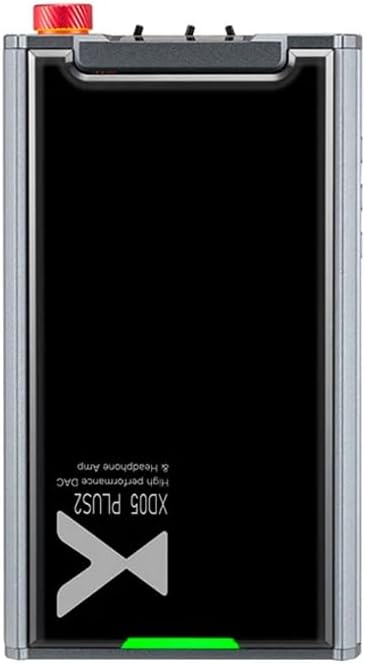
Слика 1: Врх view of the XDUOO XD05 Plus 2, highlighting its compact design and model branding.
2. Садржај пакета
Молимо вас да проверите пакет за следеће ставке:
- XDUOO XD05 Plus 2 Portable DAC Headphone Ampлифиер
- УСБ кабл
- Кориснички приручник (овај документ)
3. Изглед уређаја
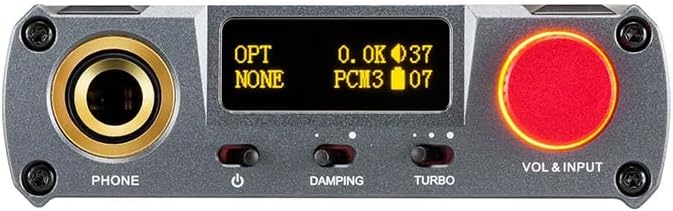
Figure 2: Front panel controls including the headphone output, OLED display, Damping switch, Turbo switch, and Volume/Input knob.

Figure 3: Rear panel connections featuring AUX In/Out, USB In, UAC 1.0/2.0 switch, Charge port, and Digital In (Optical/Coaxial).
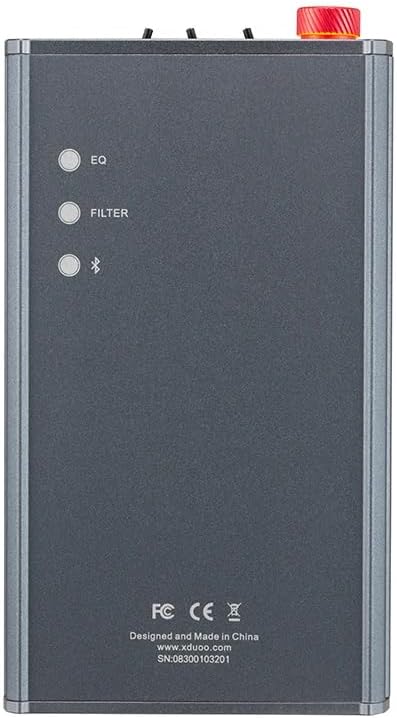
Figure 4: Side panel buttons for EQ, Filter, and Bluetooth functions.
4. Подешавање и везе
4.1 Пуњење уређаја
Connect the provided USB cable to the 'CHARGE' port on the rear panel (Figure 3) and plug the other end into a USB power adapter (not included) or a computer's USB port. The charging time is approximately 3 hours for fast charging and 5 hours for slow charging.
4.2 Повезивање са аудио изворима
The XD05 Plus 2 offers multiple input options:
- УСБ улаз: Connect to computers (Windows/Linux/Mac OSX), smartphones (iOS/Android), or other USB audio sources using the 'USB IN' port (Figure 3). Ensure the UAC switch is set to the appropriate mode (UAC 1.0 or UAC 2.0) for your device.
- Digital Input (Optical/Coaxial): Connect to desktop CDs, Hi-Fi players, or digital turntables via the 'DIGITAL IN' port (Figure 3).
- Блуетоотх улаз: For wireless audio streaming, refer to Section 5.4 for Bluetooth pairing instructions.
- AUX In/Out: Use the 'AUX IN/OUT' port (Figure 3) for analog input or output connections.
4.3 Повезивање слушалица
Plug your headphones into the 'PHONE' output jack on the front panel (Figure 2).
5. Упутство за употребу
5.1 Укључивање/искључивање и избор улаза
Press and hold the power button (located near the 'PHONE' jack, Figure 2) to turn the device on or off. Rotate the 'VOL & INPUT' knob (Figure 2) to adjust the volume. Press the 'VOL & INPUT' knob to cycle through available input sources (USB, Optical, Coaxial, Bluetooth, AUX).
5.2 Контрола јачине звука
The device features a 99-level digital volume adjustment, ensuring balanced left and right channels at any volume setting. Rotate the 'VOL & INPUT' knob to precisely set your desired listening level.
5.3 Sound Adjustments (EQ, Filter, Damping, Turbo)
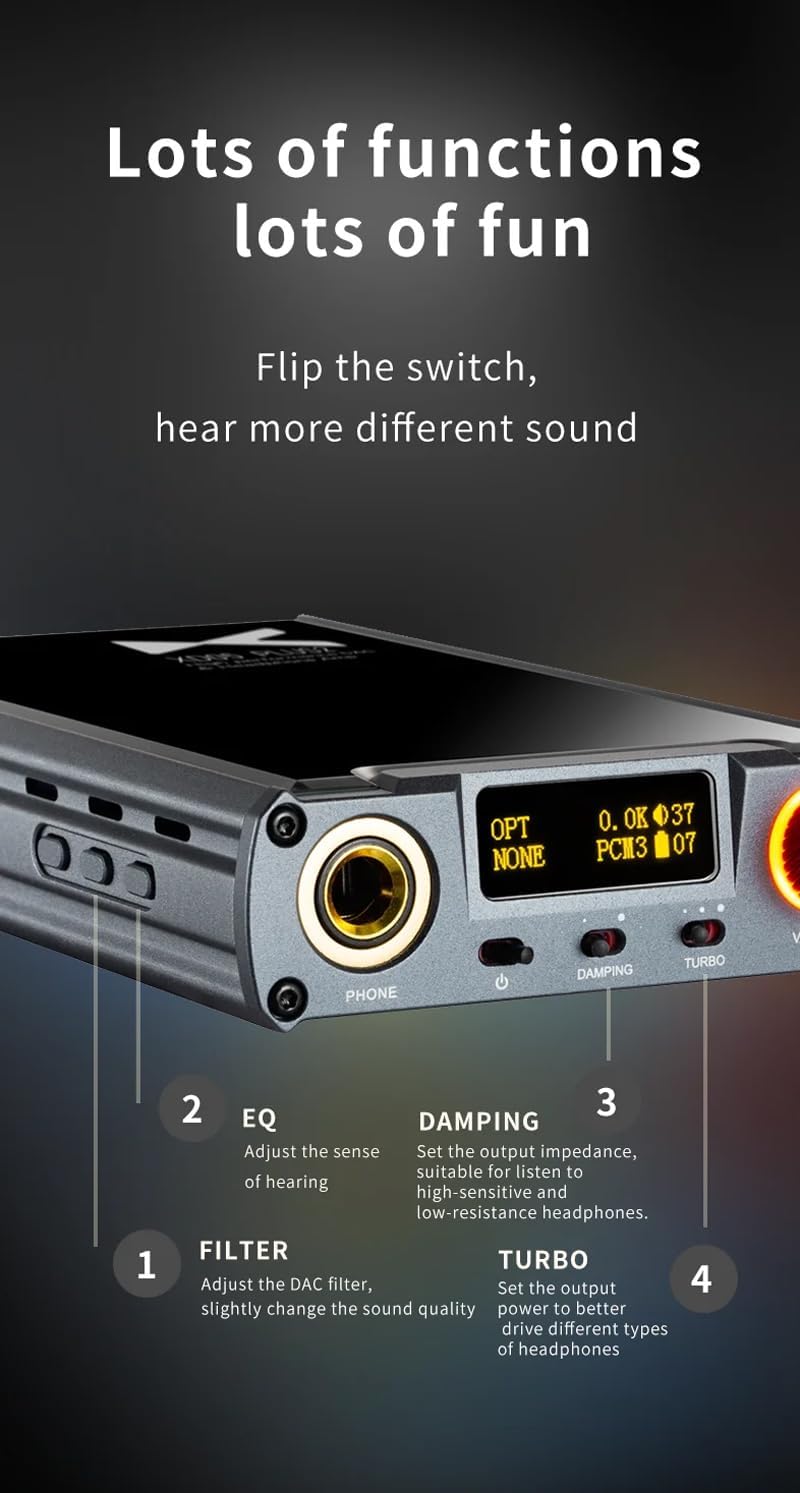
Слика 5: Детаљно view of sound adjustment controls and their functions.
- ЕК (еквилајзер): Press the 'EQ' button (Figure 4) to adjust the sense of hearing and tailor the sound to your preference.
- Филтер: Press the 'FILTER' button (Figure 4) to slightly change the sound quality by adjusting the DAC filter settings.
- Dampинг: Use the 'DAMPING' switch (Figure 2) to set the output impedance, suitable for high-sensitivity and low-resistance headphones.
- Турбо: Use the 'TURBO' switch (Figure 2) to set the output power, allowing the device to better drive different types of headphones.
5.4 Блуетоотх упаривање
To pair your device via Bluetooth 5.1:
- Ensure the XD05 Plus 2 is powered on and Bluetooth input is selected.
- Press the 'Bluetooth' button (Figure 4) to enter pairing mode. The Bluetooth indicator on the OLED screen will flash.
- On your source device (e.g., smartphone, tablet), search for available Bluetooth devices and select "XDUOO XD05 Plus 2".
- Када се повеже, индикатор Bluetooth-а ће престати да трепери.
Supported Bluetooth formats include AAC, SBC, aptX, aptX LL, aptX HD, and LDAC.
5.5 Замена Ampлифиер Цхип
Тхе amplifier chip is user-replaceable, allowing for customization of your audio experience. Refer to the manufacturer's guidelines or a qualified technician for instructions on safely replacing the op-amp чипс.
6. Спецификације
| Феатуре | Спецификација |
|---|---|
| Батерија | 3.8В/5000мАх |
| Екран | 0.91 инча ОЛЕД |
| Компатибилан ОС | Windows/Linux/Mac OSX/iOS/Android |
| Frequency Response (USB/SPDIF) | 20Һз~20кҺз (±0.5дБ) |
| Фреквенцијски одзив (AMP) | 10Һз~80кҺз (±0.5дБ) |
| УСБ Сampling Rate (PCM) | 16-32BIT/44.1-384KHZ |
| УСБ Сampling Rate (DSD) | DOP/NATIVE DSD64-256 |
| УСБ Сampling Rate (MQA) | OFS rendering layer decoding |
| ОПЦИЈА/ПОВЕСТ ОЦЕНЕ АВТОРИТЕТАampling Rate (PCM) | 16-24BIT/44.1-192KHZ |
| ОПЦИЈА/ПОВЕСТ ОЦЕНЕ АВТОРИТЕТАampling Rate (DSD) | DSD64 (DOP) |
| Bluetooth Formats | AAC/SBC/aptX/aptX LL/aptX HD/LDAC |
| Добитак | +0dB/3dB/6dB |
| Излазна снага за слушалице | 1200мВ (32Ω оптерећење) |
| Headphone THD+N | 0.0015% @ 1 кХз |
| Headphone S/N | 121дБ |
| Headphone Crosstalk | >76дБ |
| AUX OUT Output Level | КСНУМКСВрмс |
| AUX OUT THD+N | 0.0009% @ 1 кХз |
| AUX OUT S/N | 122дБ |
| AUX OUT Crosstalk | ≥109дБ |
| Battery Life (USB IN) | ≥9Х |
| Battery Life (SPDIF IN) | ≥15Х |
| Battery Life (BT IN) | ≥18Х |
| Charging Time (Fast) | ≤3 сата |
| Charging Time (Slow) | ≤5 сата |
| Величина | 13.0 к 7.5 к 2.2 цм |
| Тежина | 0.29 кг |
7. Одржавање
To ensure the longevity and optimal performance of your XDUOO XD05 Plus 2, follow these maintenance guidelines:
- Одржавајте уређај чистим брисањем меком, сувом крпом. Избегавајте употребу јаких хемикалија или абразивних материјала.
- Protect the device from extreme temperatures, direct sunlight, and moisture.
- Избегавајте испуштање или излагање уређаја јаким ударима.
- Када се уређај не користи дуже време, чувајте га на хладном и сувом месту.
КСНУМКС. Решавање проблема
If you encounter issues with your XDUOO XD05 Plus 2, please refer to the following common troubleshooting steps:
- Нема звука:
- Проверите да ли је уређај укључен.
- Ensure headphones are properly connected.
- Проверите да ли је изабран исправан улазни извор.
- Подесите ниво јачине звука.
- Check the audio source device for proper playback and volume settings.
- Лош квалитет звука:
- Уверите се да су сви каблови безбедно повезани.
- Try a different audio cable or source.
- Check EQ and Filter settings; reset them to default if necessary.
- Ensure the UAC switch is set correctly for your USB connection.
- Проблеми са Блуетоотх везом:
- Ensure the device is in Bluetooth pairing mode.
- Move the source device closer to the ampлифиер.
- Clear previous Bluetooth pairings on both devices and try pairing again.
- Уређај се не пуни:
- Verify the USB cable is connected to the 'CHARGE' port.
- Покушајте са другим УСБ каблом или адаптером за напајање.
- Уверите се да је извор напајања функционалан.
9. Званични видео производа
Видео 1: Оверview of the LEAUDIO XDUOO XD05 Plus 2 DAC Amp, емисијаasing its features and design. This video provides a visual guide to the product's capabilities and physical aspects.
10. Гаранција и подршка
For warranty information and technical support, please refer to the documentation included with your product or contact LEAUDIO customer service directly. You may also visit the official LEAUDIO webсајт за најновије ресурсе за подршку.