
Увод
The Vieta Pro Way 3 headphones are designed to provide a versatile audio experience with multiple connectivity options and features. This device supports Bluetooth wireless connection, an Aux-in port for wired use, an integrated microphone for hands-free communication, a dedicated gaming mode, and Dual Pairing functionality. With an impressive battery life of up to 50 hours, these headphones are suitable for extended listening sessions.
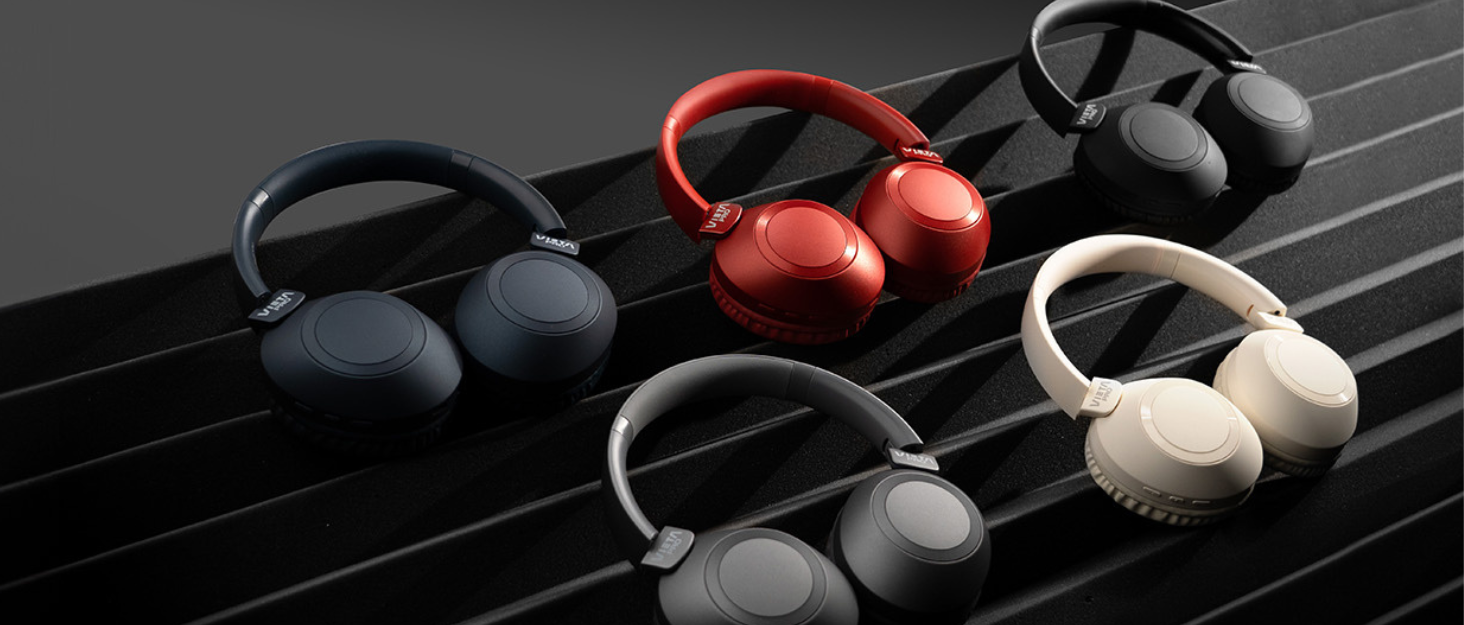
Image: Vieta Pro Way 3 headphones displayed in multiple color options.
Сетуп
1. Пуњење слушалица
Before initial use, ensure the headphones are fully charged. The Vieta Pro Way 3 headphones support wireless charging. A full charge provides up to 50 hours of continuous playback.
- Connect the provided charging cable to the charging port on the headphones and to a compatible USB power source.
- Alternatively, place the headphones on a compatible wireless charging pad.
- The indicator light will show the charging status and turn off or change color once fully charged.
2. Укључивање/искључивање
- За укључивање: Притисните и држите дугме за напајање око 3 секунде док се индикаторска лампица не упали.
- За искључивање: Притисните и држите дугме за напајање око 3 секунде док се индикаторска лампица не угаси.
3. Блуетоотх упаривање
Да бисте бежично повезали слушалице са уређајем:
- Уверите се да су слушалице искључене.
- Press and hold the Power button for approximately 5-7 seconds until the indicator light flashes rapidly, indicating pairing mode.
- На паметном телефону, таблету или рачунару омогућите Блутут и потражите доступне уређаје.
- Select "Vieta Pro Way 3" from the list of found devices.
- Once connected, the indicator light will stop flashing and remain solid or flash slowly.
4. Повезивање са помоћним улазом
For a wired connection, use a 3.5mm audio cable:
- Connect one end of the 3.5mm audio cable to the Aux-in port on the headphones.
- Connect the other end to the 3.5mm audio output of your audio source.
- The headphones will automatically switch to Aux-in mode when a cable is detected.
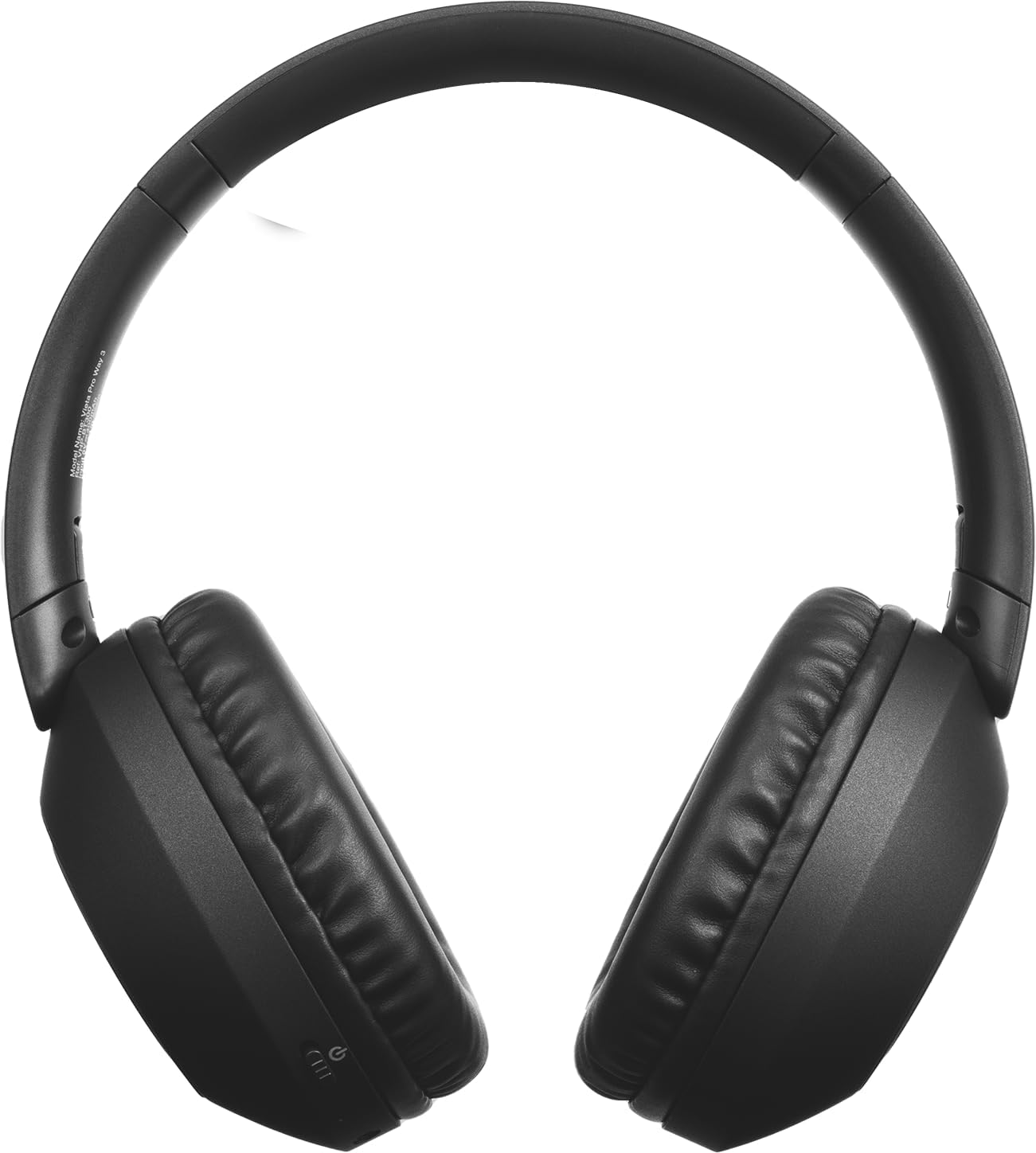
Слика: Фронт view of the Vieta Pro Way 3 headphones, showing the earcups and headband.
Упутство за употребу
1. Репродукција музике
When connected via Bluetooth or Aux-in, you can control your music:
- Пусти/паузирај: Притисните вишенаменско дугме једном.
- Следећа нумера: Притисните и држите дугме за појачавање јачине звука.
- Претходни запис: Притисните и држите дугме за смањивање јачине звука.
- Појачавање звука: Press the Volume Up button briefly.
- Смањивање јачине звука: Press the Volume Down button briefly.
2. Управљање позивима
The integrated microphone allows for hands-free calls when connected via Bluetooth:
- Одговори/заврши позив: Притисните вишенаменско дугме једном.
- Одбиј позив: Притисните и држите вишенаменско дугме 2 секунди.
- Гласовни асистент: Двапут притисните вишефункционално дугме да бисте активирали гласовног асистента на уређају.
3. Режим игре
Activate the dedicated gaming mode for optimized audio performance during gameplay, reducing latency and enhancing sound effects.
- Активирајте режим играња: Refer to the specific button or gesture indicated in the quick start guide for your model. (Typically a dedicated button or a long press on a volume button).
4. Dual Pairing
The Dual Pairing feature allows the Vieta Pro Way 3 headphones to connect to two different Bluetooth devices simultaneously. This enables seamless switching between audio sources without the need to disconnect and re-pair.
- Pair the headphones with your first device following the Bluetooth Pairing instructions.
- Привремено искључите Блутут на првом уређају.
- Pair the headphones with your second device.
- Поново омогућите Bluetooth на првом уређају. Слушалице би сада требало да буду повезане са оба уређаја.
- Audio will play from the active source, and you can switch by pausing one and playing the other.

Image: A person wearing the Vieta Pro Way 3 headphones, demonstrating comfortable use.
Одржавање
1. Чишћење
- Обришите слушалице меком, сувом крпом која не оставља влакна.
- Do not use abrasive cleaners, solvents, or strong chemicals, as these may damage the surface or internal components.
- Избегавајте улазак влаге у било какве отворе.
2. Складиштење
- Слушалице чувајте на хладном и сувом месту, даље од директне сунчеве светлости и екстремних температура.
- When not in use for extended periods, store them in their protective case (if included) to prevent dust and damage.
3. Брига о батерији
- To prolong the lifespan of the battery, avoid fully discharging the headphones frequently.
- Charge the headphones regularly, even if not in frequent use.
Решавање проблема
1. Нема звука
- Уверите се да су слушалице укључене и напуњене.
- Check the volume levels on both the headphones and the connected device.
- Verify that the headphones are properly paired via Bluetooth or securely connected via the Aux-in cable.
- Покушајте да поново покренете и слушалице и уређај извора звука.
2. Проблеми са упаривањем
- Ensure the headphones are in Bluetooth pairing mode (indicator light flashing rapidly).
- Онемогућите и поново омогућите Блутут на свом уређају.
- Move the headphones closer to your device to ensure a strong signal.
- Clear previous Bluetooth connections from your device's Bluetooth settings and try pairing again.
3. Проблеми са пуњењем
- Verify that the charging cable is securely connected to both the headphones and the power source, or that the headphones are correctly placed on the wireless charging pad.
- Ensure the power source (USB adapter, computer port, wireless charger) is functional.
- Check the charging port on the headphones for any debris that might obstruct the connection.
Спецификације
| Бранд | Виета Про |
| Модел | начин 3 |
| Форм Фацтор | Over-ear (Headband) |
| Технологија повезивања | Wireless (Bluetooth), Wired (Aux-in) |
| Бежична комуникација | Блуетоотх |
| Трајање батерије | До 50 сата (репродукција) |
| Посебне карактеристике | Wireless Charging, Built-in Microphone, Gaming Mode, Dual Pairing |
| Произвођач | FRAMASON AUDIO SA |
| ASIN | B0CRL99NBD |
Напомена: Спецификације се могу променити без најаве.
Гаранција и подршка
For detailed warranty information, product registration, or technical assistance, please refer to the official Vieta Pro website or contact their customer support directly. It is recommended to retain your purchase receipt as proof of purchase for any warranty claims.
- Службено Webсајт: Посетите ввв.виетапро.цом (or relevant regional site) for support resources.
- Служба за кориснике: Contact information can typically be found on the official webсајту.