
LQWELL HY320-M
LQWELL HY320-M Mini Projector User Manual
Model: HY320-M | Brand: LQWELL
1. Увод
Thank you for choosing the LQWELL HY320-M Mini Projector. This manual provides essential information for the safe and efficient use of your new projector. Please read it thoroughly before operation and keep it for future reference.
The LQWELL HY320-M is a versatile home cinema projector offering Native 1080P resolution with 4K support, automatic keystone correction, and a wide 220-degree projection capability. It is designed for immersive visual experiences with eye-care technology and quiet operation.
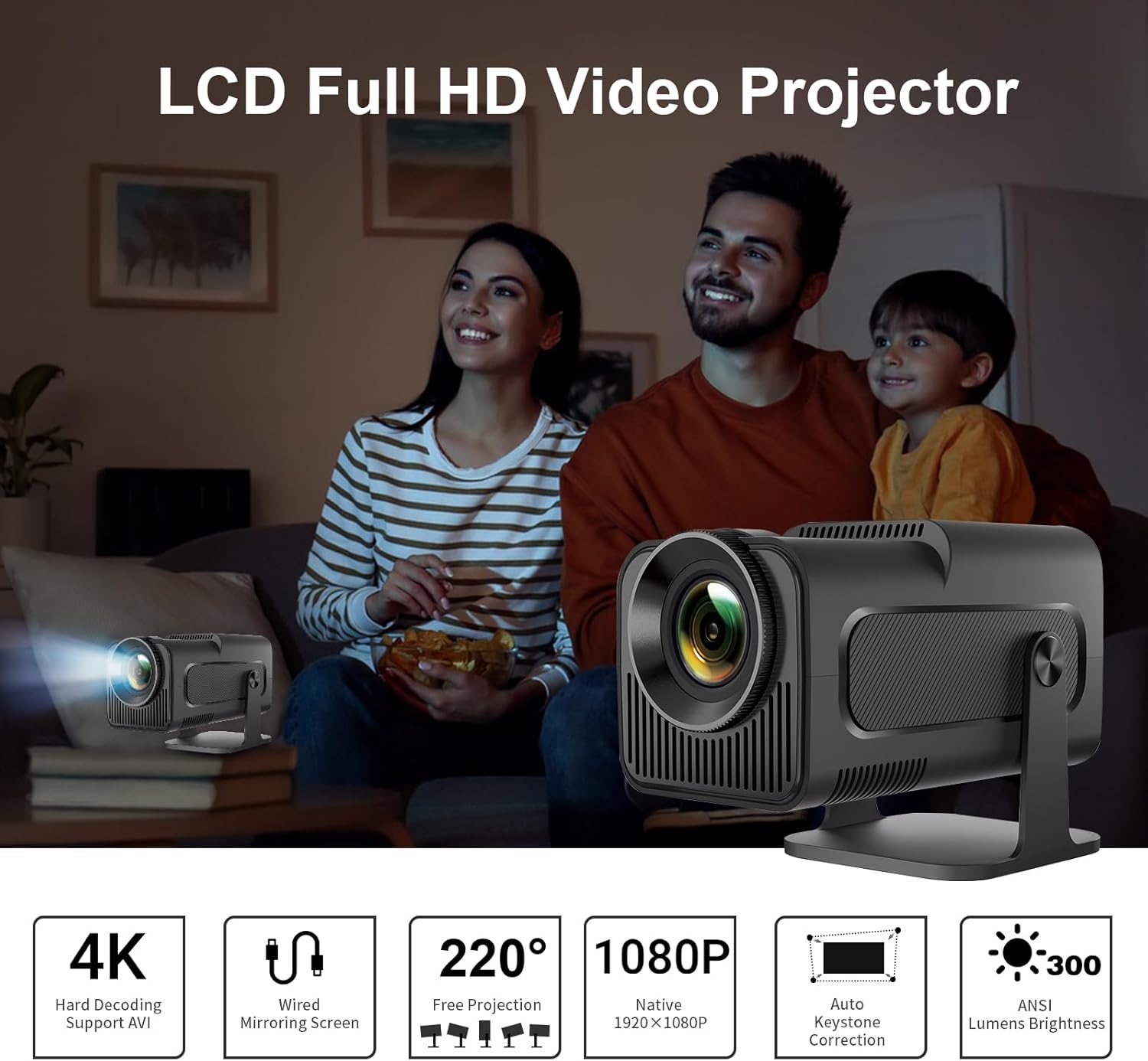
Image: The LQWELL HY320-M Mini Projector providing an immersive viewing experience for a family.
2. Безбедносне информације
- Напајање: Користите само наведени адаптер за напајање. Уверите се да је јачина звукаtagе је компатибилан са вашим регионом.
- вентилација: Не блокирајте вентилационе отворе. Обезбедите адекватан проток ваздуха око пројектора како бисте спречили прегревање.
- Изложеност течности: Keep the projector away from water or other liquids. Do not operate with wet hands.
- Чишћење: Unplug the projector before cleaning. Use a soft, dry cloth. Avoid abrasive cleaners.
- Заштита очију: Не гледајте директно у сочиво пројектора када је укљученоamp is on. The projector uses diffuse imaging technology to reduce direct eye exposure, but direct viewing should still be avoided.
- Пласман: Поставите пројектор на стабилну, равну површину. Избегавајте постављање на директну сунчеву светлост или близу извора топлоте.
- Растављање: Не покушавајте сами да растављате или поправљате пројектор. Сва сервисирања препустите квалификованом особљу.

Image: The HY320-M projector utilizes diffuse imaging to protect vision, unlike traditional LCD TVs.
3. Производ је готовview
Кључне карактеристике:
- Native 1080P & 4K Support: Delivers vivid and detailed projections for an immersive cinema experience.
- Жичано пресликавање екрана: Effortlessly mirror your screen via HD or USB connections from various devices.
- Automatic Keystone Correction & 220° Free Projection: Ensures perfectly aligned and proportional projections from different angles.
- Технологија погодна за очи: Utilizes diffuse imaging to prevent direct exposure and protect your vision.
- Рад са ниским нивоом буке: Operates at less than 25 dB, ensuring a quiet and comfortable environment.
- Разноврсна употреба: Suitable for home entertainment and office presentations.
Components & Ports:
The projector includes essential accessories for immediate use. Key ports include HDMI and USB for connectivity.
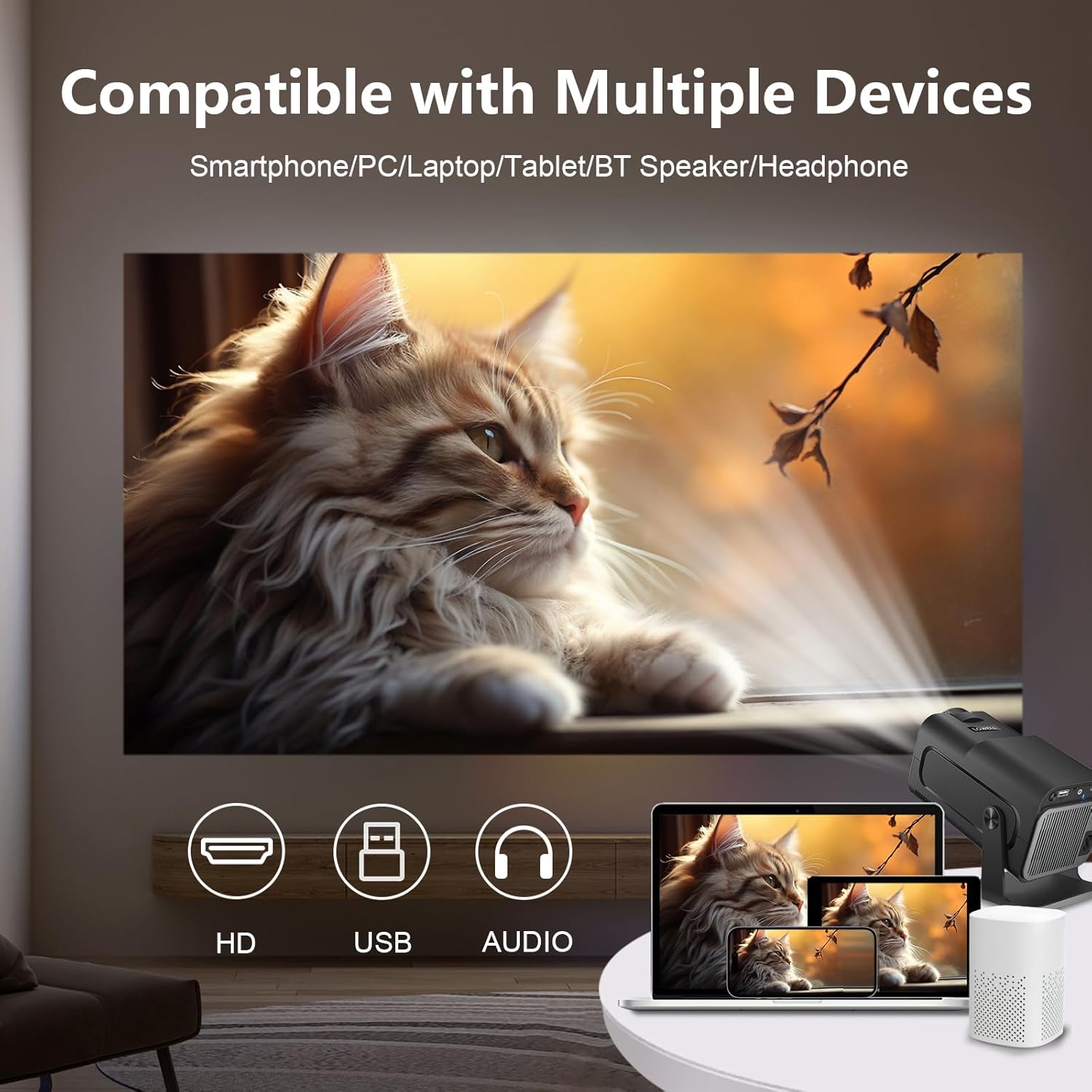
Image: The projector is compatible with smartphones, PCs, laptops, tablets, Bluetooth speakers, and headphones.
4. Подешавање
Почетни пласман:
Place the projector on a stable surface. For optimal viewing, position the projector at a suitable distance from the projection surface. The projector supports an adjustable screen display from 30 to 135 inches, with an optimal projection distance of 1.68 meters for a 135-inch screen.

Image: Recommended projection distances for various screen sizes, from 30 to 135 inches.
Прикључак за напајање:
- Прикључите адаптер за напајање на улазни порт за напајање пројектора.
- Укључите адаптер за напајање у зидну утичницу.
Повезивање уређаја:
The projector supports wired connections for screen mirroring from various devices:
- ДВИ: Connect your laptop, game console (e.g., PS5), or media player using an HDMI cable.
- УСБ: Connect smartphones or other devices for wired screen mirroring via a USB cable.
- Блуетоотх: Повежите екстерне Bluetooth звучнике или слушалице за побољшани звук.
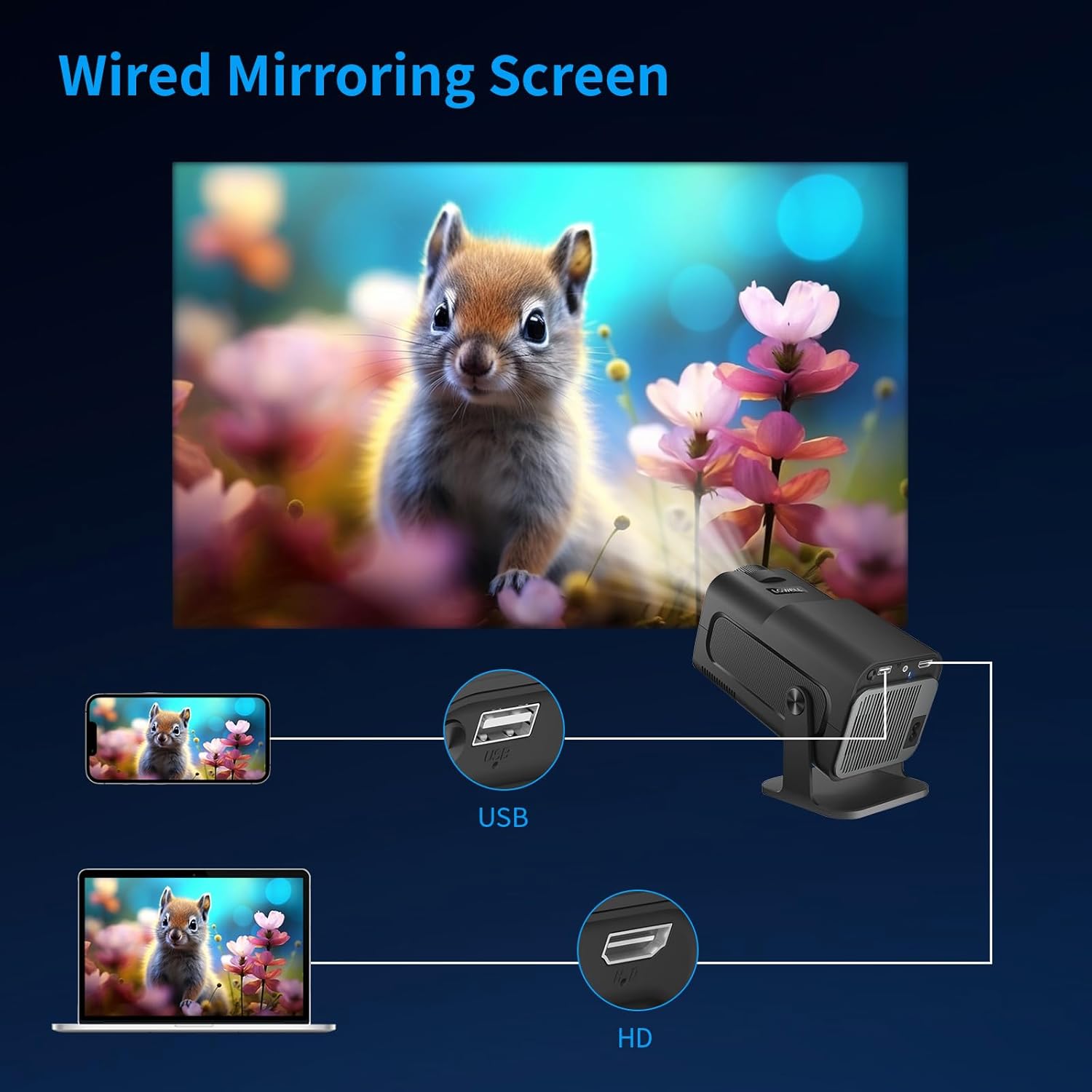
Image: Wired screen mirroring allows easy projection from smartphones and laptops.
5. Упутство за употребу
Укључивање/искључивање:
Притисните дугме за напајање на пројектору или даљинском управљачу да бисте укључили или искључили уређај.
Adjusting Projection:
- Подешавање фокуса: Manually adjust the focus ring on the lens until the image is clear.
- Аутоматска корекција Кеистоне: The projector features automatic keystone correction to ensure your projections are perfectly aligned and proportional, even if the projector is not perfectly perpendicular to the screen.
- 220° Free Projection: The projector's design allows for flexible projection angles up to 220 degrees, enabling projection onto ceilings or walls from various positions.

Image: Automatic keystone correction ensures a square picture every time you project.

Image: The 220-degree free projection allows for flexible setup and viewинг.
Аудио излаз:
The projector has built-in speakers. For a more immersive audio experience, connect external Bluetooth speakers or headphones. The projector operates with low noise, below 25 dB, ensuring minimal distraction.

Image: The projector's low noise level (below 25 dB) ensures a quiet viewинг окружење.
6. Одржавање
- Чишћење сочива: Use a soft, lint-free cloth specifically designed for optical lenses to gently wipe the projector lens. Do not use liquid cleaners directly on the lens.
- Уклањање прашине: Regularly clean the projector's ventilation openings with a soft brush or compressed air to prevent dust buildup, which can affect performance and lifespan.
- Складиштење: Када се пројектор не користи дуже време, чувајте га на хладном и сувом месту, даље од директне сунчеве светлости и екстремних температура. Користите оригинално паковање или заштитну футролу да бисте спречили прашину и оштећења.
КСНУМКС. Решавање проблема
| Проблем | Могући узрок | Решење |
|---|---|---|
| Нема пројектоване слике | Power cable disconnected; Input source not selected; Device not connected properly. | Check power connection; Select correct input source (HDMI/USB); Ensure device is securely connected. |
| Слика је мутна | Фокус није подешен; Пројектор је преблизу/предалеко од платна. | Подесите прстен за фокусирање; Подесите пројекциону даљину. |
| Image is skewed/trapezoidal | Projector not aligned. | The projector features automatic keystone correction. Ensure it is enabled or reposition the projector. |
| Нема звука | Volume too low; External audio device not connected/selected. | Increase volume; Check Bluetooth connection for external speakers; Ensure audio output is correctly configured. |
| Прегревање пројектора | Блокирана вентилација. | Ensure ventilation openings are clear and the projector has adequate space for airflow. |
If you encounter issues not listed here, please contact LQWELL customer support.
8. Спецификације
| Феатуре | Детаљ |
|---|---|
| Бранд | ЛКВЕЛЛ |
| Број модела | ХИ320-М |
| Врста производа | Портабле Пројецтор |
| Дисплаи Тецхнологи | ЛЦД |
| Нативе Ресолутион | 1920 к 1080п |
| Max Display Resolution | 4К подршка |
| Величина екрана | 30 - 135 инча |
| Технологија повезивања | HDMI, USB, Bluetooth |
| Посебне карактеристике | Automatic Keystone Correction, 220° Free Projection, Eye Care Technology, Low Noise Operation (<25dB) |
| Компатибилни уређаји | Laptop, Smartphone, Game Console (PS5), Media Player |
| Димензије производа | 22Д к 10.6В к 10.7Х центиметара |
| Оперативни систем | No Android OS |
9. Гаранција и подршка
For warranty information and customer support, please refer to the warranty card included with your product or visit the official LQWELL webсајт. Молимо вас да сачувате доказ о куповини за евентуалне рекламације по гаранцији.
Напомена о видео записима: While the product listing indicates the presence of product videos, specific URLs for embedding official seller videos were not provided in the input data. Therefore, no videos could be embedded in this manual.