
iProda 15.6-inch Portable Monitor
iProda 15.6-inch Portable Monitor User Manual
Model: 15.6-inch Portable Monitor
Марка: iProda
1. Увод
Thank you for choosing the iProda 15.6-inch Portable Monitor. This device is designed to enhance your productivity and entertainment by providing a versatile second screen for your laptop, PC, smartphone, and gaming consoles. This manual will guide you through the setup, operation, and maintenance of your new monitor.
2. Карактеристике производа
- 15.6-инчни Full HD (1080p) IPS екран: Доживите живописне боје и широк viewинг углова.
- Брзина освежавања од 60Хз: Ensures smooth visuals for work and entertainment.
- Екран против одсјаја: Смањује рефлексије за удобност viewинг у различитим условима осветљења.
- Лаган и преносив: Weighing approximately 1.2 kg (2.6 lbs) and only 0.6 cm (0.24 inches) thick, it's ideal for on-the-go use.
- Повезивање „укључи и играј“: Simple setup with USB-C or HDMI.
- Уграђени звучници: Integrated audio for convenience.
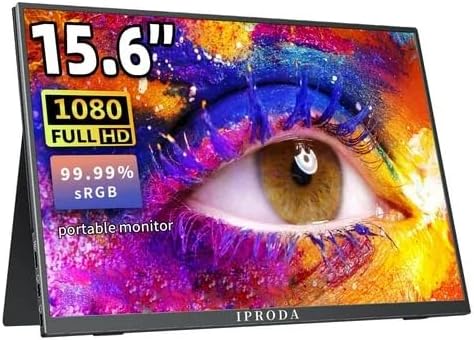
Figure 2.1: iProda 15.6-inch Portable Monitor showcasing its 1080 Full HD resolution and sRGB color accuracy.

Figure 2.2: Close-up of the iProda portable monitor screen highlighting IPS technology and a 178-degree super wide viewing angle for an excellent visual experience.
3. Водич за подешавање
The iProda portable monitor is designed for easy plug-and-play setup. Follow these steps to connect your device:
- Прикључак за напајање: Connect the monitor to a power source using the provided USB-C cable and a compatible power adapter (not always included, check packaging).
- Видео веза:
- USB-C (Full Function): If your device (laptop, smartphone) has a full-function USB-C port that supports video output and power delivery, simply connect a single USB-C cable from your device to one of the monitor's USB-C ports.
- Мини ХДМИ: Connect a mini HDMI to HDMI cable from the monitor's mini HDMI port to your device's HDMI port. You will also need to connect a USB-C cable for power.
- Аудио (опционо): If you prefer to use external headphones or speakers, connect them to the 3.5mm audio jack on the monitor.
- Подешавања уређаја: Your device should automatically detect the monitor. If not, you may need to adjust display settings in your operating system (e.g., Windows Display Settings, macOS System Preferences).
4. Упутство за употребу
The monitor features intuitive controls for adjusting settings:
- Power Button / Return Button: Press and hold to power on/off. Short press to return to the previous menu in OSD settings.
- Dial-wheel Switch (OSD Settings):
- Притисните: Enter the On-Screen Display (OSD) menu.
- Померање горе/доле: Крећите се кроз опције менија или подешавајте вредности.
- Press (while in menu): Потврдите избор.
The OSD menu allows you to adjust brightness, contrast, color settings, input source, and other display parameters.
5. Повезивање и компатибилност
The iProda portable monitor offers broad compatibility with various devices:
- USB-C (x2, Full Function): Connects to laptops, PCs, tablets, and smartphones that support DisplayPort Alternate Mode and Power Delivery.
- Mini HDMI (x1): Connects to devices with an HDMI output, including laptops, PCs, gaming consoles (Xbox, PlayStation, Nintendo Switch), and media players.
- 3.5mm Headphone Jack (x1): За повезивање спољних аудио уређаја.
Compatible Devices Include:
- Стони рачунари
- Laptops (Windows, macOS)
- Таблете
- Smartphones (with full-function USB-C)
- Нинтендо Свитцх
- PlayStation 4/5
- Xbox One/Series X|S

Figure 5.1: Port layout and compatible devices for the iProda portable monitor.
6. Режими коришћења
When connected to a laptop or PC, the iProda portable monitor supports various display modes:
- Режим дуплирања: Displays the same content on both your primary screen and the portable monitor. Ideal for presentations or sharing content.
- Проширени режим: Extends your desktop across both screens, providing more screen real estate for multitasking. Drag windows between screens.
- Режим само другог екрана: Displays content only on the portable monitor, with your primary screen turned off. Useful for focusing on a single display or when using the portable monitor as the main display.

Figure 6.1: Display modes (Duplicate, Extend, Second Screen Only) with a laptop.
7. Applications and Use Cases
The iProda portable monitor is versatile for various scenarios:
- Daily Work & Business: Enhance productivity by extending your workspace for spreadsheets, documents, and presentations.
- Phone Extension: Transform your smartphone into a larger display for media consumption or light productivity tasks.
- On-the-GO: Its lightweight design makes it perfect for travel, remote work, or mobile presentations.
- Играње: Connect to your favorite gaming consoles for an immersive gaming experience anywhere.
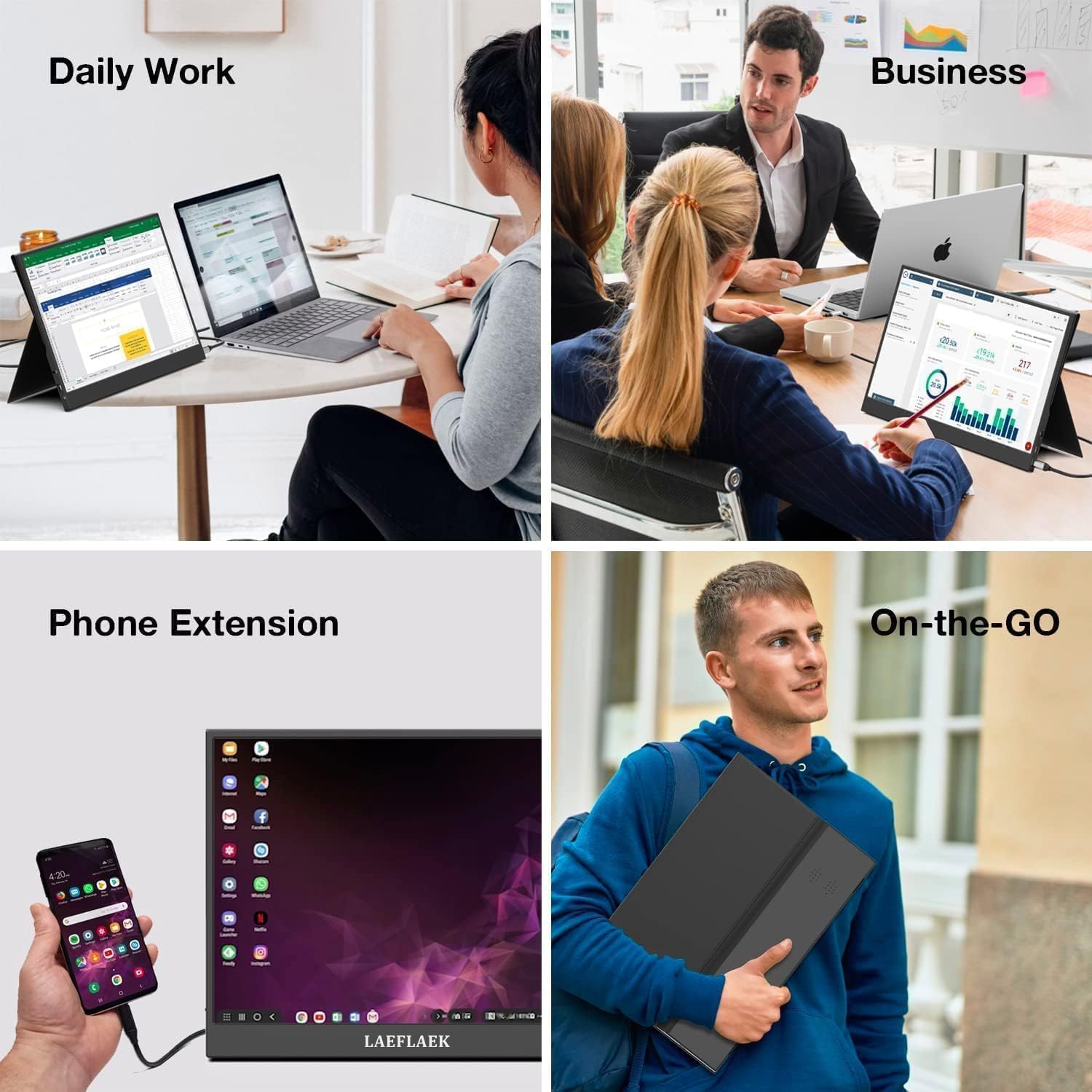
Figure 7.1: Various applications of the iProda portable monitor.

Figure 7.2: iProda portable monitor used for gaming with various consoles.
8. Одржавање
To ensure the longevity and optimal performance of your iProda portable monitor, follow these maintenance guidelines:
- Чишћење екрана: Користите меку крпу која не оставља длачицеampened with water or a screen-cleaning solution. Do not spray liquid directly onto the screen. Avoid using harsh chemicals or abrasive materials.
- Чишћење Цasing: Обришите ц монитораasinг меком, сувом крпом.
- Складиштење: When not in use, store the monitor in a cool, dry place, preferably in its original packaging or a protective sleeve to prevent dust and scratches.
- Руковање: Монитор увек држите за ивице. Избегавајте притискање екрана.
КСНУМКС. Решавање проблема
If you encounter issues with your iProda portable monitor, refer to the following common problems and solutions:
| Проблем | Могући узрок | Решење |
|---|---|---|
| Нема сигнала / Црни екран | Incorrect input source selected; Loose cable connection; Insufficient power; Device not outputting video. | Check cable connections; Ensure monitor is powered; Select correct input source via OSD; Verify device's video output settings. |
| Но Повер | Power cable not connected; Power adapter faulty; USB-C port on device not providing enough power. | Ensure power cable is securely connected; Try a different power adapter/USB-C port; Use an external power source if needed. |
| Треперећи екран | Faulty cable; Interference; Graphics driver issue. | Try a different cable; Ensure no strong electromagnetic interference; Update graphics drivers on your connected device. |
| Нема звука са монитора | Monitor volume too low; Audio output not set to monitor; External speakers/headphones connected. | Adjust monitor volume via OSD; Set audio output to the monitor in your device's sound settings; Disconnect external audio devices if using monitor speakers. |
If the problem persists after trying these solutions, please contact iProda customer support for further assistance.
10. Спецификације
| Феатуре | Спецификација |
|---|---|
| Величина екрана | 15.6 инча |
| Дисплаи Типе | IPS, Anti-glare |
| Резолуција | Фулл ХД (1920 к 1080) |
| Рефресх Рате | 60Хз |
| Аспецт Ратио | 16:9 |
| Повезивање | 2x USB-C (Full Function), 1x Mini HDMI, 1x 3.5mm Audio Jack |
| Тежина | Прибл. 1.2 кг (2.6 лбс) |
| Дебљина | Прибл. 0.6 цм (0.24 инча) |
| Уграђени звучници | Да |
11. Гаранција и подршка
Your iProda portable monitor comes with a standard manufacturer's warranty. Please refer to the warranty card included in your product packaging for specific terms and conditions.
For technical support, troubleshooting assistance, or warranty claims, please contact iProda customer service through the contact information provided on the official iProda webсајт или вашу платформу за куповину.
Молимо вас да припремите модел производа и детаље о куповини када контактирате подршку.
Ask a question about this manual
Ask about setup, troubleshooting, compatibility, parts, safety, or missing instructions. Manuals+ will review the question and use this page’s manual context to help answer it.