
1. Увод
The Foscam FNA108HE is an 8-channel Network Video Recorder (NVR) designed for surveillance systems. It supports up to 8 PoE (Power over Ethernet) IP cameras, allowing for simplified installation with power and data transmission over a single Ethernet cable. This NVR records video at up to 8MP resolution per channel and utilizes H.264+ video compression for efficient storage. It offers continuous, motion-detection, and scheduled recording options, and supports a hard drive up to 16TB (not included) for extensive storage. View and manage your surveillance system locally via HDMI/VGA monitor or remotely through a web интерфејс.
2. Садржај пакета
- Foscam FNA108HE 8-Channel PoE NVR
- Повер Адаптер
- УСБ миш
- Етхернет Цабле
- Водич за брзи почетак
- Mounting Screws for HDD (Hard Disk Drive not included)
3. Производ је готовview
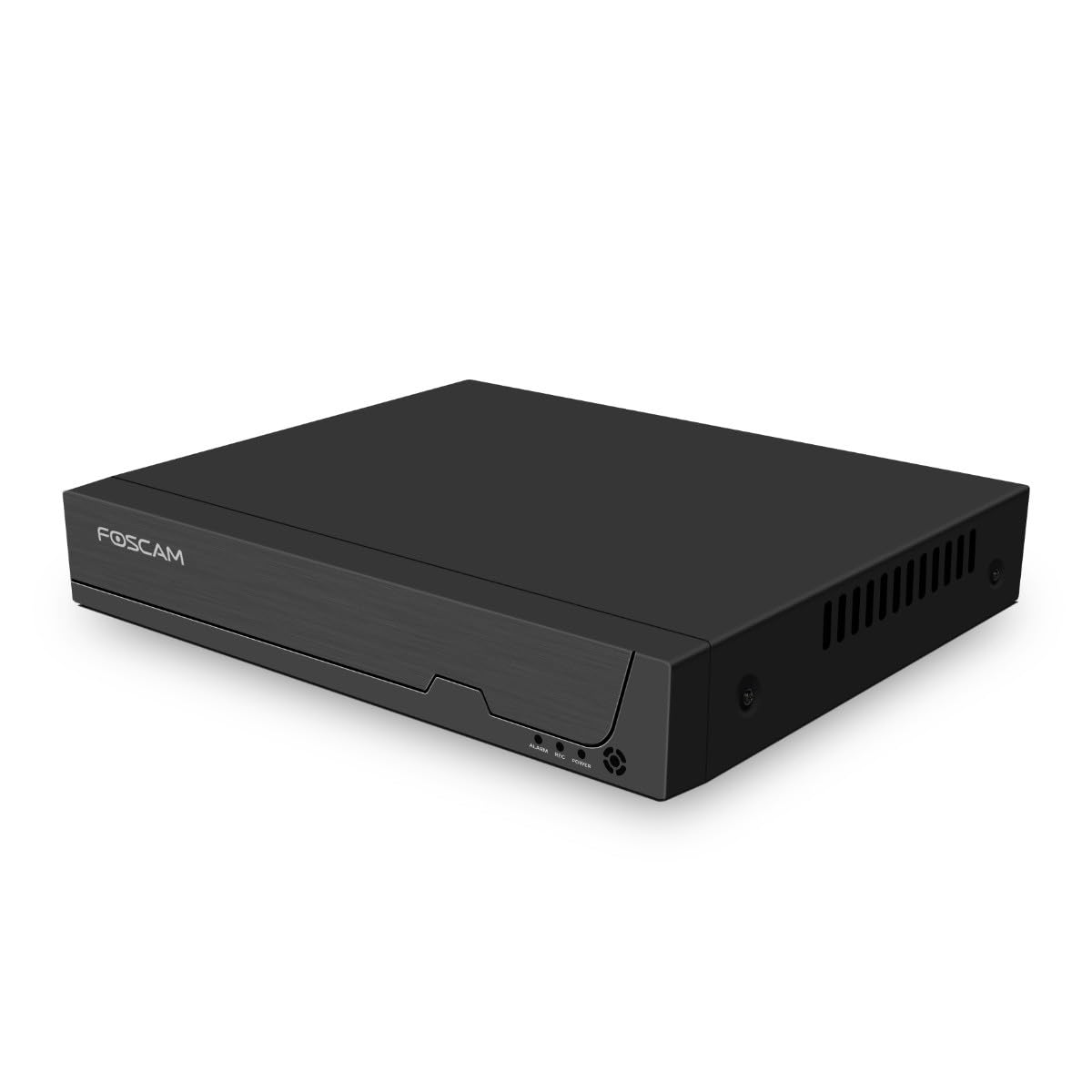
Слика 3.1: Предња плоча
This image shows the front of the Foscam FNA108HE NVR, featuring the Foscam logo on the left and indicator lights (ALARM, REC, POWER) on the right, along with a navigation button.

Слика 3.2: Под углом View
An angled perspective of the Foscam FNA108HE NVR, highlighting its compact design and the Foscam branding.

Слика 3.3: Задња плоча
This image displays the rear panel of the Foscam FNA108HE NVR, showing various ports including the power switch, DC 48V power input, 8 PoE ports, LAN port, A-OUT (audio output), VGA port, HD-OUT (HDMI port), and two USB ports.
3.1 Индикатори на предњој плочи
- СНАГА: Indicates the NVR is powered on.
- РЕЦ: Flashes when video is being recorded.
- АЛАРМНИ: Illuminates when an alarm event (e.g., motion detection) is triggered.
3.2 Портови на задњој плочи
- ОН/ОФФ прекидач: Powers the NVR on or off.
- ДЦ 48В: Power input for the NVR.
- ПоЕ портови (1-8): Connect PoE IP cameras. These ports provide both power and data.
- ЛАН порт: Connects the NVR to your local network/router for internet access and remote viewинг.
- A-OUT (Audio Output): Connects to an external speaker for audio output.
- ВГА порт: Connects to a VGA monitor for local display.
- HD-OUT (HDMI Port): Connects to an HDMI monitor or TV for local display.
- USB портови (x2): Connect a USB mouse for local control and for USB backup devices.
4. Подешавање
4.1 Hard Drive Installation (Optional, HDD not included)
For video recording, a 3.5-inch SATA hard drive is required. Ensure the NVR is powered off before installation.
- Одврните и уклоните горњи поклопац НВР-а.
- Connect the SATA data and power cables from the NVR to the hard drive.
- Причврстите чврсти диск на кућиште NVR-а помоћу приложених вијака.
- Вратите горњи поклопац и причврстите га завртњима.
4.2 Повезивање хардвера
- Connect your PoE IP cameras to the PoE ports (1-8) on the NVR's rear panel using Ethernet cables.
- Connect a monitor to the NVR's HD-OUT (HDMI) or VGA port.
- Повежите УСБ миш са једним од УСБ портова НВР-а.
- Повежите LAN порт NVR-а са рутером или мрежним прекидачем помоћу Ethernet кабла.
- Connect the power adapter to the DC 48V input on the NVR and then plug it into a power outlet.
- Press the ON/OFF switch to power on the NVR.
5. Оперативни
5.1 Initial Setup and Access
Upon first boot, the NVR will guide you through an initial setup wizard (password creation, network settings, etc.). You can access the NVR interface locally via the connected monitor and mouse, or remotely via a web претраживач на рачунару повезаном на исту мрежу.
5.2 Уживо View
After logging in, the NVR will display the live video feeds from connected cameras. You can switch between single-camera view, мрежа са више камера view, and customize the display layout.
5.3 Режими снимања
The NVR supports the following recording modes:
- Континуирано снимање: Records 24/7 without interruption.
- Снимање детекције покрета: Снима само када камере детектују кретање.
- Планирано снимање: Records according to a predefined schedule (e.g., specific hours of the day).
Configure these settings in the NVR's menu under 'Record' or 'Schedule'.
5.4 Репродукција
То реview снимљено фооtage:
- Access the 'Playback' menu on the NVR interface.
- Изаберите жељену камеру(е) и распон датума/времена.
- Use the timeline to navigate through recordings and play back events.
5.5 Удаљени приступ
Да бисте даљински приступили НВР-у:
- Ensure the NVR is connected to the internet.
- Configure network settings (e.g., port forwarding) on your router if necessary, or use Foscam's cloud service/P2P feature if available.
- Use the Foscam web interface or mobile application to view live feeds and manage settings from anywhere.
6. Одржавање
6.1 Управљање чврстим диском
Regularly check the status of your hard drive in the NVR's storage settings. If the hard drive is new or has issues, it may need to be formatted through the NVR interface. Ensure sufficient free space for continuous recording.
6.2 Ажурирања фирмвера
Periodically check the Foscam official website for firmware updates. Keeping your NVR's firmware updated ensures optimal performance, security, and access to new features. Follow the instructions provided with the firmware update carefully.
КСНУМКС. Решавање проблема
- Без приказа видеа: Check HDMI/VGA cable connections, ensure monitor is on and set to correct input. Verify NVR is powered on.
- Cameras Not Showing: Ensure cameras are properly connected to PoE ports. Check camera power and network status. Verify camera IP addresses are within the NVR's range.
- Нема снимања: Confirm a hard drive is installed and formatted. Check recording schedules and motion detection settings. Ensure HDD has free space.
- Проблеми са даљинским приступом: Verify NVR has internet access. Check network settings, port forwarding, or P2P status. Ensure correct login credentials.
- NVR Not Powering On: Check power adapter connection and power outlet. Ensure the ON/OFF switch is in the 'ON' position.
8. Спецификације
| Феатуре | Спецификација |
|---|---|
| Број модела | ФНА108ХЕ |
| Бранд | Фосцам |
| Број канала | 8 |
| Max. Storage Capacity | 16 TB (Hard Drive not included) |
| Видео Цомпрессион | Х.264 + |
| Тип видео улаза | ПоЕ ИП камера |
| Видео Оутпут | ХДМИ, ВГА |
| Аудио излаз | А-ОУТ |
| УСБ портови | 2 |
| Технологија повезивања | HDMI, USB, VGA, Ethernet (LAN, PoE) |
| Компатибилни уређаји | Camera, Smartphone, Television |
| Тежина артикла | 880 грама |
| Доступност резервних делова | 1 година |
9. Гаранција и подршка
This Foscam NVR (Model FNA108HE) typically comes with a manufacturer's warranty. Spare parts are available for 1 year. For detailed warranty information, technical support, or service inquiries, please refer to the official Foscam webсајт или директно контактирајте њихову корисничку подршку. Сачувајте рачун о куповини за потребе рекламације у гаранцији.