
Увод
This manual provides detailed instructions for the OWC Gemini Thunderbolt (USB-C) Docking Station and External RAID Storage Solution. It covers setup, operation, maintenance, troubleshooting, and technical specifications to ensure optimal performance and longevity of your device.
Безбедносне информације
- Пажљиво прочитајте сва упутства пре употребе уређаја.
- Не излажите уређај влази или екстремним температурама.
- Користите само адаптер за напајање који сте добили уз уређај.
- Не покушавајте сами да отворите или поправите уређај. Све сервисирање препустите квалификованом особљу.
- Осигурајте одговарајућу вентилацију око уређаја како бисте спречили прегревање.
Садржај пакета
Проверите да ли су све ставке присутне у вашем пакету:
- OWC Gemini Thunderbolt (USB-C) Docking Station
- Повер Адаптер
- Thunderbolt (USB-C) Cable
- Кориснички приручник (овај документ)
- Drives (pre-installed for 32TB model)
Производ је завршенview
The OWC Gemini is a versatile docking station and external storage solution designed for high-performance data management and expanded connectivity.

Слика: Фронт view of the OWC Gemini Thunderbolt Docking Station, showcasing its sleek black design and OWC branding.
Кључне карактеристике
- Dual Drive Bays: Supports 2.5-inch and 3.5-inch SATA drives for flexible storage configurations.
- Hardware RAID: Offers RAID 0, RAID 1, SPAN, and JBOD modes for optimized performance or data redundancy.
- Thunderbolt (USB-C) Connectivity: Two Thunderbolt 3 (USB-C) ports for host connection, daisy-chaining, and power delivery (up to 27W).
- Проширено повезивање: Includes two USB 3.2 Gen 2 Type-A ports, one HDMI port, one 2.5 Gigabit Ethernet port, and one SD 4.0/UHS-II media slot.
- High-Resolution Display Support: HDMI 2.1 supports up to 8K @ 120Hz, and Thunderbolt 3 supports up to 8K @ 60Hz or 4K @ 120Hz.
Изглед порта
The OWC Gemini provides a comprehensive set of ports for various connectivity needs.

Слика: Позади view of the OWC Gemini Docking Station, highlighting the 7 ports of connectivity including Thunderbolt, USB, HDMI, and Ethernet.
- Thunderbolt 3 (USB-C) Host Port: Повезује се са вашим рачунаром.
- Thunderbolt 3 (USB-C) Downstream Port: For daisy-chaining, additional displays, or charging USB-C devices.
- USB 3.2 Gen 2 Type-A портови (x2): For connecting USB peripherals.
- ХДМИ 2.1 порт: За повезивање екстерног дисплеја.
- 2.5 Гигабит Етхернет порт: For high-speed network connectivity.
- SD 4.0/UHS-II Media Slot: Located on the front panel for convenient access.
- ДЦ 12В Улаз за напајање: Повезује се на адаптер за напајање.

Image: Close-up of the front panel of the OWC Gemini, showing the easily accessible SD card slot.
Сетуп
1. Drive Installation (if applicable)
For models without pre-installed drives, follow these steps to install 2.5-inch or 3.5-inch SATA drives.

Image: The OWC Gemini unit illustrating its two flexible drive bays, compatible with both 2.5-inch and 3.5-inch drives.
- Ensure the device is powered off and disconnected from your computer.
- Open the drive bay door(s) according to the product's physical design.
- Insert your 2.5-inch or 3.5-inch SATA drives into the bays, ensuring they are securely seated.
- Close the drive bay door(s).
2. РАИД конфигурација
The OWC Gemini supports hardware RAID. Refer to the specific RAID configuration utility or physical switches on the device (if present) to set your desired RAID level (RAID 0, RAID 1, SPAN, or JBOD).
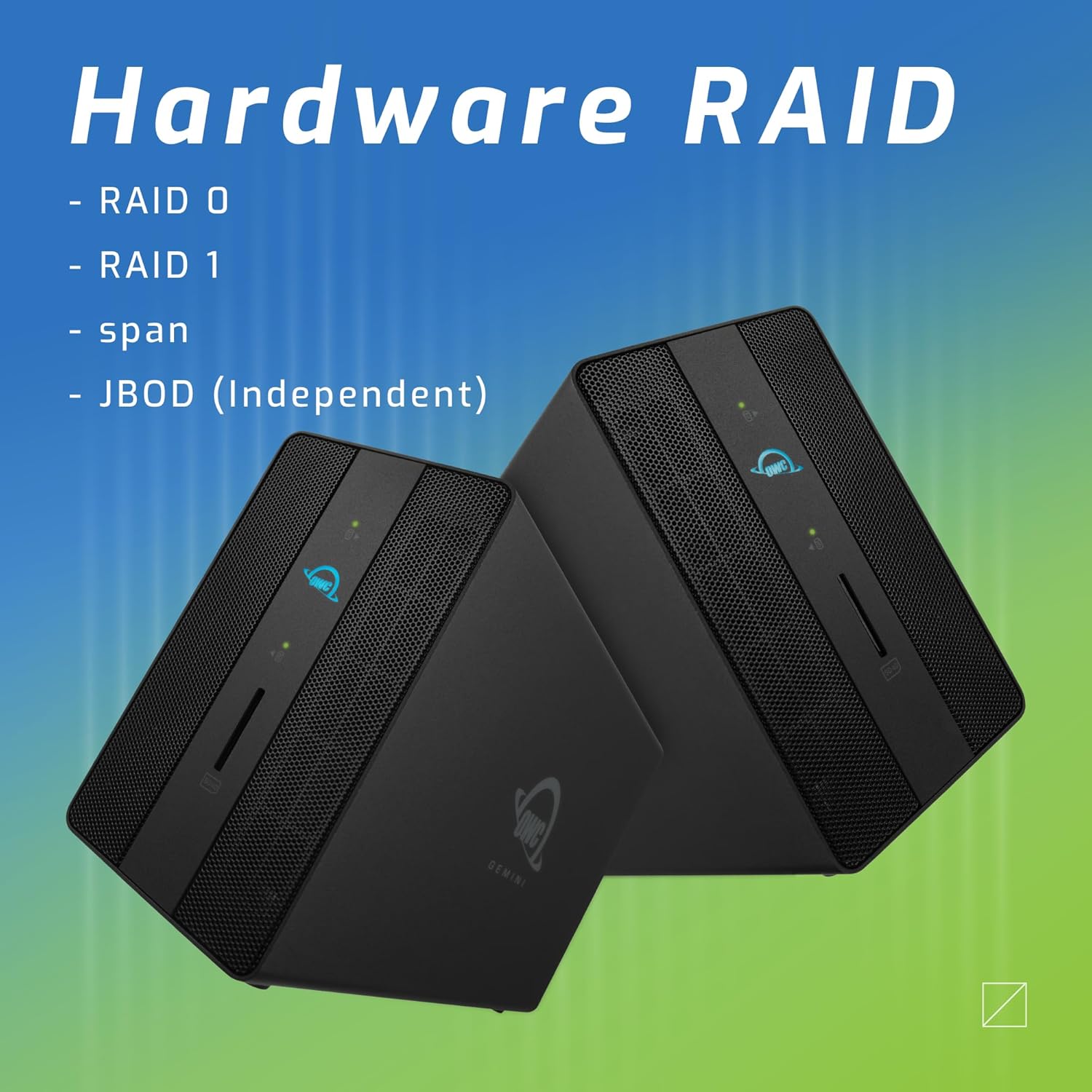
Image: Two OWC Gemini units, emphasizing the hardware RAID capabilities for configurations like RAID 0, RAID 1, SPAN, and JBOD.
RAID Levels Explained:
- RAID 0 (Стрипинг): Combines drives for maximum speed and capacity, but offers no data redundancy.
- РАИД 1 (пресликавање): Duplicates data across drives for redundancy, sacrificing half the total capacity for data protection.
- SPAN (Concatenation): Combines drives into a single large volume without striping or mirroring.
- JBOD (Само гомила дискова): Treats each drive as an independent volume.
3. Повезивање са рачунаром
- Connect the power adapter to the DC 12V power input on the OWC Gemini and then to a power outlet.
- Connect one end of the Thunderbolt (USB-C) cable to the host port on the OWC Gemini.
- Connect the other end of the Thunderbolt (USB-C) cable to a Thunderbolt (USB-C) port on your computer.
- The device should power on automatically.
4. Initializing Drives
After connecting, your operating system may prompt you to initialize and format the new drives. Follow the on-screen instructions. For macOS, use Disk Utility. For Windows, use Disk Management.
Упутство за употребу
Пренос података
Once the drives are initialized and formatted, they will appear as accessible volumes on your computer. You can drag and drop files to and from these volumes as you would with any other storage device.
Коришћење УСБ портова
Connect USB peripherals such as external drives, keyboards, or mice to the two USB 3.2 Gen 2 Type-A ports. These ports support data transfer speeds up to 10 Gb/s.
Повезивање екстерног екрана
Use the HDMI 2.1 port to connect an external monitor. The Gemini supports resolutions up to 8K @ 120Hz via HDMI.
Мрежна повезаност
Connect an Ethernet cable from your network router or switch to the 2.5 Gigabit Ethernet port on the Gemini for high-speed wired network access.
Using the SD Card Slot
Insert an SD 4.0/UHS-II compatible SD card into the front-facing slot for quick data transfer from cameras or other devices.
Daisy-Chaining and Power Delivery

Image: A close-up of the OWC Gemini's Thunderbolt ports, illustrating their use for daisy-chaining, connecting additional displays, and charging USB-C devices.
The second Thunderbolt 3 (USB-C) port allows you to:
- Даиси-цхаин additional Thunderbolt devices.
- Повежите ан additional display (up to 8K @ 60Hz or 4K @ 120Hz).
- Charge USB-C devices with up to 27 watts of power.
Одржавање
- Чишћење: Користите меку, суву крпу за чишћење спољашњости уређаја. Не користите течна средства за чишћење или аеросоле.
- вентилација: Ensure that the ventilation grilles are not obstructed to prevent overheating.
- Ажурирања фирмвера: Periodically check the OWC webсајт за ажурирања фирмвера како би се осигурале оптималне перформансе и компатибилност.
- Безбедно избацивање: Always safely eject the OWC Gemini from your operating system before disconnecting it or powering it off to prevent data corruption.
Решавање проблема
Уређај није препознат
- Ensure all cables are securely connected, especially the Thunderbolt cable to both the Gemini and your computer.
- Verify the power adapter is correctly connected and the device is receiving power.
- Try connecting the Gemini to a different Thunderbolt port on your computer.
- Поново покрените рачунар.
- Check your operating system's Disk Utility (macOS) or Disk Management (Windows) to see if the drives are detected but uninitialized or unformatted.
Споре брзине преноса података
- Ensure you are using a Thunderbolt 3 compatible cable and port.
- Check the RAID configuration. RAID 1 (mirroring) will have slower write speeds than RAID 0 (striping).
- Затворите све непотребне апликације које можда троше системске ресурсе.
- Уверите се да су драјвери вашег рачунара ажурирани.
Проблеми са приказом
- Verify the HDMI cable is securely connected to both the Gemini and your monitor.
- Check your display settings in your operating system.
- Ensure your monitor supports the resolution and refresh rate you are attempting to use.
- Try a different HDMI cable or monitor if available.
Проблеми са мрежном везом
- Ensure the Ethernet cable is securely connected to both the Gemini and your network device.
- Check your computer's network settings.
- Рестартујте рутер/модем.
Спецификације
| Феатуре | Детаљ |
|---|---|
| Бранд | ОВЦ |
| Број модела | OWCTB3GM000H32 |
| Капацитет складиштења | 32.0TB (as configured) |
| Дриве Баис | 2 (supports 2.5" and 3.5" SATA drives) |
| РАИД нивои | SPAN, RAID 0, RAID 1, JBOD (Hardware RAID) |
| Хост Интерфаце | Тхундерболт 3 (УСБ-Ц) |
| Брзина преноса података | Up to 40 Gb/s (Thunderbolt 3), Up to 10 Gb/s (USB 3.2 Gen 2) |
| Портс | (1) Thunderbolt 3 (USB-C) Host, (1) Thunderbolt 3 (USB-C) Downstream, (2) USB 3.2 Gen 2 Type-A, (1) HDMI 2.1, (1) 2.5 Gigabit Ethernet, (1) SD 4.0/UHS-II |
| Подршка за екран | HDMI 2.1: Up to 8K @ 120Hz; Thunderbolt 3: Up to 8K @ 60Hz or 4K @ 120Hz |
| Повер Деливери | До 27W преко Thunderbolt 3 порта |
| Компатибилни уређаји | Desktop, Laptop, Tablet (with Thunderbolt/USB-C port) |
| Боја | Црно |
| Тежина | 9.35 лбс (приближно) |
| УПЦ | 810100983697 |
Гаранција и подршка
Информације о гаранцији
OWC products are covered by a limited warranty. Please refer to the official OWC website or your purchase documentation for specific warranty terms and conditions. Keep your proof of purchase for warranty claims.
Техничка подршка
For technical assistance, troubleshooting, or further inquiries, please visit the official OWC support webсајту или контактирајте њихову корисничку службу.