
Rapoo M300G
Rapoo M300G Silent Wireless Mouse User Manual
Модел: М300Г
Увод
This manual provides detailed instructions for the setup, operation, and maintenance of your Rapoo M300G Silent Wireless Mouse. Please read this manual thoroughly to ensure proper use and to maximize the performance of your device.
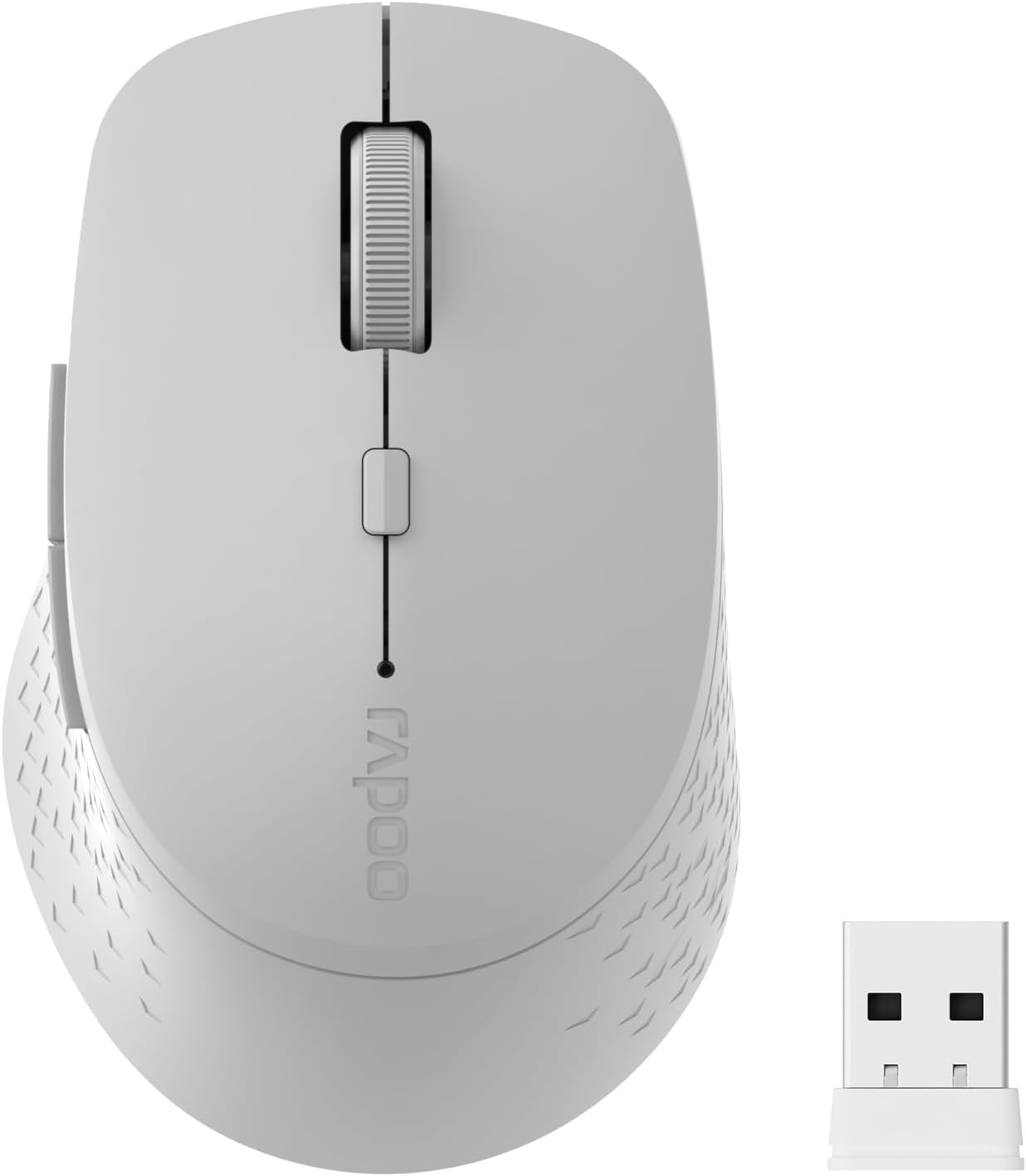
Image: The Rapoo M300G Silent Wireless Mouse in light grey, shown with its accompanying USB receiver.
Садржај пакета
Проверите да ли су све ставке присутне у пакету:
- Rapoo M300G Wireless Mouse (x1)
- USB Receiver (x1)
- АА батерија (к1)
- Product Manual (x1)
Производ је завршенview
Familiarize yourself with the components of your Rapoo M300G mouse.
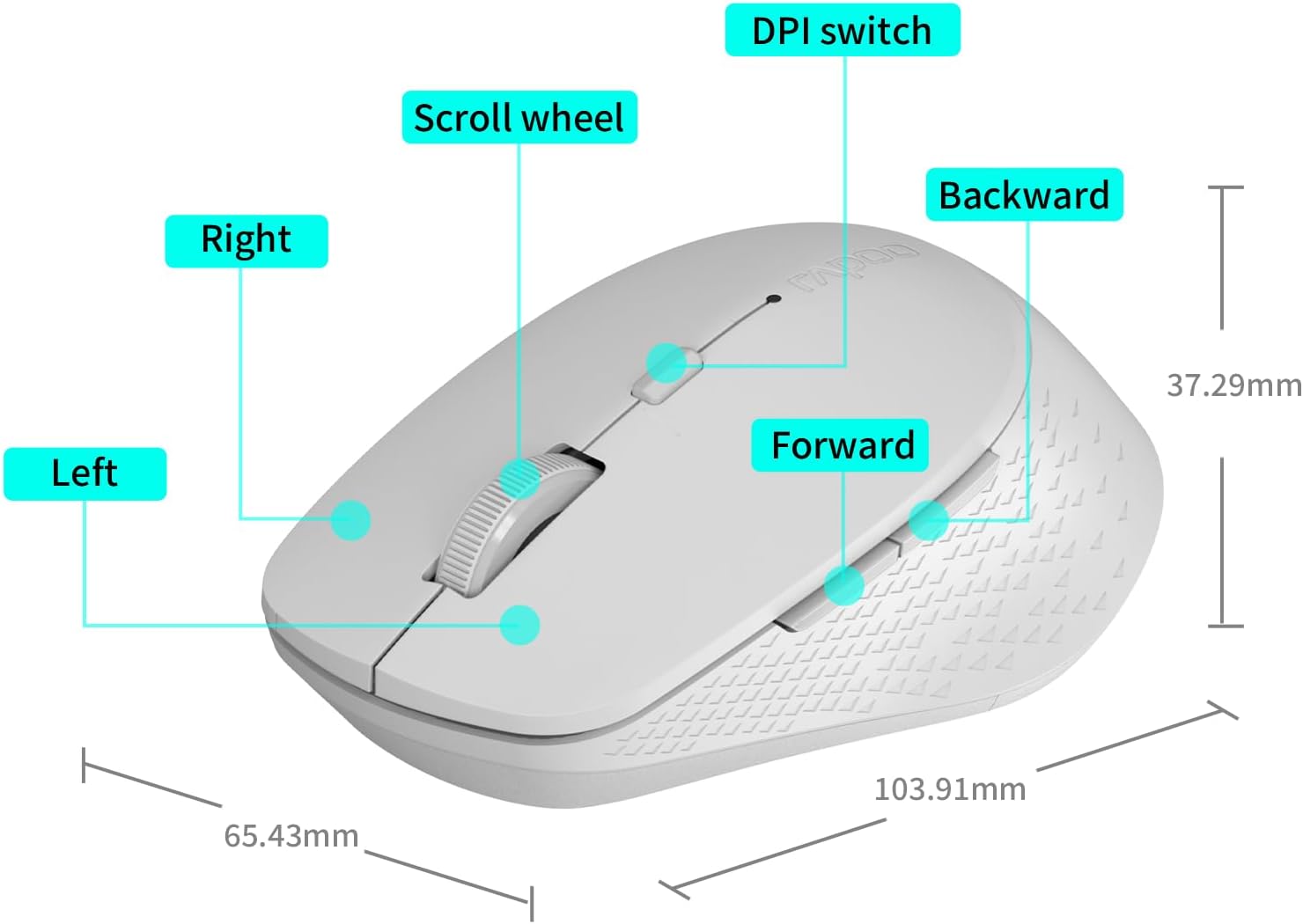
Image: A diagram illustrating the various parts of the Rapoo M300G mouse, including the left and right click buttons, scroll wheel, DPI switch, and forward/backward side buttons.
- Лево дугме: Стандардна функција клика.
- Десно дугме: Функција контекстног менија.
- Точак за померање: For vertical scrolling and middle-click.
- ДПИ прекидач: Подешава осетљивост курсора.
- Дугме за напред: Навигација напред у web претраживачи или file истраживачи.
- Дугме за назад: Навигација уназад web претраживачи или file истраживачи.
Упутства за подешавање
The Rapoo M300G mouse supports both 2.4GHz wireless and Bluetooth connectivity. Choose the method that best suits your device.
1. Инсталација батерије
Open the battery compartment on the underside of the mouse. Insert the provided AA battery, ensuring correct polarity. Close the compartment.

Image: Illustration of the mouse's underside, highlighting the battery compartment and the integrated USB receiver storage slot.
2. Connecting via 2.4GHz Wireless Mode
- Locate the USB receiver inside the mouse's battery compartment.
- Извадите УСБ пријемник и прикључите га на слободан УСБ порт на рачунару.
- Укључите миш помоћу прекидача за напајање на доњој страни.
- The mouse should automatically connect to your computer. No additional drivers are typically required.
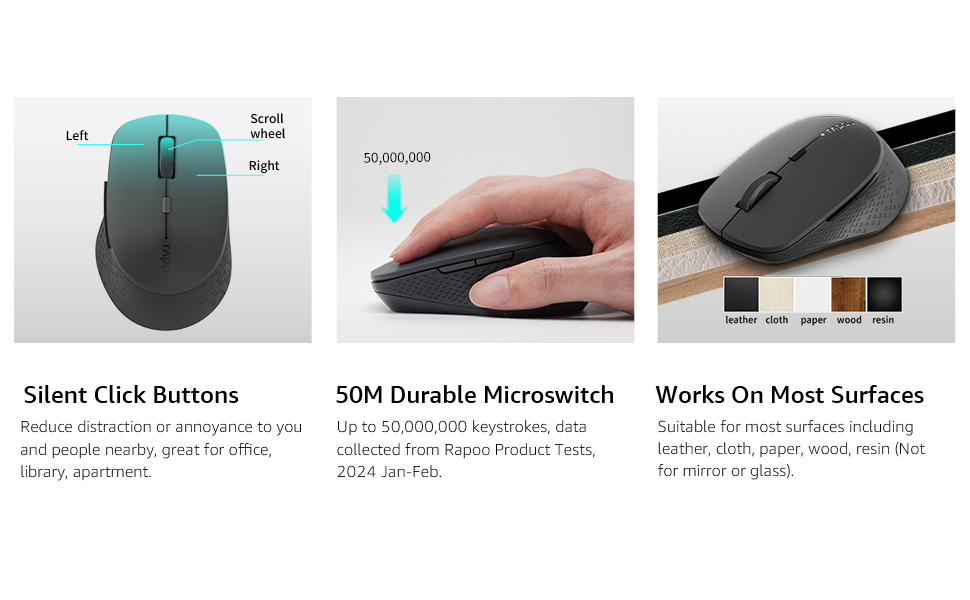
Image: Visual guide for connecting the mouse. The 2.4GHz mode shows the USB receiver being inserted into a computer.
3. Повезивање путем Bluetooth режима
The mouse supports Bluetooth 5.0 and 4.0.
- Укључите миш помоћу прекидача за напајање на доњој страни.
- Press and hold the multifunction button on the underside of the mouse for 3-5 seconds until the indicator light flashes slowly. This indicates pairing mode.
- На рачунару или уређају отворите подешавања за Bluetooth.
- Тражи new devices and select "Rapoo M300G" (or similar) from the list.
- Follow any on-screen prompts to complete the pairing process. The indicator light will stop flashing once connected.

Image: Diagram detailing the multifunction button on the mouse's underside, explaining its use for DPI adjustment (short press) and Bluetooth pairing (long press).
Image: Visual guide for connecting the mouse. The Bluetooth mode shows the mouse pairing with a laptop.
Упутство за употребу
1. Switching Between Devices (Multi-Mode)
The Rapoo M300G can connect to two devices simultaneously (one via 2.4GHz, one via Bluetooth). To switch between connected devices, briefly press the multifunction button on the underside of the mouse. The indicator light will change to confirm the active connection mode.

Image: The Rapoo M300G mouse demonstrating its ability to connect to two devices simultaneously, one via 2.4GHz and another via Bluetooth.
2. Adjusting DPI (Sensitivity)
The mouse offers 5 adjustable DPI levels: 800, 1000, 1200, 1600, and 2400. To change the DPI, press the DPI switch button located on the top of the mouse, below the scroll wheel. Each press cycles through the available DPI settings.

Image: A visual representation of the mouse's adjustable DPI settings, ranging from 800 to 2400, with an arrow pointing to the DPI switch button.
3. Функција тихог клика
The Rapoo M300G features silent click buttons, reducing operational noise by 90%. This design is intended for quiet environments, minimizing disturbance to others.

Image: The Rapoo M300G mouse, emphasizing its silent click functionality, suitable for quiet environments.

Слика: Детаљна view of the mouse's silent click buttons, durable microswitches, and its ability to function on various surfaces.
4. Компатибилност површине
The advanced optical tracking engine allows the mouse to operate effectively on various surfaces, including leather, cloth, paper, wood, and resin, without requiring a mouse pad. Performance may vary on glass or mirrored surfaces.

Image: The Rapoo M300G mouse positioned on different materials, highlighting its capability to track on diverse surfaces.
Одржавање
1. Замена батерије
When the mouse performance degrades or the indicator light signals low battery, replace the AA battery. The mouse is designed for low power consumption, offering up to 12 months of battery life under normal conditions.

Image: An illustration emphasizing the Rapoo M300G mouse's extended battery life of up to 12 months.
2. Чишћење
За чишћење миша користите меку, суву крпу. За тврдокорну прљавштину, благо дamp cloth can be used, ensuring no moisture enters the internal components. Avoid using harsh chemicals or abrasive materials.
Решавање проблема
Миш не реагује
- Проверите батерију: Уверите се да је АА батерија правилно инсталирана и да је довољно напуњена. Замените је ако је потребно.
- Прекидач: Проверите да ли је миш укључен.
- USB Receiver (2.4GHz Mode): Уверите се да је USB пријемник безбедно прикључен у исправан USB порт. Покушајте са другим USB портом.
- Bluetooth Connection (Bluetooth Mode):
- Уверите се да је Блуетоотх омогућен на вашем уређају.
- Re-enter pairing mode on the mouse (long press multifunction button) and re-pair with your device.
- Уклоните миш са Блутут листе вашег уређаја и покушајте поново да га упарите.
- сметње: Move the mouse closer to the receiver/device. Avoid using the mouse near other wireless devices that might cause interference.
Покрет курсора је неправилан
- Очистите сензор: Уверите се да је оптички сензор на доњој страни миша чист и без прашине или прљавштине.
- Површина: Try using the mouse on a different surface. While the mouse works on many surfaces, some highly reflective or uneven surfaces may affect tracking.
- ДПИ подешавање: Adjust the DPI setting using the DPI switch button to see if a different sensitivity improves performance.
Спецификације
| Модел | М300Г |
| Технологија повезивања | Bluetooth 5.0, Bluetooth 4.0, 2.4GHz Wireless |
| Технологија детекције покрета | Оптицал |
| Подесиви ДПИ | 800 / 1000 / 1200 / 1600 / 2400 |
| Посебне карактеристике | Silent Clicks, Multi-Device Switching, Portable, Ergonomic Design |
| Тип батерије | 1 к АА батерија (укључена) |
| Трајање батерије | До 12 месеци |
| Димензије производа | 4.09 к 2.57 к 0.04 инча (103.91 к 65.43 к 37.29 мм) |
| Тежина артикла | 3.52 унце (100 г) |
| Компатибилност | Windows, Mac OS, Linux, iOS, Android, Chrome OS |
Гаранција и подршка
Your Rapoo M300G Silent Wireless Mouse comes with a једногодишња гаранција од датума куповине. Поред тога, 30-day return and refund or replacement policy is offered. For warranty claims, technical support, or product inquiries, please contact your retailer or visit the official Rapoo webсајт за помоћ.
За додатне информације, можете посетити Продавница бренда Rapoo на Амазону.
Ask a question about this manual
Ask about setup, troubleshooting, compatibility, parts, safety, or missing instructions. Manuals+ will review the question and use this page’s manual context to help answer it.