
RAINPOINT G-ITV205NH
RAINPOINT Water Timer 2-Outlet User Manual
Model: G-ITV205NH
Увод
Thank you for choosing the RAINPOINT 2-Outlet Water Timer. This digital sprinkler timer is designed to simplify your watering routine, offering precise control over your garden and lawn irrigation. With its dual-zone programming, rain delay, and manual watering options, you can ensure efficient and effective watering while conserving water.
This manual provides detailed instructions for installation, operation, maintenance, and troubleshooting to help you get the most out of your new water timer.
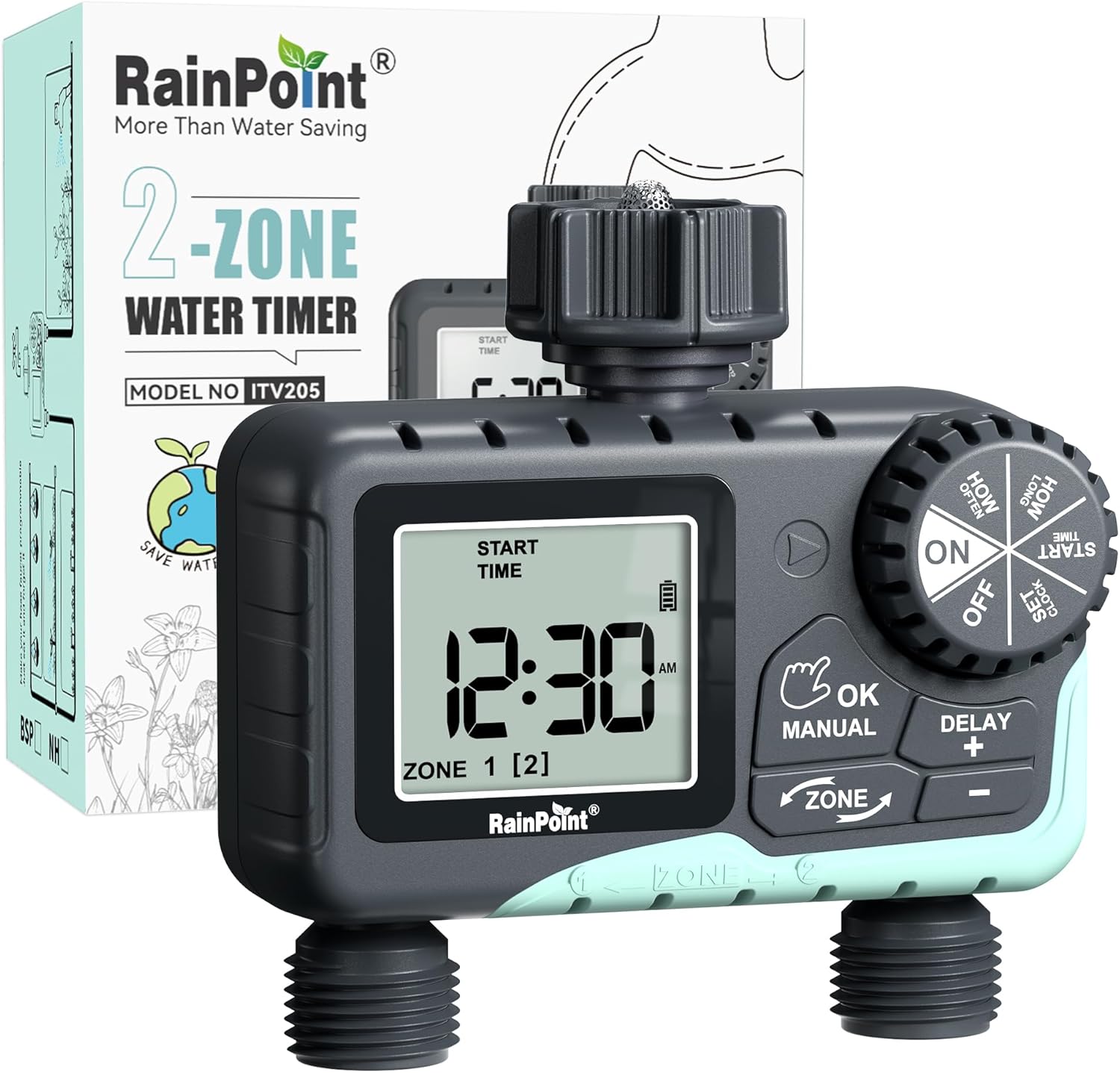
Image: The RAINPOINT 2-Outlet Water Timer, showing the device and its retail packaging. This timer features a digital display and intuitive controls for managing two separate watering zones.
Кључне карактеристике
- Двозонска контрола: Independently program two separate watering zones for customized irrigation.
- Флексибилно програмирање: Set start times, watering duration (1 minute to 3 hours 59 minutes), and frequency (hourly to weekly).
- Ручни режим заливања: Instantly water for a specified duration (1 minute to 8 hours) for Zone 1, Zone 2, or both.
- Функција одлагања кише: Skip watering for 24, 48, or 72 hours to conserve water during rainy periods.
- Велики ЛЦД екран: Easy-to-read 2.5-inch screen shows watering time, next irrigation plans, and power status.
- Low Power Auto Shutoff: Alerts when battery is below 5% and automatically closes the valve to prevent water wastage.
- Издржљива конструкција: Made from IP54 high-impact plastic with a built-in metal filter and 2-generation valve diaphragm for longevity.
- 360° Rotatable Interface: Designed for easy installation and access.

Image: Illustration demonstrating the independent programming capabilities of Zone 1 and Zone 2, allowing for different start times and durations for each watering area.
Садржај пакета
Молимо вас да проверите садржај пакета како бисте били сигурни да су сви предмети присутни:
- 1 x RAINPOINT 2-Outlet Water Timer (Model: G-ITV205NH)
- 1 к Упутство за употребу
- (Batteries not included - requires 2 x AA batteries)
Водич за подешавање
1. Инсталација батерије
- Пронађите одељак за батерије на задњој страни тајмера.
- Померите поклопац батерије надоле да бисте га отворили.
- Insert two (2) new AA alkaline batteries, ensuring correct polarity (+/-).
- Close the battery cover securely. The added seal ring helps prevent water leaks.
Важно: Replace batteries when the low battery indicator appears on the LCD screen. The valve will automatically close to prevent water wastage when power is critically low.

Image: The water timer display showing a low battery warning, indicating the need for battery replacement to ensure continuous operation.
2. Connecting to Faucet
- Ensure your outdoor faucet is turned off.
- Screw the timer's top connector (with the 3/4" internal thread and built-in filter) onto your standard outdoor faucet. Hand-tighten only. Do not overtighten.
- The 360° rotatable interface allows for easy positioning of the timer.
3. Повезивање црева
- Attach your garden hoses to the two NH3/4" outlet fittings at the bottom of the timer.
- Ensure a tight connection to prevent leaks.

Image: The RAINPOINT 2-Outlet Water Timer installed on an outdoor faucet, with two hoses connected to its independent outlets, demonstrating its dual-zone capability.

Image: A detailed diagram labeling the various parts of the RAINPOINT water timer, including the 3/4" internal thread, 2.5" LCD screen, control dial, buttons, and outlet fittings.
Упутство за употребу
The RAINPOINT water timer features a large dial for mode selection and several buttons for setting parameters. The dial has positions for ON, OFF, HOW OFTEN, HOW LONG, START TIME, and SET CLOCK.
1. Подешавање сата
- Окрените точкић на СЕТ ЦЛОЦК.
- Користите + и - buttons to adjust the current time.
- Притисните ОК/МАНУАЛ to confirm and move to the next setting (e.g., AM/PM).
- Once the time is set, turn the dial to ON да сачувате и изађете.
2. Programming Watering Schedules (Automatic Mode)
You can program independent schedules for Zone 1 and Zone 2. Use the ЗОНЕ button to switch between zones.
a. Set Start Time
- Окрените точкић на ВРЕМЕ ПОЧЕТКА.
- Притисните тастер ЗОНЕ button to select either Zone 1 or Zone 2.
- Користите + и - to set the desired start time for the selected zone.
- Притисните ОК/МАНУАЛ потврдити.
b. Set How Long (Watering Duration)
- Окрените точкић на КОЛИКО ДУГО.
- Притисните тастер ЗОНЕ button to select either Zone 1 or Zone 2.
- Користите + и - to set the watering duration (from 1 minute to 3 hours 59 minutes).
- Притисните ОК/МАНУАЛ потврдити.
c. Set How Often (Watering Frequency)
- Окрените точкић на КОЛИКО ЧЕСТО.
- Притисните тастер ЗОНЕ button to select either Zone 1 or Zone 2.
- Користите + и - to set the watering frequency (e.g., every 12 hours, every 2 days, etc.).
- Притисните ОК/МАНУАЛ потврдити.
Note: After setting all parameters, turn the dial to ON to activate the programmed schedule.

Image: The water timer display showing options for setting watering duration (1 min - 3h 59m) and frequency (1 hour - 7 days), illustrating the flexibility of automatic scheduling.
3. Ручни режим заливања
Овај режим омогућава тренутно, привремено заливање без утицаја на ваш програмирани распоред.
- Ensure the dial is in the ON положај.
- Притисните тастер ОК/МАНУАЛ button. The display will show "MANUAL".
- Притисните тастер ЗОНЕ button to cycle through watering options: Zone 1, Zone 2, or BOTH ZONE.
- Користите + и - to set the desired manual watering duration (from 1 minute to 8 hours).
- Притисните ОК/МАНУАЛ again to start watering. The timer will count down the duration.
- To stop manual watering early, press ОК/МАНУАЛ again or turn the dial to ОФФ а затим назад на ON.
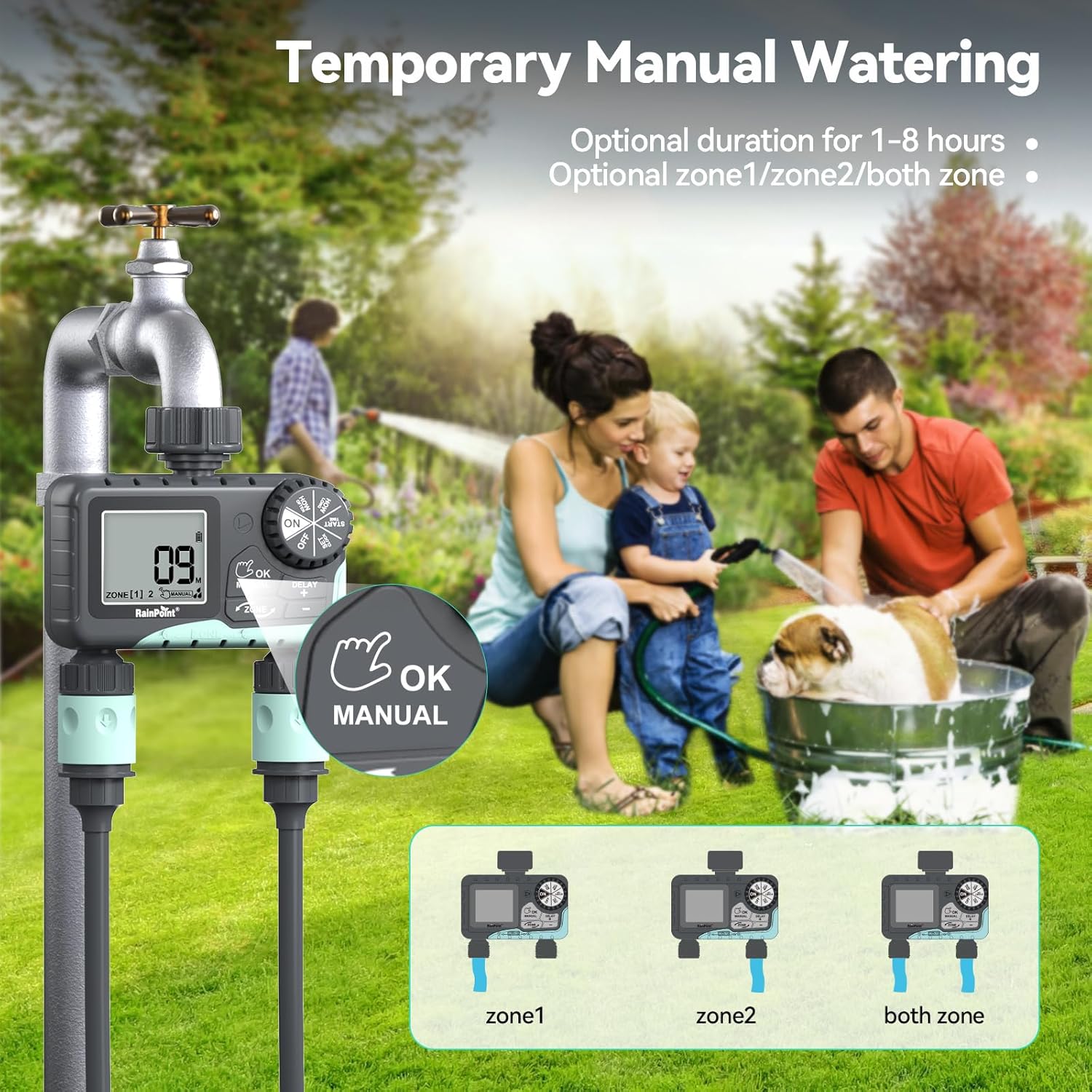
Image: The water timer display showing the manual watering mode, with options to select Zone 1, Zone 2, or both zones for immediate watering, and setting the duration.
4. Функција одлагања кише
The rain delay function allows you to pause your watering schedule for a set period, preventing overwatering during rainfall.
- Ensure the dial is in the ON положај.
- Притисните и држите DELAY + button for approximately 3 seconds until "DELAY" appears on the screen.
- Користите + и - buttons to select the delay duration: 24 hours, 48 hours, or 72 hours.
- Притисните ОК/МАНУАЛ to confirm the rain delay. The timer will resume its schedule automatically after the delay period.
- To cancel the rain delay, press and hold the DELAY + дугме поново на 3 секунди.
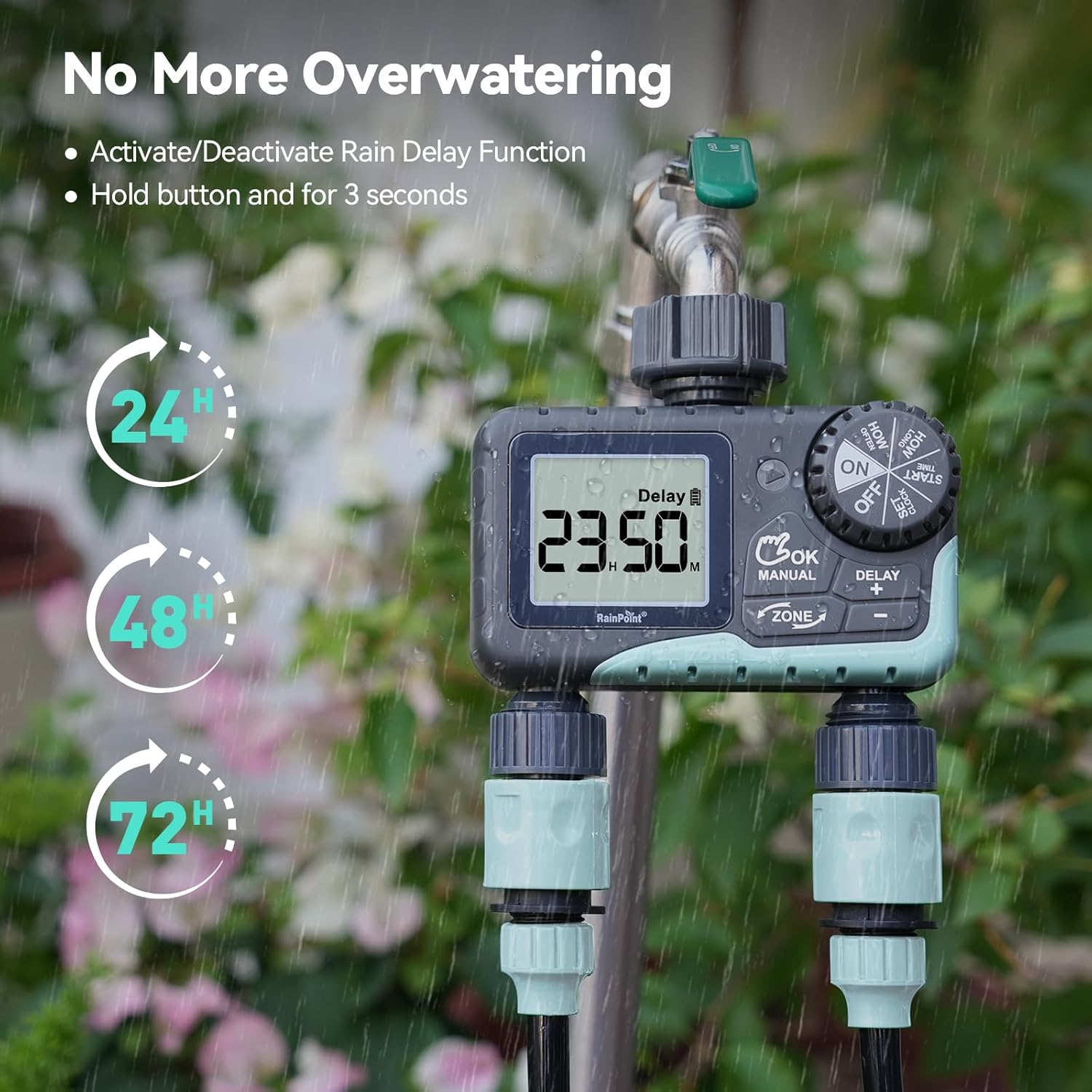
Image: The water timer display showing the rain delay function activated, with options for 24, 48, or 72-hour delays to prevent overwatering during rainy conditions.
5. Turning Off the Timer
To stop all watering and programming, turn the dial to ОФФ. All active programs will be paused.
Одржавање
1. Чишћење филтера
The timer has a built-in metal filter to prevent debris from entering the unit. Periodically check and clean this filter to ensure optimal water flow and prevent blockages.
- Одврните тајмер са славине.
- Remove the filter screen from the top connector.
- Исперите филтер под млазом воде да бисте уклонили накупљене остатке.
- Вратите чисти филтер и поново причврстите тајмер на славину.
2. Замена батерије
Replace batteries when the low battery indicator appears on the LCD screen. Always use new AA alkaline batteries.
- Окрените точкић на ОФФ.
- Отворите одељак за батерије.
- Remove old batteries and insert new ones, observing polarity.
- Добро затворите одељак за батерије.
- The timer will retain your programming for a short period during battery replacement.
3. Припрема за зиму
To prevent damage from freezing temperatures, remove the water timer from the faucet before the first frost.
- Disconnect the timer from the faucet and hoses.
- Уклоните батерије.
- Тајмер чувајте у затвореном простору на сувом месту заштићеном од мраза.
Решавање проблема
| Проблем | Могући узрок | Решење |
|---|---|---|
| Тајмер се не укључује/екран је празан. | Мртве или неправилно инсталиране батерије. | Replace batteries with new AA alkaline batteries, ensuring correct polarity. |
| Нема протока воде. | Faucet is off; timer is in OFF mode; low battery; clogged filter; incorrect programming. | Turn on faucet; turn dial to ON; replace batteries; clean filter; check programming (start time, duration, frequency). |
| Вода цури из прикључака. | Loose connections; worn washers. | Ensure all connections are hand-tight; check and replace rubber washers if damaged. |
| Тајмер не залива у заказано време. | Incorrect clock setting; incorrect program settings; rain delay active. | Verify current time; re-check start time, duration, and frequency for each zone; check if rain delay is active. |
| Display shows "LOW BATT". | Батерије су слабе. | Replace batteries immediately to prevent valve closure and program loss. |
Спецификације
| Број модела | G-ITV205NH |
| Димензије производа | 5.36"Д к 5.92"Ш к 5.55"В |
| Материјал | High-impact Plastic, Metal |
| Боја | Црно и плаво |
| Извор напајања | 2 x AA алкалне батерије (нису укључене) |
| Опсег притиска воде | Up to 35 kg (approx. 500 PSI) |
| Флов Рате | 5-35 Л/мин |
| Трајање заливања | 1 минута до 3 сати 59 минута |
| Учесталост заливања | Hourly (up to 12 hours) or Daily (up to 7 days) |
| Трајање ручног заливања | 1 минут до 8 сата |
| Опције одлагања кише | 24, 48, 72 сати |
| Водоотпорна оцена | ИП54 |
Гаранција и подршка
RAINPOINT products are designed for durability and performance. For warranty information and customer support, please refer to the official RAINPOINT webсајт или директно контактирајте њихову корисничку службу.
За даљу помоћ, посетите: ввв.раинпоинтонлине.цом
Or contact customer support via email: суппорт@раинпоинтонлине.цом
Ask a question about this manual
Ask about setup, troubleshooting, compatibility, parts, safety, or missing instructions. Manuals+ will review the question and use this page’s manual context to help answer it.