
Увод
Thank you for choosing the FOSSiBOT Golf Rangefinder C1000. This device is designed to provide accurate distance measurements for golf, hunting, and archery. It features advanced functions such as slope compensation, flagpole lock with vibration, and multiple measurement modes. Please read this manual thoroughly to understand the proper operation and maintenance of your rangefinder.
Производ је завршенview
Кључне карактеристике
- 1100 Yards Range: Capable of measuring distances up to 1100 yards with high accuracy.
- 6.5к увећање: Provides clear and magnified viewваше мете.
- Компензација нагиба: Calculates adjusted distances based on incline or decline for golf.
- Flagpole Lock with Vibration: Locks onto the flag and vibrates to confirm measurement.
- 6 режима мерења: Includes slope compensation, golf flag locking, horizontal and height ranging, speed measuring, and continuous scan.
- Магнетна трака: Allows for easy attachment to metal objects like golf carts.
- IP54 водоотпорност: Protects against splashes and light rain.
- Пуњива батерија: Built-in Li-ion battery with low battery indicator.
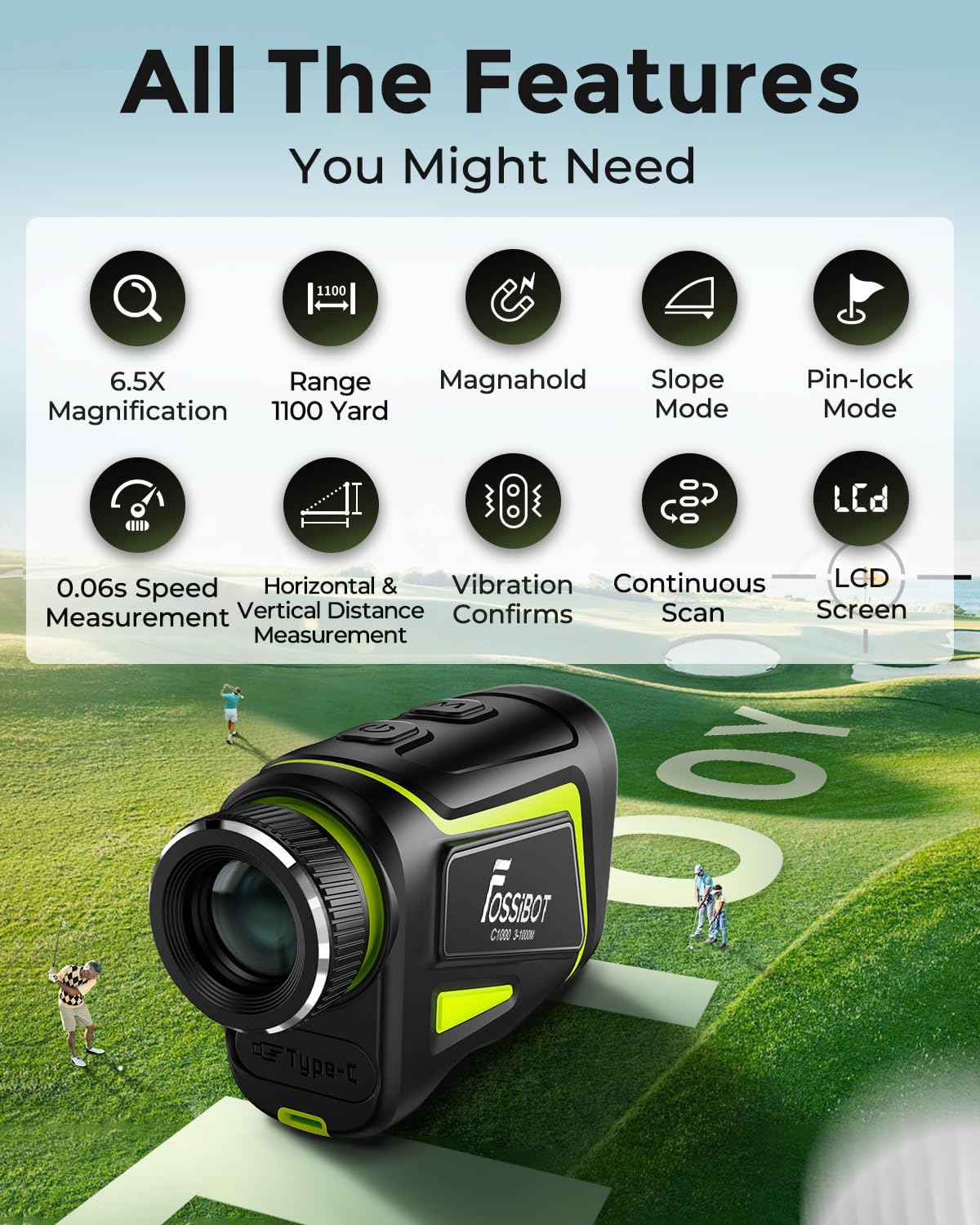
Слика 1: Завршеноview of FOSSiBOT C1000 Golf Rangefinder features.
Укључене компоненте
- 1 x FOSSiBOT C1000 Laser Rangefinder
- 1 x Charge Cable (USB-C)
- 1 к крпа за чишћење сочива
- 1 x Portable Soft Case
- 1 x Упутство за употребу (овај документ)
- 1 к кутија за паковање
Сетуп
1. Почетно пуњење
Before first use, fully charge the rangefinder. Connect the provided USB-C cable to the charging port on the device and to a standard USB power source. The charging indicator light will show red while charging and turn green when fully charged.

Figure 2: Charging the FOSSiBOT C1000 Rangefinder.
2. Подешавање фокуса
Да би се осигурала јасна view, adjust the eyepiece by rotating it until the image in the viewfinder is sharp and clear for your vision (nearsightedness or farsightedness).

Figure 3: Adjusting the eyepiece for clear focus.
3. Attaching to Golf Cart or Belt
The rangefinder features a strong magnetic strip for convenient attachment to metal surfaces, such as the frame of a golf cart. For carrying on your person, use the included portable soft case which can be attached to a belt.

Figure 4: Magnetic attachment and portability of the rangefinder.
Упутство за употребу
Basic Measurement Steps
- Укључите напајање: Press the power button (usually marked with a power symbol) located on the front of the device. The display will appear in the viewфиндер
- Изаберите режим: Press the Mode button (usually marked with 'M') to cycle through the available measurement modes.
- Bring to Focus: Погледај кроз viewfinder and firmly align the "+" reticle in the center of the target mark with the object you wish to measure.
- Измери удаљеност: Press the power button again to initiate measurement. The distance will be displayed in the viewфиндер
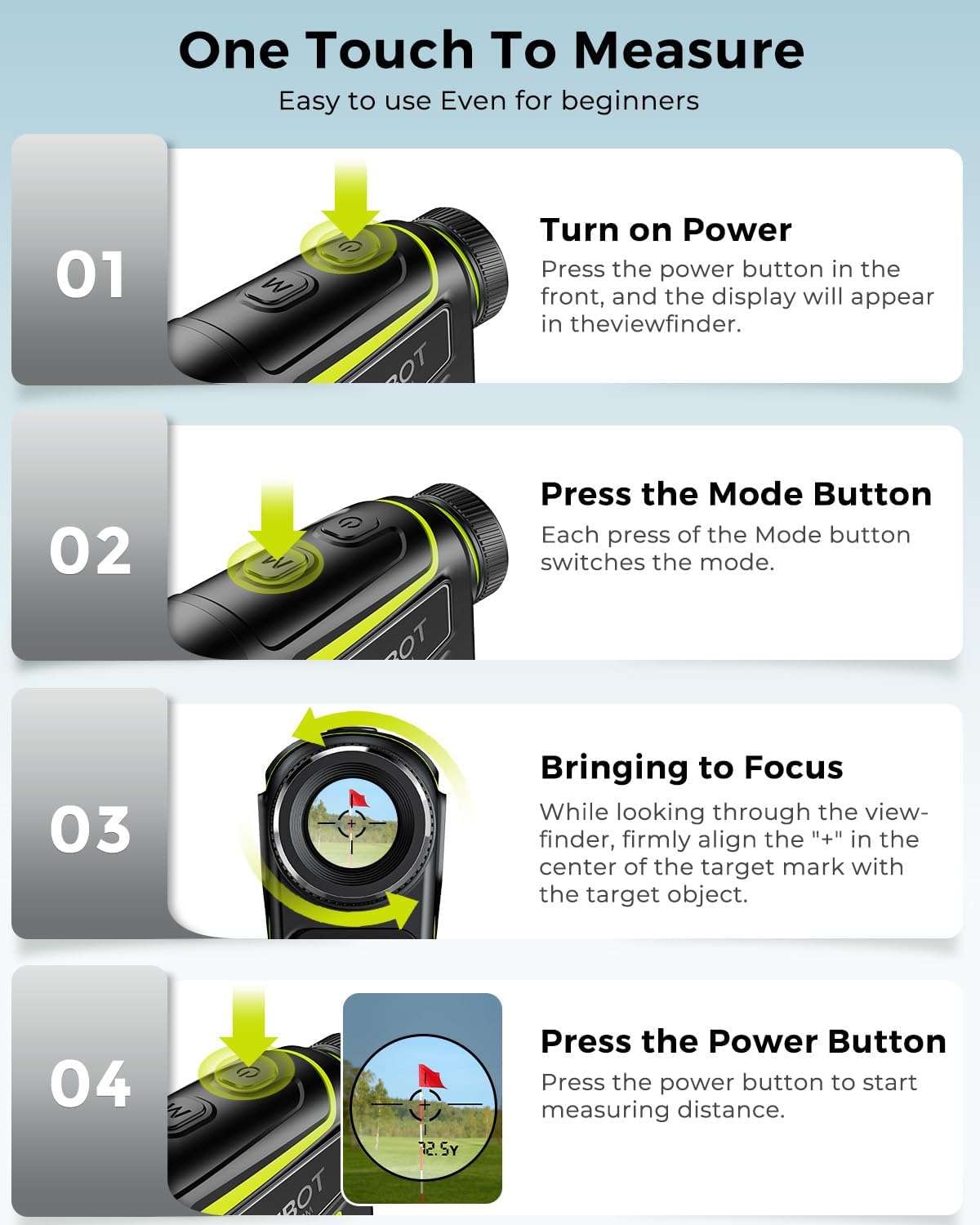
Figure 5: One-touch measurement process.
Режими мерења
The FOSSiBOT C1000 offers six distinct measurement modes. Press the 'M' (Mode) button to switch between them.
- Режим компензације нагиба: Provides the actual distance and an adjusted distance (recommended hitting distance) considering the incline or decline of the terrain. This is particularly useful for golf.
- Golf Flag Locking Mode: When the flag overlaps with background objects, press and hold the measurement button. The rangefinder will scan and lock onto the flag, providing the distance and triggering a vibration to confirm.
- Horizontal and Height Ranging: Measures both the horizontal distance to a target and its vertical height.
- Speed Measuring: Determines the speed of a moving object.
- Continuous Scan Measurement: Allows for continuous scanning of an area to get multiple distance readings as you pan across targets.

Figure 6: Slope Mode in action, showing compensated distances.
Видео демонстрације производа
Video 1: This video demonstrates the FOSSiBOT C1000 Golf Rangefinder in use, showcasing features like focus adjustment, magnetic attachment, pin-lock mode with vibration, slope mode, and continuous measurement on a golf course.
Одржавање
Чишћење
Use the provided lens cleaning cloth to gently wipe the lenses. Do not use abrasive materials or chemical cleaners, as these can damage the optical coatings. Keep the device free from dust and debris.
Отпорност на воду
The FOSSiBOT C1000 has an IP54 water-resistant rating, meaning it is protected against dust and splashing water from any direction. It can withstand light rain. Напомена: Do not immerse the product in water, as it is not IP68 waterproof.
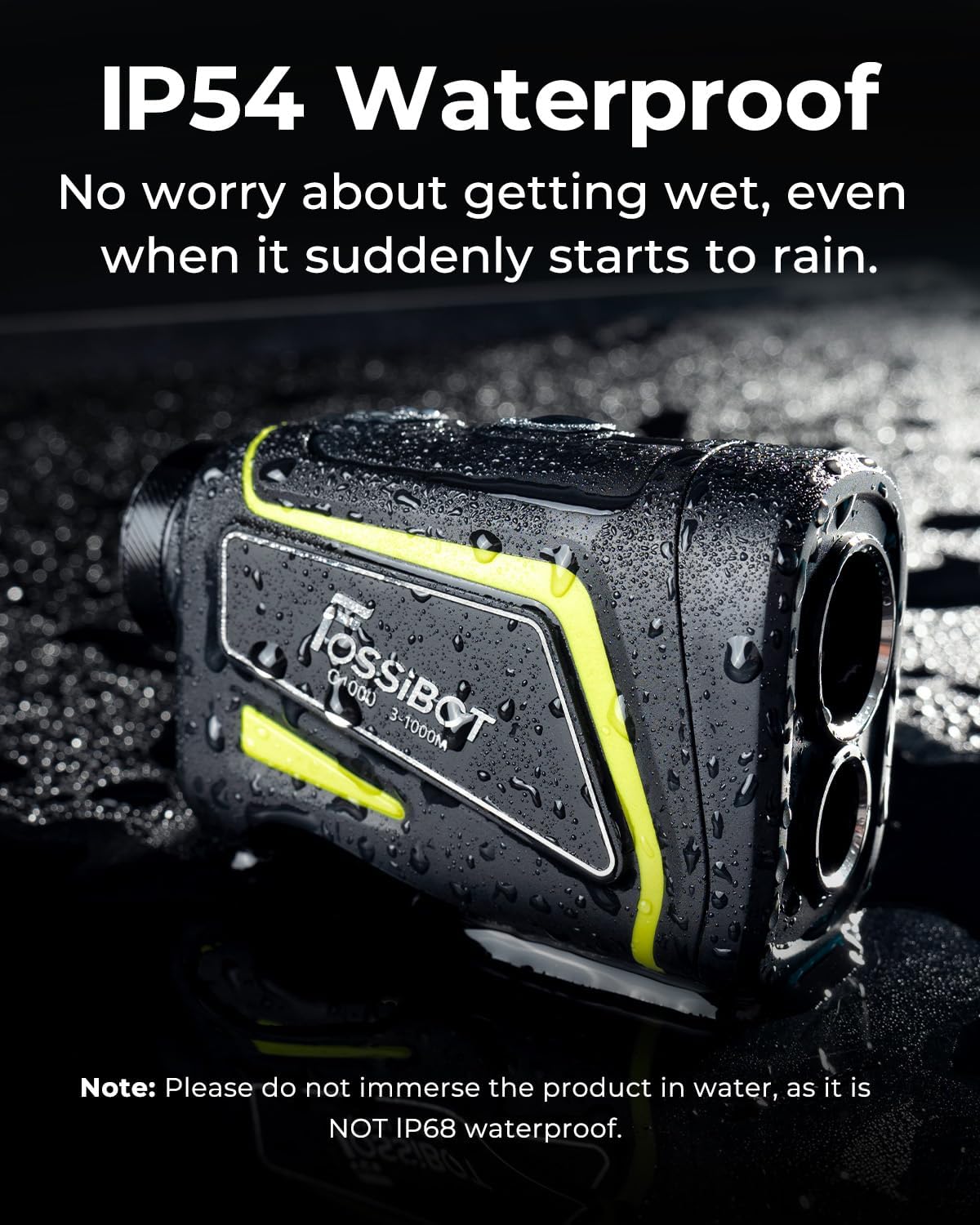
Figure 7: FOSSiBOT C1000's IP54 water resistance.
Складиштење
When not in use, store the rangefinder in its portable soft case in a cool, dry place, away from direct sunlight and extreme temperatures.
Решавање проблема
- Без дисплеја/напајања: Ensure the battery is charged. If the battery is low, recharge the device.
- Нетачна очитавања: Ensure the lens is clean. Make sure you are targeting a clear object and holding the device steady. Adjust the focus if the image is blurry.
- Difficulty Locking onto Flag: In Golf Flag Locking Mode, ensure you are pressing and holding the measurement button while scanning the flag. If there are too many background objects, try to isolate the flag as much as possible.
- No Vibration: Check if the vibration function is enabled in the settings (if applicable, refer to specific mode instructions). Ensure the device is properly locking onto the target.
- аутоматско искључивање: The device has an automatic power-off feature (typically after 10-20 seconds of inactivity) to conserve battery. This is normal operation.
Спецификације
| Феатуре | Спецификација |
|---|---|
| Број модела | Ц1000 |
| Меасуринг Ранге | 1100 јарди |
| Прецизност | ±3 јарди |
| Увећање | 6.5Кс |
| Спеед Меасуремент | 0.06 seconds quick measurement |
| Тип батерије | Lithium-Ion Polymer (650mAh) |
| Ниво отпорности на воду | ИП54 (отпоран на прскање) |
| Димензије производа | 9.25 к 5.69 к 3.58 цм |
| Тежина артикла | 141 г |
| Материјал | Пластика |
| Боја | Црно / зелено |
Гаранција и подршка
FOSSiBOT provides 24-hour full-time service, a 2-year warranty, and lifetime technical support for the C1000 Golf Rangefinder. If you encounter any issues or have questions, please contact customer support with your order number and a description of the problem. We are committed to providing professional technical assistance.