
1. Увод
This manual provides detailed instructions for the assembly, operation, and maintenance of your ErGear EGESD63B electric standing desk. Please read this manual thoroughly before assembly and use to ensure proper function and safety. Keep this manual for future reference.

Image 1.1: The ErGear EGESD63B electric standing desk in a typical office setup.
2. Безбедносне информације
Да бисте осигурали безбедан рад и спречили повреде или оштећења, молимо вас да се придржавате следећих безбедносних смерница:
- Do not exceed the weight limit of 250 pounds (113 kg) on the desktop.
- Ensure the desk is properly anchored to the floor to prevent tipping, especially when at maximum height.
- Avoid use near water or in humid conditions to prevent electrical hazards.
- Држите децу и кућне љубимце даље од стола током рада.
- Ensure there are no obstructions in the desk's path during height adjustments.
- Користите само приложени адаптер за напајање и компоненте.
3. Садржај пакета
Verify that all components are present and undamaged before beginning assembly. If any parts are missing or damaged, contact ErGear customer service.
- Desktop (One-piece)
- Ноге за сто (2)
- Crossbar/Frame
- Цонтрол Панел
- Адаптер за напајање и кабл
- Носач за управљање кабловима
- Hardware Kit (screws, bolts, washers)
- Монтажни алати
- Детаљно упутство за употребу
4. Подешавање и монтажа
Assembly requires one person and includes all necessary tools. Follow these general steps for setup:
- Распакујте компоненте: Пажљиво извадите све делове из паковања и положите их на чисту, меку површину како бисте спречили огреботине.
- Саставите оквир стола: Attach the desk legs to the crossbar according to the diagrams in the detailed manual. Ensure all screws are tightened securely.
- Приложите радну површину: Place the one-piece desktop upside down on the soft surface. Carefully align the assembled frame with the pre-drilled holes on the desktop and secure it using the provided screws. The one-piece desktop design simplifies this step, allowing for faster installation.
- Install Control Panel and Cable Management: Mount the control panel to the underside of the desktop in the designated area. Attach the cable management tray.
- Повежите ожичење: Connect the motor cables from the legs to the control box, and then connect the control panel to the control box. Finally, connect the power adapter to the control box and plug it into a power outlet.
- Initial Power-On and Calibration: Refer to the detailed manual for initial power-on and calibration steps, which typically involve pressing and holding a button to reset the desk to its lowest position.
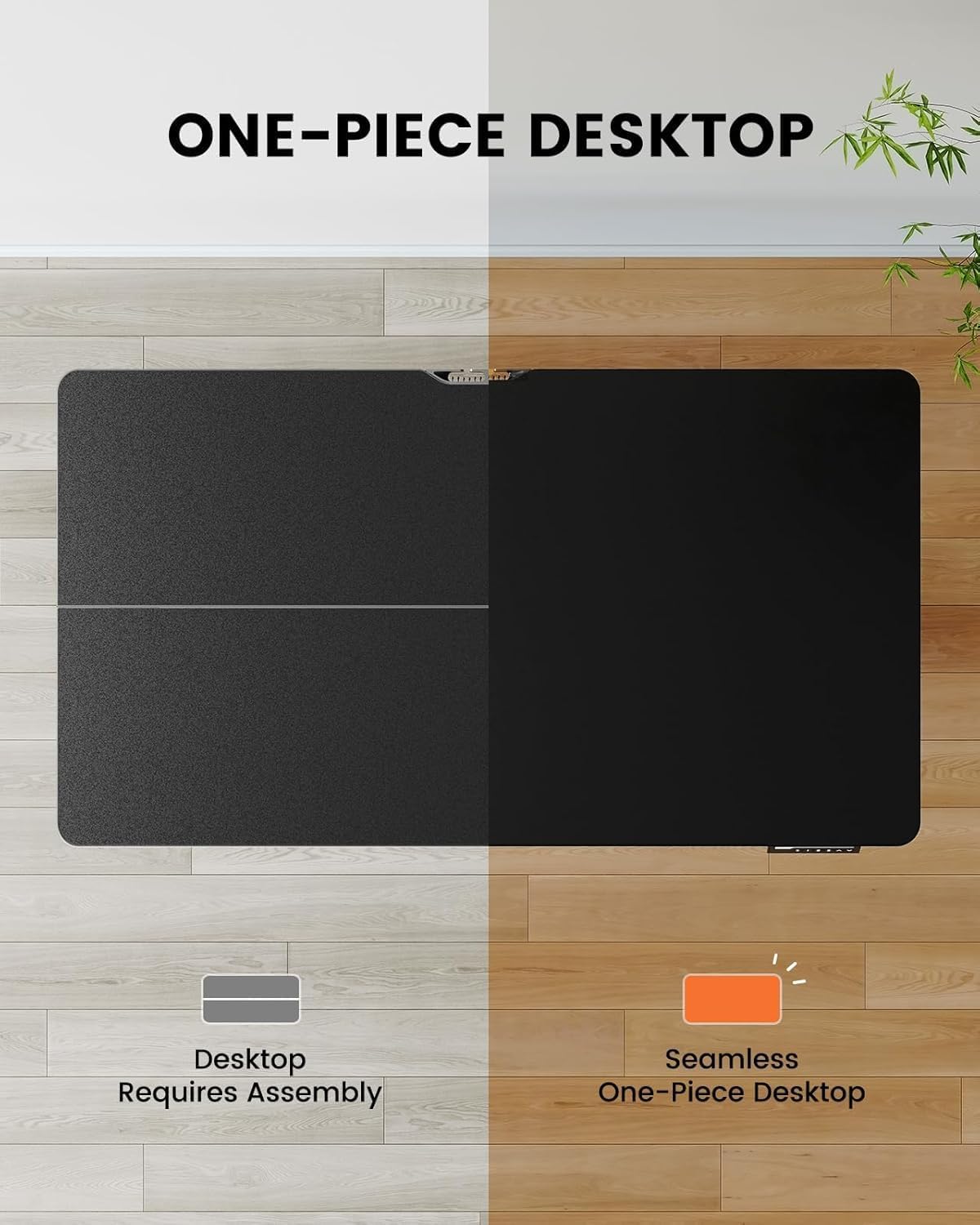
Image 4.1: Hassle-free assembly with the one-piece desktop.

Image 4.2: The ErGear EGESD63B features a seamless one-piece desktop for easier setup.
5. Упутство за употребу
Your ErGear EGESD63B electric standing desk is designed for easy height adjustment to switch between sitting and standing positions.
5.1. Подешавање висине
- Дугмад за горе/доле: Use the ▲ (Up) and ▼ (Down) buttons on the control panel to smoothly raise or lower the desk to your desired height. The desk adjusts from 27.9 inches to 46.9 inches.
5.2. Пресет меморије
The control panel features three memory preset buttons (1, 2, 3) to store and recall your preferred sitting and standing heights.
- Да бисте подесили унапред подешену поставку: Adjust the desk to your desired height using the Up/Down buttons. Press the 'M' button, then immediately press one of the number buttons (1, 2, or 3) to save the current height to that preset. The display will show 'S-' followed by the number to confirm.
- Да бисте позвали унапред подешену вредност: Једноставно притисните одговарајуће дугме са бројем (1, 2 или 3). Сто ће се аутоматски померити на сачувану висину.

Image 5.1: Adjust the desk for sit and stand comfort.
6. Одржавање
Regular maintenance helps ensure the longevity and smooth operation of your standing desk.
- Чишћење: Обришите радну површину и оквир меком крпомamp крпу. Избегавајте јаке хемикалије или абразивна средства за чишћење.
- Проверите везе: Periodically check all screws and electrical connections to ensure they are secure. Tighten any loose screws.
- Управљање кабловима: Ensure cables are neatly organized within the cable management tray to prevent snagging during height adjustments.
КСНУМКС. Решавање проблема
If you encounter issues with your ErGear EGESD63B desk, refer to the following common troubleshooting steps:
- Сто се не помера:
- Проверите да ли је кабл за напајање безбедно прикључен и на сто и у зидну утичницу.
- Ensure there are no obstructions preventing movement.
- Perform a reset: Unplug the power for 10 seconds, then plug it back in. Press and hold the 'Down' button until the desk reaches its lowest point and slightly rebounds.
- Кодови грешака на екрану:
- If an error code appears, refer to the detailed manual for specific code meanings and solutions. Often, a reset (as described above) can resolve minor errors.
- Неравномерно кретање:
- Уверите се да је сто на равној површини.
- Check that all frame connections are tight.
If problems persist after attempting these steps, contact ErGear customer support for assistance.
8. Спецификације
| Феатуре | Спецификација |
|---|---|
| Бранд | ЕрГеар |
| Модел | ЕГЕСД63Б |
| Desktop Dimensions (L x W) | 40 к 24 инча (101.6 к 61 цм) |
| Опсег подешавања висине | 27.9 - 46.9 инча (70.9 - 119.1 цм) |
| Тежина Капацитет | 250 фунти (113 кг) |
| Тип мотора | Елецтриц Мотор |
| Број висинских позиција | 3 (Предесет меморије) |
| Материјал за радну површину | Енгинееред Воод |
| Материјал оквира | нерђајући челик |
| Боја | Црно |
| Обавезна монтажа | Yes, with included tools |

Image 8.1: Product dimensions of the ErGear EGESD63B desk.
9. Гаранција и подршка
ErGear provides a comprehensive warranty for your EGESD63B electric standing desk:
- 2-годишња ограничена гаранција: Covers the motor, controller, and cables.
- 5-годишња ограничена гаранција: Covers the desktop, frame, and other parts.
For warranty claims, technical support, or any questions regarding your product, please contact ErGear customer service through their official website or the retailer where the product was purchased. Please have your model number (EGESD63B) and proof of purchase ready.