
1. Увод
This manual provides detailed instructions for the setup, operation, and maintenance of your TELLUR Shade Wireless Mouse (Model 491261). This mouse features multi-device connectivity, silent click buttons, RGB lighting, and adjustable DPI settings for enhanced productivity and comfort across various operating systems.
2. Садржај пакета
Проверите да ли су све ставке присутне у вашем пакету:
- 1 x TELLUR Shade Wireless Mouse
- 1 x Nano receiver (USB-A)
- 1 к Типе-Ц кабл за пуњење
- 1 x Упутство за употребу (овај документ)

Image: The TELLUR Shade Wireless Mouse, accompanied by its USB Nano receiver and Type-C charging cable, illustrating the complete package contents.
3. Производ је готовview
Familiarize yourself with the components of your TELLUR Shade Wireless Mouse:

Слика: Одозго надоле view of the TELLUR Shade Wireless Mouse, highlighting the left and right silent click buttons, the main scroll wheel, DPI adjustment button, and the multi-device switch button.
- Леви клик: Тиха операција.
- Десни клик: Тиха операција.
- Scroll Wheel (Main): За вертикално скроловање.
- Дугме за подешавање DPI-ја: Cycles through DPI settings (800/1200/1600/2400/3200).
- Multi-Device Switch Button: Toggles between connected devices (1, 2, 3, 4).
- Дугме за напред: Навигација напред у web претраживачи или file истраживачи.
- Дугме за назад: Навигација уназад web претраживачи или file истраживачи.
- Horizontal Scroll Wheel: For horizontal scrolling.
- Windows Home Button: Minimizes all windows to show the desktop; pressing again restores them.
- УСБ-Ц прикључак за пуњење: Located on the front for recharging the internal battery.
- Прекидач: On/Off switch on the bottom of the mouse.
- Nano Receiver Storage: Compartment on the bottom for storing the USB receiver.
4. Подешавање
4.1. Пуњење миша
Before initial use, ensure the mouse is fully charged. Connect the provided Type-C charging cable to the USB-C port on the front of the mouse and the other end to a USB power source (e.g., computer USB port, USB wall adapter).

Слика: Са стране view of the TELLUR Shade Wireless Mouse, clearly showing the USB-C charging port located at the front for convenient recharging.
The RGB lighting may indicate charging status. A full charge typically provides approximately 20 days of average use.
4.2. Повезивање са уређајем
The TELLUR Shade Wireless Mouse supports up to 4 devices simultaneously via Bluetooth and a 2.4GHz USB Nano receiver. Turn on the mouse using the power switch on the bottom.
4.2.1. 2.4GHz Wireless Connection (USB Nano Receiver)
- Locate the USB Nano receiver stored in the compartment on the bottom of the mouse.
- Plug the Nano receiver into an available USB-A port on your computer.
- Press the Multi-Device Switch Button on the mouse to select one of the 2.4GHz channels (usually indicated by a specific LED color or number).
- The mouse should automatically connect. If not, ensure the mouse is powered on and try replugging the receiver.
4.2.2. Блутут веза (БТ1, БТ2, БТ3)
- Press the Multi-Device Switch Button to select one of the Bluetooth channels (BT1, BT2, or BT3). The corresponding indicator light will flash.
- Press and hold the Multi-Device Switch Button for 3-5 seconds until the indicator light flashes rapidly. This puts the mouse into pairing mode.
- На свом уређају (рачунару, таблету, паметном телефону) идите на подешавања Bluetooth-а и потражите нове уређаје.
- Select "TELLUR Shade Mouse" or a similar name from the list of available devices.
- Once paired, the indicator light on the mouse will stop flashing and remain solid for a few seconds before turning off.
Repeat these steps for additional Bluetooth devices on BT2 and BT3 channels.
5. Упутство за употребу
5.1. Пребацивање између уређаја
To switch between connected devices, simply press the Multi-Device Switch Button. The mouse will cycle through the 2.4GHz channel and the three Bluetooth channels (BT1, BT2, BT3).
5.2. Adjusting DPI Sensitivity
Press the DPI Adjustment Button to cycle through the available DPI settings: 800, 1200, 1600, 2400, and 3200 DPI. Each press will change the cursor speed, allowing you to find your preferred sensitivity.
5.3. RGB контрола осветљења
The mouse features customizable RGB lighting. To change the RGB lighting mode or turn it off, simultaneously press the Forward and Backward buttons located on the side of the mouse. Continue pressing to cycle through different lighting effects or to disable the lighting.

Слика: Крупни план view of the TELLUR Shade Wireless Mouse, highlighting the side buttons (Forward and Backward) and the integrated RGB lighting strip.
5.4. Using the Windows Home Button
The dedicated Windows Home Button (often located near the thumb rest) allows for quick desktop access. Pressing this button will minimize all open windows, revealing your desktop. Pressing it again will restore the previously open windows.
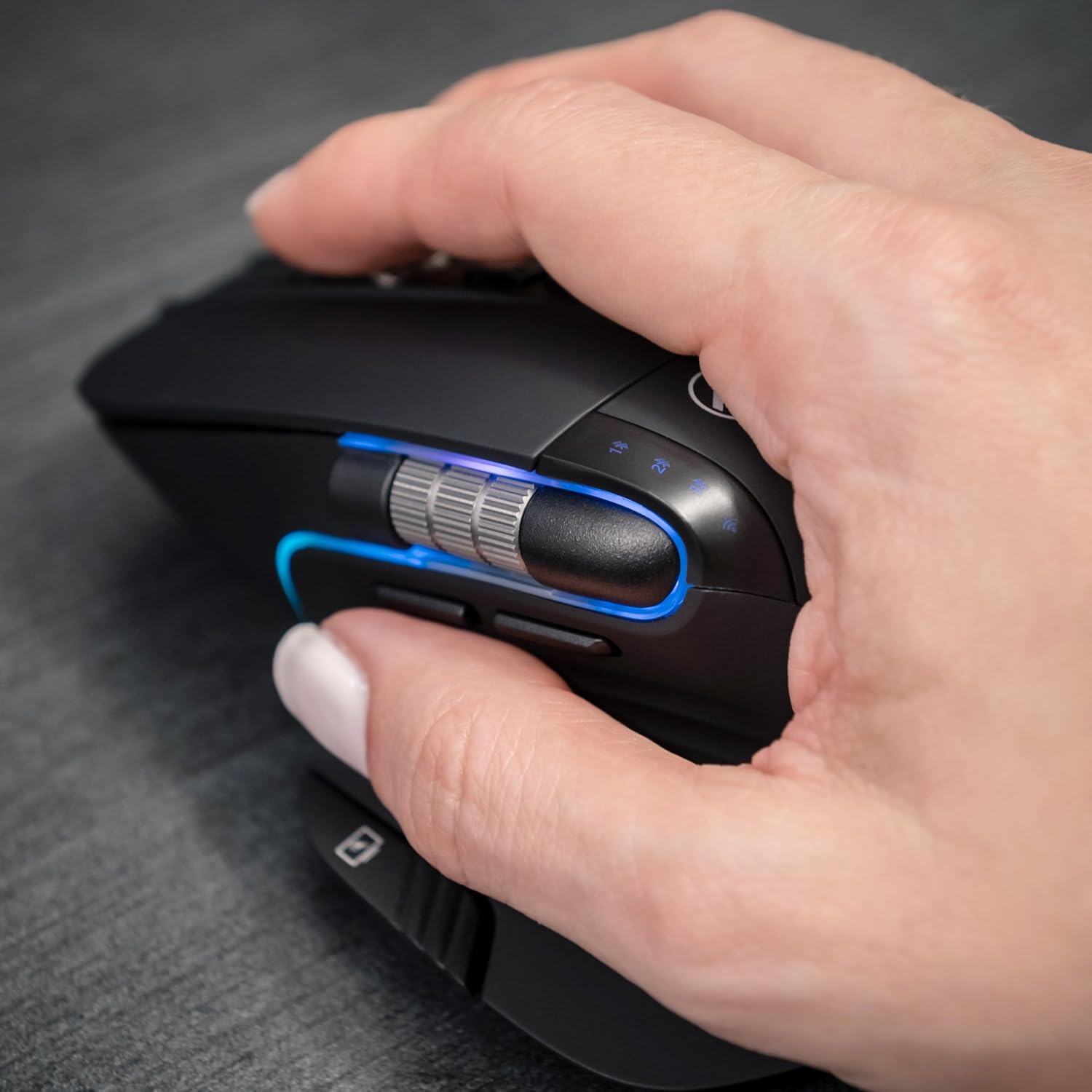
Image: A hand operating the TELLUR Shade Wireless Mouse, demonstrating the ergonomic grip and the placement of the Windows Home button accessible by the thumb.
6. Одржавање
- Чишћење: Користите меку, суву крпу за чишћење миша. За тврдокорну прљавштину, благо дamp Може се користити крпа, али водите рачуна да влага не уђе у уређај.
- Складиштење: When not in use for extended periods, turn off the mouse to conserve battery life. Store it in a cool, dry place.
- Одржавање батерије: Избегавајте често потпуно пражњење батерије. Пуните је када је индикатор батерије низак.
- Избегавајте екстремне услове: Не излажите миш екстремним температурама, директној сунчевој светлости или високој влажности.
КСНУМКС. Решавање проблема
7.1. Миш не реагује
- Уверите се да је миш укључен.
- Проверите ниво батерије и напуните миш ако је потребно.
- Verify that the correct connection channel (2.4GHz, BT1, BT2, or BT3) is selected using the Multi-Device Switch Button.
- For 2.4GHz connection, ensure the Nano receiver is securely plugged into a working USB port. Try a different USB port.
- For Bluetooth connection, ensure Bluetooth is enabled on your device and try re-pairing the mouse.
- Поново покрените рачунар или уређај.
7.2. Intermittent Connection
- Ensure the mouse is within the effective range (up to 10 meters).
- Минимизирајте сметње од других бежичних уређаја (нпр. Wi-Fi рутера, других Bluetooth уређаја).
- Избегавајте коришћење миша на металним површинама, које могу ометати бежичне сигнале.
7.3. Cursor Movement Issues
- Очистите оптички сензор на дну миша.
- Користите миш на чистој, нерефлектујућој површини или подлози за миш.
- Adjust the DPI setting using the DPI Adjustment Button.
7.4. RGB осветљење не ради
- Уверите се да је миш укључен.
- Press the Forward and Backward buttons simultaneously to cycle through lighting modes or to turn it on if it was previously off.
- Check battery level; low battery might disable RGB lighting to conserve power.
8. Спецификације
| Бранд | ТЕЛЛУР |
| Назив модела | ТЛЛ491261 |
| Број модела | 491261 |
| Технологија повезивања | Bluetooth, 2.4GHz Wireless (via Nano receiver) |
| Откривање покрета | Оптицал |
| ДПИ осетљивост | 800/1200/1600/2400/3200 DPI |
| Број дугмади | 8 (including silent click, DPI, multi-device switch, forward/backward, horizontal scroll, Windows Home) |
| Оријентација руке | Амбидектроус |
| Посебне карактеристике | Silent Click, RGB Light, Multi-device (4 devices), Lightweight, Portable |
| Компатибилни уређаји | Personal Computer, Laptop, Smartphones, Tablets |
| Подршка за оперативни систем | Windows, Mac, iOS, Android, Linux |
| Домет | До 10 метара |
| Извор напајања | Напајање батеријама (пуњиво преко USB-C) |
| Просечан век трајања батерије | Отприлике 20 дана |
| Материјал | Пластика |
| Тежина артикла | 0.29 килограма |
9. Гаранција и подршка
For warranty information and technical support, please refer to the warranty card included with your product or visit the official TELLUR webсајт. Сачувајте рачун као доказ о куповини за евентуалне рекламације по гаранцији.
Contact information for support can typically be found on the manufacturer's webсајту или на паковању производа.