
1. Увод
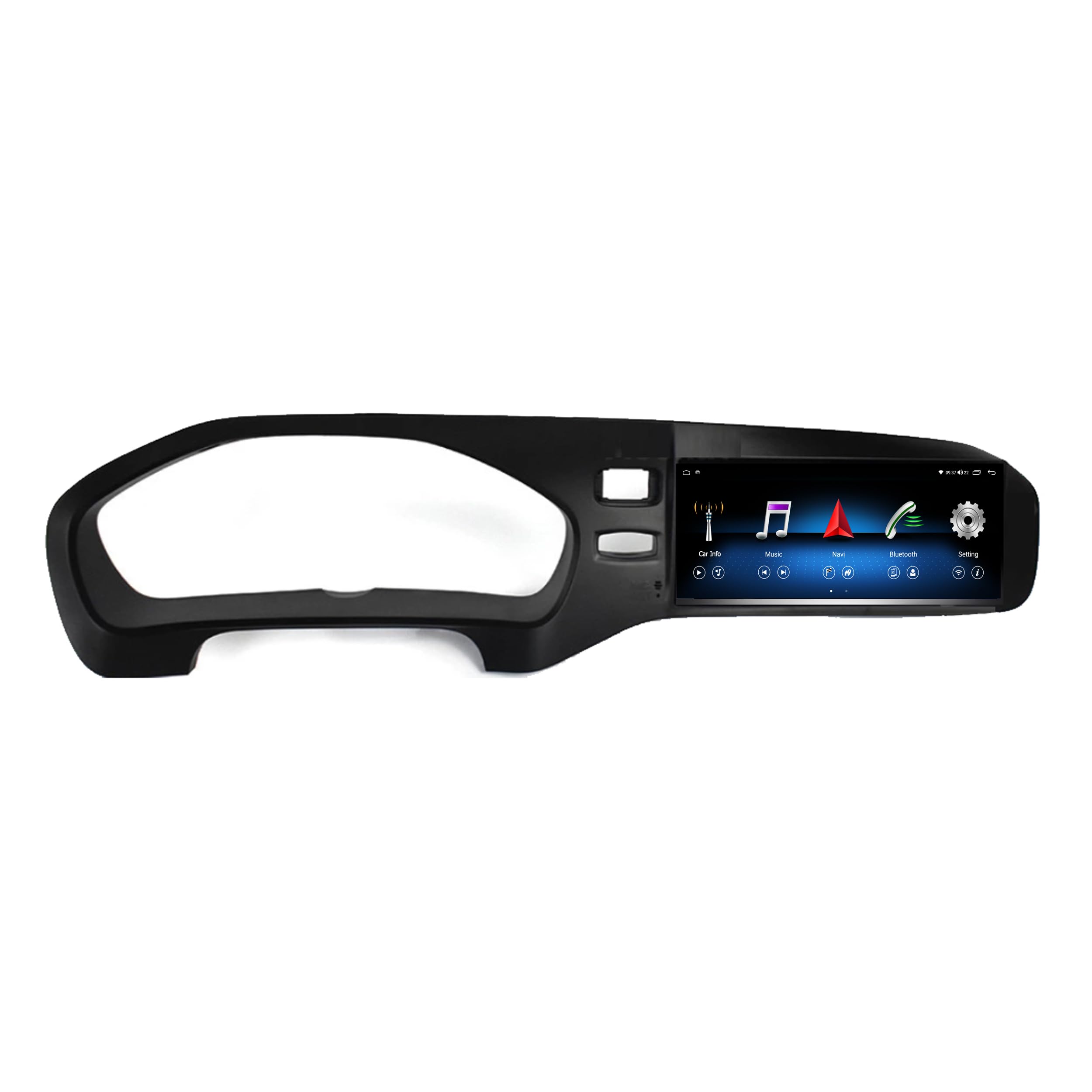
This manual provides comprehensive instructions for the installation, operation, and maintenance of your Taffio 8.8-inch Touchscreen Android Navigation System. This system is designed to integrate seamlessly into your Volvo V40, enhancing your driving experience with advanced multimedia and navigation capabilities.
Please read this manual carefully before installation and use to ensure proper function and to avoid damage to the unit or your vehicle.
2. Компатибилност
This Taffio Android Navigation System (Model TJ-V40A-L) is compatible with Volvo V40 models manufactured between 2015 and 2019.
Важно: After purchase, please confirm if your vehicle is equipped with an AUX connection. This is crucial for proper audio integration.
For Volvo V40 models manufactured between 2011 and 2014, a different product (EAN: 4262370645762) is required.
Слика 2.1: Compatibility check. The system is compatible with vehicles that have the globe button (left, indicated by green checkmark) and not compatible with vehicles missing this button (right, indicated by red cross). The bottom image shows the system installed in a compatible Volvo V40 dashboard.
3. Садржај испоруке
Please check the package contents against the list below to ensure all components are present:
- Android Multimedia System (Main Unit)
- Повер Цабле
- RCA Plugs + SIM Slot Cable
- ГПС антена
- 4Г антена
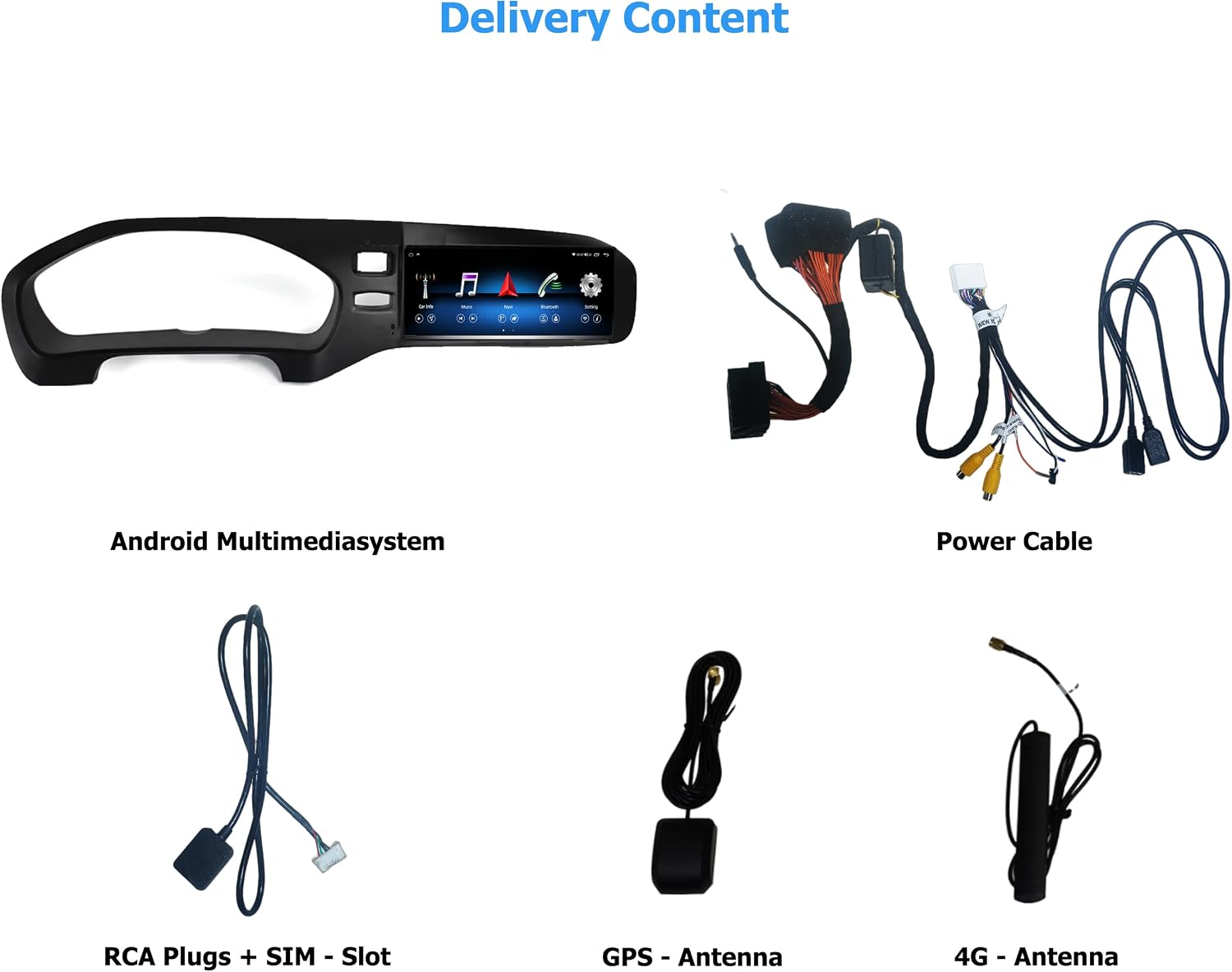
Слика 3.1: Готовоview of included components. From top left: Android Multimedia System, Power Cable, RCA Plugs + SIM Slot, GPS Antenna, 4G Antenna.
4. Подешавање и инсталација
The Taffio Android Navigation System is designed for a simple, plug-and-play installation without requiring modifications, restrictions, or coding of the original vehicle system. No external box or complex measures are needed, only the screen and connection cables.
4.1. Општи кораци инсталације
- Carefully remove the original display and associated components from your vehicle's dashboard.
- Connect the provided cables to the new Android Multimedia System and the vehicle's wiring harness.
- Mount the GPS and 4G antennas in suitable locations, ensuring clear signal reception.
- Insert the new Android Multimedia System into the dashboard opening.
- Причврстите јединицу и поново саставите све уклоњене делове украсне опреме.
- Test all functions before finalizing the installation.
4.2. Дијаграм повезивања

Слика 4.1: Detailed connection diagram for the Android Multimedia System.
- A: Конектор за напајање
- B: Connect to Original Radio Unit
- Б1: Connect to Original Radio Plug (from the original unit)
- C: ГПС антена
- D: 4Г антена
- E: Original LVDS (Insert the original display cable here)
- F: Plug it to Android Display
- 1: Задња камера ИН
- 2: DVR Camera IN
- 3: УСБ кабл
- 4: Утор за микро-СИМ картицу
5. Упутство за употребу
The Taffio system runs on Android 10, featuring an Octa-Core 1.8GHz CPU, 4 GB RAM, and 64 GB integrated storage. It provides access to the Play Store for various Android applications.
5.1. Пребацивање система
The system allows for easy switching between the original Volvo infotainment system and the new Android system. Refer to the on-screen interface for the dedicated switch button or gesture.
5.2. КарПлеј и Андроид Ауто
The unit features integrated Wireless CarPlay and Android Auto functionality, eliminating the need for additional adapters. Connect your compatible smartphone wirelessly to access navigation, music, messages, and more directly on the 8.8-inch display.

Слика 5.1: Wireless CarPlay interface displaying common apps like Phone, Maps, Messages, and Music.
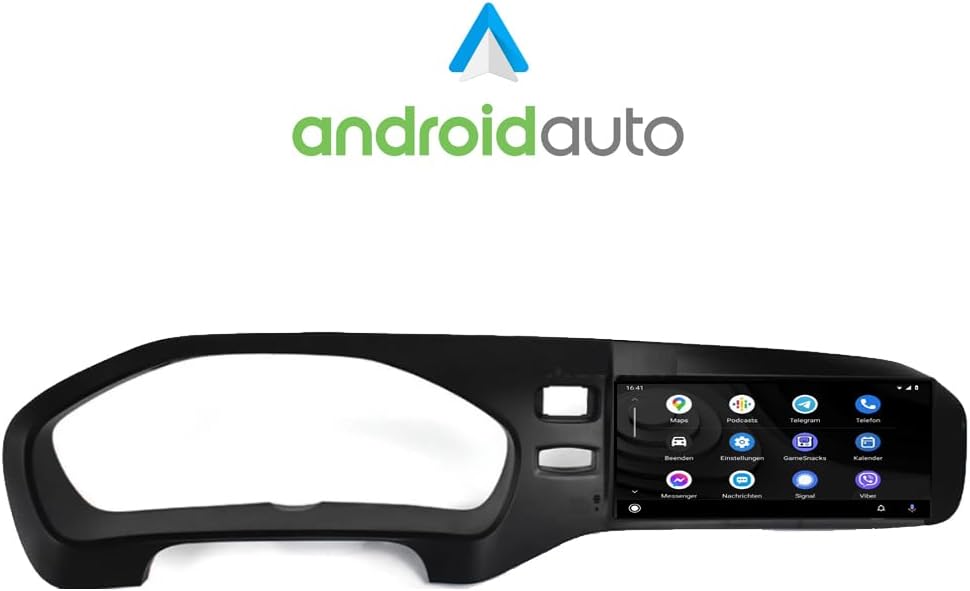
Слика 5.2: Android Auto interface showing various applications such as Maps, Podcasts, and Messenger.
5.3. Навигација (GPS)
The system includes current 3D GPS navigation with worldwide map material. Free, lifelong map updates are provided by Taffio. Access navigation through the dedicated app on the Android interface or via CarPlay/Android Auto.
5.4. Connectivity (WIFI & 4G LTE)
WIFI (WLAN): Integrated WIFI allows direct connection to WLAN hotspots or your smartphone's hotspot for internet access.
3G / 4G LTE: A dedicated SIM card slot provides the fastest surfing and streaming experience directly from the unit.
5.5. Original System Support
The Taffio system supports original radio functions, steering wheel controls, and all vehicle displays and settings, ensuring no loss of original functionality.
5.6. Аудио поставке
Customize your audio experience using the built-in equalizer. Adjust frequency bands, field, surround, bass enhancement, and bass filter settings to your preference.

Слика 5.3: Audio equalizer settings, allowing fine-tuning of sound output.
6. Одржавање
To ensure the longevity and optimal performance of your Taffio Android Navigation System, follow these maintenance guidelines:
- Чишћење: Use a soft, dry cloth to clean the touchscreen. For stubborn smudges, lightly dampОбришите крпу водом или средством за чишћење екрана. Избегавајте јаке хемикалије или абразивне материјале.
- Ажурирања софтвера: Regularly check for and install software updates to ensure you have the latest features, security patches, and performance improvements. Updates are typically available through the system's settings menu or via the manufacturer's webсајту.
- температура: Избегавајте излагање уређаја екстремним температурама током дужег временског периода.
- Циклус напајања: If the system becomes unresponsive, perform a soft reset by turning off your vehicle's ignition and restarting it after a few minutes.
КСНУМКС. Решавање проблема
If you encounter issues with your Taffio Android Navigation System, refer to the following common troubleshooting steps:
- Нема напајања: Ensure all power cables are securely connected. Check your vehicle's fuse box for any blown fuses related to the infotainment system.
- Нема звука: Verify that the AUX connection is properly established and selected as the audio source in your original vehicle system. Check volume levels on both the Taffio unit and your vehicle's audio system.
- Проблеми са GPS сигналом: Уверите се да је GPS антена постављена на месту са јасним view of the sky, free from obstructions. Allow time for the system to acquire satellites after startup.
- CarPlay/Android Auto се не повезује: Ensure Bluetooth and Wi-Fi are enabled on both the Taffio unit and your smartphone. Try restarting both devices. For Android Auto, ensure the app is updated on your phone.
- System Freezes/Slow Performance: Close unnecessary background applications. Perform a system restart. If issues persist, consider a factory reset (note: this will erase all user data and settings).
- Original System Functions Not Working: Double-check all connections, especially those related to the original radio unit and LVDS cable. Ensure the system is correctly switched to the original mode if applicable.
If these steps do not resolve the issue, please contact Taffio customer support.
8. Спецификације
| Бранд | Taffio |
| Назив модела | Навигациони систем |
| Број модела | TJ-V40A-L |
| Оперативни систем | Андроид 10 |
| ЦПУ | Оцта-Цоре 1.8 ГХз |
| РАМ | 4 ГБ |
| Капацитет складиштења | 64 ГБ |
| Величина екрана | 8.8 инча |
| Дисплаи Типе | Екран осетљив на додир |
| Технологија повезивања | Auxiliary, Bluetooth, USB, WIFI, 4G LTE |
| Посебне карактеристике | Integrated CarPlay & Android Auto, System Switching, Original System Support, 3D GPS Navigation |
| Supported Navigation System | GPS (Worldwide Maps) |
| Тип монтаже | Монтажа на контролној табли |
| Тип контроле | Додирните |
| Тежина | 3 килограма |
9. Гаранција и подршка
Your Taffio Android Navigation System comes with a 2 година гаранције from the date of purchase. Please retain your invoice with VAT as proof of purchase for warranty claims.
For technical support, warranty inquiries, or any questions regarding your product, please contact Taffio customer service through the retailer where you purchased the product or visit the official Taffio webсајт за контакт информације.