
Увод
The OUPARY 60% Wired RGB Gaming Mechanical Keyboard is a compact, 61-key peripheral designed for efficient operation and gaming. It features mechanical red switches for a linear and smooth key feel, vibrant RGB backlighting with customizable effects, and a full anti-ghosting mechanism to ensure accurate keypress registration. The keyboard is equipped with a detachable USB-C cable for enhanced portability and convenience.
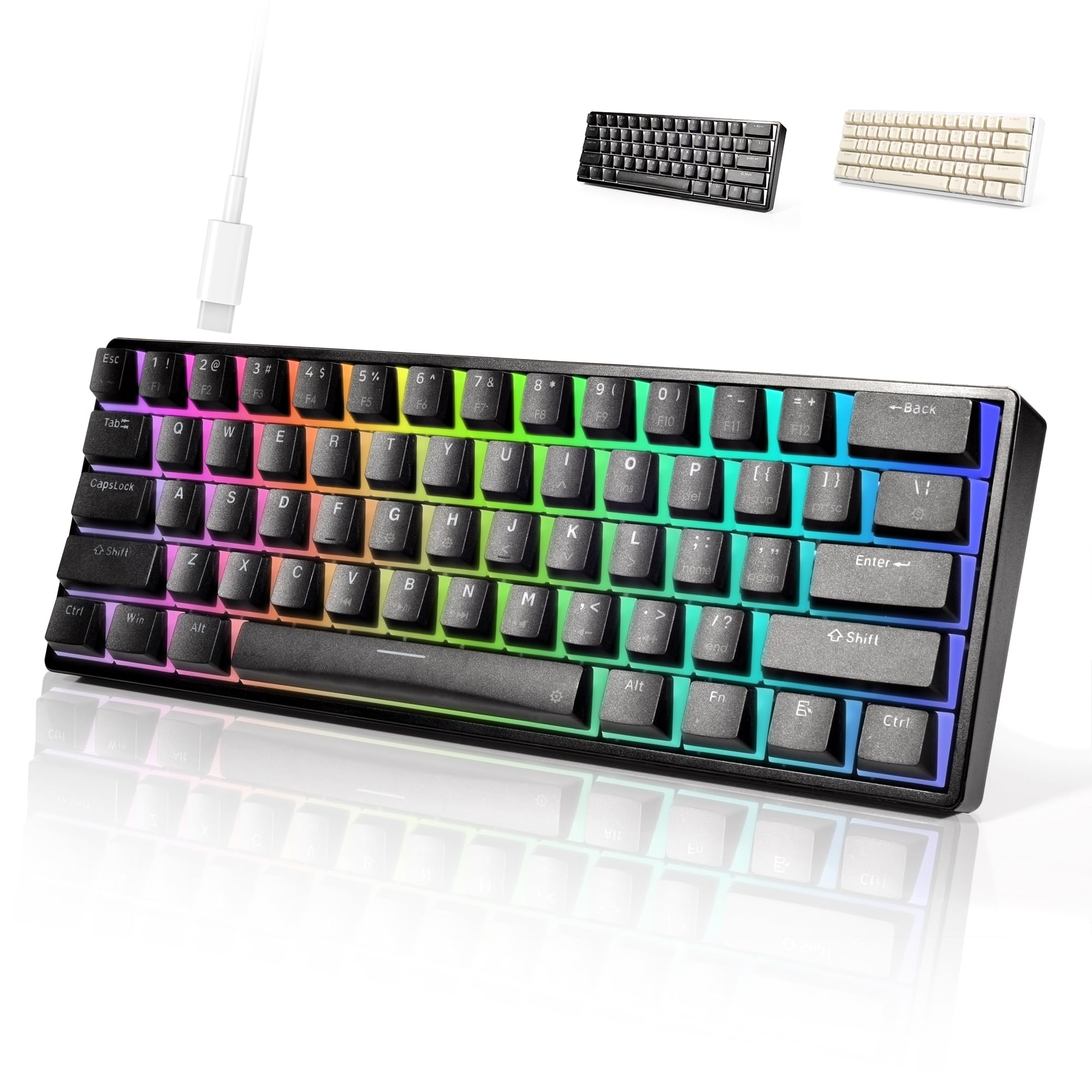
Image: The OUPARY 60% Wired RGB Gaming Mechanical Keyboard in black, positioned on a desk setup with a computer monitor and a digital clock.
Сетуп
Садржај пакета
- OUPARY 60% Wired RGB Gaming Mechanical Keyboard
- УСБ-Ц кабл
Повезивање тастатуре
- Locate the USB-C port on the back or side of the keyboard.
- Уметните један крај приложеног USB-C кабла у USB-C порт на тастатури.
- Повежите други крај USB-C кабла са доступним USB портом на рачунару.
- The keyboard will be automatically recognized by your operating system and ready for use.

Слика: Детаљна view of the keyboard's USB-C port and the detachable USB-C cable, illustrating the connection point.
Операција
Основне функције тастера
This 60% keyboard features 61 keys, omitting the dedicated number pad, function row, navigation cluster, and arrow keys found on full-size keyboards. Access to these functions is typically achieved through combinations with the Fn кључ.
РГБ контрола осветљења
The keyboard features vibrant RGB backlighting with multiple lighting effects. You can customize the colors, speed, and brightness directly using specific shortcut keys. Refer to the keycap legends for specific Fn key combinations to cycle through modes, adjust brightness, and change colors.

Image: The OUPARY 60% Wired RGB Gaming Mechanical Keyboard illuminated with a spectrum of RGB colors across its keys.
Mechanical Red Switches
The keyboard is equipped with mechanical red switches. These switches are characterized by their linear travel and smooth actuation, requiring minimal force to press. This design is preferred by users who value rapid response and a consistent keypress feel, making them suitable for both gaming and typing.

Image: A close-up shot revealing the red mechanical switches underneath the keycaps, highlighting their design.
Анти-Гхостинг
The keyboard incorporates a full anti-ghosting design. This feature ensures that every keypress is registered accurately, even when multiple keys are pressed simultaneously. This is particularly beneficial during fast-paced gaming or high-speed typing, preventing missed inputs and ensuring a reliable experience.
Одржавање
Чишћење
- Искључите тастатуру из рачунара пре чишћења.
- Користите меку, суву крпу да обришете површину тастатуре.
- За прашину и остатке између тастера користите компримовани ваздух.
- Avoid using harsh chemicals or abrasive materials, as these can damage the finish or keycaps.
Складиштење
- Чувајте тастатуру на хладном и сувом месту, даље од директне сунчеве светлости и екстремних температура.
- If storing for an extended period, consider using the original packaging or a protective cover to prevent dust accumulation.
Решавање проблема
Тастатура не реагује
- Уверите се да је USB-C кабл безбедно повезан и са тастатуром и са рачунаром.
- Покушајте да повежете тастатуру са другим УСБ портом на рачунару.
- Тестирајте тастатуру на другом рачунару да бисте утврдили да ли је проблем са тастатуром или са рачунаром.
- Поново покрените рачунар.
RGB светла не раде
- Check if the lighting is turned off or set to the lowest brightness level using the keyboard's shortcut keys.
- Уверите се да је тастатура правилно повезана са рачунаром.
- If the issue persists, try disconnecting and reconnecting the keyboard.
Кључни проблеми са уносом
- If a key is not registering, ensure there is no debris or obstruction beneath the keycap.
- For mechanical switches, ensure the switch is properly seated.
- If multiple keys are not registering, check the cable connection.
Спецификације
| Бранд | ОУПАРИ |
| Модел | B0CSSQ9GGL |
| Компатибилни уређаји | PC |
| Технологија повезивања | УСБ-Ц |
| Опис тастатуре | Механички |
| Препоручена употреба | Гаминг |
| Посебна карактеристика | Ергономски |
| Боја | БЛАЦК |
| Стиле | Савремени |
| Материјал | Висококвалитетна пластика |
| Укључене компоненте | УСБ кабл |
| Извор напајања | УСБ |
| Тип прекидача | Mechanical Red Switches |
| Распоред тастатуре | КВЕРТИ |
| Оријентација руке | Амбидектроус |
| Количина дугмета | 61 |
| Број кључева | 61 |
| Произвођач | ОУПАРИ |
| Материјал кућишта | Висококвалитетна пластика |

Image: A diagram illustrating the physical dimensions of the keyboard, showing its length and width.
Гаранција и подршка
Информације о гаранцији
This OUPARY keyboard comes with a 1-year manufacturer's warranty from the date of purchase. This warranty covers defects in materials and workmanship under normal use. It does not cover damage caused by misuse, accidents, unauthorized modifications, or external causes.
Корисничка подршка
For technical assistance, warranty claims, or general inquiries, please refer to the contact information provided with your purchase documentation or visit the official OUPARY webсајт за ресурсе подршке.