
1. Увод
Thank you for choosing the LENVII R800 Portable 2D Barcode Scanner. This device is designed for efficient and versatile barcode scanning, supporting both 1D and 2D barcodes. It offers multiple connection options including Bluetooth, 2.4G wireless, and wired USB, making it compatible with a wide range of devices and operating systems. This manual provides detailed instructions for setup, operation, and maintenance to ensure optimal performance.

Image 1.1: LENVII R800 Barcode Scanner and included accessories (USB cable, 2.4G wireless receiver).
2. Производ је готовview
Familiarize yourself with the components and features of your LENVII R800 scanner.
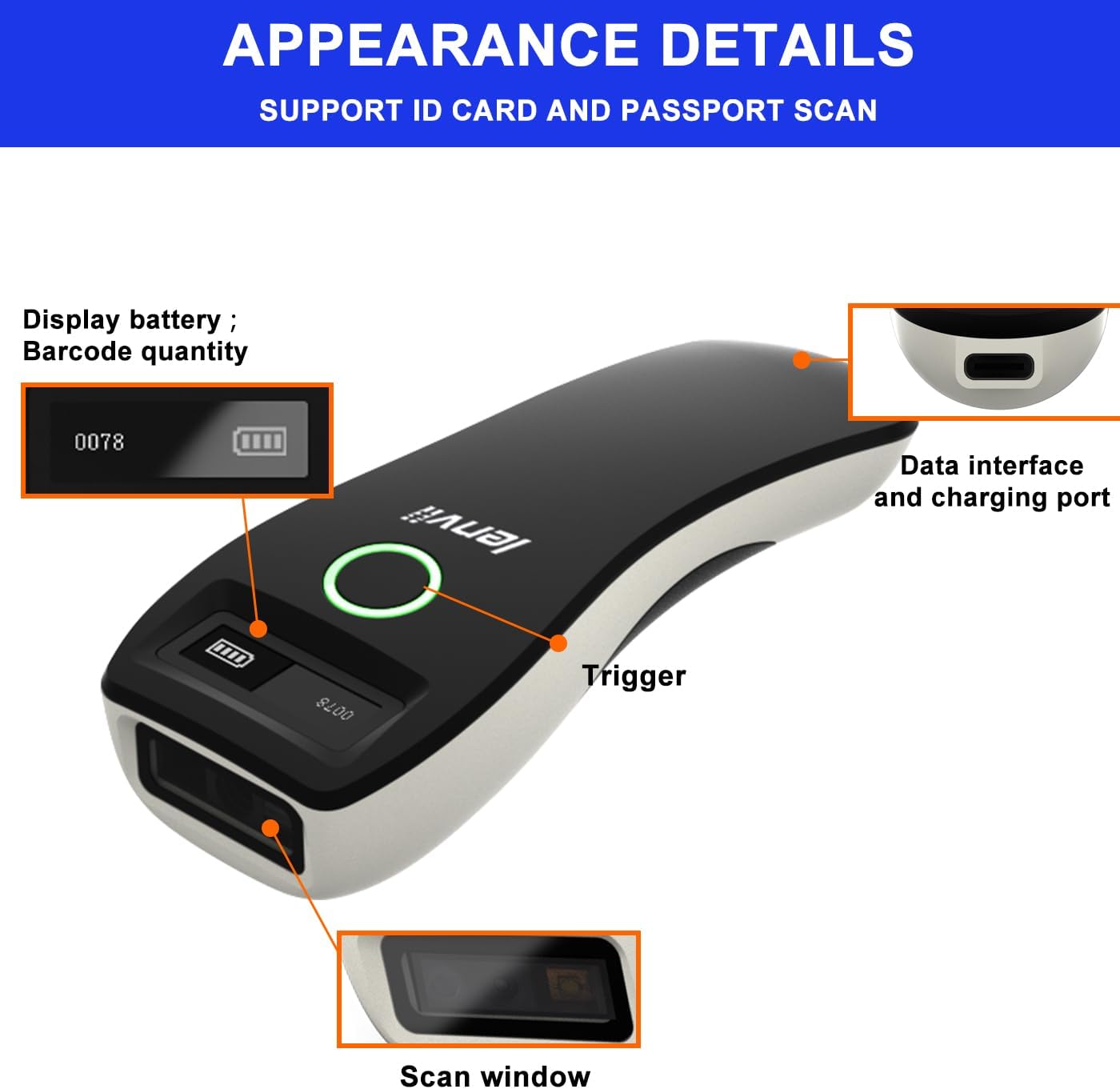
Слика 2.1: Детаљно view of the LENVII R800 scanner, highlighting the display (battery, barcode quantity), data interface/charging port, trigger button, and scan window.
- Приказ: Shows battery level and scanned barcode quantity.
- Data Interface/Charging Port: Type-C port for wired connection and charging.
- Окидач: Button to initiate scanning.
- Прозор за скенирање: Area through which barcodes are read.
3. Подешавање
3.1 Пуњење скенера
Before first use, fully charge the scanner. Connect the provided Type-C USB cable to the scanner's charging port and the other end to a USB power source (e.g., computer USB port, USB wall adapter). The charging indicator light will show the charging status.
The scanner is equipped with a 1500mAh rechargeable lithium battery.
3.2 Начини повезивања
The LENVII R800 offers three connection methods:

Image 3.1: Illustration of the three connection modes: 2.4GHz Wireless, USB Wired, and Bluetooth.
3.2.1 2.4G бежична веза
- Insert the 2.4G wireless receiver into a USB port on your computer or host device.
- Turn on the scanner. It should automatically connect to the receiver.
- A successful connection is indicated by a specific sound or light on the scanner.
3.2.2 Блуетоотх веза
- Укључите скенер.
- Activate Bluetooth on your host device (e.g., smartphone, tablet, laptop).
- Scan the Bluetooth pairing barcode (usually found in the full manual or quick start guide). The scanner will enter pairing mode.
- On your host device, search for Bluetooth devices and select "LENVII R800" (or similar name) to pair.
- A successful connection is indicated by a specific sound or light on the scanner.
3.2.3 Жична веза
- Connect the scanner to your computer using the provided Type-C USB cable.
- Скенер ће функционисати као жични уређај и истовремено ће се пунити.
- No additional drivers are typically required for this plug-and-play connection.
3.3 Компатибилност
The LENVII R800 scanner is compatible with various operating systems and devices:
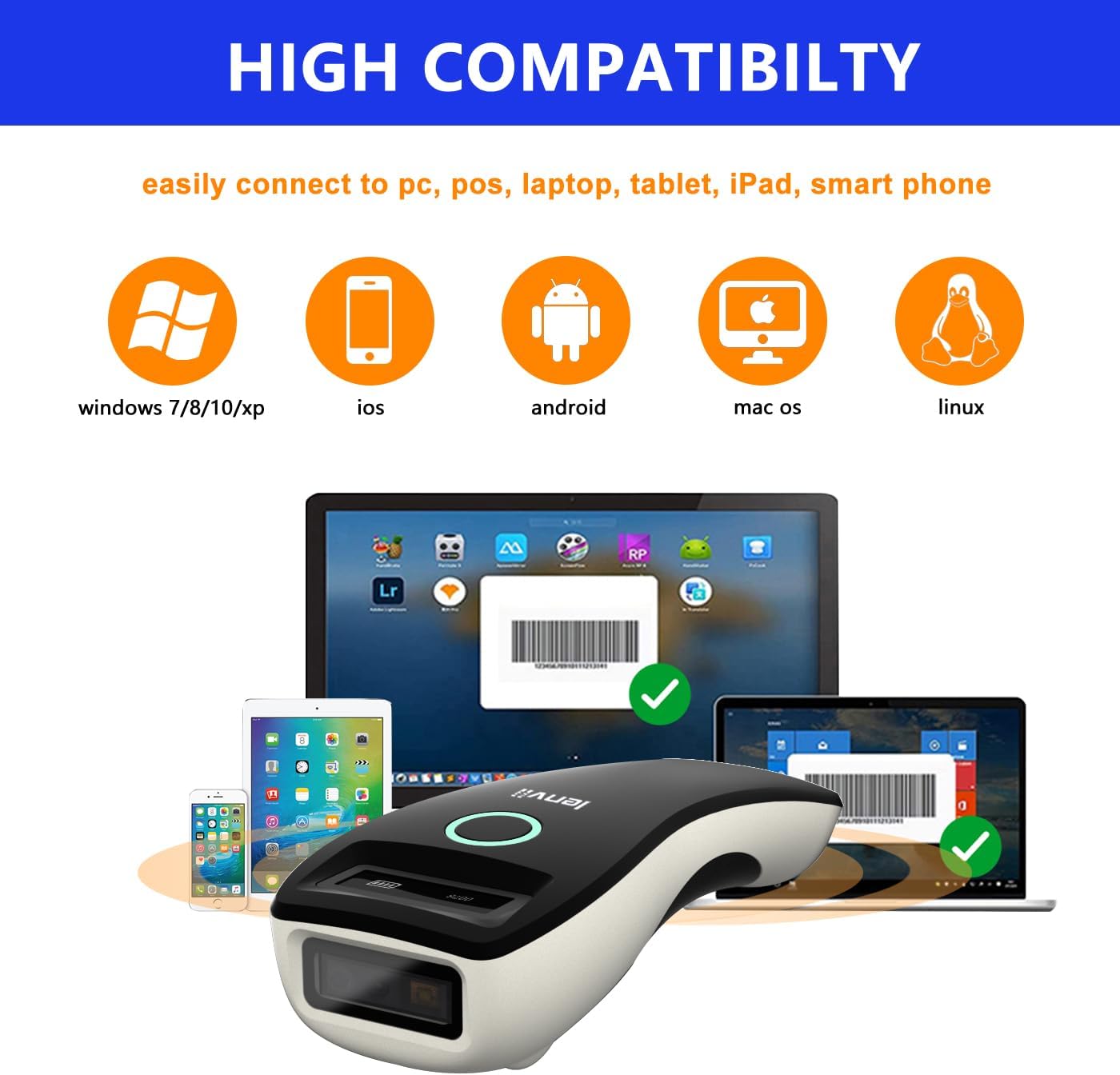
Image 3.2: Compatibility icons for Windows, iOS, Android, Mac OS, and Linux, indicating broad device support.
- Оперативни системи: Windows XP/7/8/10, Mac OS, Windows Mobile, Android OS, iOS, Linux.
- Уређаји: Laptops, PCs, mobile phones, tablets, iPhones, iPads, POS systems.
4. Упутство за употребу
4.1 Основно скенирање
- Ensure the scanner is powered on and connected to your host device via your preferred method.
- Open an application on your host device where you want the scanned data to appear (e.g., a text editor, spreadsheet, or inventory software).
- Point the scan window of the scanner at the barcode.
- Press the trigger button. A successful scan will be indicated by a beep and/or a light confirmation.
- The scanned data will be transmitted to your host device.
4.2 Режими преноса података
Скенер подржава два начина отпремања података:

Image 4.1: Depiction of Instant Upload Mode (data sent immediately) and Offline Storage Mode (data stored for later upload).
- Режим тренутног отпремања: Barcodes are transmitted to the connected device immediately after scanning. This is the default mode.
- Режим складиштења (офлајн режим): Barcodes are stored in the scanner's internal memory (up to 35,000 EAN 13 codes) and can be uploaded later. This mode is useful when working out of range of the host device. To switch to storage mode and upload data, refer to the full programming manual for specific barcode commands.
4.3 Подржани типови баркодова
The LENVII R800 is capable of scanning a wide array of 1D and 2D barcode symbologies:
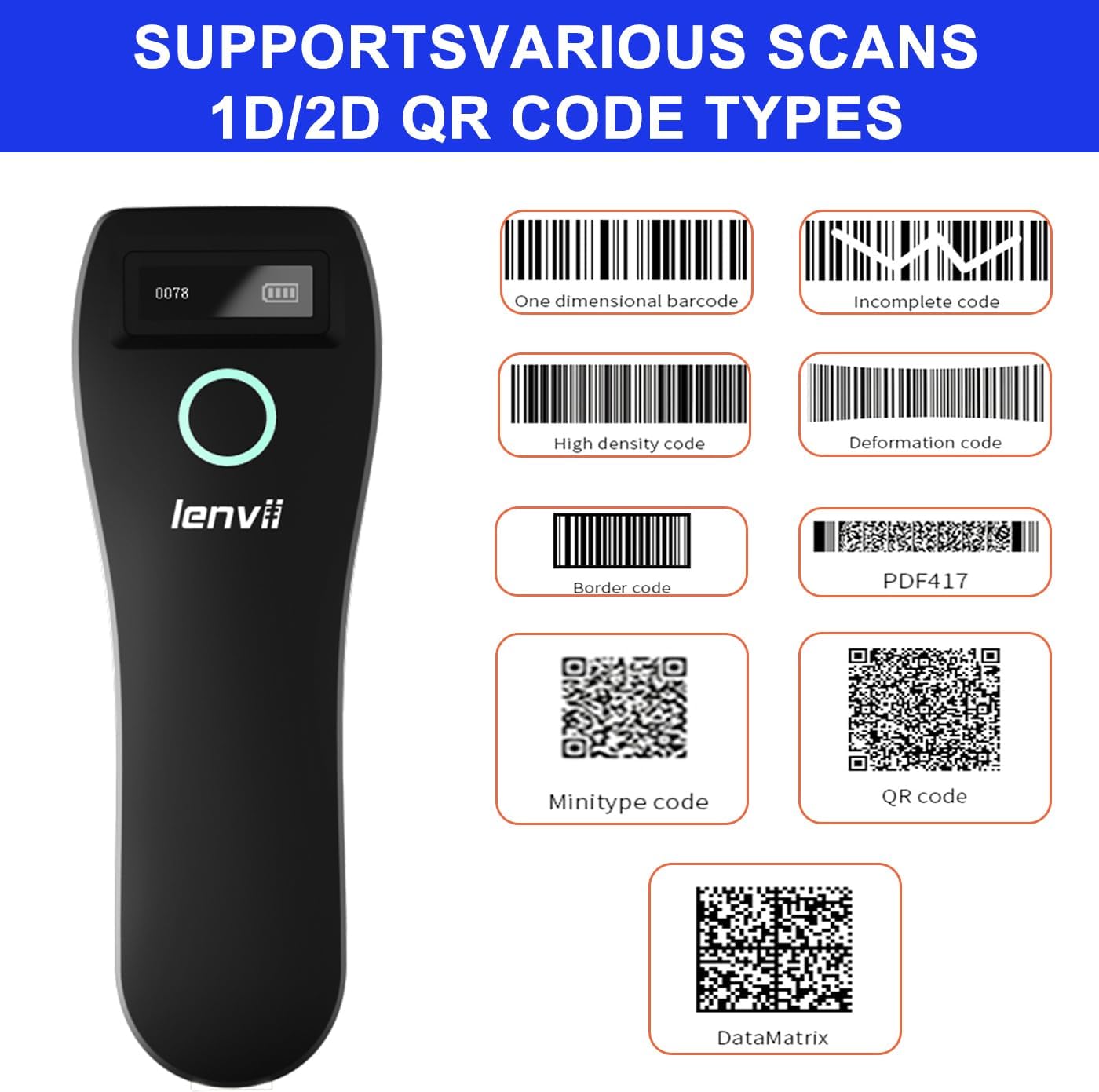
Слика 4.2: Примерamples of supported barcode types including 1D (e.g., Code 39, Code 128) and 2D (e.g., QR Code, Data Matrix, PDF417).
- 1Д бар кодови: UPC/EAN/JAN, UPC-A, UPC-E, EAN-8, EAN-13, JAN-8, JAN-13, ISBN/ISSN, Code 39 (with full ASCII), Codabar (NW7), Code 128 & EAN 128, Code 93, Interleaved 2 of 5 (ITF), Appendix 2 of 5 IATA code, MSI/Plessy, Chinese postal code, Code 32 (Italian Pharmacopoeia), RSS 14, RSS Limited, RSS Extension.
- 2Д бар кодови: QR Code, Data Matrix, PDF417, Aztec, Maxicode, GS1 DataBar Stack.
4.4 Ергономија и преносивост
The LENVII R800 is designed for comfortable, one-handed operation and easy portability, making it suitable for various mobile business applications.
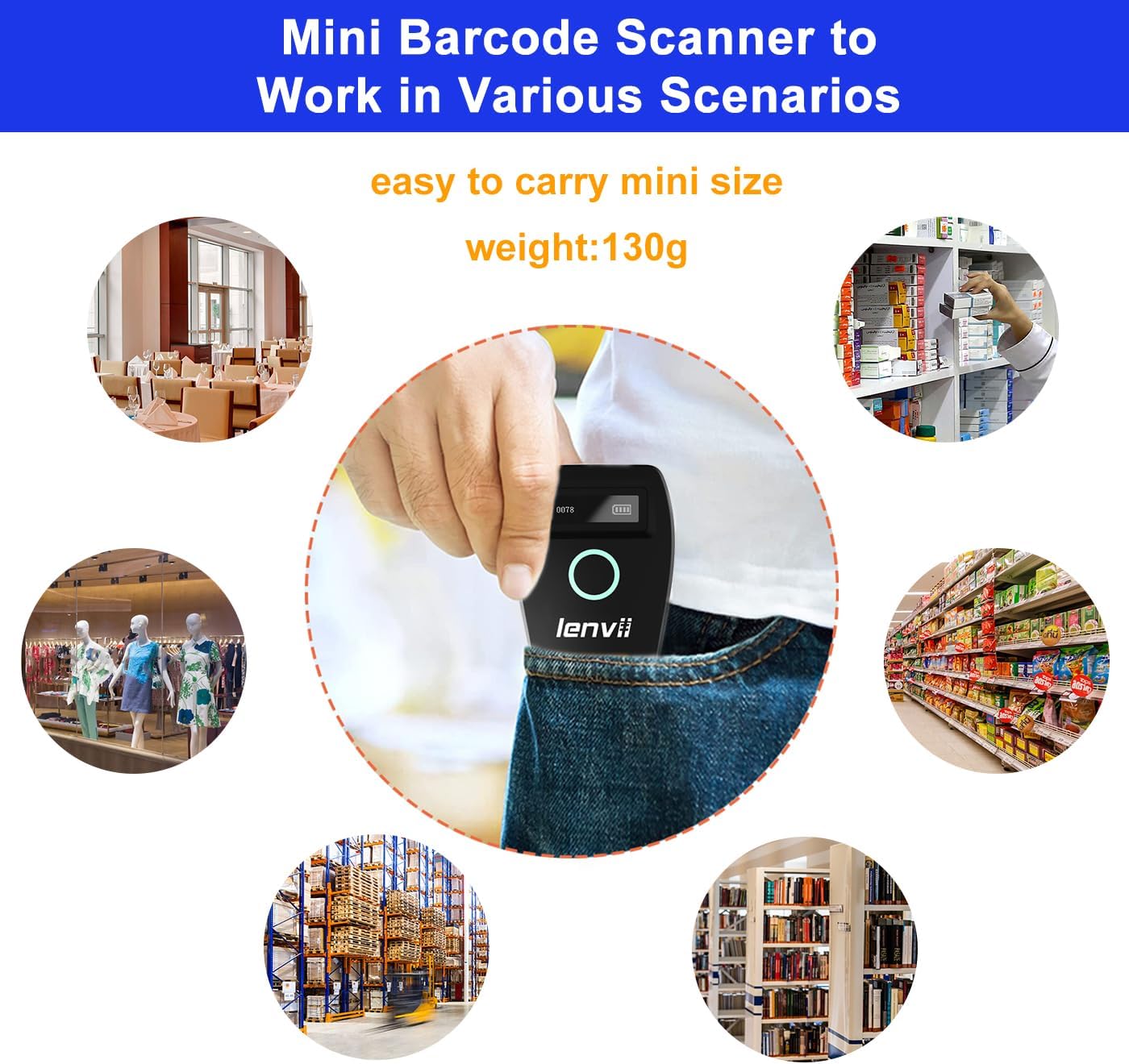
Image 4.3: The compact LENVII R800 scanner shown in different environments, emphasizing its portability and suitability for retail, inventory, and field service.
5. Одржавање
- Чишћење: Use a soft, dry cloth to clean the scanner's exterior. For the scan window, use a soft, lint-free cloth lightly dampОчистите благим, неабразивним средством за чишћење. Избегавајте јаке хемикалије или абразивне материјале.
- Складиштење: Чувајте скенер на хладном и сувом месту, даље од директне сунчеве светлости и екстремних температура.
- Одржавање батерије: Да бисте продужили век трајања батерије, избегавајте често потпуно пражњење батерије. Ако складиштите батерију дуже време, напуните је до око 50% и пуните је сваких неколико месеци.
- физичка заштита: While designed to withstand drops from 2 meters, avoid unnecessary impacts.
КСНУМКС. Решавање проблема
-
Скенер се не укључује:
- Ensure the battery is charged. Connect the scanner to a power source using the Type-C cable.
-
Скенер се не повезује са уређајем:
- За 2.4Г бежичну везу: Ensure the USB receiver is properly inserted and the scanner is within range.
- За Блуетоотх: Ensure Bluetooth is enabled on your host device, the scanner is in pairing mode, and you have selected the correct device from the Bluetooth list.
- For Wired: Check the USB cable connection. Try a different USB port or cable.
-
Скенер не чита баркодове:
- Ensure the barcode is clean, undamaged, and within the scanner's reading range.
- Check if the barcode type is supported by the scanner.
- Ensure there is sufficient lighting on the barcode.
- Clean the scan window if it is dirty.
-
Скенирани подаци се не приказују на екрану:
- Ensure the scanner is successfully connected to your host device.
- Verify that an active input field or application is open on your host device to receive the data.
- Check if the scanner is in 'Storage Mode'. If so, switch to 'Instant Upload Mode' or upload stored data.
7. Спецификације
| Параметар | Детаљ |
|---|---|
| Image (pixels) | 640 pixels (horizontal) * 480 pixels (vertical) |
| Извор светлости | Aiming: 617 nm LED; Illumination: 4000K LED |
| Сензор слике | ЦМОС |
| Брзина скенирања | 30 кадрова у секунди |
| Filling Depth | 40-200mm @ UPC / EAN13mil PCS = 90%; 20-250mm @ QR 20mil PCS = 100% |
| Угао скенирања | Elevation angle 65°, Tilt angle 30°, Deflection angle 55° |
| Поље оф View | Хоризонтално 34°, вертикално 28° |
| Резолуција читања | Exceeds 5 million |
| Принт Цонтраст | Exceeds 25% |
| Визуелни индикатор | Blue LED light, Red charging light, and Buzzer |
| Режими комуникације | 2.4G, Bluetooth BLE4.0, and Type-C (Wired) |
| Цоммуницатион Дистанце | 2.4G: 100 meters (open air), Bluetooth: 40 meters (open air) |
| Капацитет меморије | Up to 512,000 bits (approx. 35,000 EAN 13 codes) |
| Димензије (Д*Ш*В) | 135 мм * 51 мм * 40 мм |
| Тежина | 104 грама |
| Материјал | АБС + ПЦ |
| Кабл | Кабел типа Ц |
| Улазни волtage | 5ВДЦ ±10% |
| Воркинг Цуррент | 400мА |
| Батерија | Пуњива литијумска батерија 1500мАх |
| Цхаргинг Метход | Тип-Ц кабл за пуњење |
| Дроп Дурабилити | Can withstand a drop of 2 meters |
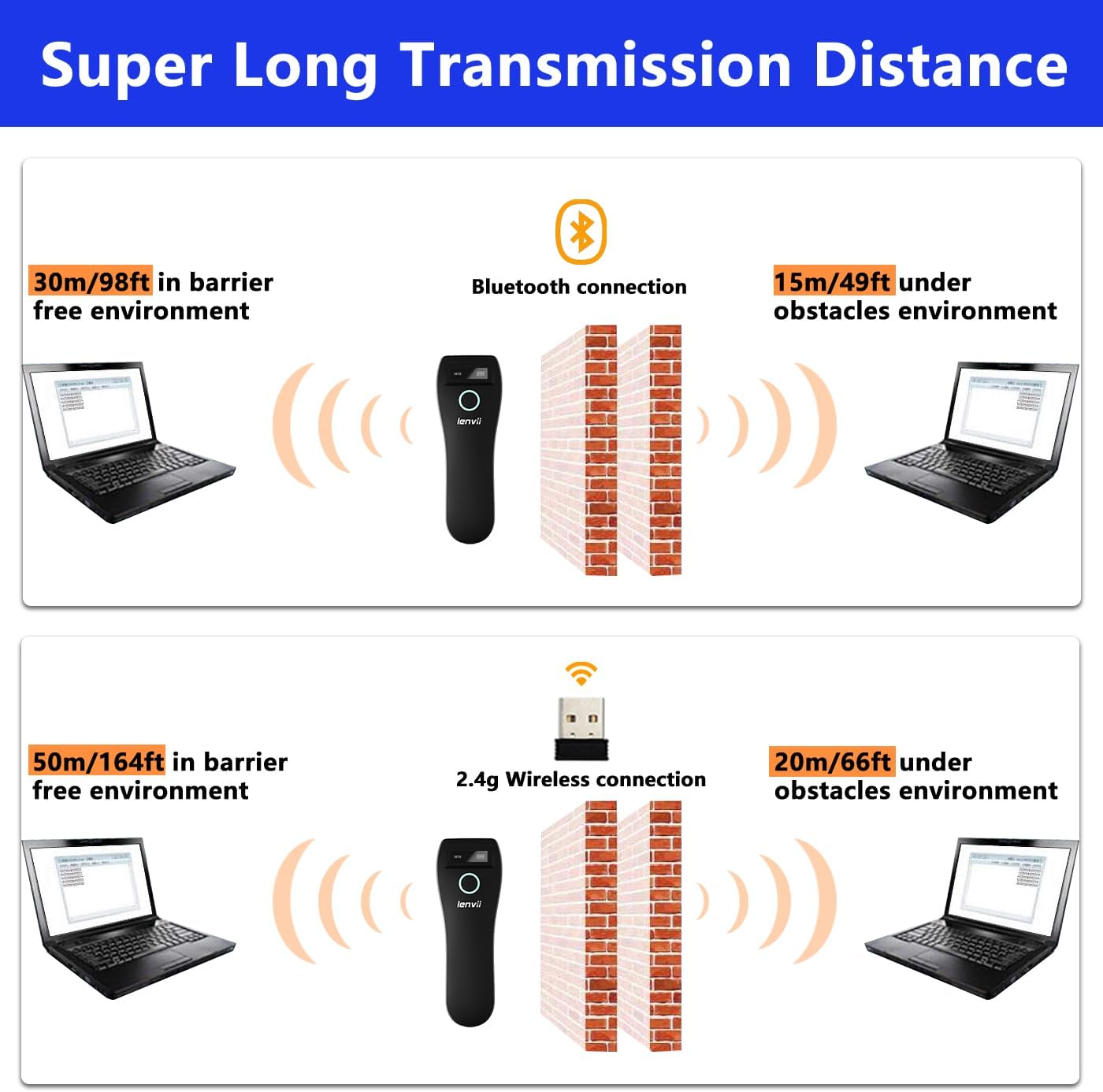
Image 7.1: Comparison of Bluetooth and 2.4G wireless transmission distances in barrier-free and obstacle environments.
8. Гаранција и подршка
LENVII products are manufactured to high-quality standards. For warranty information, please refer to the documentation included with your purchase or contact your retailer. For technical support or inquiries, please visit the official LENVII webсајту или се обратите њиховом одељењу за корисничку подршку.
Више информација и ресурса за подршку можете пронаћи посетом LENVII Store on Amazon.