
1. Водич за подешавање
This section provides instructions for setting up your HelloBaby HB6081 Baby Monitor.
1.1 Шта је у кутији
Пре него што почнете, уверите се да су све компоненте присутне:
- 1 x 720P 5.5'' HD Baby Monitor Split Screen
- 1 x 1080P Plug In Baby Camera
- 2 x AC Chargers
- 1 к Упутство за употребу
- Mounting Screw (for camera)
1.2 Initial Charging and Powering On
The monitor unit is equipped with a 4000mAh battery, providing 9 to 11 hours of operation on a single charge. The camera unit requires continuous power.
- Connect one AC charger to the monitor unit and plug it into a power outlet. Allow the monitor to fully charge before first use.
- Connect the second AC charger to the camera unit and plug it into a power outlet. The camera will power on automatically.
- Press and hold the power button on the monitor unit to turn it on.

Image: The HelloBaby HB6081 baby monitor, featuring a 5.5-inch display and a pan-tilt-zoom camera, ready for setup.
1.3 Camera and Monitor Placement
Optimal placement ensures clear monitoring and stable connection.
- Поставите камеру на место које пружа јасан, несметан поглед view of your baby. Ensure it is out of reach of children.
- The camera can be placed on a tabletop, or mounted on a ceiling or wall using the provided mounting screw.
- Position the monitor unit within 1000 feet of the camera for optimal signal strength. Avoid placing it near large metal objects or other electronic devices that may cause interference.
- The system operates on a 2.4 GHz FHSS closed circuit, ensuring a stable and hack-proof connection without Wi-Fi.
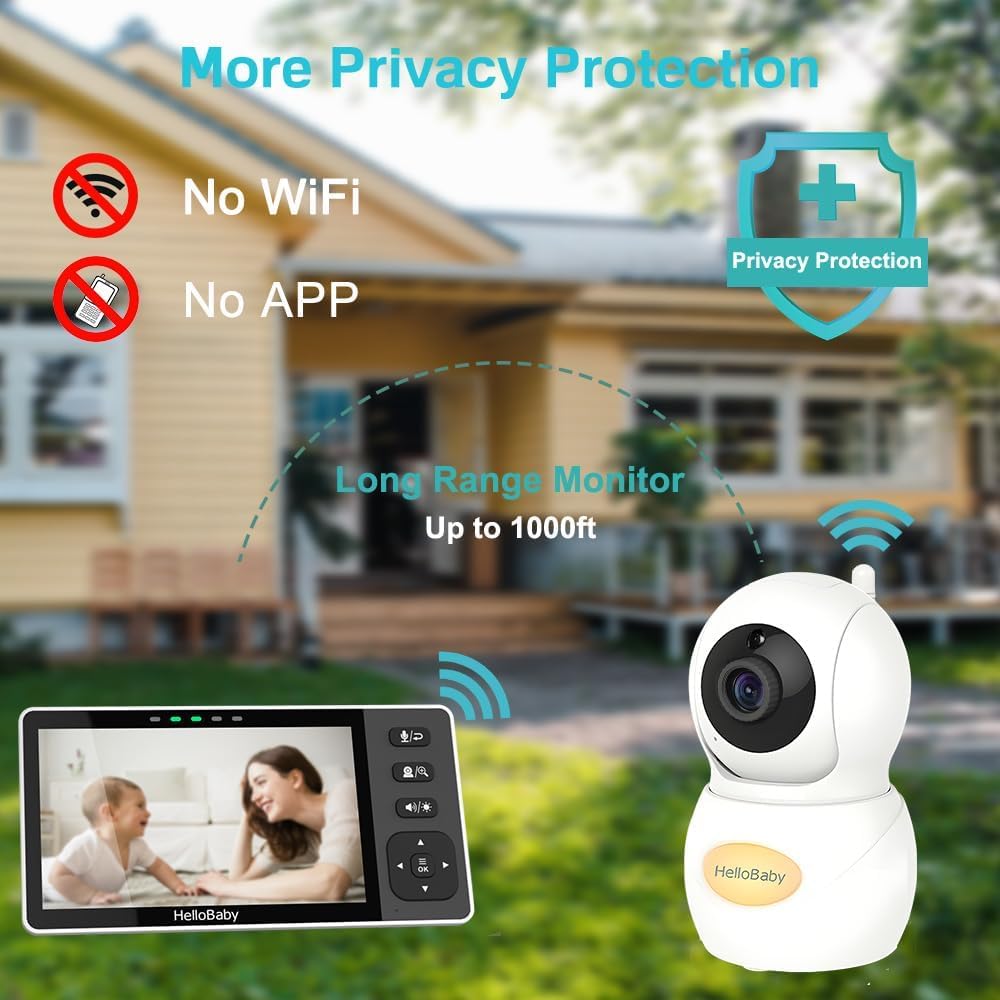
Image: The HelloBaby monitor and camera demonstrating its long-range capability up to 1000ft and emphasizing its no-WiFi, no-app, hack-proof privacy protection.
2. Упутство за употребу
Familiarize yourself with the features and functions of your HelloBaby HB6081 Baby Monitor.
2.1 Monitor Display and Controls
The monitor features a 5.5-inch 720P HD IPS screen for clear viewинг.
- Приказ: The 720P resolution provides enhanced brightness, sharpened viewing angles, and vivid color display for exceptional clarity day and night.
- Дугмад за навигацију: Use the directional pad to navigate menus and control camera functions.
- Дугме менија: Access settings such as lullabies, feeding timer, and temperature alerts.
- ВОКС режим: Activate Sound Activated Screen (VOX) to conserve battery. The screen will turn on automatically when sound is detected.
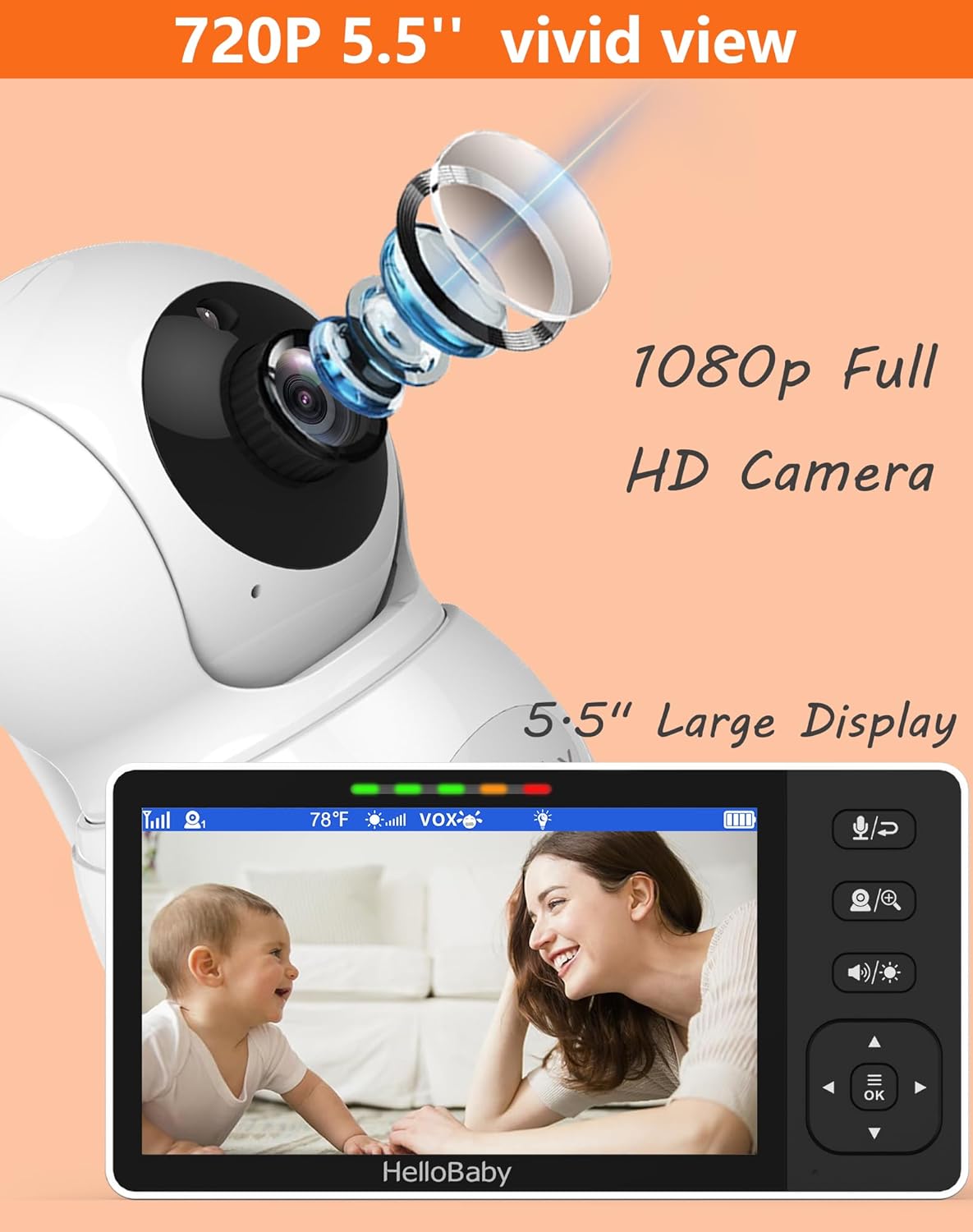
Image: Close-up of the HelloBaby monitor screen, highlighting its 720P 5.5-inch HD display and the 1080P Full HD camera's capabilities.
2.2 Camera Control and Features
The 1080P camera offers comprehensive coverage of your baby's room.
- Даљинско померање и нагињање: Use the monitor's controls to remotely pan the camera 330 degrees horizontally and tilt 120 degrees vertically, eliminating visual blind spots.
- Дигитални зум: Zoom in on your baby for a closer look.
- Инфрацрвени ноћни вид: The advanced automatic infrared night vision allows clear observation of your baby even in complete darkness.
- Двосмерни аудио: Press and hold the microphone button on the monitor to speak to your baby through the camera.
- Ноћно светло: The camera features a warm night light to create a soothing environment for your baby.

Image: The HelloBaby camera demonstrating its remote pan and tilt capabilities (330° pan, 120° tilt) to cover every corner of the room.

Image: The HelloBaby monitor displaying a clear black and white image of a sleeping baby in a dark room, showcasing its infrared night vision and the camera's night light feature.
2.3 Додатне функције
- Успаванке: Play built-in lullabies to soothe your baby.
- Праћење температуре: The camera includes a room temperature sensor, displayed on the monitor, with alerts for extreme temperatures.
- Feeding Timer: Set reminders for feeding times directly on the monitor.
- Подршка за више камера: The system supports adding up to 4 cameras (sold separately) for monitoring multiple rooms or angles.
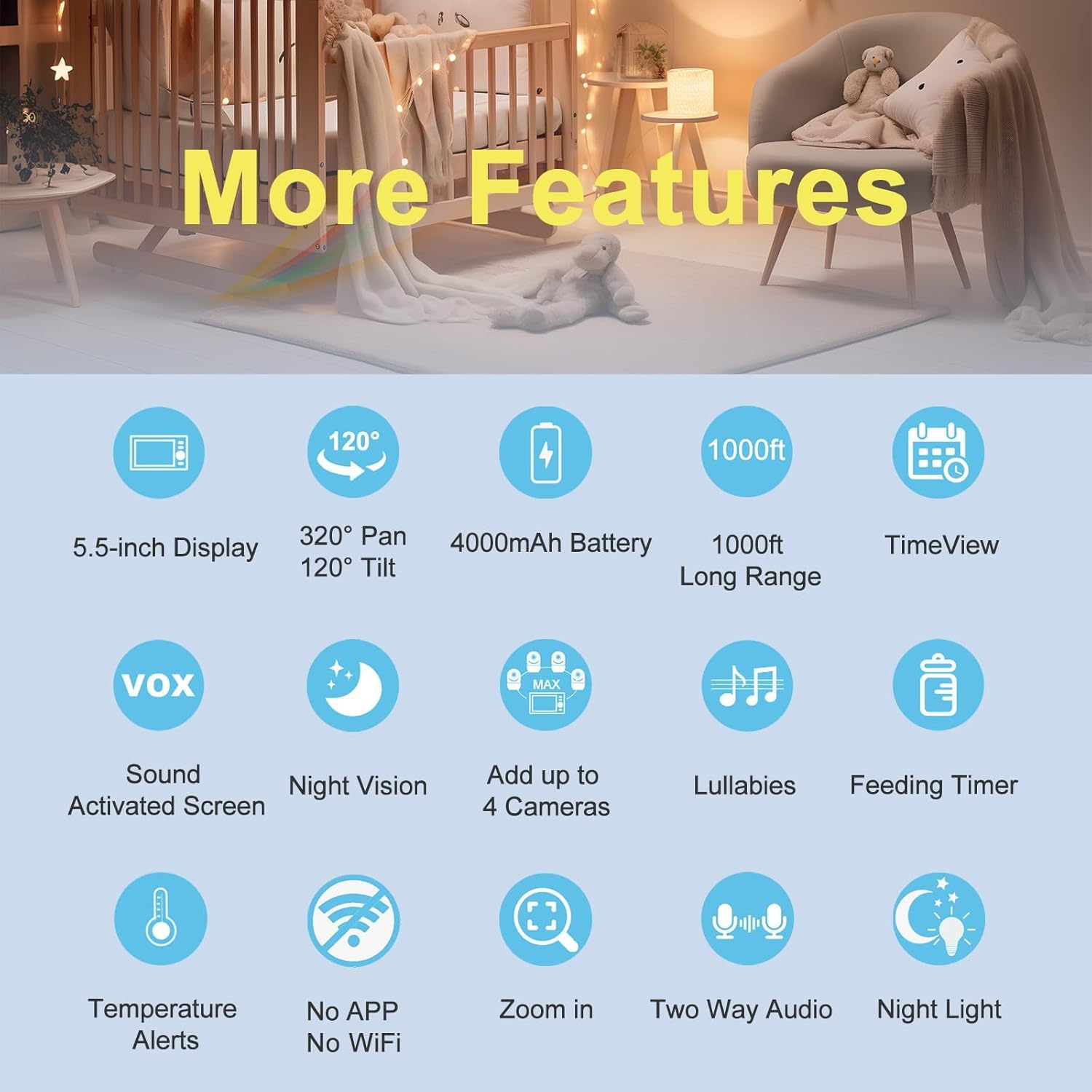
Image: An infographic summarizing key features of the HelloBaby monitor, including 5.5-inch display, 320° pan/120° tilt, 4000mAh battery, 1000ft range, VOX, night vision, multi-camera support, lullabies, feeding timer, temperature alerts, no WiFi/APP, zoom, two-way audio, and night light.
3. Одржавање
Proper maintenance ensures the longevity and optimal performance of your HelloBaby monitor.
- Чишћење: Use a soft, dry cloth to clean the monitor and camera surfaces. Do not use abrasive cleaners or solvents.
- Одржавање батерије: To maximize battery life, avoid fully discharging the monitor's battery frequently. Charge it regularly. If storing for an extended period, charge the battery to about 50% and store in a cool, dry place.
- Складиштење: Store the unit in a dry place, away from extreme temperatures and direct sunlight.
КСНУМКС. Решавање проблема
This section addresses common issues you might encounter with your HelloBaby monitor.
4.1 No Signal or Poor Image Quality
- Проверите опсег: Ensure the monitor and camera are within the 1000ft operating range.
- Препреке: Large metal objects, thick walls, or other electronic devices can interfere with the signal. Try repositioning the units.
- Снага: Verify both the camera and monitor are powered on and adequately charged.
4.2 Нема звука или лош квалитет звука
- Волумен: Increase the volume on the monitor unit.
- сметње: Move the units away from other electronic devices that might cause audio interference.
4.3 Short Battery Life on Monitor
- Пуно пуњење: Ensure the monitor is fully charged before use.
- ВОКС режим: Utilize VOX (Sound Activated Screen) mode to conserve battery power.
- Осветљеност екрана: Reduce screen brightness if it is set too high.
If you encounter issues not covered here, please refer to the support section for assistance.
5. Спецификације производа
| Феатуре | Детаљ |
|---|---|
| Назив модела | Video Baby Monitor Pro (HB6081) |
| Величина екрана монитора | 5.5 инча |
| Резолуција монитора | 720п ХД |
| Резолуција камере | 1080p (input to monitor is 720p) |
| Повезивање | No WiFi 2.4GHz FHSS Technology (Hack-Proof) |
| Домет | До 1000 стопа (линија видљивости) |
| Monitor Battery Capacity | 4000 mAh (1 Lithium Metal battery included) |
| Пратите животни век батерије | 9-11 hours (standby) |
| Угао панорамирања камере | 330 степени |
| Угао нагиба камере | 120 степени |
| Нигхт Висион | Аутоматски инфрацрвени |
| Двосмерни аудио | Да |
| ВОКС Моде | Yes (Sound Activated Screen) |
| Температурни сензор | Да |
| Успаванке | Да |
| Нигхт Лигхт | Yes (on camera) |
| Max Cameras Supported | 4 |
| Димензије (Д к Ш к В) | 7.17 к 5.51 к 4.29 инча |
| Тежина артикла | 1.5 фунти |
| Укључене компоненте | Monitor, Camera, 2 AC Chargers, User Manual, Mounting Screw |
6. Гаранција и подршка
6.1 Корисничка подршка
HelloBaby is committed to providing excellent customer service. For any questions, technical assistance, or concerns regarding your HB6081 baby monitor, please contact our professional support team.
You can find contact information on the official HelloBaby webсајту или путем ваше платформе за куповину.

Image: An image highlighting HelloBaby's commitment to customer service, including a high referral rate and a renowned customer service team.
6.2 Информације о гаранцији
Specific warranty details for the HelloBaby HB6081 are typically provided with the product packaging or available on the official HelloBaby webсајт. Молимо вас да сачувате доказ о куповини за потребе гаранције.
For information on extended protection plans, please refer to the options available at the point of purchase, such as the 2-Year or 3-Year Protection Plans.