
1. Увод
This manual provides detailed instructions for the Rapoo V500Pro Full-Size Mechanical Gaming Keyboard. Please read this manual thoroughly before using the product to ensure proper operation and to maximize its features. The V500Pro is designed for both gaming and office use, featuring durable mechanical switches, customizable RGB backlighting, and programmable keys.

Image 1: Rapoo V500Pro Full-Size Mechanical Gaming Keyboard (White version).
2. Водич за подешавање
2.1 Садржај пакета
- Rapoo V500Pro Mechanical Gaming Keyboard
- УСБ-Ц кабл
- Кориснички приручник (овај документ)
2.2 Повезивање тастатуре
- Locate the USB-C port on the back of the keyboard.
- Повежите један крај приложеног USB-C кабла са USB-C портом тастатуре.
- Connect the other end of the USB-C cable (USB-A connector) to an available USB port on your computer or compatible device.
- Ваш оперативни систем ће аутоматски препознати тастатуру. За основне функционалности обично нису потребни додатни драјвери.
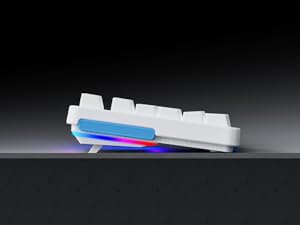
Image 2: Connecting the USB-C cable to the keyboard. The keyboard features an optimized cable management system allowing the cable to be routed to the left, center, or right.
2.3 Управљање кабловима
The V500Pro features an optimized cable management system on its underside. You can route the USB-C cable to the left, center, or right to suit your desk setup and minimize cable clutter.

Image 3: Underside of the keyboard showing the three-way cable routing channels.
3. Упутство за употребу
3.1 Механички прекидачи
The Rapoo V500Pro utilizes brown mechanical switches, offering a tactile feel with a lower audible click compared to blue switches, making them suitable for both gaming and typing in various environments.

Image 4: Detail of the brown mechanical switch, highlighting its design for balanced performance.
3.2 RGB Backlighting Customization
The keyboard features customizable Rainbow RGB backlighting with 20 lighting modes. You can adjust brightness and speed directly from the keyboard.
- FN + PGUP/PGDN: Пребацујте се између различитих режима позадинског осветљења.
- ФН + ИНС: Switch side lights modes (RGB/solid color/solid breathing/off).
- ФН + ДЕЛ: Switch side lights color (red/orange/yellow/green/cyan/blue/purple/white).
- ФН + Д: Brightness adjustment (press repeatedly to cycle through levels).
- ФН + Д: Breathing frequency adjustment (press repeatedly to cycle through speeds).
- FN + ESC (short press): Укључите/искључите позадинско осветљење.
- FN + ESC (long press): Restore default lighting settings.
- FN + V: Switch logo lighting (on/breathing/off).
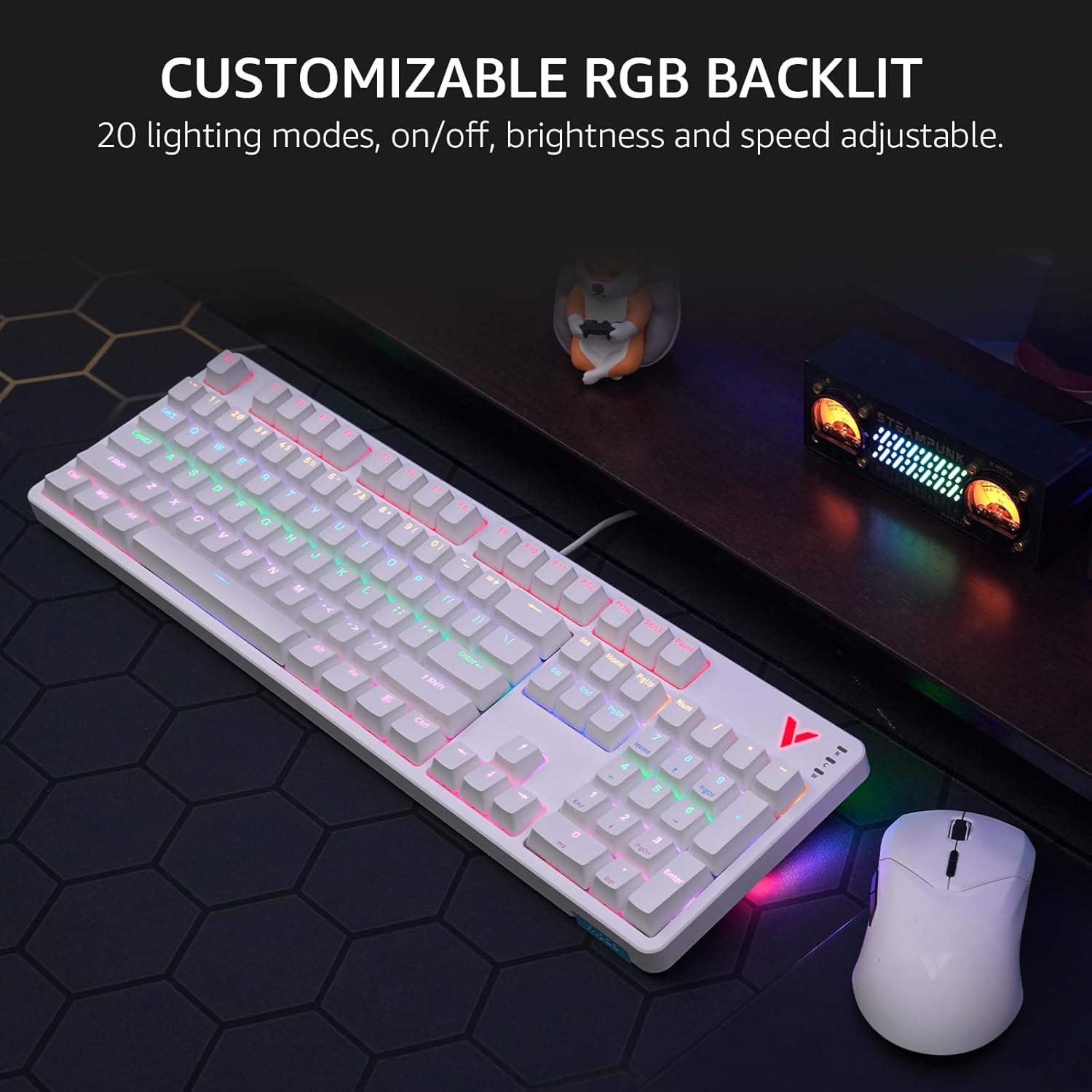
Image 5: The keyboard displaying its customizable RGB backlighting in a typical desktop setup.
Видео 1: Оверview of the Rapoo V500Pro keyboard, demonstrating its features including RGB lighting and mechanical switches.
3.3 мултимедијалних пречица
The keyboard includes 12 multimedia hotkeys, accessible by pressing the FN кључ у комбинацији са ФКСНУМКС-ФКСНУМКС keys. These provide quick access to common functions.
| Комбинација тастера | Функција |
|---|---|
| ФН + Ф1 | Рачунар |
| ФН + Ф2 | Калкулатор |
| ФН + Ф3 | Маилбок |
| ФН + Ф4 | Почетна страница |
| ФН + Ф5 | Pretraga |
| ФН + Ф6 | Медиа Плаиер |
| ФН + Ф7 | Превиоус Трацк |
| ФН + Ф8 | Нект Трацк |
| ФН + Ф9 | Пусти/Паузирај |
| ФН + Ф10 | Утишавање звука |
| ФН + Ф11 | Волуме Уп |
| ФН + Ф12 | Муте |
| ФН + Вин | Виндовс Кеи Лоцк |

Image 6: Visual representation of the FN key combinations for multimedia and system controls.
3.4 Programmable Keys and On-board Memory
The V500Pro allows for programming 103 keys (excluding the FN key) to assign commands and macros. This functionality is managed through dedicated software (available for Windows operating systems) and stored in the keyboard's on-board memory. This enables users to save profiles and apply them across different devices without re-configuration.

Image 7: The software interface for customizing key functions and creating macros. Note: Keyboard driver available for Windows system only.
3.5 Заштита од духова
The keyboard supports full 104-key anti-ghosting, ensuring that all simultaneous key presses are registered accurately. This is particularly beneficial for complex skill combinations in gaming.
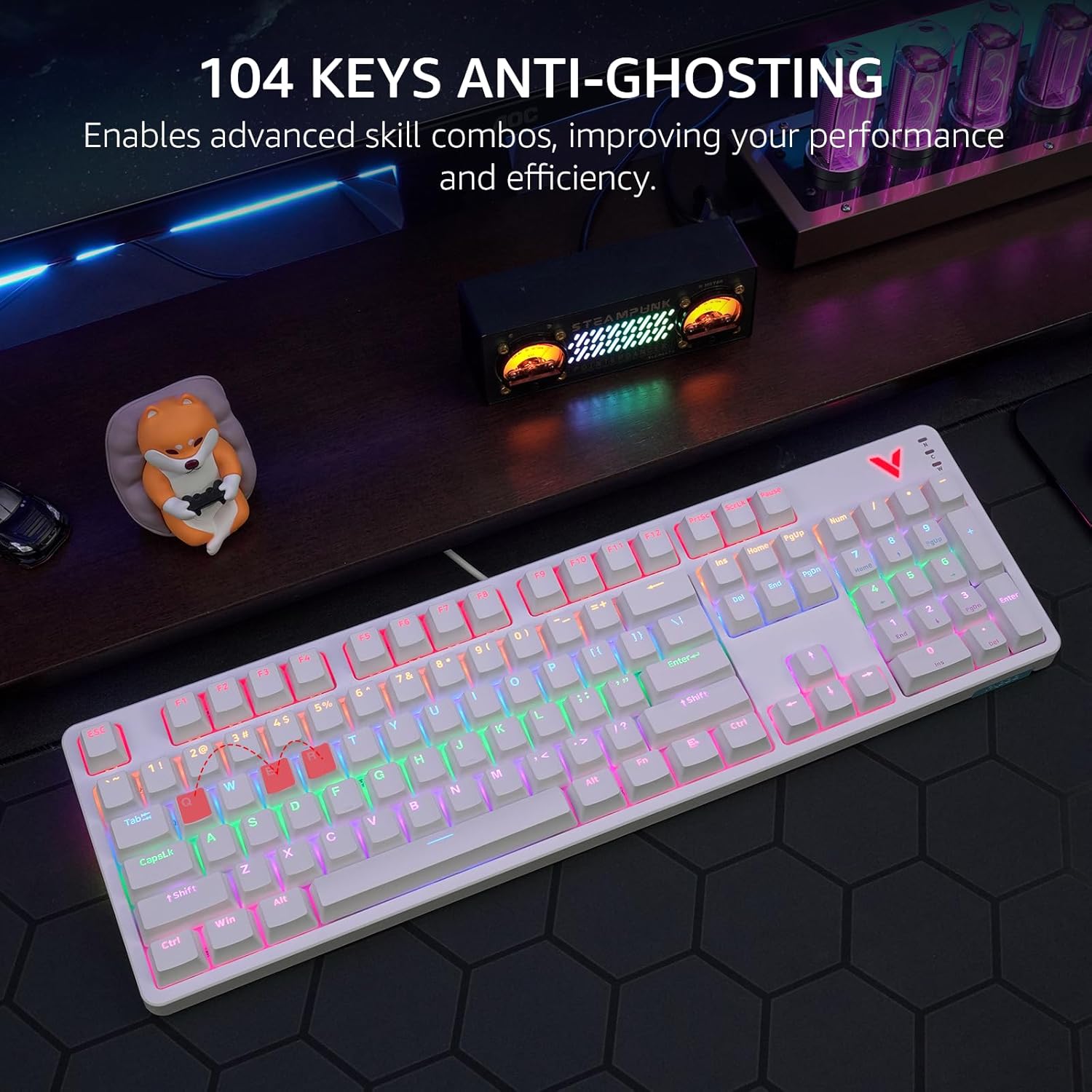
Image 8: Visual explanation of anti-ghosting technology, showing multiple key presses being registered simultaneously.
4. Одржавање
4.1 Чишћење тастатуре
To clean your Rapoo V500Pro keyboard, follow these steps:
- Искључите тастатуру из рачунара пре чишћења.
- Користите меку крпу која не оставља длачицеampводом или благим раствором за чишћење да бисте обрисали капице тастера и кућиште.
- For deeper cleaning, the top case of the keyboard is removable, allowing easier access to the switches and plate. Gently detach the top case as shown in the product images.
- Избегавајте прскање течности директно на тастатуру.
- Користите компримовани ваздух да уклоните прашину и остатке између тастера.

Image 9: The removable top case feature, which facilitates cleaning and allows for switching between high and low profile keycap setups.
4.2 Складиштење
Store the keyboard in a dry, cool environment away from direct sunlight and extreme temperatures to prevent damage.
КСНУМКС. Решавање проблема
| Проблем | Могуће решење |
|---|---|
| Тастатура не реагује |
|
| Позадинско осветљење не ради или је неисправно |
|
| Тастери се не региструју или се куцају двапут |
|
6. Спецификације
| Феатуре | Детаљ |
|---|---|
| Модел | В500Про |
| Тип тастатуре | Full-Size Mechanical Gaming Keyboard |
| Број кључева | 104 |
| Тип прекидача | Браон механички прекидачи |
| Позадинско осветљење | Customizable Rainbow RGB (20 modes) |
| Анти-Гхостинг | All 104 Keys |
| Програмабилни тастери | 103 (excluding FN) with On-board Memory |
| Мултимедијални интервентни тастери | 12 (FN + F1-F12) |
| Повезивање | USB-C (жичани) |
| Материјал | Aircraft-grade aluminum alloy frame |
| Димензије производа | 17.4 к 5.29 к 1.58 инча (44.2 к 13.4 к 4 цм) |
| Тежина артикла | 2.42 фунте (1.1 кг) |
| Компатибилни уређаји | PC, Laptop, Gaming Console, Smart TV |

Image 10: Dimensions and weight of the Rapoo V500Pro keyboard.
7. Гаранција и подршка
Rapoo products are designed for durability and performance. For warranty information, technical support, or service inquiries, please refer to the official Rapoo webсајт или контактирајте локалног дистрибутера. Сачувајте рачун за куповину за потребе гаранције.
Online resources and software downloads (e.g., for programmable keys) can typically be found on the official Rapoo support page.