
NGS Roller Furia 2
NGS Roller Furia 2 Portable Bluetooth Speaker User Manual
Model: Roller Furia 2 | Brand: NGS
1. Увод
Thank you for choosing the NGS Roller Furia 2 Portable Bluetooth Speaker. This manual provides essential information for the safe and efficient use of your device. Please read it carefully before use and retain it for future reference.
2. Безбедносне информације
- Do not expose the speaker to extreme temperatures or direct sunlight.
- Избегавајте испуштање или излагање звучника јаким ударима.
- Држите звучник даље од медицинских уређаја.
- Do not attempt to disassemble or repair the speaker yourself. Contact qualified service personnel.
- Ensure the charging port cover is securely closed when near water to maintain IPX7 waterproofing.
3. Садржај пакета
Пакет укључује следеће ставке:
- NGS Roller Furia 2 Portable Bluetooth Speaker
- УСБ кабл за пуњење типа Ц
- Кориснички приручник (овај документ)
4. Карактеристике производа
- Блуетоотх 5.3 повезивање: Advanced and stable wireless connection for music streaming.
- Снажан звук: 30W output for high-quality audio.
- ИПКСКСНУМКС Водоотпоран: Can be submerged up to 1 meter for 30 minutes.
- Прави бежични стерео (ТВС): Pair two Roller Furia 2 speakers for enhanced sound.
- Више опција репродукције: Bluetooth, USB port, TF card slot, and 3.5mm AUX input.
- Дуг век трајања батерије: До 9 сати репродукције при 50% јачине звука.
- Интегрисане контроле: Easy music control directly from the speaker.
- ЛЕД светла: Party mode with dynamic LED lighting.
5. Контроле и везе
Familiarize yourself with the speaker's controls and connection ports.

Image: Top controls and side connection panel of the NGS Roller Furia 2 speaker.
5.1. Top Controls
- Дугме за напајање: Притисните и држите да бисте укључили/искључили. Кратко притисните за репродукцију/паузирање.
- Јачина звука (+): Повећајте јачину звука.
- Утишавање (-): Смањите јачину звука.
- Дугме за режим: Пребацујте се између режима Bluetooth, AUX, USB и TF картице.
- Дугме са ЛЕД светлом: Change LED light modes or turn off lights.
5.2. Connection Ports

Слика: Детаљна view of the connection ports on the NGS Roller Furia 2 speaker, including AUX, USB, and Micro SD slots.
- AUX Input (3.5mm Jack): Повежите екстерне аудио уређаје помоћу 3.5 мм аудио кабла.
- УСБ улаз: Connect a USB flash drive for MP3 playback (up to 32GB).
- Слот за ТФ картицу (Мицро СД): Insert a TF/Micro SD card for MP3 playback (up to 32GB).
- УСБ Типе-Ц порт за пуњење: Повежите приложени USB-C кабл за пуњење.
6. Подешавање
6.1. Почетна наплата
Before first use, fully charge the speaker. Connect the USB Type-C cable to the speaker's charging port and the other end to a USB power adapter (not included) or a computer's USB port. The LED indicator will show charging status.
6.2. Укључивање/искључивање
Притисните и држите дугме за напајање (ⓘ) for approximately 3 seconds to turn the speaker on or off.
7. Упутство за употребу
7.1. Блуетоотх упаривање
- Укључите звучник. Аутоматски ће ући у режим упаривања путем Bluetooth-а, што ће бити назначено трепћућим LED светлом.
- Омогућите Блутут на свом паметном телефону, таблету или другом уређају.
- Тражи "NGS Roller Furia 2" in the list of available Bluetooth devices.
- Select it to connect. Once connected, you will hear a confirmation sound, and the LED will stop flashing.
- The speaker will automatically reconnect to the last paired device when turned on, if available.
7.2. Функција правог бежичног стерео звука (TWS)
To pair two NGS Roller Furia 2 speakers for a stereo sound experience:
- Уверите се да су оба звучника укључена и да нису повезана ни са једним Bluetooth уређајем.
- On one speaker (this will be the primary speaker), press and hold the TWS button (often indicated by a Wi-Fi-like symbol or two interlocking circles) for 2-3 seconds.
- Примарни звучник ће тражити секундарни звучник. Када се повеже, чућете звук потврде.
- Now, connect your Bluetooth device to the primary speaker as described in section 7.1. Both speakers will play audio in stereo.
7.3. Playing Music from USB/TF Card
- Insert a USB flash drive or TF/Micro SD card (with MP3 fileс) у одговарајући порт.
- The speaker will automatically switch to USB/TF card mode and begin playing music. If not, press the Mode button to select the correct input.
7.4. АУКС улаз
- Повежите један крај аудио кабла од 3.5 мм (није укључен) са AUX улазним портом на звучнику.
- Connect the other end to the audio output of your external device (e.g., MP3 player, computer).
- The speaker will automatically switch to AUX mode. If not, press the Mode button to select AUX input.
7.5. Режими ЛЕД светла
Press the LED Light button to cycle through different light modes or turn the lights off. The speaker features dynamic LED lighting for a party atmosphere.
Video: Demonstrates the NGS Roller Furia series features, including LED lights, TWS pairing, robust design, waterproofing, various connection options, and battery life.
8. Пуњење
When the battery is low, the speaker will indicate this with an audible alert or LED behavior. Connect the USB Type-C cable to the speaker and a power source to recharge. A full charge takes approximately 3-4 hours. The speaker can be used while charging.
9. Одржавање
- Очистите звучник меком, сувом крпом. Не користите абразивна средства за чишћење или раствараче.
- Чувајте звучник на хладном и сувом месту када га не користите дуже време.
- Ensure the charging port cover is sealed when not charging, especially in wet environments.
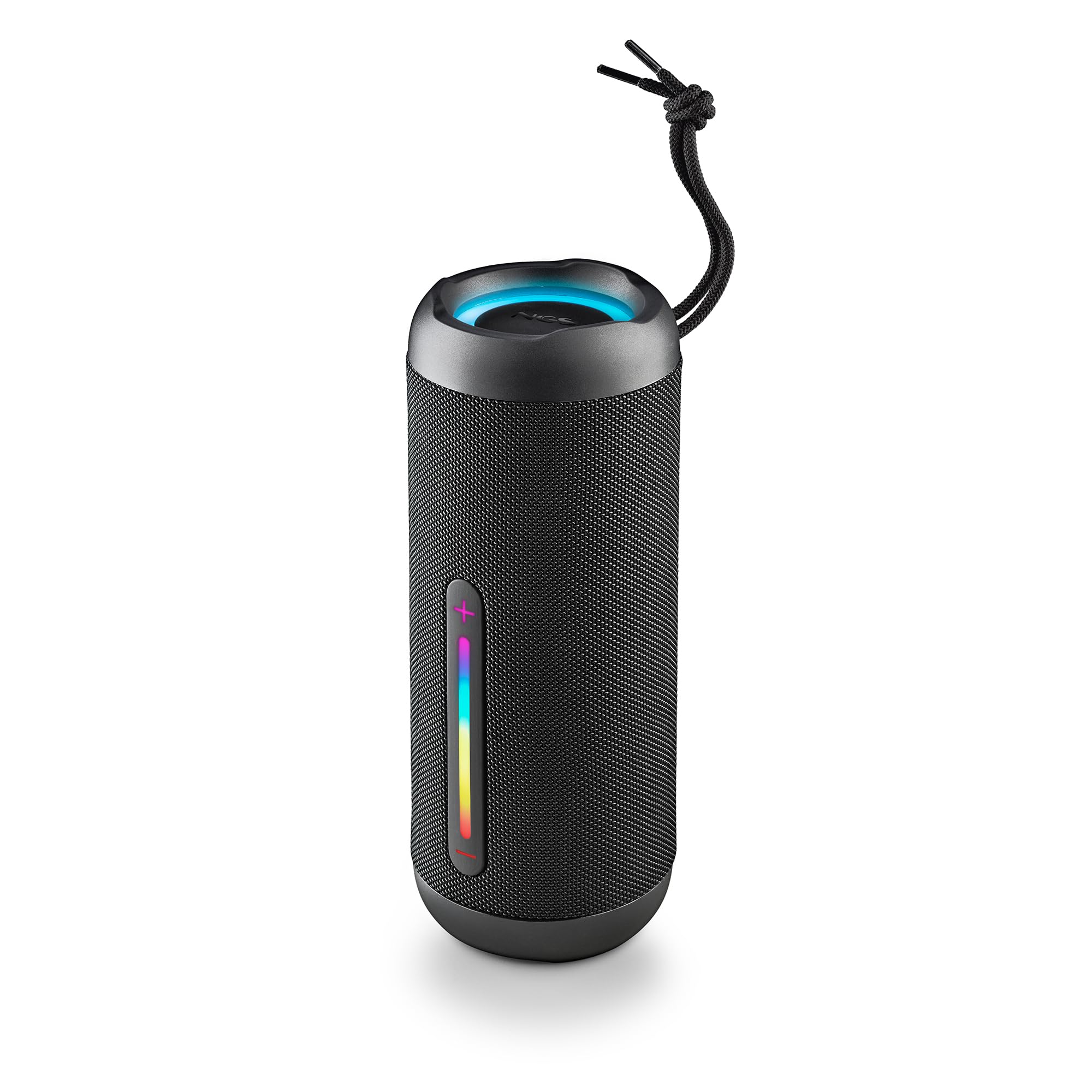
Image: The NGS Roller Furia 2 speaker demonstrating its IPX7 water resistance by being partially submerged in water.
КСНУМКС. Решавање проблема
| Проблем | Могуће решење |
|---|---|
| Звучник се не укључује. | Уверите се да је батерија напуњена. Прикључите се на извор напајања и покушајте поново. |
| Није могуће упаривање преко Bluetooth-а. | Уверите се да је звучник у режиму упаривања. Онемогућите и поново омогућите Bluetooth на уређају. Уверите се да ниједан други уређај није повезан са звучником. Приближите се звучнику. |
| Нема звука. | Check volume levels on both the speaker and your connected device. Ensure the correct input mode (Bluetooth, AUX, USB, TF) is selected. |
| Упаривање TWS-а не успева. | Ensure both speakers are not connected to any other Bluetooth device before initiating TWS pairing. Try resetting both speakers. |
11. Спецификације
| Феатуре | Детаљ |
|---|---|
| Назив модела | Roller Furia 2 Black |
| Број модела | ЕЛЕЦ-СПК-0871 |
| Бранд | НГС |
| Технологија повезивања | Блутут 5.3, AUX, USB, TF картица |
| Излазна снага звучника | 30В (РМС) |
| Ниво отпорности на воду | ИПКС7 (водоотпоран) |
| Тип батерије | 2 литијум-јонска (укључена) |
| Капацитет батерије | 7.4В/2500мАх |
| Време репродукције | До 9 сати (при 50% запремине) |
| Блуетоотх домет | До 10 метара |
| Димензије (Д к Ш к В) | 7.4 к 7.4 к 19.4 цм |
| Тежина | 712 грама |
| Компатибилни уређаји | MP3 Player, Laptop, Projector, Smartphone, Tablet, TV |
12. Гаранција и подршка
Овај производ долази са а 2-годишња ограничена гаранција од датума куповине. Молимо вас да сачувате доказ о куповини за потребе гаранције.
For technical support or warranty inquiries, please visit the official NGS webсајт или контактирајте локалног продавца.
Ask a question about this manual
Ask about setup, troubleshooting, compatibility, parts, safety, or missing instructions. Manuals+ will review the question and use this page’s manual context to help answer it.