
1. Увод
This manual provides detailed instructions for the safe and effective use of your iJoy Disney Winnie The Pooh Wireless Bluetooth Speaker. Please read this manual thoroughly before operating the device and retain it for future reference.
2. Шта је у кутији
Carefully unpack your speaker and ensure all items are present:
- iJoy Disney Winnie The Pooh Wireless Bluetooth Speaker
- УСБ кабл за пуњење
- Backup AUX Cable
- Owners Manual (this document)

Image: The speaker shown next to its retail packaging, illustrating the product and its box.
3. Производ је готовview
3.1 Контролна дугмад
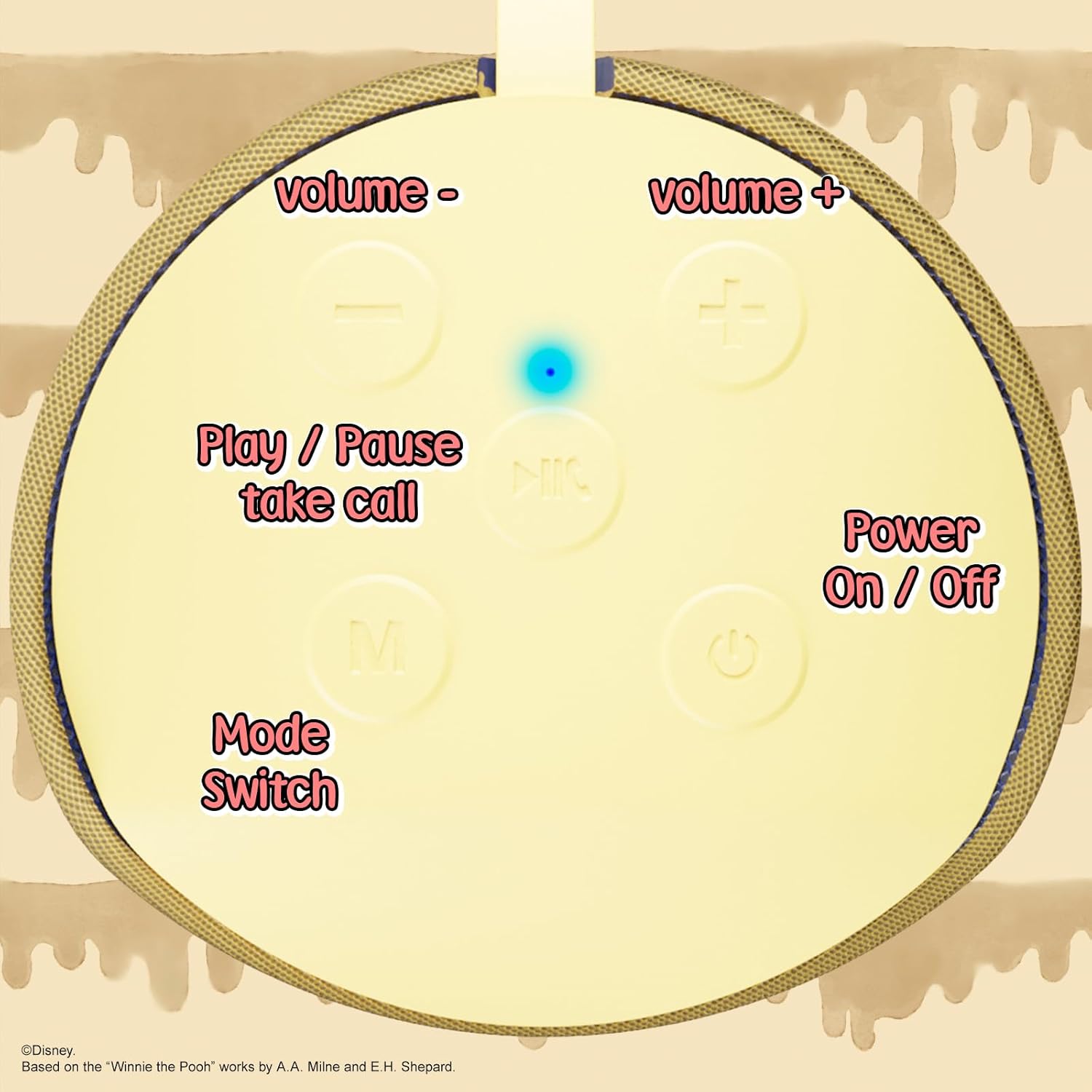
Image: A close-up of the speaker's top panel, displaying the control buttons.
- Дугме за укључивање/искључивање: Притисните и држите да бисте укључили или искључили звучник.
- Дугме за репродукцију/паузу: Press to play or pause audio. Also used to answer or end phone calls.
- Дугме за појачавање звука (+): Притисните да бисте повећали јачину звука. Притисните и држите да бисте прешли на следећу нумеру.
- Дугме за смањивање јачине звука (-): Притисните да бисте смањили јачину звука. Притисните и држите да бисте прешли на претходну нумеру.
- Mode Switch (M) Button: Press to switch between Bluetooth, FM Radio, SD Card, and USB modes.
3.2 Прикључци и индикатори

Слика: Детаљна view of the speaker's rear panel, highlighting the AUX port, SD card slot, USB port, and Micro USB charging port.
- АУКС порт: For connecting external audio devices via the provided 3.5mm AUX cable.
- Слот за СД картицу: Insert a microSD card for direct audio playback.
- УСБ порт: Insert a USB flash drive for direct audio playback.
- Мицро УСБ порт за пуњење: Connect the USB charging cable here to charge the speaker.
- LED indikatorsko svetlo: Indicates charging status and Bluetooth pairing status.
4. Подешавање
4.1 Пуњење звучника
- Connect the Micro USB end of the charging cable to the speaker's Micro USB charging port.
- Connect the standard USB end of the cable to a USB power adapter (not included) or a computer's USB port.
- The LED indicator light will illuminate during charging and turn off once fully charged.
- Потпуно пуњење обично траје отприлике 2 сата.
4.2 Блуетоотх упаривање
- Уверите се да је звучник потпуно напуњен.
- Press and hold the Power On/Off button to turn on the speaker. You will hear an audible prompt, and the LED indicator will flash, indicating it's in pairing mode.
- На свом мобилном уређају (паметном телефону, таблету итд.) омогућите Блутут.
- Тражи available Bluetooth devices. The speaker will appear as "iJoy Winnie The Pooh Speaker" or similar.
- Select the speaker from the list to pair. Once successfully paired, you will hear a confirmation sound, and the LED indicator will stop flashing and remain solid.
- Звучник ће се аутоматски поново повезати са последњим упареним уређајем када се укључи, ако је Bluetooth уређаја активан и у домету.
5. Упутство за употребу
5.1 Блуетоотх режим
After successful pairing, you can stream audio wirelessly from your device to the speaker. Use your device's controls or the speaker's Play/Pause, Volume Up/Down buttons to manage playback.
5.2 Режим ФМ радија
- Притисните дугме Mode (M) да бисте прешли на режим FM радија.
- Press the Play/Pause button to automatically scan and save available FM stations.
- Користите дугмад за појачавање јачине звука (+) и смањивање јачине звука (-) (кратки притисак) да бисте се кретали између сачуваних станица.
5.3 SD Card / USB Playback
- Insert a microSD card into the SD card slot or a USB flash drive into the USB port.
- Звучник ће се аутоматски пребацити у одговарајући режим и почети да репродукује звук files. If not, press the Mode (M) button to select the correct mode.
- Use the speaker's Play/Pause, Volume Up/Down buttons to control playback.
5.4 АУКС режим
- Connect one end of the provided 3.5mm AUX cable to the speaker's AUX port.
- Други крај повежите са прикључком за слушалице на аудио уређају.
- The speaker will automatically switch to AUX mode. If not, press the Mode (M) button.
- Control playback and volume primarily from your connected audio device.
5.5 Позивање без употребе руку
Када је повезано са паметним телефоном путем Bluetooth-а:
- Одговори на позив: Притисните дугме Плаи/Паусе једном.
- Заврши позив: Притисните дугме Репродукуј/Паузирај једном током позива.
- Одбиј позив: Притисните и држите дугме за репродукцију/паузу.
6. Одржавање
- Очистите звучник меком, сувом крпом. Не користите абразивна средства за чишћење или раствараче.
- The speaker is IPX4 splashproof, meaning it can withstand splashes of water. Do not submerge it in water.
- Чувајте звучник на хладном и сувом месту када се не користи.
- Избегавајте излагање звучника екстремним температурама, директној сунчевој светлости или високој влажности.
КСНУМКС. Решавање проблема
| Проблем | Могући узрок | Решење |
|---|---|---|
| Звучник се не укључује | Ниска батерија | Потпуно напуните звучник. |
| Не могу да упарим преко Bluetooth-а | Speaker not in pairing mode / Device Bluetooth off / Too far from device | Ensure speaker is in pairing mode (flashing LED). Turn on Bluetooth on your device. Move speaker closer to device (within 30 feet). |
| Нема звука | Volume too low / Incorrect mode / Device not playing audio | Increase speaker and device volume. Press 'M' button to select correct mode. Ensure audio is playing on your connected device. |
| ФМ радио пријем је лош | Weak signal / Interference | Move the speaker to a different location. The AUX cable can act as an antenna; try connecting it. |
8. Спецификације
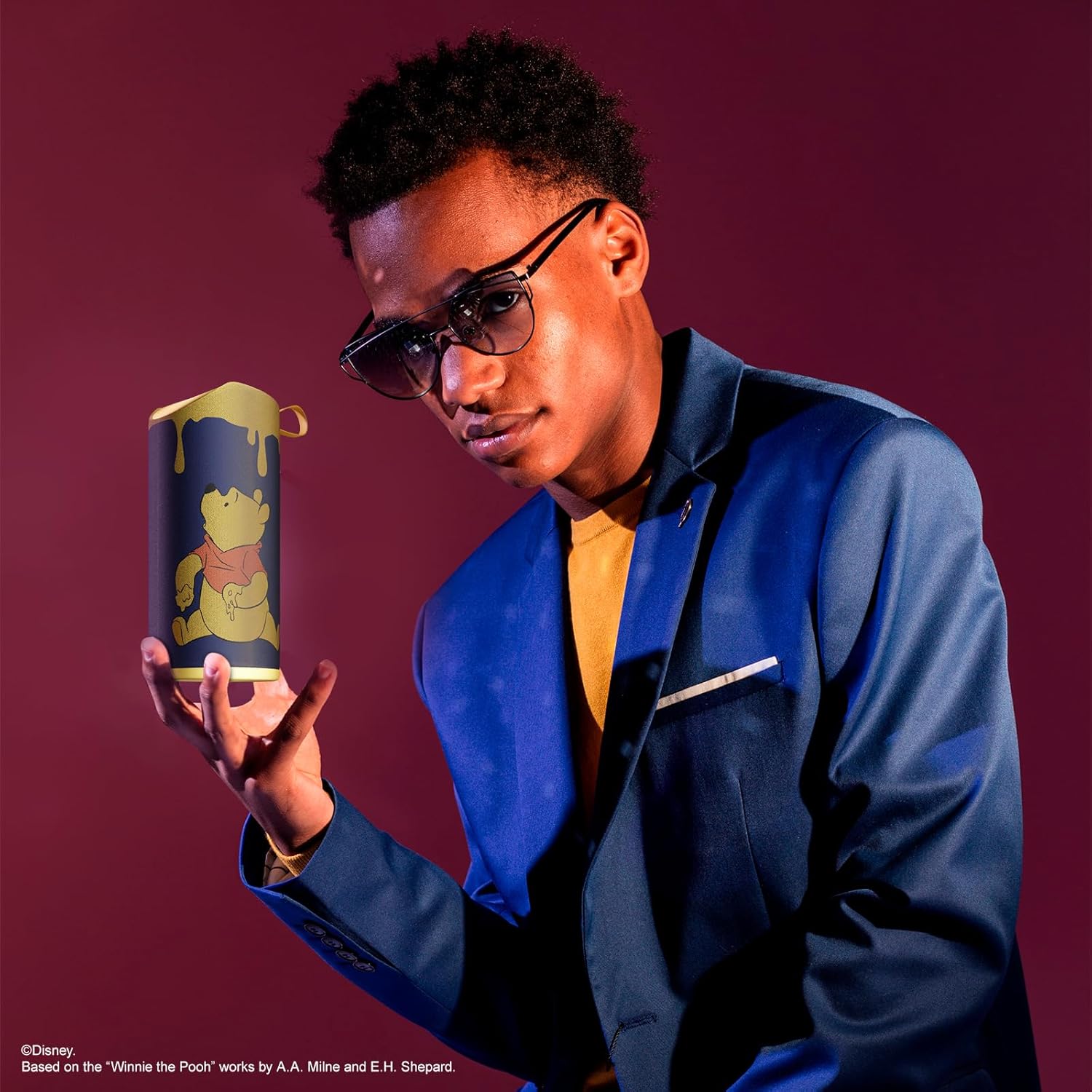
Image: The speaker with visual indicators showing its height of 6.3 inches and width of 2.9 inches.
| Феатуре | Детаљ |
|---|---|
| Број модела | SS-KH7C-FS4O |
| Технологија повезивања | Блуетоотх |
| Домет бежичне комуникације | До 30 стопе (10 метара) |
| Спеакер Типе | Торањ |
| Максимална излазна снага звучника | 20 Ваттс |
| Режим аудио излаза | Моно |
| Капацитет батерије | 800 Милиamp Сати |
| Време пуњења | Приближно 2 сати |
| Плаитиме | Up to 3 Hours (depending on volume and usage) |
| Ниво отпорности на воду | ИПКС4 (отпоран на прскање) |
| Димензије производа | 7.62 цм Д x 7.62 цм Ш x 15.24 цм В |
| Тежина артикла | 8 унци (226.8 грама) |
| Укључене компоненте | Bluetooth Speaker, USB Charging Cable, Backup AUX Cable, Owners Manual |
| Посебне карактеристике | Built-in Microphone, LED Indicator Lights, Portable, SD Card Slot, USB Port, FM Radio |
9. Гаранција и подршка
9.1 Информације о гаранцији
This iJoy Disney Winnie The Pooh Wireless Bluetooth Speaker comes with a 90-day manufacturer's warranty from the date of purchase. This warranty covers manufacturing defects and workmanship under normal use. It does not cover damage caused by misuse, accidents, unauthorized modifications, or normal wear and tear.
9.2 Корисничка подршка
For technical assistance, warranty claims, or further inquiries, please contact iJoy customer support through their official website or the retailer where the product was purchased. Please have your model number (SS-KH7C-FS4O) and proof of purchase ready.