
1. Увод
Thank you for choosing the Trueque Wireless Keyboard and Mouse Combo. This product is designed to provide a comfortable, efficient, and quiet computing experience with its 2.4GHz wireless technology, full-size layout, and ergonomic design. This manual will guide you through the setup, operation, maintenance, and troubleshooting of your new device.
2. Подешавање
2.1 Распакивање и садржај
Carefully remove all components from the packaging. Ensure you have the wireless keyboard, wireless mouse, and the USB receiver. The USB receiver is typically stored within the mouse's battery compartment for safe keeping.
2.2 Инсталација батерије
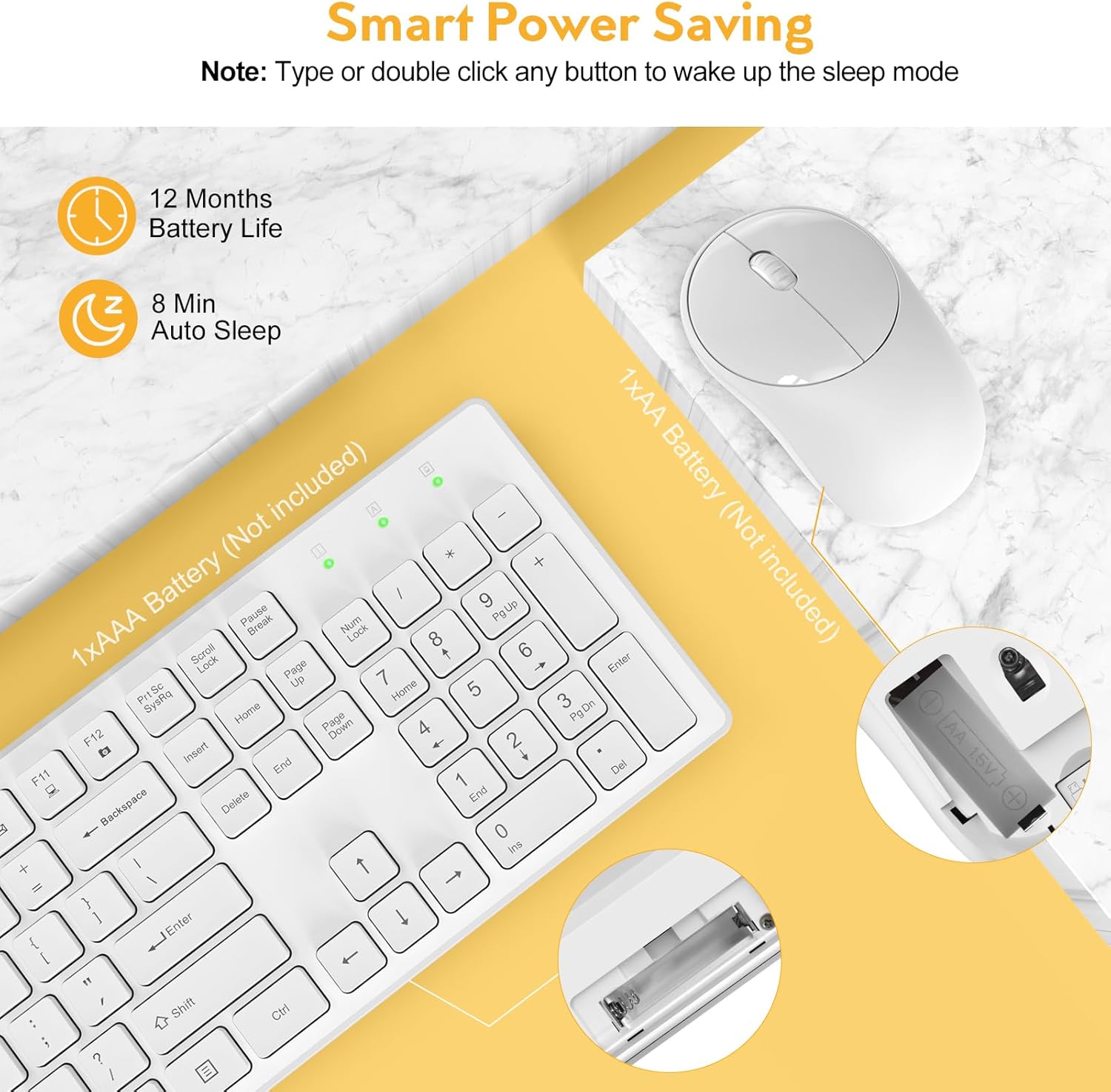
The keyboard requires one (1) AAA battery and the mouse requires one (1) AA battery (batteries are not included). Follow the steps below to install the batteries:
- Пронађите одељак за батерију на доњој страни тастатуре и миша.
- Отворите поклопац одељка за батерије.
- Уметните батерије, водећи рачуна о исправном поларитету (+/-).
- Добро затворите поклопац одељка за батерије.
2.3 Повезивање са вашим уређајем
The Trueque Wireless Keyboard and Mouse Combo uses 2.4GHz wireless technology for a stable and lag-free connection. Both devices connect via a single USB receiver.
- Retrieve the USB receiver from the mouse's battery compartment.
- Plug the USB receiver into an available USB port on your computer, laptop, or compatible device.
- The keyboard and mouse should automatically connect within a few seconds. No additional drivers are typically required.


3. Упутство за употребу
3.1 Basic Use
Once connected, the keyboard and mouse function like standard peripherals. The keyboard features a full 104-key U.S. QWERTY layout for familiar typing. The mouse provides precise cursor control.
3.2 мултимедијалних пречица
The keyboard includes 12 multimedia hotkeys for quick access to common functions. These keys are activated by pressing the Fn key in combination with the corresponding F-key (F1-F12). Please note that multimedia keys may not be fully supported on Mac OS.
- Фн + Ф1: Медиа Плаиер
- Фн + Ф2: Утишавање звука
- Фн + Ф3: Волуме Уп
- Фн + Ф4: Муте
- Фн + Ф5: Превиоус Трацк
- Фн + Ф6: Нект Трацк
- Фн + Ф7: Пусти/Паузирај
- Фн + Ф8: Стани
- Фн + Ф9: Почетна страница
- Фн + Ф10: Емаил
- Фн + Ф11: Мој рачунар
- Фн + Ф12: Фаворитес

3.3 Ergonomics and Typing Experience
The keyboard features an ergonomic tilt angle to promote a more natural typing position, reducing wrist strain. The keys have a shorter keystroke distance, providing a responsive, smooth, and soft typing feel.
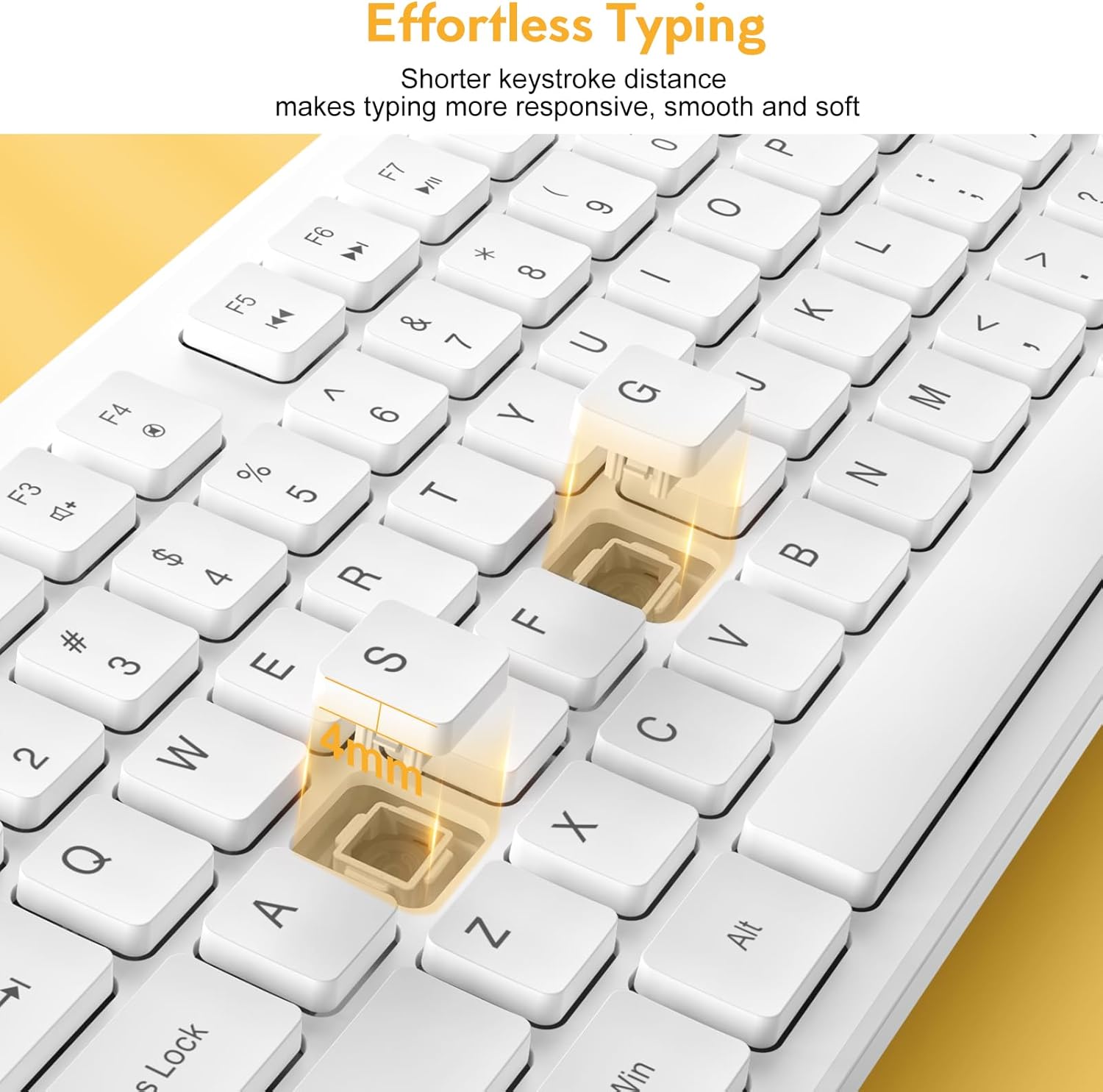

The mouse operates with 100% quiet clicks, ensuring no disruptive sounds. The keyboard is designed to be over 90% quieter than similar keyboards, allowing for a more peaceful working environment.

3.4 Индикаторска светла
The keyboard features indicator lights for Num Lock, Caps Lock, and Power status, located above the numeric keypad.

4. Одржавање
4.1 Чишћење
To maintain the appearance and functionality of your keyboard and mouse, regularly wipe them with a soft, dry cloth. For stubborn dirt, a slightly damp Може се користити крпа, водећи рачуна да течност не уђе у уређај. Избегавајте јаке хемикалије или абразивна средства за чишћење.
4.2 Power Saving Features
The combo is designed with smart power-saving features to extend battery life:
- Тастатура ће ући у режим мировања након 8 минута неактивности.
- The mouse will enter sleep mode after 1 minute of inactivity.
To wake the devices, simply press any key on the keyboard or click/move the mouse. The standby time for both devices can be up to 365 days.

4.3 Spill-Resistant Design
The keyboard features a spill-resistant design, which helps protect against accidental liquid spills. The keycap letters are also designed to be non-fading, ensuring long-term legibility.

КСНУМКС. Решавање проблема
If you encounter issues with your Trueque Wireless Keyboard and Mouse Combo, please refer to the following common troubleshooting steps:
- No Connection or Lag:
- Уверите се да су батерије правилно инсталиране и да су довољно напуњене. Замените их ако је потребно.
- Re-plug the USB receiver into a different USB port on your device.
- Try the combo with another computer or laptop to determine if the issue is with the peripherals or the host device.
- Ensure the USB receiver is not too far from the keyboard and mouse (within 33ft/10m).
- Миш не реагује:
- Check if the mouse is in sleep mode. Click any button or move the mouse to wake it up.
- Verify battery status.
- Тастатура не реагује:
- Check if the keyboard is in sleep mode. Press any key to wake it up.
- Verify battery status.
- USB Receiver Location:
- The single USB receiver for both devices is stored inside the mouse's battery compartment. Open the mouse's battery cover to find it.
If issues persist after following these steps, please contact Trueque customer support for further assistance.
6. Спецификације
| Димензије производа | 16.9 к 4.89 к 2.6 инча |
| Тежина артикла | 1.5 фунти |
| Технологија повезивања | 2.4 GHz бежични (USB пријемник) |
| Компатибилни уређаји | Laptop, Gaming Console, Personal Computer (Windows, Linux, Chrome OS, Mac OS) |
| Посебне карактеристике | Quiet Clicks, Independent Hotkeys, Smart Power-Saving, 104-Keys Full Size, Low Profile and Compact Design |

7. Гаранција и подршка
Trueque is committed to providing excellent customer service and product support. Your Wireless Keyboard and Mouse Combo comes with comprehensive support:
- Подршка након продаје: 2 године
- Product Lifetime: 18 месеци
- Служба за кориснике: 7 дана у недељи, 24 сата дневно
For any product-related issues, questions, or warranty claims, it is recommended to contact Trueque customer support directly. This ensures faster resolution and dedicated assistance.

