
1. Увод
Thank you for choosing the Generic Monster Open Ear AC500 Bluetooth Earbuds. This manual provides essential information for setting up, operating, and maintaining your new earbuds. Please read this manual thoroughly before use to ensure optimal performance and longevity of your device.
2. Производ је готовview
Садржај пакета:
- Monster Open Ear AC500 Bluetooth Earbuds (Left and Right)
- Футрола за пуњење
- УСБ кабл за пуњење
- Упутство за употребу
Кључне карактеристике:
- 13mm Large Unit & Composite Titanium Diaphragm: Delivers powerful and clear audio.
- Усмерени пренос звука: Ensures minimal sound leakage for private listening.
- Ergonomic Curved Ear Clip Design: Provides a stable and comfortable fit for extended wear.
- AI Intelligent Call Noise Reduction: Effectively reduces environmental noise during calls.
- IPX5 Waterproof and Sweatproof: Resists sweat and light splashes, ideal for sports.
- Продужено трајање батерије: Approximately 6 hours of playback per charge, with up to 30 hours total with the charging case.
- Блуетоотх КСНУМКС: За стабилну и ефикасну бежичну везу.
- ENC Denoising & HiFi Sound: Enhances audio clarity and quality.

Image: The Monster Open Ear AC500 Bluetooth Earbuds shown with their sleek charging case. The earbuds feature an open-ear design with a secure ear clip.
3. Подешавање
3.1 Пуњење слушалица и футроле
- Ставите слушалице у кутијицу за пуњење, водећи рачуна да су правилно постављене.
- Повежите УСБ кабл за пуњење са портом за пуњење на кућишту, а други крај са УСБ адаптером за напајање (није укључен) или УСБ портом рачунара.
- Индикаторска светла на кућишту ће приказивати статус пуњења. Када се потпуно напуни, светла ће означити завршетак или искључивање.
- A full charge provides approximately 6 hours of playback for the earbuds, with the charging case extending total battery life to about 30 hours.

Image: An illustration highlighting the extended battery life of the earbuds, showing 1 hour charging duration, 6 hours playback duration, and 30 hours standby time with the charging case.
3.2 Блуетоотх упаривање
- Уверите се да су слушалице напуњене.
- Отворите кућиште за пуњење. Слушалице ће аутоматски ући у режим упаривања, што ће бити назначено трепћућим светлом на слушалицама.
- На свом уређају (паметном телефону, таблету итд.) идите на подешавања Блутут-а.
- Тражи new devices and select "Monster AC500" (or similar name) from the list of available devices.
- Once connected, the earbud indicator light will stop flashing, and you will hear a confirmation tone.
- Слушалице ће се аутоматски поново повезати са последњим упареним уређајем када се изваде из футроле, ако је Блутут омогућен на уређају.
4. Упутство за употребу
4.1 Укључивање/искључивање
- Укључено: Отворите кућиште за пуњење и слушалице ће се аутоматски укључити.
- Искључивање: Вратите слушалице у кутијицу за пуњење и затворите поклопац. Аутоматски ће се искључити и почети са пуњењем.
4.2 Репродукција музике
- Пусти/паузирај: Једном додирните било коју слушалицу.
- Следећа нумера: Двапут додирните десну слушалицу.
- Претходни запис: Двапут додирните леву слушалицу.
- Појачавање звука: Трипут додирните десну слушалицу.
- Смањивање јачине звука: Трипут додирните леву слушалицу.
4.3 Управљање позивима
- Одговори/заврши позив: Једном додирните било коју слушалицу.
- Одбиј позив: Притисните и држите било коју слушалицу 2 секунде.
4.4 Гласовни асистент
- Активирање гласовног помоћника: Притисните и држите било коју слушалицу 3 секунде (нпр. Siri, Google Assistant).
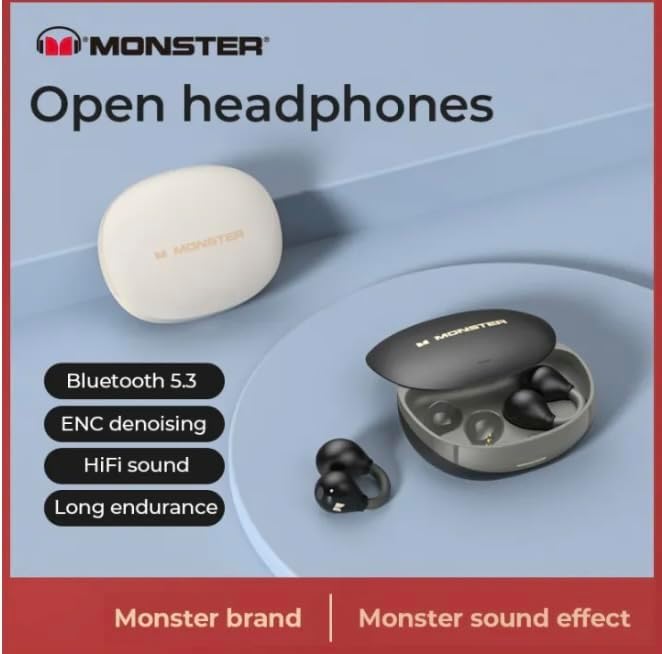
Image: A graphic highlighting key features such as Bluetooth 5.3, ENC denoising, HiFi sound, and long endurance, emphasizing the 'Monster' brand experience.

Image: An illustration demonstrating the AI intelligent noise reduction algorithm, which effectively reduces ambient noise and wind noise using a double microphone array beamforming technology.

Image: A detailed diagram showing the internal components responsible for pure original sound, including the 13mm super large unit, composite titanium metal diaphragm, and OFC high-purity multi-track voice coil.

Image: A woman wearing the Monster Open Ear AC500 Bluetooth Earbuds, demonstrating their secure and comfortable fit during physical activity.
5. Одржавање
5.1 Чишћење
- Нежно обришите слушалице и кућиште за пуњење меком, сувом крпом која не оставља влакна.
- Не користите абразивна средства за чишћење, алкохол или хемијске раствараче.
- Уверите се да су контакти за пуњење на обе слушалице и кућишту чисти и суви.
5.2 Складиштење
- Чувајте слушалице у футроли за пуњење када се не користе да бисте их заштитили и одржали напуњеним.
- Избегавајте складиштење на екстремним температурама (врућим или хладним) или у окружењима са високом влажношћу.
5.3 Отпорност на воду (IPX5)
The earbuds are IPX5 waterproof, meaning they are protected against low-pressure water jets from any direction. They are resistant to sweat and light rain, but are not designed for submersion in water or use during swimming. Ensure the earbuds are dry before placing them back into the charging case.

Image: A visual representation of the IPX5 professional waterproof performance, indicating the highly sealed body effectively resists invasion from water, rainwater, and makeup water.
КСНУМКС. Решавање проблема
- Слушалице се не упарују:
Ensure earbuds are charged. Turn off and on Bluetooth on your device. Forget the device from your Bluetooth list and try pairing again. - Нема звука из једне слушалице:
Place both earbuds back into the charging case, close the lid, wait a few seconds, then take them out again. Check if both are connected. - Проблеми са пуњењем:
Ensure the charging cable is securely connected. Check if the charging contacts on both earbuds and case are clean and free of debris. Try a different USB port or power adapter. - Ниска јачина звука или лош квалитет звука:
Adjust the volume on both your device and the earbuds. Ensure the earbuds are properly seated in your ears.
7. Спецификације
| Феатуре | Опис |
|---|---|
| Бранд | Генериц |
| Број модела | 001 |
| ASIN | B0CTD15YT8 |
| Постављање уха | Отворено ухо |
| Форм Фацтор | Он Еар |
| Контрола буке | Active Noise Cancellation (AI Intelligent Call Noise Reduction) |
| Блуетоотх верзија | 5.3 |
| Отпорност на воду | ИПКС5 |
| Време репродукције | Approx. 6 hours (earbuds), 30 hours (with charging case) |
| Дривер Сизе | 13мм |
| Произвођач | mezone |
| Боја | црна |
| Датум првог доступног | 26. јануара 2024 |
8. Гаранција и подршка
This product is covered by a manufacturer's warranty. For specific warranty terms and conditions, please refer to the documentation provided at the time of purchase or contact your retailer.
For technical support, troubleshooting assistance, or warranty claims, please contact the seller or manufacturer directly. Please have your product model number (001) and ASIN (B0CTD15YT8) ready when contacting support.


