
1. Увод
This manual provides essential information for setting up, operating, maintaining, and troubleshooting your Svikou 15.6'' 165Hz 2.5K FHD Laptop. Please read this manual thoroughly before using your device to ensure optimal performance and longevity.
The Svikou 15.6'' laptop is designed for high-performance computing, featuring an AMD Ryzen 7 5700U processor, a vibrant 165Hz 2.5K FHD display, 16GB of RAM, and a 512GB NVMe SSD. It comes pre-installed with Windows 11 Pro.

Image 1.1: The Svikou 15.6-inch laptop with a high-resolution display, showcasinг његове визуелне могућности.
2. Почетак рада (Подешавање)
2.1. Садржај пакета
Пре него што наставите, уверите се да су сви предмети присутни у пакету:
- Svikou 15.6'' Laptop x1
- Пуњач к1
- Бежични миш к1
- English Operation Manual x1 (this document)
- Гарантни лист к1
2.2. Прво укључивање
- Connect the charger to the laptop's DC charging port and a power outlet.
- Отворите поклопац лаптопа.
- Притисните дугме за напајање које се налази на тастатури.
- Follow the on-screen instructions to complete the Windows 11 Pro setup. This includes selecting your region, language, and setting up your user account.
3. Кључне карактеристике и рад
3.1. Дисплеј
The laptop features a 15.6-inch 2.5K FHD (2560 x 1440) IPS display with a 165Hz refresh rate. This provides a clear, dynamic visual experience with a 90% screen share and 100% sRGB color gamut.
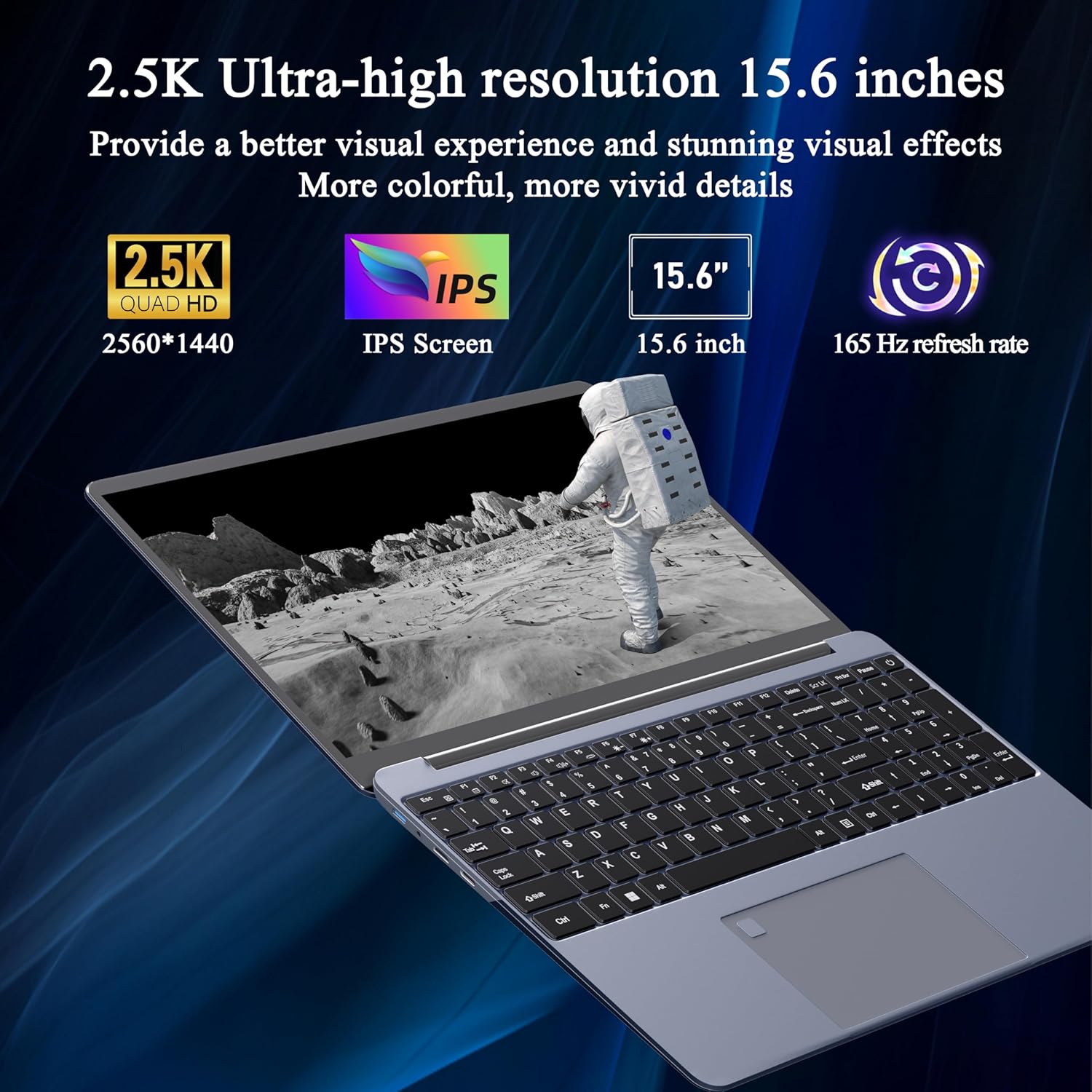
Image 3.1: Visual representation of the laptop's 2.5K Ultra-high resolution 15.6-inch display specifications.
3.2. Процесор
Equipped with an AMD Ryzen 7 5700U eight-core processor, the laptop offers a base frequency of 1.8GHz and can accelerate up to 4.3GHz. This processor is designed for high-performance computing and multitasking.

Слика 3.2: Детаљно view of the AMD Ryzen 7 5700U processor, highlighting its core specifications.
3.3. Меморија и складиштење
The laptop features 16GB of DDR4 RAM, enabling smooth multitasking across multiple applications. For storage, it includes a 512GB NVMe SSD, which provides fast startup times and efficient data access with minimal noise.

Image 3.3: The laptop demonstrating its capacity for handling multiple applications with 16GB RAM and 512GB SSD.
3.4. Повезивање и портови
Лаптоп нуди разноврсне опције повезивања:
- бежични: 5G dual-band WiFi, Bluetooth 4.2
- Портови: 2x USB 3.0, 1x Micro SD card slot, 1x Type-C, 1x Mini HDMI, 1x Headphone Jack, 1x DC charging port

Image 3.4: An illustration detailing the available ports on the Svikou laptop for external device connections.
3.5. Тастатура и унос
The laptop features a backlit keyboard for improved visibility in various lighting conditions. It also includes a fingerprint unlock sensor for enhanced security and convenient access.
- Тастатура са позадинским осветљењем: To toggle the keyboard backlight, press Фн + Ф5.
- Откључавање отиска прста: Use the integrated fingerprint sensor for secure login.

Image 3.5: Close-up of the backlit keyboard and the fingerprint unlock feature.
3.6. Батерија
The laptop is equipped with a 5000mAh high-capacity battery, providing up to 5 hours of usage depending on the workload.

Image 3.6: The laptop's design emphasizing its durable battery life.
4. Одржавање
To ensure the longevity and optimal performance of your Svikou laptop, follow these maintenance guidelines:
- Чишћење: Користите меку крпу која не оставља влакна за чишћење екрана и спољашњости. Избегавајте јаке хемикалије.
- Ажурирања софтвера: Regularly update your Windows operating system and drivers to ensure security and performance.
- Одржавање батерије: Избегавајте често потпуно пражњење батерије. За дуготрајно складиштење, напуните батерију на око 50-70%.
- вентилација: Уверите се да вентилациони отвори лаптопа нису блокирани како бисте спречили прегревање. Користите лаптоп на тврдој, равној површини.
- Складиштење: Чувајте лаптоп на хладном и сувом месту, даље од директне сунчеве светлости и екстремних температура.
КСНУМКС. Решавање проблема
This section addresses common issues you might encounter with your Svikou laptop.
5.1. Тастатура не реагује
- Restart the Laptop: Једноставно поновно покретање често може решити привремене софтверске проблеме.
- Проверите драјвере: Ensure your keyboard drivers are up to date. Go to Device Manager, locate 'Keyboards', right-click your keyboard device, and select 'Update driver'.
- Систем File Проверите: If issues persist after a Windows update, open Command Prompt as administrator and run
DISM /Online /Cleanup-Image /RestoreHealth. Allow it to complete, then restart your computer.
5.2. Прегревање
- Проверите вентилацију: Ensure the laptop's vents are clear of dust and obstructions. Use compressed air to clean them if necessary.
- Површина: Use the laptop on a hard, flat surface to allow for proper airflow. Avoid using it on soft surfaces like beds or couches.
- Затворите некоришћене апликације: Reduce the workload on the CPU and GPU by closing unnecessary programs.
- Подешавања напајања: Adjust power settings to a 'Balanced' or 'Power saver' mode to reduce performance and heat generation.
5.3. Батерија се брзо празни
- Подесите осветљеност екрана: Lowering screen brightness significantly reduces battery consumption.
- Затвори апликације у позадини: Many applications consume power even when not actively in use. Close them from Task Manager.
- Режим напајања: Switch to 'Battery Saver' mode in Windows settings.
- Онемогућите неискоришћене функције: Turn off Wi-Fi, Bluetooth, or other peripherals when not needed.
6. Спецификације
| Феатуре | Спецификација |
|---|---|
| Бранд | Свикоу |
| Назив модела | 15АР757 |
| Величина екрана | 15.6 инча |
| Резолуција екрана | 2560 x 1440 (2.5K FHD) |
| Рефресх Рате | 165Хз |
| Процесор | AMD Ryzen 7 5700U (8-core, 1.8 GHz base, up to 4.3 GHz) |
| РАМ | 16 ГБ ЛПДДР4Кс |
| Складиштење | 512 ГБ НВМе ССД |
| Оперативни систем | Виндовс 11 Про |
| графичка картица | Интегрисана AMD Radeon графика |
| Вирелесс Типе | 802.11ax (5G Dual-Band WiFi) |
| Блуетоотх | Блуетоотх 4.2 |
| УСБ 3.0 портови | 2 |
| Друге луке | Type-C, Mini HDMI, Micro SD Card Slot, Headphone Jack, DC Charging Port |
| Батерија | 5000мАх литијум-јонски |
| Тежина артикла | 6.07 фунти |
| Димензије производа | 14 к 9 к 0.7 инча |
| Боја | Греи |
7. Гаранција и подршка
Your Svikou laptop comes with a 12-month product quality assurance. If you encounter any discrepancies or issues, particularly regarding Windows 11 Pro certification, please contact our customer service team.
We offer 24-hour email support to assist you with any questions or concerns. Please refer to the warranty card included in your package for specific terms and conditions.
Контактирајте подршку: For assistance, please refer to the contact information provided on your warranty card or the official Svikou webсајту.