
ФунФлик
Mini Outdoor Projector 852WH Instruction Manual
Марка: FunFlix
Производ је завршенview
This FunFlix 852WH Mini Outdoor Projector is designed for portable entertainment, supporting 1080P resolution and offering 9500 lumens brightness. Its compact design allows for easy setup and use in various environments, from home theaters to outdoor movie nights. It features multiple connectivity options including HDMI, USB, and AV, making it compatible with a wide range of devices.
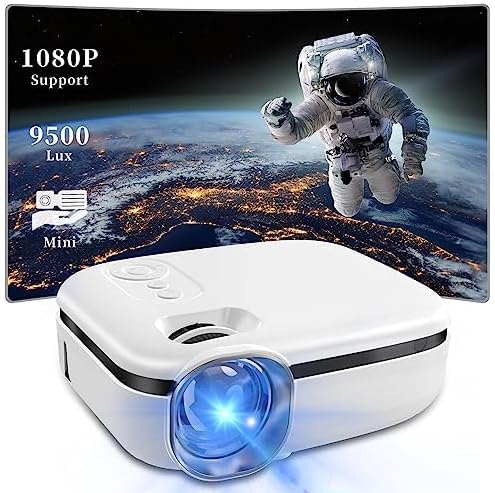
Image: The FunFlix Mini Outdoor Projector, showcasing its compact size and a vibrant projected image with 1080P support and 9500 Lux brightness.
Водич за подешавање
1. Распакивање и постављање
Carefully remove all components from the packaging. Place the projector on a stable, flat surface. Ensure there is adequate ventilation around the projector to prevent overheating.
2. Прикључак за напајање
- Прикључите адаптер за напајање на улазни порт за напајање пројектора.
- Укључите адаптер за напајање у стандардну електричну утичницу.
3. Повезивање улазних уређаја
The projector supports multiple input sources. Choose the appropriate cable for your device (HDMI, USB, or AV).

Image: The projector highlighting its versatile connectivity options, including AV, USB, and HDMI ports, for connecting various devices like laptops, gaming consoles, and smartphones.
- ДВИ: Connect your laptop, game console, TV stick, or other HDMI-enabled device to the projector's HDMI port.
- УСБ: Уметните УСБ диск у УСБ порт да бисте репродуковали медије fileс директно.
- АВ: Use the provided AV cable to connect older devices like DVD players.
4. Почетно укључивање и подешавање фокуса
- Притисните дугме за напајање на пројектору или даљинском управљачу да бисте га укључили.
- Adjust the focus ring on the lens until the projected image appears clear and sharp.
5. Корекција трапезоидности
If the projected image appears trapezoidal (wider at the top or bottom), use the keystone correction dial to adjust it to a rectangular shape.

Image: Illustration of the projector's ±15° vertical keystone correction feature, showing how to adjust the image shape using a dedicated dial for a perfectly rectangular display.
6. Adjusting Projection Size
The projection size can be adjusted by moving the projector closer to or further from the screen/wall. The projector supports screen sizes from 35 to 270 inches.
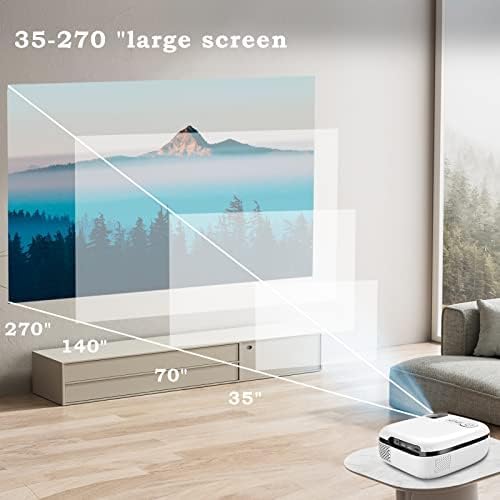
Image: A visual representation demonstrating the projector's capability to produce large screen sizes, ranging from 35 inches up to 270 inches, depending on the projection distance.
Упутство за употребу
1. Укључивање/искључивање
- Укључено: Притисните дугме за напајање на пројектору или даљинском управљачу.
- Искључивање: Поново притисните дугме за напајање. Потврдите искључивање ако се то од вас затражи.
2. Избор извора
Use the "Source" button on the projector or remote control to cycle through available input sources (HDMI, USB, AV).
3. Контрола јачине звука
Adjust the volume using the volume buttons on the remote control. The projector features a built-in Hi-Fi speaker for audio output.

Image: The projector positioned in a living room setting, illustrating its integrated Hi-Fi speaker system providing immersive audio for a home cinema experience.
4. Мену Навигатион
Use the arrow keys and OK button on the remote control to navigate through the projector's on-screen menu for advanced settings like picture mode, aspect ratio, and sound settings.
Одржавање
1. Чишћење сочива
Gently wipe the projector lens with a soft, lint-free cloth specifically designed for optical surfaces. Do not use abrasive cleaners or excessive force, as this can scratch the lens.
2. Dust Prevention
The projector features an enclosed optical system designed to be super dustproof, minimizing dust accumulation on internal components. However, regularly clean the exterior of the projector with a soft, dry cloth to prevent dust from entering ventilation openings.
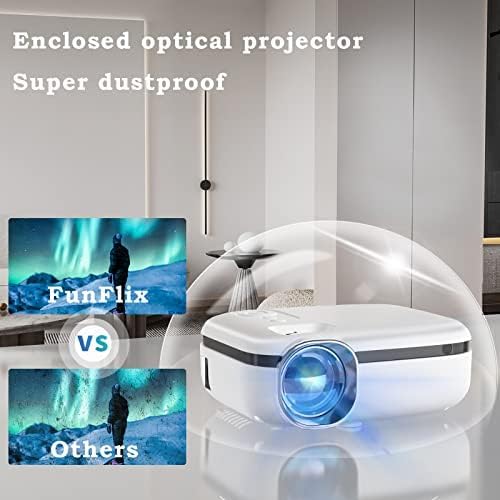
Image: The projector encased in a protective, transparent dome, visually representing its "Super dustproof" enclosed optical design, which helps maintain image clarity by preventing dust ingress.
3. Складиштење
When not in use for extended periods, store the projector in a cool, dry place, away from direct sunlight and extreme temperatures. Consider using the original packaging or a protective case.
Решавање проблема за
| Проблем | Могући узрок | Решење |
|---|---|---|
| Нема пројектоване слике |
|
|
| Слика је мутна |
|
|
| Нема звука |
|
|
| Пројектор се не укључује |
|
|
Спецификације производа
| Феатуре | Детаљ |
|---|---|
| Бранд | ФунФлик |
| Број модела | 852ВХ |
| Осветљеност | 9500 лумена |
| Подржана резолуција | 1080П ХД |
| Форм Фацтор | Портабле |
| Боја | Бела |
| Димензије производа | 2.36 к 1.56 к 1.6 инча |
| Тежина артикла | 2.2 фунти |
| Компатибилни уређаји | Laptop, Gaming Console, Smartphone, TV Stick |
| Повезивање | ХДМИ, УСБ, АВ |
Информације о гаранцији
This product comes with a standard manufacturer's warranty. Please refer to the warranty card included in your product packaging for specific terms, conditions, and duration. Retain your proof of purchase for warranty claims.
Корисничка подршка
For technical assistance, troubleshooting beyond this guide, or warranty inquiries, please contact FunFlix customer support. Contact details can typically be found on the product packaging, the official FunFlix website, or the purchase platform.
Ask a question about this manual
Ask about setup, troubleshooting, compatibility, parts, safety, or missing instructions. Manuals+ will review the question and use this page’s manual context to help answer it.