
1. Увод
Thank you for choosing the GEEKOM Mechanical Keyboard and Mouse Set. This manual provides detailed instructions for setting up, operating, and maintaining your new peripheral devices. Please read this manual thoroughly before use to ensure optimal performance and longevity of your product.
2. Садржај пакета
Please check the package contents upon unboxing. If any items are missing or damaged, please contact GEEKOM customer support.
- GEEKOM Mechanical Keyboard
- GEEKOM Mouse
- USB Receiver (for wireless connection, if applicable)
- USB-C Charging Cable (for keyboard/mouse, if rechargeable)
- Кориснички приручник (овај документ)
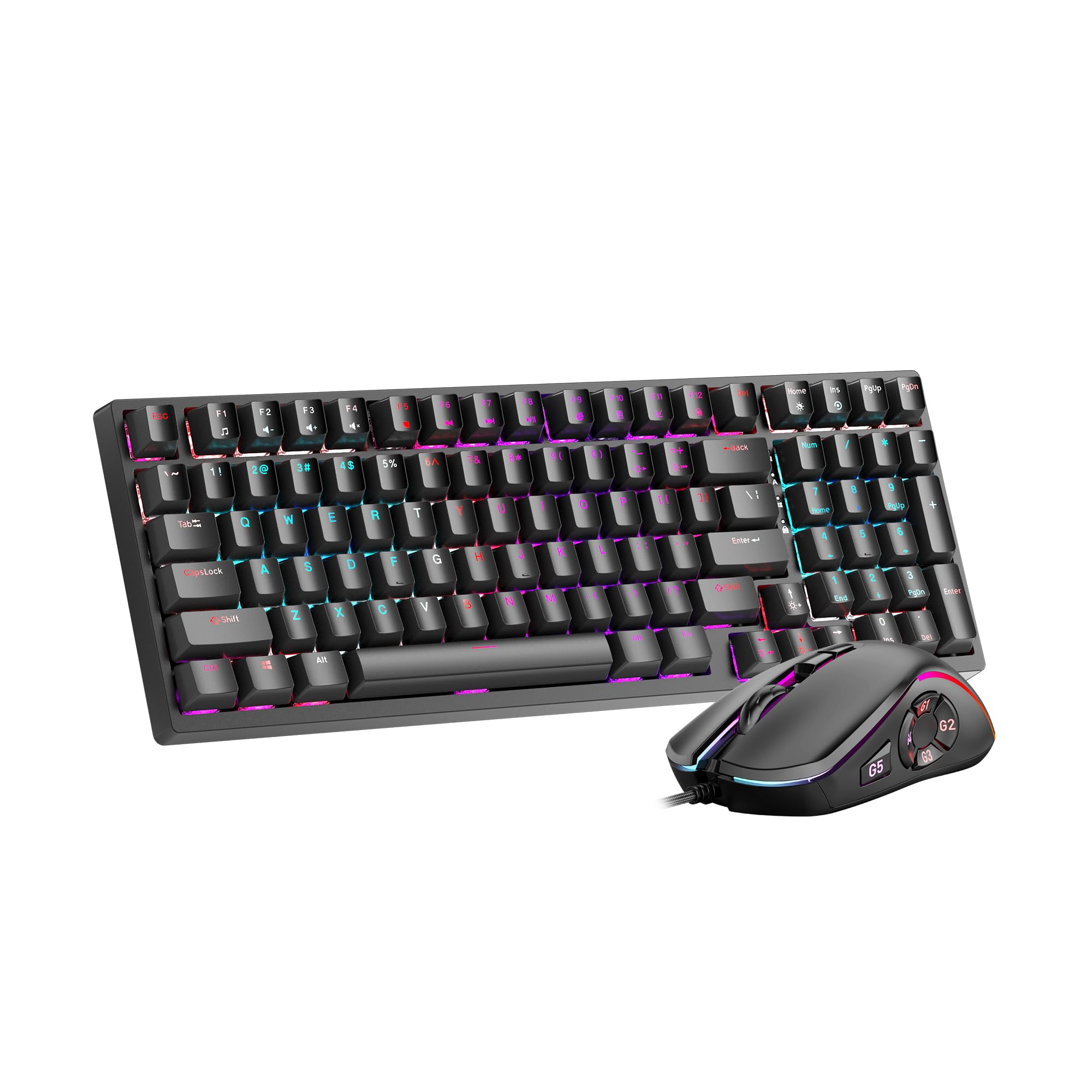
Image 1: GEEKOM Mechanical Keyboard and Mouse Set components.
3. Подешавање
3.1 Повезивање тастатуре и миша
The GEEKOM Mechanical Keyboard and Mouse Set can be connected via a 2.4GHz wireless USB receiver or a wired USB connection, depending on the model variant. Please refer to your specific product's connection type.
3.1.1 Wireless Connection (2.4GHz USB Receiver)
- Locate the USB receiver, usually stored in a compartment on the mouse or keyboard.
- Укључите УСБ пријемник у слободан УСБ порт на рачунару.
- Turn on the keyboard and mouse using their respective power switches. The devices should automatically connect to the receiver.
- If connection fails, press the pairing button (if available) on the keyboard/mouse and the receiver simultaneously.
3.1.2 Wired Connection (USB Cable)
- Connect the USB-C end of the provided cable to the keyboard/mouse.
- Повежите USB-A крај кабла са доступним USB портом на рачунару.
- The devices will be recognized by your operating system automatically.
3.2 Инсталација драјвера
The GEEKOM Mechanical Keyboard and Mouse Set is typically plug-and-play, requiring no additional driver installation for basic functionality. For advanced features or customization, please visit the official GEEKOM website to download any optional software or drivers.
4. Упутство за употребу
4.1 Функције тастатуре
The mechanical keyboard offers a responsive typing experience. Specific functions may vary by model, but common features include:
- Стандардни тастери: All standard alphanumeric and symbol keys.
- Функцијски тастери (F1-F12): Often combined with the Fn key for multimedia controls (volume, play/pause, etc.) or system shortcuts. Refer to the keycap legends for specific functions.
- Позадинско осветљење: Many mechanical keyboards feature adjustable backlighting. Use Fn + [тастер] combinations (e.g., Fn + Arrow keys, Fn + Ins/Del/Home/End) to change brightness, mode, or color.
- N-Key Rollover (NKRO): Allows multiple key presses to be registered simultaneously, crucial for fast typing and gaming.
4.2 Функције миша
The mouse provides precise tracking and comfortable use. Key features typically include:
- Леви/десни клик: Standard primary and secondary click functions.
- Точак за померање: For vertical scrolling and often acts as a middle click button.
- Дугме ДПИ: (Dots Per Inch) Allows adjustment of mouse sensitivity on the fly. Press to cycle through different DPI settings.
- Бочна дугмад: Often programmable for forward/backward navigation in web browsers or custom functions in software.
5. Одржавање
Proper maintenance ensures the longevity and performance of your GEEKOM Mechanical Keyboard and Mouse Set.
5.1 Чишћење
- тастатура:
- Искључите тастатуру из рачунара.
- Use a can of compressed air to blow out dust and debris from between the keycaps.
- Wipe the keycaps and surface with a soft, slightly damp, крпа која не оставља влакна. Избегавајте прекомерну влагу.
- For deeper cleaning, keycaps can often be carefully removed using a keycap puller (not included) and cleaned separately. Ensure they are completely dry before reattaching.
- миш:
- Искључите миш из рачунара.
- Обришите површину меком, благо дamp, крпа без длачица.
- Clean the optical sensor on the underside with a dry cotton swab to ensure accurate tracking.
5.2 Складиштење
When not in use for extended periods, store the keyboard and mouse in a dry, cool place away from direct sunlight and extreme temperatures.
КСНУМКС. Решавање проблема
If you encounter issues with your GEEKOM Mechanical Keyboard and Mouse Set, please refer to the following common solutions:
| Проблем | Могући узрок | Решење |
|---|---|---|
| Keyboard/Mouse not responding (Wireless) | Low battery; USB receiver not connected; Pairing issue. | Charge devices; Ensure receiver is firmly plugged in; Re-pair devices (refer to Section 3.1.1). |
| Keyboard/Mouse not responding (Wired) | Loose cable connection; Faulty USB port. | Ensure cable is firmly connected; Try a different USB port; Test with a different cable if possible. |
| Тастери се не региструју или се куцају двапут | Dust/debris under keycap; Switch malfunction. | Clean under keycaps with compressed air (refer to Section 5.1); If issue persists, contact support. |
| Курсор миша је неправилан или се не помера | Прљав оптички сензор; Неодговарајућа површина; Слаба батерија. | Clean optical sensor (refer to Section 5.1); Use on a clean, opaque mouse pad; Charge mouse. |
| Позадинско осветљење не ради | Backlight turned off; Software issue. | Adjust backlight settings using Fn key combinations; Check for software updates. |
7. Спецификације
The following are general specifications for the GEEKOM Mechanical Keyboard and Mouse Set. Specific details may vary slightly by production batch.
- Бренд: ГЕЕКОМ
- Модел: Комплет механичких тастатура и миша
- Повезивање: 2.4GHz Wireless (via USB Receiver) / Wired USB
- Тип тастатуре: Механички
- Сензор за миш: Оптицал
- DPI Settings (Mouse): Adjustable (e.g., 800/1200/1600/2400 DPI)
- батерија: Rechargeable Lithium-ion (for wireless models)
- Компатибилност са оперативним системом: Windows, macOS, Linux (basic functionality)
- Димензије пакета: 50 к 15 к 5 цм
- Тежина пакета: 1 кг
- ASIN: B0CTSVD82J
- УПЦ/ГТИН: 850055043657
8. Гаранција и подршка
GEEKOM products are designed for reliability and performance. This product comes with a standard manufacturer's warranty. For detailed warranty terms and conditions, please refer to the warranty card included in your package or visit the official GEEKOM webсајту.
For technical support, troubleshooting assistance, or warranty claims, please contact GEEKOM customer service through their official webсајт или контакт информације наведене у документацији вашег производа.
Official GEEKOM Webсајт: www.geekom.nl (Напомена: Ово је резервисано место URL. Please refer to your product packaging for the correct support webсајту.)