
1. Увод
The FeelTech FY1100 Series is a single-channel DDS (Direct Digital Synthesis) signal generator designed for producing accurate, stable, and low-distortion output signals. It features a user-friendly interface with a 2.4-inch TFT color LCD screen (320x240 pixels) that simultaneously displays output signal parameters and current key functions. This instrument is ideal for various applications requiring precise waveform generation, including electronic circuit testing, education, and research.
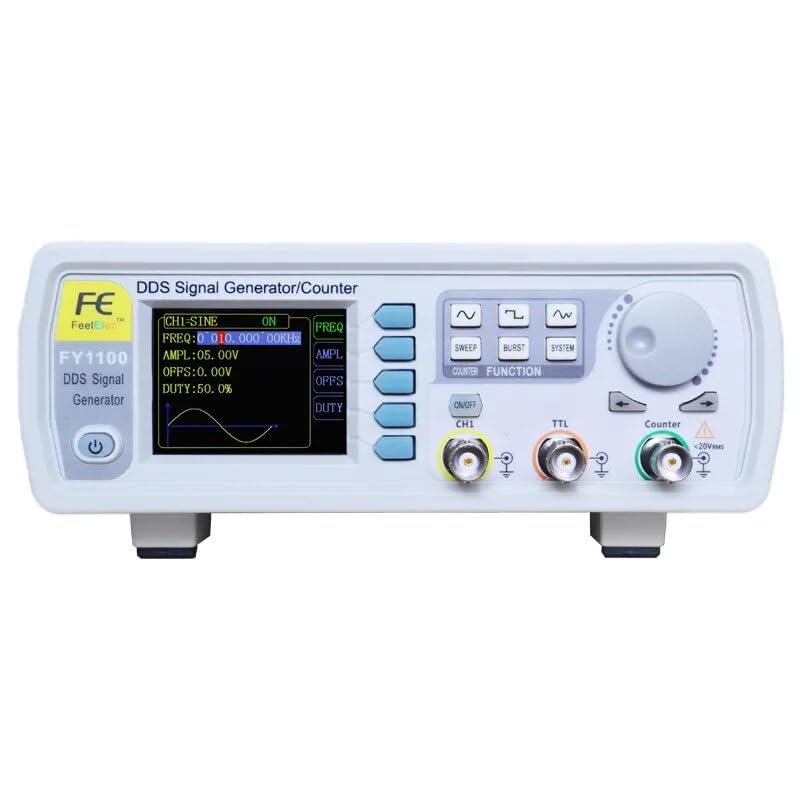
Слика 1.1: Фронт view of the FeelTech FY1100 Series DDS Signal Generator, showing the display, control buttons, rotary encoder, and output ports.
2. Кључне карактеристике
- DDS Technology: Generates accurate, stable, and low-distortion output signals.
- Приказ: 2.4-inch (320x240 pixels) TFT color LCD for clear parameter display.
- висока резолуција: 150MSa/ssampбрзина кретања и 12-битна вертикална резолуција.
- Wide Waveform Variety: Includes Sine, Square (adjustable duty cycle), COMS (adjustable duty cycle), DC, Triangle, Rising Sawtooth, Falling Sawtooth, Step Triangle, Full Wave, Positive Half Wave, Random Noise, AM, and FM waveforms.
- High Frequency Accuracy: До 10-2 orders of magnitude.
- High Frequency Resolution: 10mHz (0.01Hz) across the full range.
- Високо Ampлитуде Резолуција: Minimum 10mV (0.01V).
- DC Bias Function: Adjustable from -7.5V to +7.5V.
- Компактан дизајн: Desktop unit with durable ABS plastic shell.
3. Подешавање
Follow these steps to set up your FeelTech FY1100 Series DDS Signal Generator:
- Распакивање: Carefully remove the signal generator and all accessories from its packaging. Inspect for any signs of damage.
- Прикључак за напајање: Connect the provided 5V DC power adapter to the DC input port on the rear of the unit. Ensure you use the correct plug adapter for your region (EU, US, UK).
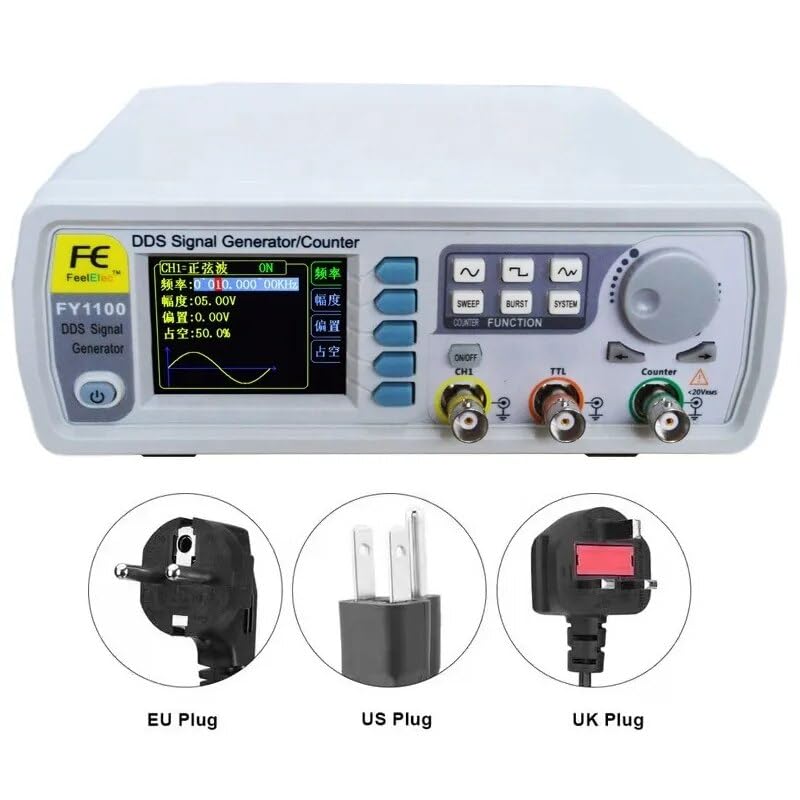
Слика 3.1: Examples of power plug types (EU, US, UK) for connecting the power adapter.
- Прикључци задње плоче: The rear panel includes a USB port for potential future firmware updates or PC connectivity.
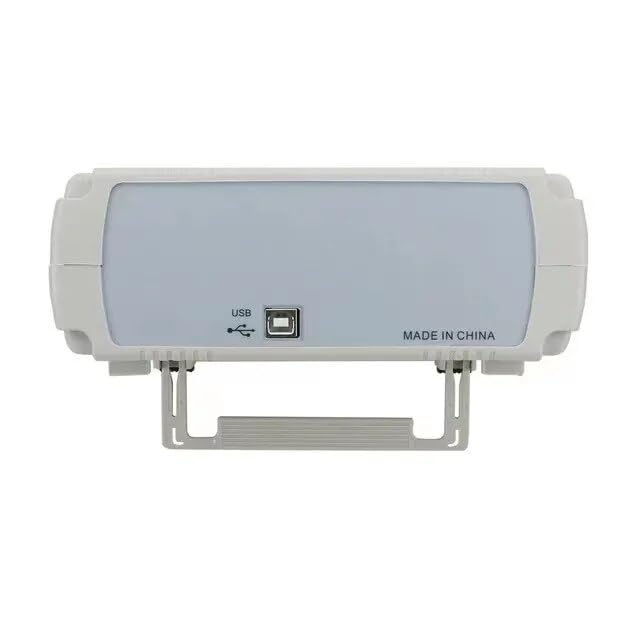
Слика 3.2: Позади view of the signal generator, highlighting the USB port for connectivity.
- Укључено: Press the power button on the front panel to turn on the device. The LCD screen will illuminate.
4. Операција
The FY1100 Series signal generator is designed for intuitive operation. The front panel features a display, function buttons, a rotary encoder, and output connectors.
4.1 Контроле на предњој плочи
- Екран: Shows waveform parameters, frequency, amplitude, offset, duty cycle, and current function prompts.
- Функционална дугмад: Dedicated buttons for SWEEP, BURST, SYSTEM settings, and waveform selection (Sine, Square, Triangle, etc.).
- Ротациони енкодер: Used to adjust parameter values. Turn clockwise to increase, counter-clockwise to decrease. Press to confirm selection or enter a menu.
- ON/OFF CH1 Button: Toggles the main channel 1 output.
- ТТЛ излаз: Dedicated BNC connector for TTL level output.
- Counter Input: BNC connector for frequency counting functions.
4.2 Generating a Waveform
- Изаберите таласни облик: Press the desired waveform button (e.g., Sine, Square) to select the output waveform type.
- Подесите фреквенцију: Use the rotary encoder to set the desired frequency. The display will show the current frequency.
- Подесите Ampдужина: Користите amplitude control (often a dedicated button or menu option accessed via the rotary encoder) to set the peak-to-peak voltage.
- Adjust Offset (DC Bias): If needed, adjust the DC offset using the corresponding control. The range is -7.5V to +7.5V.
- Adjust Duty Cycle: For Square and COMS waves, you can adjust the duty cycle using the dedicated control or menu option.
- Омогући излаз: Притисните тастер ON/OFF CH1 button to enable the signal output on Channel 1.
- Повежите се са уређајем: Connect the BNC output of Channel 1 to your testing circuit or oscilloscope.
5. Одржавање
Proper maintenance ensures the longevity and optimal performance of your signal generator.
- Чишћење: Користите меку, суву крпу за чишћење спољашњости уређаја. Не користите абразивна средства за чишћење или раствараче.
- Складиштење: Уређај чувајте на хладном и сувом месту, даље од директне сунчеве светлости и екстремних температура.
- вентилација: Ensure the ventilation slots are not obstructed to prevent overheating.
- Напајање: Always use the original or a compatible 5V DC power adapter.
КСНУМКС. Решавање проблема
If you encounter issues with your signal generator, refer to the following common problems and solutions:
- Нема напајања:
- Проверите да ли је адаптер за напајање безбедно повезан и са уређајем и са утичницом.
- Проверите да ли је утичница функционална.
- Уверите се да је дугме за напајање притиснуто.
- Нема излазног сигнала:
- Потврдите да је ON/OFF CH1 button is activated (output enabled).
- Check the connection cable from the signal generator to your testing equipment.
- Проверите да ли је amplitude is set to a non-zero value.
- Ensure the frequency is within the operational range.
- Нетачан приказ таласног облика:
- Ensure the correct waveform type is selected.
- Check the settings for frequency, ampлитуда и помак.
Ако проблем и даље постоји, обратите се корисничкој подршци.
7. Спецификације
Detailed technical specifications for the FeelTech FY1100 Series DDS Signal Generator.

Слика 7.1: Detailed specifications table for the FY1100-5M model.
| Параметар | Валуе |
|---|---|
| Произвођач | FeelTech/FeelElec |
| Број модела | GT-FY1100-5M |
| Димензије (Д к Ш к В) | 25 к 20 к 15 цм |
| Тежина | 1 килограма |
| Материјал | акрилонитрил бутадиен стирен (АБС) |
| Извор напајања | Battery Powered (1 Lithium metal included), 5V DC |
| Потрошња енергије | 15 ват-сати |
| Земља порекла | Кина |
| Параметар | FY1100-5M | FY1100-02M |
|---|---|---|
| Max Output Frequency | 5МХз | 2МХз |
| Sine Wave Frequency Range | 0~5МХз | 0~2МХз |
| Square Wave Frequency Range | 0~2МХз | 0~2МХз |
| Triangle Wave Frequency Range | 0~3МХз | 0~2МХз |
| TTL Digital Wave Range | 0~5МХз | 0~2МХз |
| Minimum Frequency Resolution | 10mHz (0.01Hz) | |
| Фреквенција Тачност | ±5x10⁻⁶ | |
| Стабилност фреквенције | ±1x10⁻⁶ / 3 сата | |
| Излазна импеданса | 50Ω + 10% (typical) | |
| Таласни облик Сampлинг Рате | 150МСа / с | |
| Вертикална резолуција | 12 бита | |
| Ampлитуде Резолуција | 10mV (0.01V) | |
| Прецизност мерења | 0.5% | |
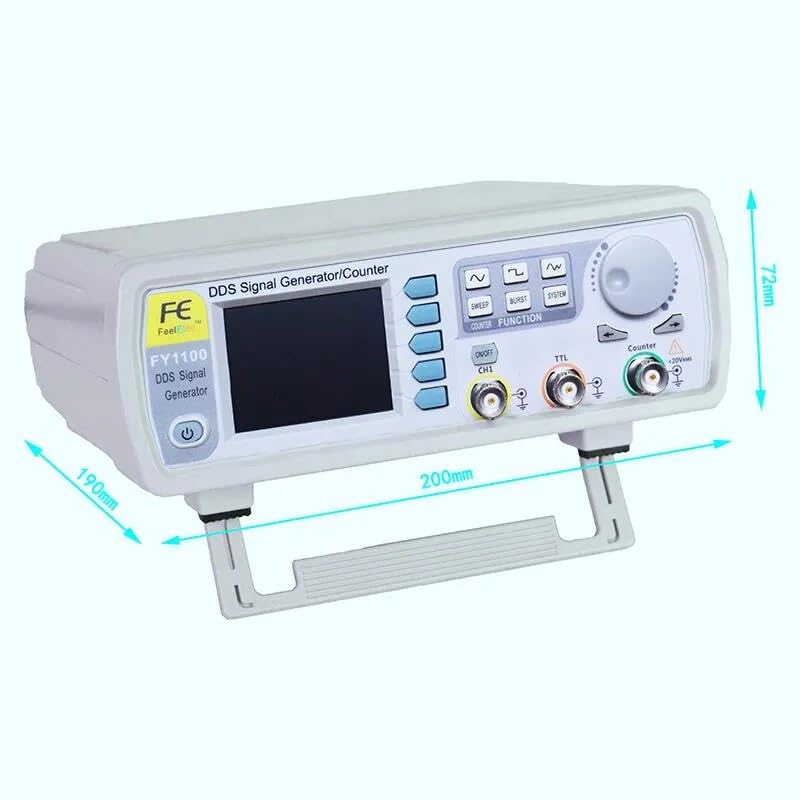
Слика 7.2: Physical dimensions of the signal generator.
8. Гаранција и подршка
8.1 Информације о гаранцији
The FeelTech FY1100 Series DDS Signal Generator comes with a 1 година гаранције од датума куповине. Ова гаранција покрива производне недостатке и кварове при нормалној употреби. Молимо вас да сачувате доказ о куповини за потребе подношења захтева за гаранцију.
Spare parts are available for 2 године од дана куповине.
8.2 Корисничка подршка
For technical assistance, troubleshooting beyond this manual, or warranty inquiries, please contact your retailer or the manufacturer's customer support. Refer to the product packaging or the FeelTech official webсајт за контакт детаље.