
Увод
This manual provides comprehensive instructions for the Hello Kitty Smart Watch (Model: HK4208). Please read this manual carefully before using your device to ensure proper operation and to maximize its features. This smartwatch is designed for interactive use, offering various functions including timekeeping, fitness tracking, entertainment, and communication features.
Шта је у кутији
- Hello Kitty Smart Watch (Model: HK4208)
- УСБ кабл за пуњење
- Кориснички приручник (овај документ)
Сетуп
1. Пуњење паметног сата
Before first use, fully charge the smartwatch. Connect the provided USB charging cable to the charging port on the back of the watch and to a standard USB power adapter (not included) or a computer's USB port.

Слика: Позади view of the Hello Kitty Smart Watch, highlighting the charging contacts and sensor area. The watch features a pink and white strap with Hello Kitty patterns.
- Икона батерије ће се појавити на екрану која показује статус пуњења.
- Пуњење обично траје 1-2 сати за потпуно пуњење.
- Ensure the charging contacts are clean and dry before connecting.
2. Укључивање/искључивање
- За укључивање: Press and hold the side button until the Hello Kitty logo appears on the screen.
- За искључивање: Press and hold the side button until a power-off option appears, then confirm on the touchscreen.
Управљање паметним сатом
Навигација на екрану осетљивом на додир
The Hello Kitty Smart Watch features an interactive touchscreen display. Swipe left, right, up, or down to navigate through different menus and functions. Tap an icon to select an application or option.
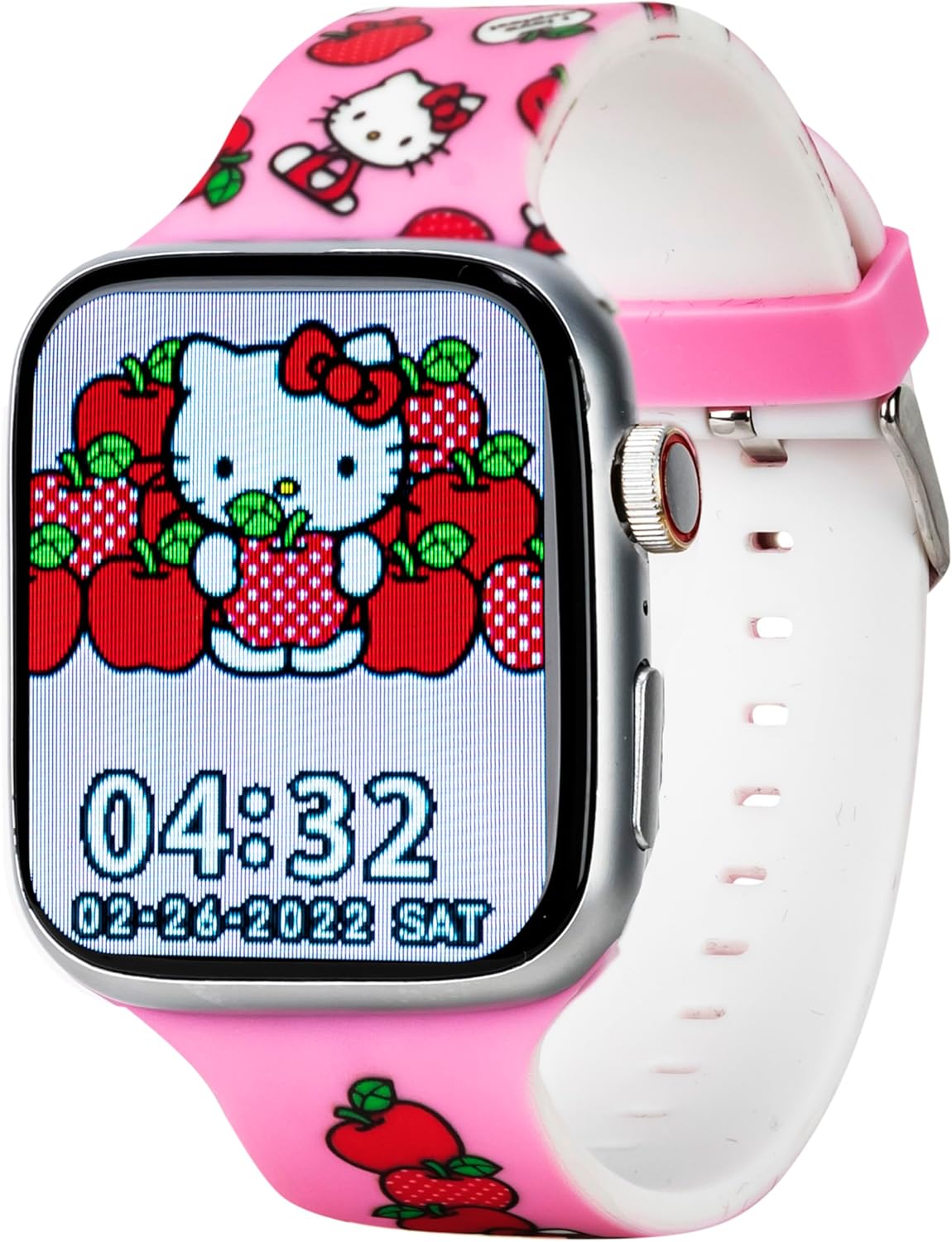
Слика: Фронт view of the Hello Kitty Smart Watch, showcasing a vibrant watch face featuring Hello Kitty surrounded by apples. The time 04:32 and date 02-28-2022 SAT are visible.
Кључне карактеристике и функције
- Лица за гледање: The watch offers six unique Hello Kitty-themed watch faces. To change, tap and hold the current watch face, then swipe to select your preferred design.

Image: Close-up of the Hello Kitty Smart Watch screen, showing an alternative watch face with Hello Kitty and strawberries. The time 04:31 and date 02-28-2022 SAT are displayed.
- камера: Access the built-in camera to capture photos. Tap the camera icon, then tap the screen to take a picture. Photos are stored on the watch.
- Музички плејер: Play pre-loaded music or transfer compatible audio files to the watch. Use the touchscreen controls to play, pause, skip tracks, and adjust volume.
- Fitness & Activity Tracking:
- Педометар: Прати ваше кораке током целог дана.
- Спортски режими: Select specific modes for various activities to track duration and estimated calories burned.
- Седентарни подсетник: Alerts you when you've been inactive for too long, encouraging movement.
- Лампа: Activate the flashlight function for illumination in dark environments.
- Праћење спавања: Monitors sleep patterns to help understand rest quality.
- Обавештења о позивима и порукама: While the watch does not have internet access, it can receive notifications for calls and messages from a paired device (e.g., a smartphone via Bluetooth). Ensure Bluetooth is enabled on both devices and they are within range.
- Апликација за време: Provides current weather information. (Note: This feature may require a Bluetooth connection to a device with internet access to update weather data).
- Аларм и штоперица: Set alarms for reminders or use the stopwatch for timing activities.
- Едукативне игре: Engage with pre-installed educational games for fun and learning.
- QR Reader: Scan QR codes for interactive content or information.
- Опције језика: Select your preferred language from the watch settings.
Одржавање
- Чишћење: Wipe the watch screen and strap with a soft, dry, lint-free cloth. For stubborn marks, slightly dampНатопите крпу водом. Избегавајте јаке хемикалије или абразивне материјале.
- Отпорност на воду: The watch is designed to be splash-proof. Avoid submerging it in water, showering, or swimming with the watch on.
- Одржавање батерије: To prolong battery life, avoid extreme temperatures. Charge the watch regularly and do not let the battery completely drain for extended periods.
- Складиштење: Када се сат не користи дуже време, чувајте га на хладном и сувом месту.
Решавање проблема
| Проблем | Могуће решење |
|---|---|
| Сат се не укључује. | Ensure the watch is fully charged. Connect to the charger for at least 30 minutes. If still unresponsive, try a soft reset by holding the side button for 10-15 seconds. |
| Екран не реагује. | Поново покрените сат. Ако проблем и даље постоји, уверите се да је екран чист и сув. |
| Батерија се брзо празни. | Reduce screen brightness. Close unused applications. Limit continuous use of power-intensive features like the camera or music player. |
| Не могу да примам обавештења. | Ensure Bluetooth is enabled on both the watch and the paired device. Make sure the devices are within Bluetooth range. Check notification settings on the paired device. |
Спецификације
| Феатуре | Детаљ |
|---|---|
| Број модела | HK4208AZ |
| Дисплаи | Интерактивни екран осетљив на додир |
| Повезивање | Bluetooth (for notifications) |
| Батерија | 1 литијум-јонска батерија (укључена) |
| Димензије | 6.46 x 4.25 x 2.52 инча (паковање) |
| Тежина | 0.1 унци (Артикал) |
| Произвођач | Аццутиме Ватцх Цорп. |
| Отпорност на воду | Splash-proof (not for submersion) |
Гаранција и подршка
The Hello Kitty Smart Watch (Model: HK4208) comes with a 5 година гаранције from Accutime. This warranty covers manufacturing defects under normal use. Please retain your proof of purchase for warranty claims.
For technical support, troubleshooting assistance beyond this manual, or warranty inquiries, please contact Accutime customer service. Refer to the packaging or Accutime's official webсајт за најновије контакт информације.
Напомена: Неовлашћене поправке или модификације могу поништити вашу гаранцију.