
Увод
This manual provides comprehensive instructions for the setup, operation, and maintenance of your Ceybo RC813 FMB1 Voice Remote Control. This remote is designed to work seamlessly with a wide range of TCL QLED Smart TVs, offering convenient control and voice assistant capabilities.

Слика 1: Предње и задње view of the Ceybo RC813 FMB1 Voice Remote Control. The front features various buttons including navigation, volume, channel, and dedicated app shortcuts. The back is smooth and ergonomic.
Сетуп
1. Инсталација батерије
The RC813 FMB1 remote control requires two (2) AAA batteries (not included) for operation. Follow these steps to install the batteries:
- Пронађите поклопац одељка за батерије на задњој страни даљинског управљача.
- Померите поклопац надоле или притисните резу да бисте отворили одељак.
- Уметните две ААА батерије, водећи рачуна да позитивни (+) и негативни (-) терминали буду правилно поравнати са индикаторима унутар одељка.
- Вратите поклопац одељка за батерију тако што ћете га вратити на место док не кликне чврсто.

Слика 2: Illustration of the battery compartment and proper insertion of AAA batteries.
2. Упаривање даљинског управљача
To ensure full functionality, including voice control, the remote must be paired with your TCL Smart TV. Follow these steps:
- Ensure your TCL Smart TV is powered on.
- Усмерите даљински управљач према ТВ-у.
- Истовремено притисните и држите У реду button (center of the navigation pad) and the "Home" button (house icon) for approximately 2 seconds.
- A pairing confirmation message should appear on your TV screen, indicating successful pairing.
- If pairing fails, ensure the batteries are correctly installed and try again. Move closer to the TV if necessary.
Управљање даљинским управљачем
Функције дугмета су завршенеview
The RC813 FMB1 remote control features a variety of buttons for intuitive navigation and control of your TCL Smart TV. Refer to the image below for button layout.
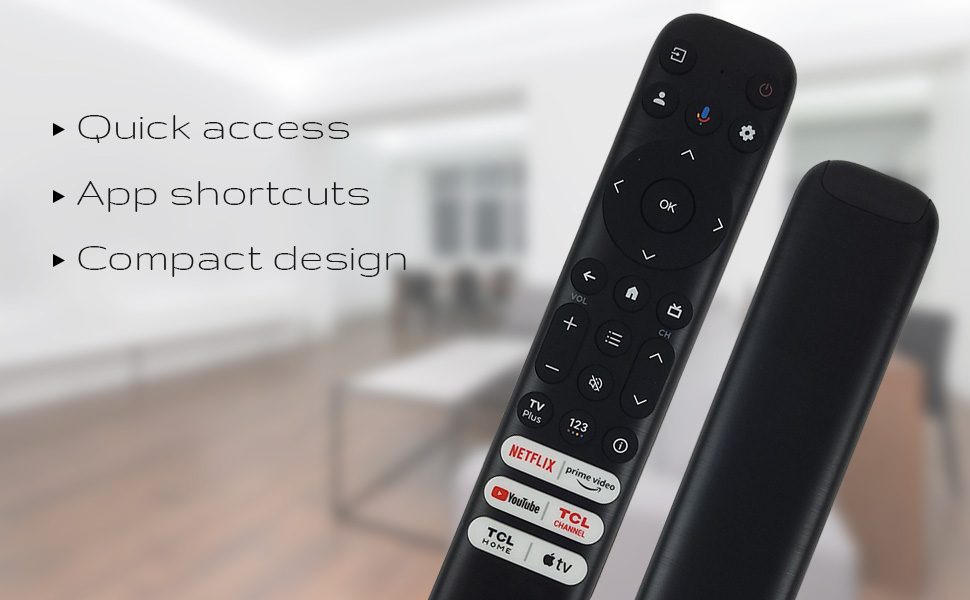
Слика 3: The remote's design emphasizes quick access, app shortcuts, and a compact form factor for ease of use.
- Дугме за укључивање (⏻): Укључује или искључује ТВ.
- Navigation Pad (Up, Down, Left, Right): Користи се за навигацију кроз меније и избор опција.
- Дугме ОК: Confirms selections or opens items.
- Дугме за назад: Враћа се на претходни екран или мени.
- Home Button (House Icon): Враћа се на почетни екран телевизора.
- Појачавање/утишавање: Подешава ниво јачине звука телевизора.
- Канал горе/доле: Мења ТВ канале.
- Дугме за подешавања (икона зупчаника): Приступа подешавањима телевизора.
- Дугме за унос: Changes the TV's input source.
Функционалност гласовног помоћника
The remote features a dedicated button for Google Assistant, allowing you to control your TV and search for content using voice commands.
- Google Assistant Button (Microphone Icon): Press and hold this button, then speak your command clearly into the remote. Release the button when you are finished speaking.
- Examples of commands include: "Open Netflix," "Тражи action movies," "What's the weather like?", "Turn up the volume."
Наменски тастери за пречице
Quickly access your favorite streaming services and TCL features with the dedicated shortcut buttons located at the bottom of the remote.

Слика 4: Dedicated shortcut buttons for popular streaming services and TCL applications.
- Нетфлик: Директан приступ сервису за стримовање Netflix.
- Приме Видео: Direct access to Amazon Prime Video.
- ИоуТубе: Direct access to YouTube.
- TCL Channel: Direct access to the TCL Channel.
- TCL Home: Direct access to TCL Home features.
- Аппле ТВ: Direct access to Apple TV.
Компатибилност
The Ceybo RC813 FMB1 Voice Remote Control is compatible with a wide range of TCL QLED Smart TV models, including those with Google TV functionality. Below is a list of some compatible models:
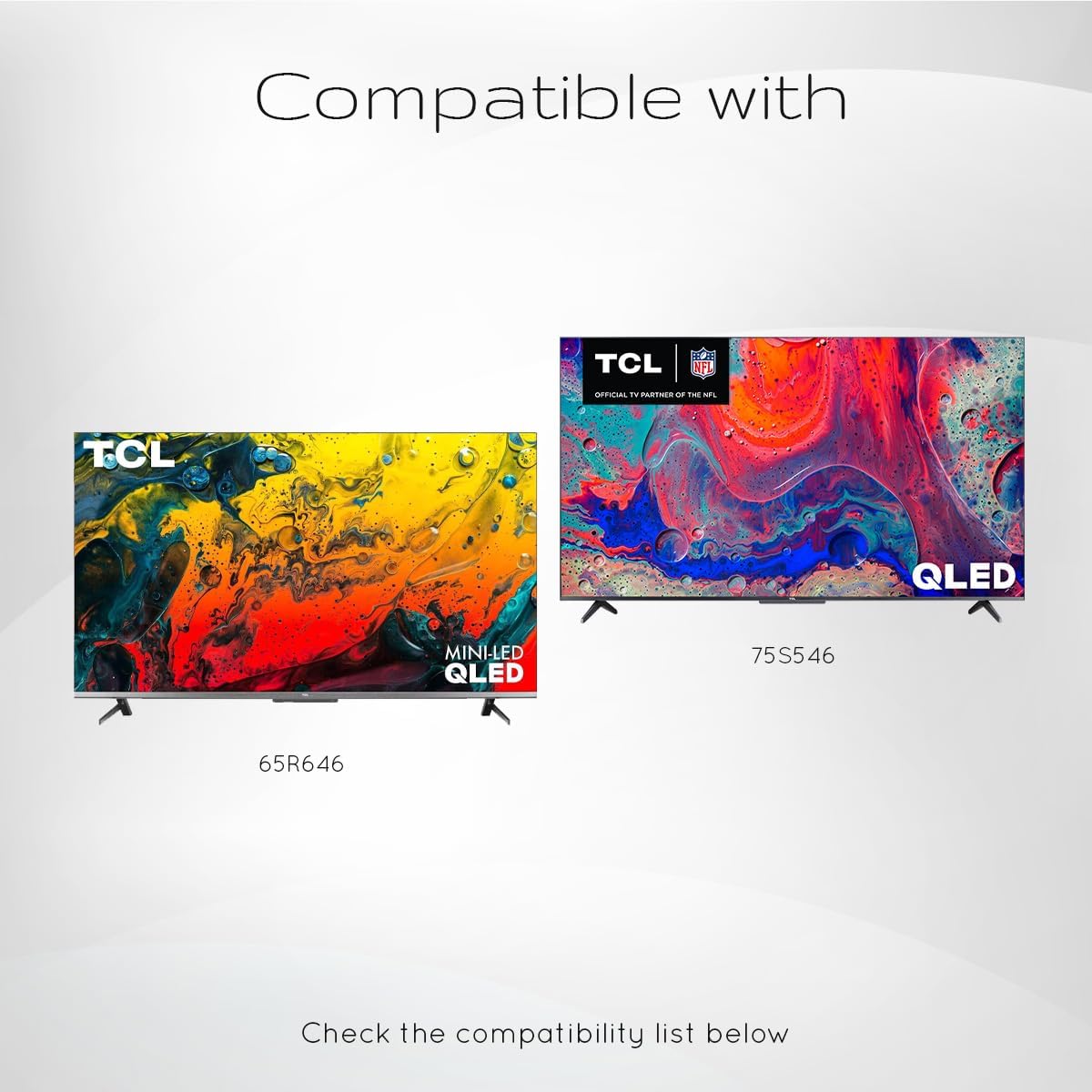
Слика 5: Examples of compatible TCL QLED TV models.
- Google TV 65Q750G
- Google TV 55Q750G
- Google TV 75Q750G
- Google TV 50Q750G
- Google TV 43Q750G
- Google TV 58Q750G
- 65КМ850Г
- 55КМ850Г
- 75КМ850Г
- 58КМ850Г
- And many more TCL QLED Smart TV models.
Note: Always verify compatibility with your specific TV model before use.
Одржавање
Замена батерије
When the remote control's performance degrades or it stops responding, it is likely time to replace the batteries. Follow the battery installation steps outlined in the "Setup" section.
- Увек мењајте обе ААА батерије истовремено.
- Немојте мешати старе и нове батерије или различите типове батерија.
- Истрошене батерије одлажите одговорно у складу са локалним прописима.
Чишћење даљинског управљача
To maintain the remote control's appearance and functionality, clean it periodically.
- Користите меку, суву крпу да обришете површину даљинског управљача.
- За тврдокорну прљавштину, благо дampОперите крпу водом или благим, неабразивним средством за чишћење. Избегавајте прекомерну влагу.
- Do not use harsh chemicals, solvents, or abrasive cleaning materials, as these can damage the remote's finish or internal components.
Решавање проблема
If you encounter issues with your Ceybo RC813 FMB1 remote control, refer to the following common problems and their solutions:
| Проблем | Могући узрок / решење |
|---|---|
| Даљински управљач не реагује. |
|
| Гласовна контрола не ради. |
|
| Shortcut buttons are not working. |
|
Спецификације
| Феатуре | Детаљ |
|---|---|
| Број модела | RC813 FMB1 |
| Бранд | Цеибо |
| Технологија повезивања | Блуетоотх |
| Компатибилни уређаји | TCL QLED Smart Televisions |
| Посебна карактеристика | Voice Search (Google Assistant) |
| Извор напајања | 2 к ААА батерије (нису укључене) |
| Тежина артикла | 3.2 унце (приближно 90.7 грама) |
| Димензије пакета | 8 x 2 x 0.5 инча (приближно 20.3 x 5.1 x 1.3 цм) |