
Увод
This manual provides essential information for the safe and efficient use of your HP 15 Professional Slim High-Performance Laptop. Please read these instructions carefully before using your device. Keep this manual for future reference.
1. Почетно подешавање
1.1 Unboxing and Connecting Power
Carefully remove the laptop and all accessories from the packaging. Connect the provided AC adapter to the laptop's power port and then to a power outlet. It is recommended to fully charge the battery before first use.

Image: The HP 15 laptop shown from the front, with the power adapter connected to the side. This illustrates the initial connection for charging.
1.2 Прво покретање и подешавање оперативног система
Press the power button to turn on the laptop. Follow the on-screen instructions to complete the Windows 11 Home operating system setup. This includes selecting your region, connecting to a Wi-Fi network, and creating a user account.

Image: The HP 15 laptop open, displaying the Windows 11 desktop interface, indicating successful operating system initialization.
2. Управљање лаптопом
2.1 Укључивање/искључивање и режим спавања
- Укључено: Притисните дугме за напајање које се налази на плочи са тастатуром.
- Искључивање: Click the Start button, then Power, and select "Shut down."
- Режим спавања: Затворите поклопац или кликните на дугме Старт, затим на Напајање и изаберите „Спавање“.
2.2 Тастатура и тачпед
The laptop features a full-size island-style QWERTY keyboard and a multi-touch touchpad. Use the touchpad for navigation and gestures. Refer to Windows 11 settings for touchpad customization.
2.3 Повезивање
Your HP 15 laptop offers various connectivity options:
- Ви-Фи: Supports Realtek Killer Wi-Fi 6 (802.11ax) for high-speed wireless internet access.
- Блуетоотх: Integrated Bluetooth 5.3 for connecting wireless peripherals like headphones and mice.
- УСБ портови:
- Two (2) USB 3.2 Gen 1.0 Type-A ports (5 Gbps signaling rate).
- One (1) USB 3.2 Gen 1.0 Type-C port (5 Gbps signaling rate, data transfer only; charging or external monitors not supported).
- ДВИ: One (1) HDMI v1.4b output port for connecting to external displays.
- Аудио прикључак: One (1) headphone/microphone combo port.
Слика: Страна А view of the HP 15 laptop, highlighting the various input/output ports for external device connectivity.
2.4 Аудио и камера
- аудио: Equipped with dual speakers for audio output and HD Audio support.
- камера: Features an HP True Vision 720p HD camera with integrated dual array digital microphones, suitable for video calls and online meetings.

Image: The HP 15 laptop displaying a video conference call, demonstrating the use of the integrated camera and microphone.
3. Одржавање и њега
3.1 Чишћење лаптопа
- Екран: Лагано користите меку крпу која не оставља длачице дampводом или средством за чишћење екрана. Не прскајте течност директно на екран.
- Тастатура и кућиште: Користите меку, суву крпу. За тврдокорну прљавштину, благоamp Може се користити тканина, водећи рачуна да влага не уђе у отворе.
- Вентс: Periodically check and gently clean the ventilation openings to prevent dust buildup, which can affect cooling.
3.2 Одржавање батерије
To maximize battery lifespan, avoid extreme temperatures and prolonged full discharge or full charge states. For long-term storage, charge the battery to approximately 50%.
3.3 Ажурирања софтвера
Regularly check for and install Windows updates and HP driver updates to ensure optimal performance, security, and compatibility. Access Windows Update via Settings > Windows Update.
3.4 Разматрања животне средине
This laptop is built with recycled materials, including ocean-bound plastic. Please dispose of the device and its components responsibly at the end of its life cycle, following local regulations for electronic waste.
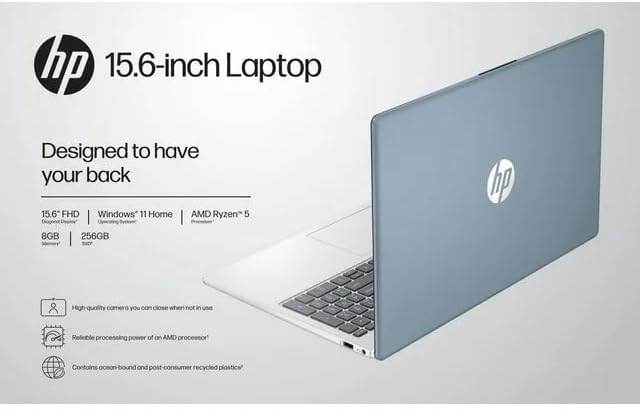
Image: The HP 15 laptop shown from the rear, illustrating its design and potential ventilation areas for maintenance.
4. Решавање уобичајених проблема
This section addresses common problems you might encounter. For more complex issues, refer to the HP support webсајту.
4.1 Нема напајања или се лаптоп не укључује
- Уверите се да је АЦ адаптер безбедно повезан и са лаптопом и са исправном утичницом.
- Проверите да ли је утичница функционална тако што ћете укључити други уређај.
- Покушајте са другом утичницом.
- Ако је батерија потпуно испражњена, оставите је да се пуни најмање 30 минута пре него што покушате да је укључите.
4.2 Проблеми са приказом
- Празан екран: Connect an external monitor via HDMI to check if the issue is with the laptop's display or the graphics output.
- Затамњен екран: Adjust screen brightness using the function keys (usually F2/F3 or similar icons) or through Windows display settings.
- Нетачна резолуција: Adjust the display resolution in Windows Settings > System > Display.
4.3 Проблеми са повезивањем преко Wi-Fi или Bluetooth мреже
- Ensure Wi-Fi and Bluetooth are enabled in Windows Settings > Network & internet or Devices > Bluetooth & devices.
- Поново покрените рутер/модем због проблема са Wi-Fi мрежом.
- Update wireless drivers through HP Support Assistant or Device Manager.
- Forget and reconnect to the Wi-Fi network or re-pair the Bluetooth device.
4.4 Audio Not Working
- Check volume levels in Windows and ensure speakers are not muted.
- Verify that the correct audio output device is selected in Windows Sound settings.
- Ажурирајте аудио драјвере.
- Test with headphones to determine if the issue is with the internal speakers or the audio output.
5. Спецификације производа
The following are the technical specifications for the HP 15 Professional Slim High-Performance Laptop (Model 15):
| Феатуре | Детаљ |
|---|---|
| Назив модела | ХП 15 |
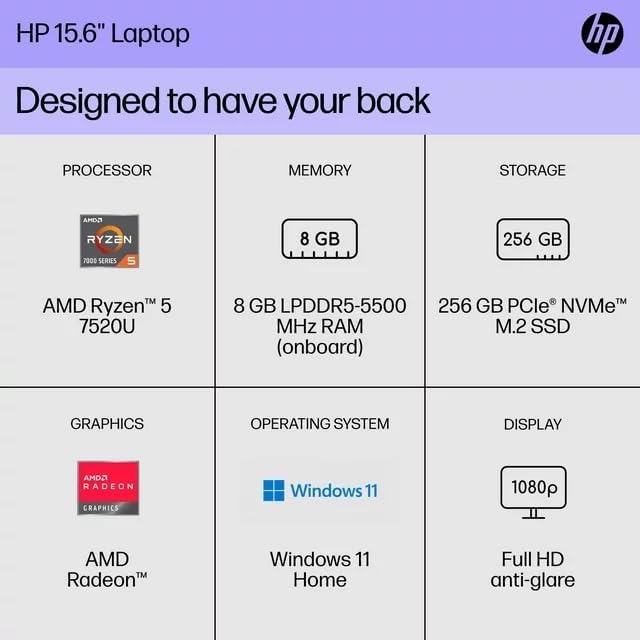
| Процесор | AMD Ryzen 5 7520U (up to 4.3 GHz max boost, 4 cores, 8 threads) |
| Графика | AMD Radeon графика (интегрисана) |
| Меморија (РАМ) | 8 ГБ ДДР4 СДРАМ |
| Складиштење | 256GB PCIe NVMe M.2 SSD |
| Дисплаи | 15.6-inch diagonal, Full HD (1920 x 1080), micro-edge, anti-glare, 250 nits, 45% NTSC |
| Оперативни систем | Виндовс 11 Хоме |
| Бежично повезивање | Realtek Killer Wi-Fi 6 (2x2), Bluetooth 5.3 |
| Портс |
|
| Камера | ХП Труе Висион 720п ХД камера са интегрисаним двоструким низом дигиталних микрофона |
| Аудио | Dual speakers, HD Audio |
| Тастатура | Full-size island-style QWERTY keyboard |
| Повер Девице | АЦ адаптер |
| УПЦ | 196337455771 |
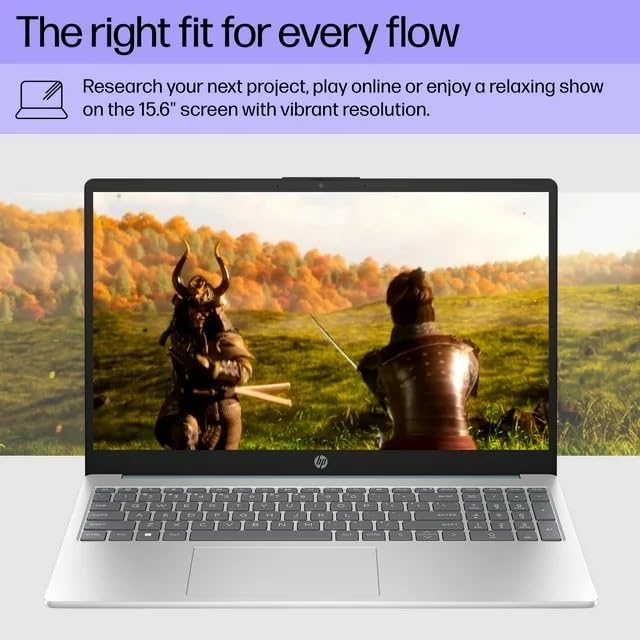
Image: A visual representation of the HP 15 laptop, complementing the detailed specifications listed.
6. Информације о гаранцији
This HP 15 laptop is a renewed product and comes with a 90-дневна ограничена гаранција. This warranty covers defects in materials and workmanship under normal use. For specific terms and conditions, please refer to the warranty documentation included with your product or contact HP support.
7. Корисничка подршка
For further assistance, technical support, or to download updated drivers and software, please visit the official HP support website. You can typically find support resources by searching for "HP Support" and your specific model number (HP 15) on their webсајту.
Онлине ресурси: https://support.hp.com