
1. Увод
Хвала вам на куповиниasing the ZEBRONICS Music Bomb 2 Party Speaker. This manual provides essential information for the safe and efficient use of your speaker. Please read it thoroughly before operating the device and retain it for future reference.
Видео 1: Крајview of the ZEBRONICS Music Bomb 2 Party Speaker, highlighting its key features and design.
2. Безбедносна упутства
- Не излажите звучник води или влази.
- Избегавајте постављање звучника у близини извора топлоте или на директној сунчевој светлости.
- Не покушавајте сами да растављате или поправљате звучник. Сва сервисирања препустите квалификованом особљу.
- Користите само назначени кабл за пуњење и адаптер.
- Чувајте звучник даље од деце и кућних љубимаца.
- Обезбедите одговарајућу вентилацију како бисте спречили прегревање.
3. Садржај пакета
Пакет укључује следеће ставке:
- ZEBRONICS Music Bomb 2 Party Speaker - 1 unit
- Wireless Microphone - 1 unit
- Кабл за пуњење типа C - 1 комад
- AUX Cable - 1 unit
- Detachable Carry Strap - 1 unit
- User Manual (this document) - 1 unit
4. Производ је готовview
The Music Bomb 2 features a robust design with intuitive controls and multiple connectivity options. Familiarize yourself with the various parts of the speaker.

Слика 1: Предња страна view of the ZEBRONICS Music Bomb 2 Party Speaker, showcasinг његову решетку и целокупни дизајн.
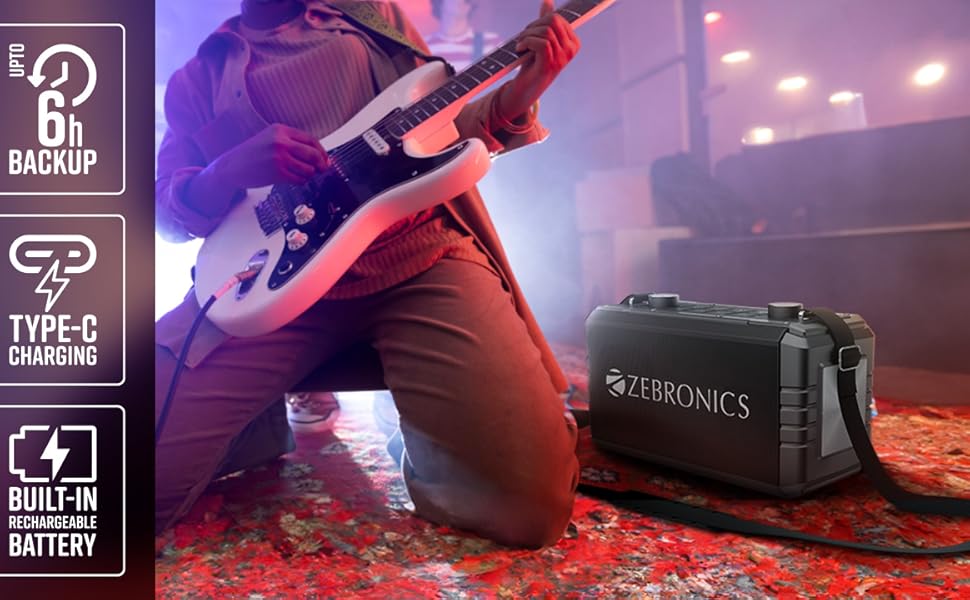
Слика 2: Позади view of the speaker, highlighting the Type-C charging port, USB, mSD, AUX, and microphone/guitar input jacks.

Image 3: Close-up of the top control panel, featuring bass and volume knobs, and media control buttons.
5. Подешавање
5.1 Пуњење звучника
Before first use, fully charge the speaker. Connect the provided Type-C charging cable to the speaker's charging port and the other end to a compatible USB power adapter (not included). The charging indicator will show the charging status.
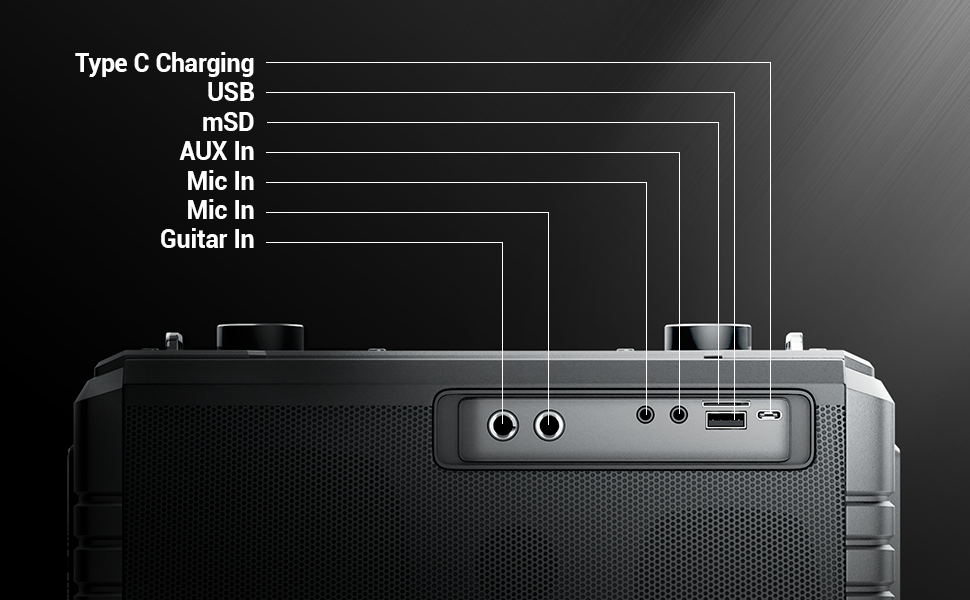
Image 4: Illustration of the speaker being charged via its Type-C port.
5.2 Укључивање/искључивање
Press and hold the power button on the control panel to turn the speaker on or off. A sound indicator will confirm the action.
6. Операција
6.1 Bluetooth Connectivity (BT v5.1)
- Укључите звучник. Аутоматски ће ући у режим упаривања путем Bluetooth-а.
- Enable Bluetooth on your mobile device and search for "ZEB-MUSIC BOMB 2".
- Select the speaker from the list to pair. A confirmation tone will sound upon successful connection.

Image 5: Visual representation of the speaker's Bluetooth 5.1 capability alongside other input options.
6.2 USB/mSD Playback
Insert a USB drive or mSD card (up to 32GB) into the respective port. The speaker will automatically detect and play audio files from the storage device. Use the media control buttons to navigate tracks.
6.3 АУКС улаз
Connect an external audio device using the provided 3.5mm AUX cable to the AUX input port. The speaker will switch to AUX mode automatically. Ensure the volume on both the speaker and the connected device is adjusted appropriately.
6.4 Guitar Input
Connect your guitar to the 6.3mm guitar input port. Adjust the volume on your guitar and the speaker for optimal sound. This feature allows for direct amplification of your instrument.
Video 2: Demonstration of connecting a guitar to the ZEBRONICS Music Bomb 2 speaker and playing music.
6.5 Microphone Input (Karaoke)
Connect the wireless microphone or a wired microphone (6.3mm or 3.5mm) to the respective input ports. The speaker supports karaoke functionality, allowing you to sing along with your music. Adjust microphone volume and echo effects using the dedicated controls.

Слика 6: Детаљно view of the speaker's control panel and the included wireless microphone.
6.6 TWS (Прави бежични стерео) функција
To experience True Wireless Stereo, you need two ZEBRONICS Music Bomb 2 speakers. Follow these steps:
- Укључите оба звучника.
- Ensure neither speaker is connected to any Bluetooth device.
- On one speaker, press and hold the 'TWS' button. It will search for the other speaker.
- Once connected, a confirmation tone will sound, and the TWS indicator will light up.
- Now, connect your mobile device to one of the speakers via Bluetooth. Both speakers will play audio in stereo.
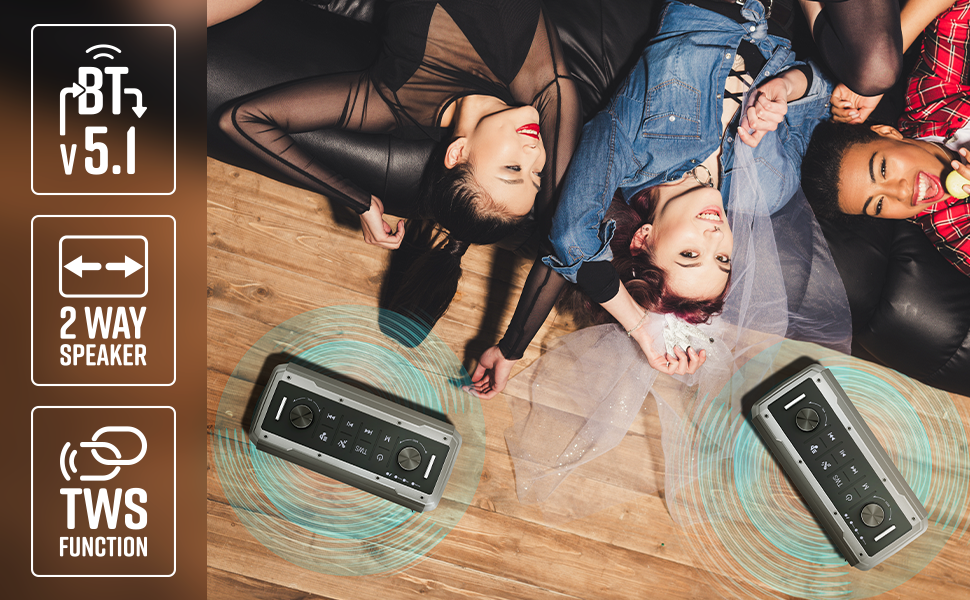
Image 7: Illustration of two Music Bomb 2 speakers paired using the TWS function for an immersive stereo audio experience.
7. Контроле
The speaker features a user-friendly control panel. Here's a breakdown of the main controls:
| Контрола | Функција |
|---|---|
| Дугме за напајање | Press and hold to turn the speaker ON/OFF. Short press to change modes (BT/USB/mSD/AUX). |
| ТВС дугме | Press and hold to initiate TWS pairing with another Music Bomb 2 speaker. |
| М (Моде) тастер | Short press to switch between input modes (Bluetooth, USB, mSD, AUX). |
| Претходна песма / Утишавање звука | Кратак притисак за претходну нумеру. Дуг притисак за смањење јачине звука. |
| Пусти/Паузирај | Кратким притиском репродукујете или паузирате звук. |
| Следећа песма / појачавање звука | Кратак притисак за следећу нумеру. Дуг притисак за повећање јачине звука. |
| Басс Кноб | Ротирајте да бисте подесили ниво баса. |
| Волуме Квачица | Ротирајте да бисте подесили главни ниво јачине звука. |
| Дугме за јачину звука микрофона | Подешава јачину звука повезаног микрофона. |
| Ецхо Кноб | Подешава ефекат одјека за микрофон. |
8. Одржавање
- Чишћење: Користите меку, суву крпу за чишћење звучника. Не користите абразивна средства за чишћење или раствараче.
- Складиштење: Чувајте звучник на хладном и сувом месту, даље од директне сунчеве светлости и екстремних температура.
- Одржавање батерије: Да бисте продужили век трајања батерије, избегавајте често потпуно пражњење звучника. Редовно га пуните, чак и ако се не користи дуже време.
КСНУМКС. Решавање проблема
| Проблем | Решење |
|---|---|
| Нема струје | Ensure the speaker is charged. Connect the Type-C charging cable and allow it to charge for some time before attempting to power on. |
| Нема звука | Check the volume levels on both the speaker and the connected device. Ensure the correct input mode is selected. Verify cable connections for AUX/Guitar inputs. |
| Блуетоотх упаривање није успело | Ensure the speaker is in pairing mode. Disable and re-enable Bluetooth on your device. Move the speaker closer to your device. Clear previous Bluetooth connections on your device. |
| Микрофон не ради | Ensure the microphone is powered on (if wireless) and properly connected. Adjust the microphone volume and echo knobs. |
| Проблеми са TWS конекцијом | Ensure both speakers are not connected to any other Bluetooth device. Follow the TWS pairing steps carefully. |
10. Спецификације
| Феатуре | Детаљ |
|---|---|
| Излазна снага | 80В РМС |
| Блуетоотх верзија | в5.1 |
| Опције повезивања | Bluetooth, USB, mSD, AUX, 6.3mm Guitar Input, 6.3mm & 3.5mm Mic Inputs |
| Трајање батерије | До 10 сати (при 50% запремине) |
| Цхаргинг Типе | Типе-Ц |
| Спеакер Типе | 2-системски систем звучника |
| Димензије (Д к Ш к В) | 17.3 к 27.4 к 33.3 центиметара |
| Тежина | 4040 грама |
| Фреквенцијски одзив | 20 Хз (минимум) |
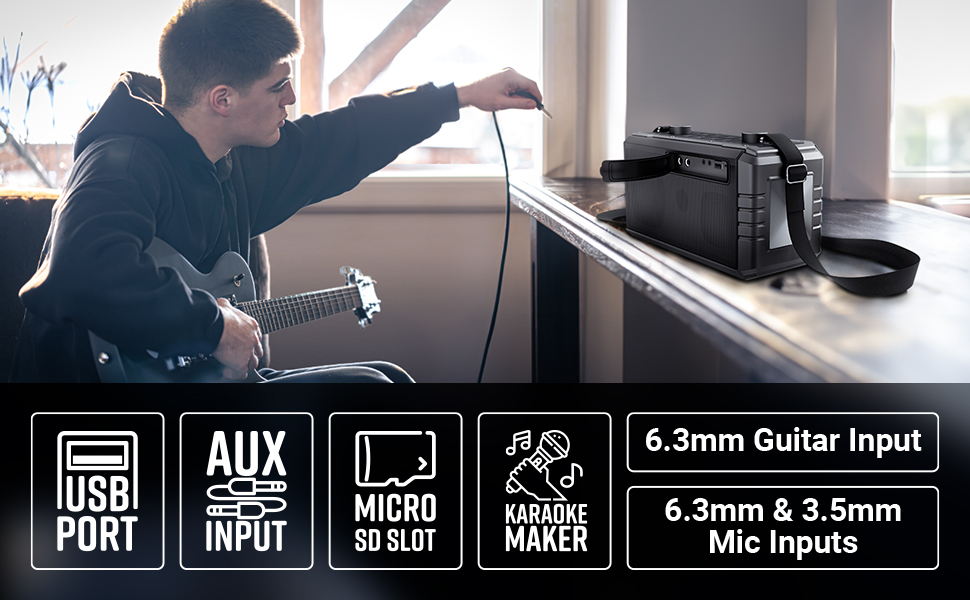
Image 8: Visual summary of the speaker's technical specifications.

Image 9: Diagram illustrating the length, width, and height of the ZEBRONICS Music Bomb 2 speaker.
11. Гаранција и подршка
The ZEBRONICS Music Bomb 2 Party Speaker comes with a Једногодишња гаранција за доношење у сервис to the service center. For warranty claims or technical support, please contact ZEBRONICS customer service. Keep your purchase receipt as proof of purchase.
Контакт информације произвођача: 13/7, Smith Road, Royapettah CHENNAI-600002, Zebronics India Private Limited
За више информација посетите званичник ZEBRONICS Store on Amazon.