
1. Увод
Thank you for choosing the IMIKI FRAME ST1 Smartwatch. This device is designed to enhance your daily life with its advanced features, including a vibrant AMOLED display, Bluetooth calling, extensive health monitoring, and a wide range of sports modes. This manual will guide you through the setup, operation, and maintenance of your new smartwatch.

Слика 1.1: Предња страна view of the IMIKI FRAME ST1 Smartwatch, displaying the time and date.
2. Подешавање
2.1 Пуњење паметног сата
Before first use, fully charge your IMIKI FRAME ST1. Connect the magnetic charging cable to the charging contacts on the back of the watch and plug the USB end into a standard USB power adapter (5V/1A recommended). A full charge takes approximately 2 hours.
2.2 Упаривање са вашим паметним телефоном
- Download the official IMIKI companion app from your smartphone's app store (available for Android and iOS).
- Уверите се да је Блуетоотх омогућен на вашем паметном телефону.
- Open the IMIKI app and follow the on-screen instructions to create an account or log in.
- In the app, select 'Add Device' or 'Pair New Device'. The app will search for nearby smartwatches.
- Select 'IMIKI FRAME ST1' from the list of found devices.
- Потврдите захтев за упаривање и на паметном телефону и на паметном сату.
Једном упарен, сат ће синхронизовати време и податке са вашим телефоном.

Слика 2.1: Предња страна view of the IMIKI FRAME ST1 Smartwatch, displaying a digital watch face.
3. Упутство за употребу
3.1 Основна навигација
- Екран на додир: Превуците прстом нагоре, надоле, лево или десно да бисте се кретали кроз меније и обавештења. Додирните да бисте изабрали ставке.
- Бочно дугме/круница: Press to return to the home screen or wake the display. Rotate (if applicable) to scroll through lists or adjust settings.
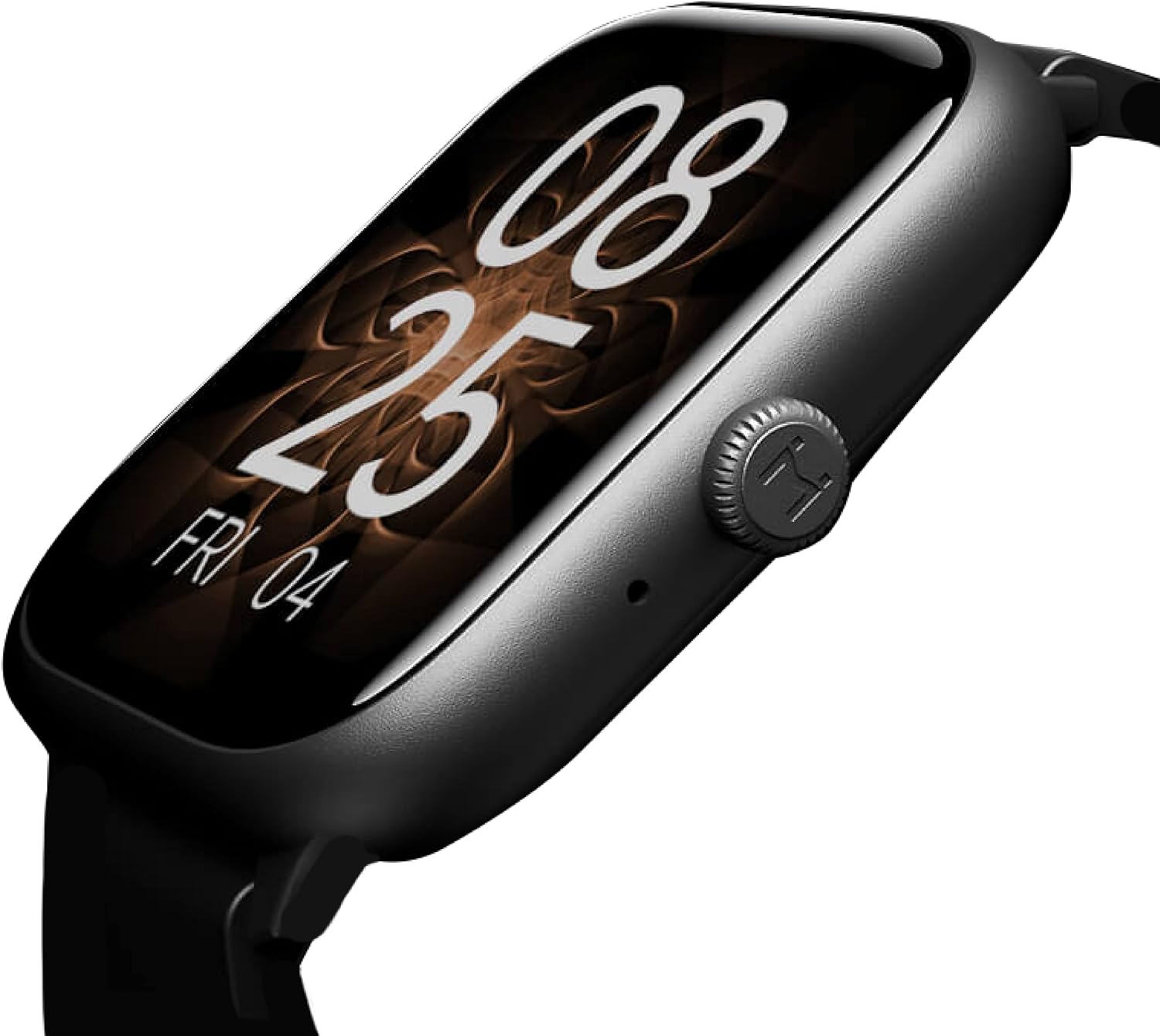
Слика 3.1: Страна view of the IMIKI FRAME ST1 Smartwatch, highlighting the functional crown.
3.2 Блуетоотх позивање
With Bluetooth 5.2, you can answer and make calls directly from your smartwatch. When an incoming call arrives, simply tap the green answer icon on the watch screen. The integrated microphone and speaker allow for hands-free communication.

Figure 3.2: The smartwatch display showing an incoming call notification.
3.3 Мониторинг здравља
The IMIKI FRAME ST1 provides comprehensive health tracking:
- Мониторинг срчане фреквенције: Continuously tracks your heart rate with real-time alerts for unusual readings.
- Мерење кисеоника у крви (SpO2): Мери ниво засићености крви кисеоником.
- Праћење спавања: Monitors your sleep patterns, including deep sleep, light sleep, and wake times.
3.4 спортских режима
Choose from over 100 supported workout modes to accurately record your exercise statistics. The watch tracks metrics such as steps, distance, calories burned, and active minutes for various activities.

Figure 3.3: Icons representing various sports modes available on the smartwatch.
3.5 додатних функција
The IMIKI FRAME ST1 offers several other useful features:
- Контрола музике: Контролишите репродукцију музике на свом паметном телефону директно са свог сата.
- Контрола камере: Користите свој сат као даљински управљач за камеру свог паметног телефона.
- Гласовни асистент: Приступите гласовном асистенту вашег паметног телефона.
- Пронађи мој телефон: Лоцирајте упарени паметни телефон тако што ћете га натерати да звони.
- Обавештења: Receive alerts for calls, messages, and app notifications.

Figure 3.4: The smartwatch display showing various application icons.
4. Одржавање
4.1 Чишћење паметног сата
Да бисте одржали изглед и функционалност вашег сата:
- Обришите екран и кућиште меком крпом која не оставља влакна.
- За тврдокорне трагове, благо дampИсперите крпу водом. Избегавајте употребу јаких хемикалија или абразивних материјала.
- Редовно чистите контакте за пуњење како бисте осигурали правилно пуњење.
4.2 Отпорност на воду (IP68)
The IMIKI FRAME ST1 is IP68 water-resistant, meaning it can withstand dust and immersion in water up to 1.5 meters for 30 minutes. While it is suitable for daily use and light water activities, avoid prolonged immersion, hot water, or exposure to high-pressure water jets. Dry the watch thoroughly after exposure to water.
КСНУМКС. Решавање проблема
| Проблем | Могући узрок | Решење |
|---|---|---|
| Сат се не укључује | Ниска батерија | Пуните сат најмање 30 минута. |
| Не могу да упарим телефон | Блутут искључен, проблем са апликацијом или сат није видљив | Ensure Bluetooth is on. Restart both phone and watch. Reinstall the app. |
| Нетачни здравствени подаци | Неправилно приањање, зачепљење сензора | Ensure the watch is snug on your wrist. Clean the sensor on the back of the watch. |
| Кратко трајање батерије | Честа употреба функција које захтевају много енергије | Reduce screen brightness, turn off unnecessary notifications, limit continuous heart rate monitoring. |
6. Спецификације
| Феатуре | Спецификација |
|---|---|
| Назив модела | IMIKI SMART WATCH FRAME ST1 GUNBLACK |
| Бранд | ИМИКИ |
| Величина екрана | 1.78 инча |
| Дисплаи Типе | AMOLED (368*448ppi resolution) |
| Технологија повезивања | Блуетоотх 5.2 |
| Оперативни систем | Wear OS (unspecified version) |
| Капацитет батерије | 260 мАх |
| Трајање батерије (типична употреба) | До 15 дана |
| Battery Life (Heavy Use) | До 7 дана |
| Време пуњења | Прибл. 2 сата |
| Отпорност на воду | ИП68 |
| Компатибилни уређаји | Smartphone (Android and iOS) |
| Боја | Црно |
| Број модела ставке | FRAME ST1 |
7. Гаранција и подршка
For warranty information and technical support, please refer to the warranty card included in your product packaging or visit the official IMIKI website. You may also contact IMIKI customer service through the contact details provided on their webсајту.