
1. Производ је готовview
The ELECTROPRIME CAMSOY S20 is a compact 1080P WiFi action camera designed for security monitoring, pet monitoring, or as a baby monitor. It features two-way audio, IR night vision, and motion detection capabilities, making it a versatile solution for various surveillance needs. Its small size and 360-degree adjustable mount allow for flexible placement.
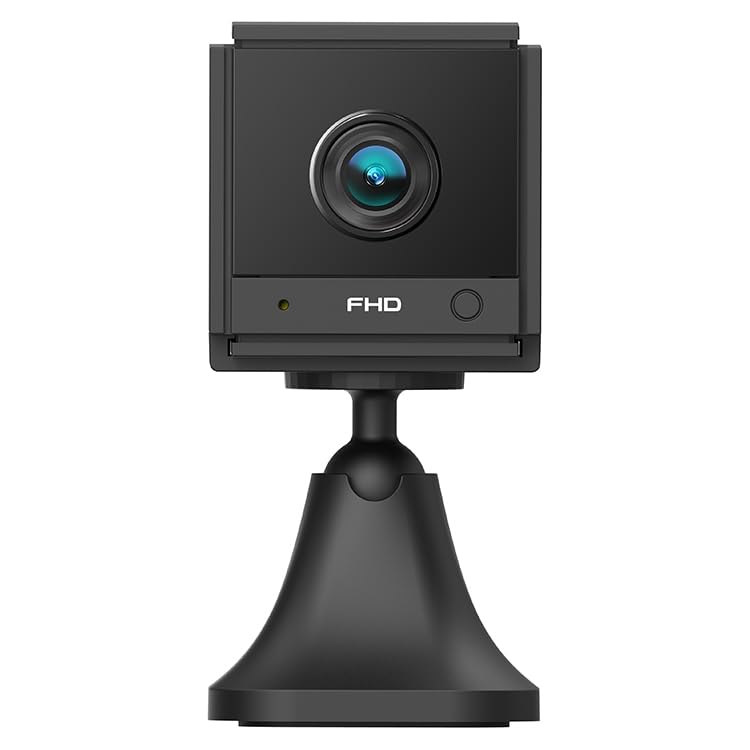
Слика 1.1: Под углом view of the ELECTROPRIME CAMSOY S20 1080P WiFi Action Camera, showing the lens and adjustable mount.
2. Садржај пакета
Молимо вас да проверите пакет за следеће ставке:
- ELECTROPRIME CAMSOY S20 Action Camera
- Подесиви носач за монтажу
- УСБ кабл за пуњење
- Кориснички приручник (овај документ)
- Built-in 800mAh Li-ion Battery (pre-installed)
3. Карактеристике производа
- Full 1080P HD Video: Снима јасан и детаљан видео записtage.
- ИР ноћни вид: Equipped with 6 infrared LEDs for clear vision up to 5-7 meters in low light or darkness.
- Двосмерни аудио: Built-in microphone and speaker for remote communication.
- Аларм за детекцију покрета: Alerts you to detected movement.
- Ви-Фи повезивање: Supports 2.4G WiFi (IEEE802.11b/g/n) for remote viewинг и контролу.
- Компактан дизајн: Mini size allows for discreet placement.
- Подесиви носач: 360-degree free adjustable mount for flexible positioning.
- Локално складиште: Supports Micro-SD Card up to 128GB (card not included).
- Уграђена батерија: 800mAh Li-ion battery provides backup power for 3-4 hours.
4. Водич за подешавање
4.1 Пуњење камере
Before initial use, fully charge the camera. Connect the provided USB charging cable to the camera's Micro USB interface and plug the other end into a standard USB power adapter (not included) or a computer's USB port. The charging indicator light will show the charging status.
4.2 Installing a Micro-SD Card
The camera supports Micro-SD cards up to 128GB for local video storage. Locate the Micro-SD card slot on the camera. Gently insert the Micro-SD card with the gold contacts facing down until it clicks into place. To remove, push the card in again until it springs out.
4.3 Монтирање камере
Attach the camera to the adjustable mounting bracket. The bracket allows for 360-degree rotation, enabling you to position the camera at the desired angle. Secure the bracket to a wall, ceiling, or flat surface using appropriate fasteners (not included).
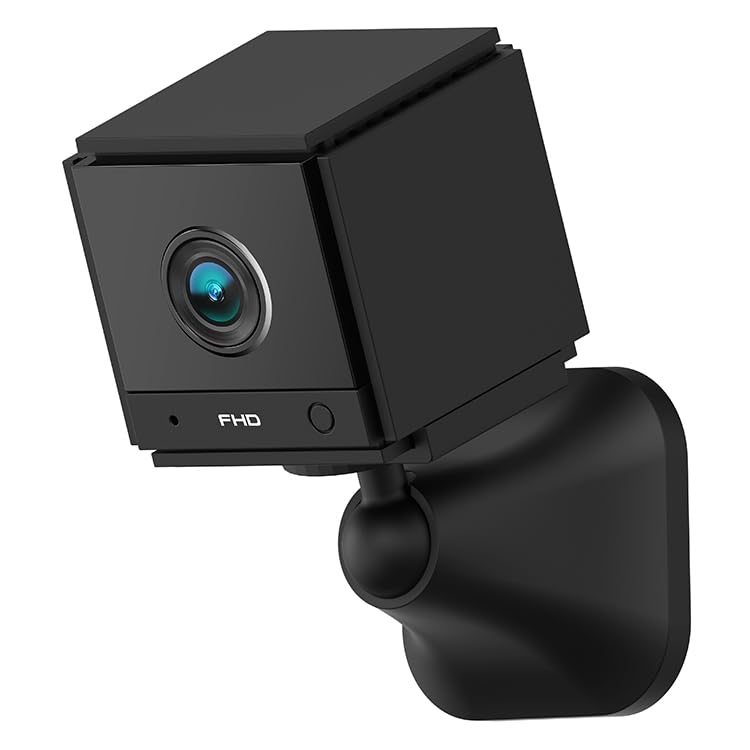
Слика 4.1: Предња страна view of the ELECTROPRIME CAMSOY S20 camera, showing the lens and indicator lights.
4.4 Повезивање са Wi-Fi мрежом и подешавање апликације
- Преузмите апликацију: Тражи the recommended camera application on your smartphone's app store (e.g., "CAMSOY" or a similar security camera app, refer to packaging for specific app name).
- Укључено: Press and hold the power button on the camera until the indicator light turns on.
- Додај уређај: Open the app, create an account if necessary, and select "Add Device" or a similar option.
- Select Camera Type: Follow the in-app instructions to select your camera model.
- Повежите се на Ви-Фи: The app will guide you through connecting the camera to your 2.4G Wi-Fi network. Ensure your Wi-Fi password is correct.
- Упаривање: The camera will pair with your smartphone. Once connected, you can view the live feed and access settings.
Note: The camera supports both AP Mode (direct connection to phone) and WiFi Mode (connection via router). Refer to the app for specific mode selection and setup.
5. Упутство за употребу
5.1 Укључивање/искључивање
- Укључено: Притисните и држите дугме за напајање око 3 секунде док се индикаторска лампица не упали.
- Искључивање: Притисните и држите дугме за напајање око 3 секунде док се индикаторска лампица не угаси.
5.2 Уживо View и Снимање
Once connected to the app, open the app to access the live video feed. From the live view интерфејс, можете:
- View видео у реалном времену.
- Manually start/stop video recording to the Micro-SD card or your phone.
- Take snapshots.
- Приступ снимљен фооtage from the Micro-SD card.
5.3 Двосмерни аудио
У живо view interface of the app, locate the microphone icon. Tap and hold the icon to speak through the camera's speaker. Release to listen through the camera's microphone.
5.4 Ноћни вид
The camera automatically switches to IR night vision mode in low-light conditions. The 6 infrared LEDs provide clear black and white video up to 5-7 meters.
5.5 Детекција покрета и аларми
Enable motion detection in the camera settings within the app. You can set sensitivity levels and define detection zones. When motion is detected, the camera can:
- Send push notifications to your smartphone.
- Start recording video to the Micro-SD card.
- Trigger a siren alarm (if enabled in settings).
6. Одржавање
- Чишћење: Користите меку, суву крпу за чишћење објектива и кућишта камере. Не користите течна средства за чишћење или абразивне материјале.
- Одржавање батерије: To prolong battery life, avoid extreme temperatures. If storing for extended periods, charge the battery to about 50% every few months.
- Ажурирања фирмвера: Check the camera app periodically for available firmware updates to ensure optimal performance and security.
- Складиштење: Store the camera in a cool, dry place away from direct sunlight and moisture when not in use.
КСНУМКС. Решавање проблема
7.1 Камера се не укључује
- Ensure the camera is fully charged. Connect it to a power source using the USB cable.
- Притисните и држите дугме за напајање најмање 3 секунди.
7.2 Не могу да се повежем са Wi-Fi мрежом
- Verify that your Wi-Fi network is 2.4GHz. The camera does not support 5GHz Wi-Fi.
- Уверите се да је лозинка за Wi-Fi унета у апликацији исправна.
- Place the camera closer to your Wi-Fi router during setup.
- Рестартујте рутер и камеру.
- Reset the camera to factory settings (refer to app or camera for reset button location).
7.3 Лош квалитет видеа
- Check your Wi-Fi signal strength. A weak signal can affect streaming quality.
- Уверите се да је објектив камере чист и без прашине или мрља.
- Adjust the camera's position to avoid glare or strong backlighting.
7.4 Micro-SD Card Not Recording
- Ensure the Micro-SD card is inserted correctly and fully.
- Format the Micro-SD card through the camera app.
- Check if the Micro-SD card is full. Back up important footage and format the card.
- Verify the Micro-SD card is not damaged and is within the supported capacity (up to 128GB).
8. Спецификације
| Број модела | НЦ0399Б |
| Резолуција | 2MP / 1080P Full HD |
| View Угао | (H)110 degrees, (D)140 degrees |
| Нигхт Висион | 6pcs 940nm SMT IR Led, Range 5~7 meters, Built-in IR-CUT |
| Видео Цодец | Х.264/Х.264+ |
| Мрежа | 2.4G WiFi IEEE802.11b/g/n |
| Батерија | Built-in 800mAh Li-ion Battery, lasts 3-4 hours (power cut off) |
| Аудио | Two-Way Audio (Built-in microphone and speaker) |
| Интерфејс | Мицро УСБ |
| Оперативни режими | AP Mode, WiFi Mode, Motion Detection Alarm |
| Складиштење | Micro-SD Card Max. 128GB (Class 10 recommended) |
| Компатибилни уређаји | Смартпхоне |
| Боја | Црно |
| Произвођач | ELECTROGADGETSSTORE |
9. Гаранција и подршка
For warranty information and technical support, please refer to the documentation provided at the time of purchase or contact the seller/manufacturer directly. The manufacturer of this product is ELECTROGADGETSSTORE.
Молимо вас да сачувате доказ о куповини за евентуалне рекламације у вези са гаранцијом.