
1. Производ је готовview
The Amkette Hush Pro Astra is a wireless mouse designed for comfort and efficiency. It features 2.4 GHz wireless connectivity, silent switches for quiet operation, an ergonomic design, and adjustable DPI settings for precise control. The mouse also includes an On/Off switch and a smart auto-sleep function to conserve battery life.
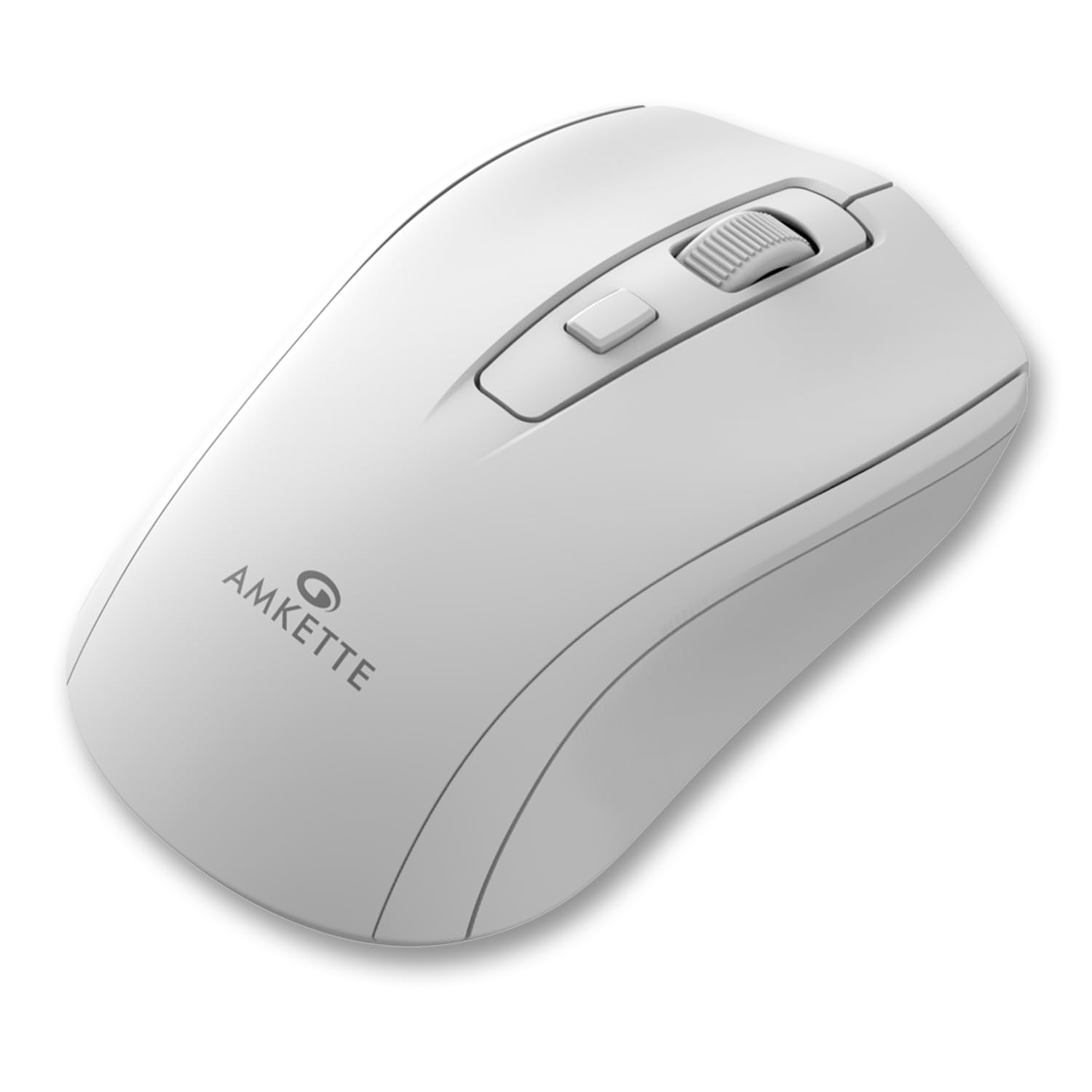
Figure 1: Amkette Hush Pro Astra Wireless Mouse (White)
Кључне карактеристике:
- Advanced 2.4 GHz Wireless Connectivity: Ensures a stable, lag-free connection.
- Тихи прекидачи: Provides noiseless clicks for an undisturbed work environment.
- Ергономски дизајн: Shaped for comfortable long-term use.
- Подесива подешавања ДПИ: Three levels (800-1000-1200 DPI) for customizable cursor sensitivity.
- Прекидач за укључивање/искључивање: For manual power control.
- Smart Auto Sleep Function: Аутоматски штеди батерију када се не користи.
- Компактан и преносив: Easy to carry in a laptop bag.

Figure 2: Ergonomic grip design with matte finish for enhanced comfort.

Figure 3: Silent click switches for quiet operation.

Figure 4: Universal compatibility with Windows, Mac OS, Chrome OS, and Linux.
2. Упутства за подешавање
2.1 Садржај пакета
Before you begin, ensure your package contains the following:
- Amkette Hush Pro Astra Wireless Mouse
- УСБ нано пријемник
Note: 1 AA battery is required and not included in the box.
2.2 Инсталација батерије
- Пронађите одељак за батерију на доњој страни миша.
- Gently slide the battery cover open.
- Уметните једну АА батерију, водећи рачуна да позитивни (+) и негативни (-) терминали буду правилно поравнати са ознакама унутар одељка.
- Затворите поклопац батерије док не кликне чврсто на своје место.

Figure 5: Battery compartment and On/Off switch location.
2.3 Повезивање миша
- Remove the USB Nano receiver from its storage slot, usually located within the battery compartment or on the underside of the mouse.
- Plug the USB Nano receiver into an available USB port on your computer (PC, Mac, Laptop, etc.).
- Укључите миш помоћу прекидача за укључивање/искључивање који се налази на доњој страни.
- Ваш рачунар би требало аутоматски да детектује и инсталира потребне драјвере. Миш ће бити спреман за употребу у року од неколико секунди.

Figure 6: Connecting the USB Nano receiver to a laptop.
3. Упутство за употребу
3.1 Укључивање/искључивање
To turn the mouse on or off, use the slide switch located on the underside of the mouse. Slide it to the 'ON' position for use and 'OFF' to conserve battery when not in use.
3.2 ДПИ подешавање
The mouse features a dedicated DPI button, usually located behind the scroll wheel. Press this button to cycle through three different DPI (Dots Per Inch) settings: 800, 1000, and 1200. A higher DPI setting results in faster cursor movement, while a lower DPI setting provides more precise control.

Figure 7: DPI button and available sensitivity levels.
3.3 Функција тихог клика
The Amkette Hush Pro Astra is equipped with silent switches, significantly reducing the clicking noise. This feature is ideal for quiet environments, ensuring minimal disturbance during use.
3.4 Smart Auto Sleep Function
To extend battery life, the mouse will automatically enter a sleep mode after a period of inactivity. To wake the mouse, simply move it or click any button.
4. Одржавање
4.1 Чишћење
- Користите меку, суву крпу да обришете површину миша.
- За тврдокорну прљавштину, благо дampОбришите крпу водом или благим раствором за чишћење. Избегавајте јаке хемикалије.
- Не потапајте миш у воду или било коју течност.
- Clean the optical sensor on the underside periodically with a cotton swab to ensure smooth tracking.
4.2 Складиштење
- When not in use for extended periods, turn off the mouse using the On/Off switch.
- Store the USB Nano receiver inside the mouse's designated slot to prevent loss.
- Keep the mouse in a cool, dry place away from direct sunlight and extreme temperatures.
КСНУМКС. Решавање проблема
5.1 Миш не реагује
- Проверите батерију: Уверите се да је АА батерија правилно инсталирана и да је довољно напуњена. Замените је ако је потребно.
- Прекидач: Verify that the On/Off switch on the underside of the mouse is in the 'ON' position.
- Веза са пријемником: Ensure the USB Nano receiver is securely plugged into a working USB port on your computer. Try a different USB port.
- Поновно упаривање: In rare cases, the mouse and receiver might lose connection. Try unplugging and re-plugging the receiver, then turn the mouse off and on again.
5.2 Неправилно кретање курсора
- Очистите сензор: Очистите оптички сензор на доњој страни миша.
- Површина: Користите миш на чистој, нерефлектујућој и уједначеној површини. Избегавајте стакло или површине са високим рефлектујућим ефектом.
- сметње: Move the mouse closer to the USB receiver. Other wireless devices or large metal objects might cause interference.
5.3 Кратак век трајања батерије
- Искључите када није у употреби: Always turn off the mouse using the On/Off switch when not in use for extended periods.
- Квалитет батерије: Use high-quality AA alkaline batteries.
- Аутоматско спавање: The mouse has an auto-sleep function, but manual power-off provides maximum battery conservation.
6. Спецификације
| Феатуре | Спецификација |
|---|---|
| Бранд | Амкетте |
| Број модела | 516 |
| Сериес | Hush Pro Astra |
| Технологија повезивања | 2.4 GHz бежични (USB нано пријемник) |
| Технологија детекције покрета | Оптицал |
| ДПИ подешавања | 800-1000-1200 DPI (Adjustable) |
| Посебна карактеристика | Silent Clicks, Ergonomic Design, On/Off Switch, Smart Auto Sleep Function |
| Извор напајања | Battery Powered (1 AA battery required, not included) |
| Компатибилност оперативног система | Linux, Windows 7, Windows XP, Mac OS, Chrome OS |
| Димензије производа | 11 к 6 к 0.1 цм |
| Тежина артикла | 30 г |
| Боја | Бела |
7. Гаранција и подршка
7.1 Информације о гаранцији
The Amkette Hush Pro Astra Wireless Mouse comes with a hassle-free 1 године гаранције произвођача од датума куповине. Ова гаранција покрива производне недостатке у нормалним условима употребе.
7.2 Корисничка подршка
For any assistance, queries, or warranty claims, please contact our support team. You can reach them via call or WhatsApp for prompt assistance with any issues.
Please refer to the product packaging or the official Amkette webсајт за најновије контакт информације.
8. Видео снимци производа
Video 1: Amkette Hush Pro Astra Wireless Mouse Overview. This video highlights the ergonomic design, adjustable DPI settings, and silent click features of the mouse.
Video 2: Amkette Hush Pro Astra Wireless Mouse Features. This video demonstrates the advanced 2.4 GHz connectivity, silent operation, and portability of the mouse.