
TREBLAB HD-Max
TREBLAB HD-Max Wireless Speaker User Manual
Model: HD-Max
Увод
Thank you for choosing the TREBLAB HD-Max Wireless Speaker. This manual provides essential information for the proper setup, operation, and maintenance of your device. Please read it thoroughly to ensure optimal performance and longevity of your speaker.
Садржај пакета
Проверите да ли су све ставке наведене у наставку укључене у ваш пакет:
- TREBLAB HD-Max Bluetooth Speaker
- 3.5 мм АУКС кабл
- Трака за ношење
- Отварач за флаше
- USB/Type-C Charging cable
- TREBLAB HD-Max User Manual
- Гарантни лист
- Стицкер
- Каталог

Image: All items included in the TREBLAB HD-Max speaker package.
Производ је завршенview
The TREBLAB HD-Max speaker features a robust design with intuitive controls and versatile connectivity options.

Слика: Фронт view of the TREBLAB HD-Max speaker, showcasing its cylindrical shape and integrated carrying strap.

Слика: Позади view of the TREBLAB HD-Max speaker, highlighting the protected port panel for charging and auxiliary connections.
Сетуп
Пуњење звучника
Before first use, fully charge your TREBLAB HD-Max speaker. Connect the provided USB Type-C charging cable to the speaker's charging port and a compatible USB power source. The LED indicator will show charging status. A full charge takes approximately 5 hours and provides up to 20 hours of playtime at 10% volume.
Укључивање/искључивање
- To power on: Press and hold the Power button until the LED indicator illuminates.
- To power off: Press and hold the Power button until the LED indicator turns off.
Блуетоотх упаривање
- Ensure the speaker is powered on and in pairing mode (LED will flash).
- На свом уређају (паметном телефону, таблету, рачунару) омогућите Блутут.
- Тражи available devices and select "TREBLAB HD-Max".
- Једном када се повеже, ЛЕД индикатор ће престати да трепери и остати стално светлећи.
Упаривање Труе Вирелесс Стерео (ТВС)
To achieve a stereo sound experience, you can pair two TREBLAB HD-Max speakers together:
- Ensure both HD-Max speakers are powered on and not connected to any other Bluetooth device.
- On one speaker, press and hold the TWS button until you hear a confirmation tone. This speaker will be the primary unit.
- The primary speaker will automatically search for the secondary speaker. Once connected, you will hear another confirmation tone.
- Now, connect your device to the primary HD-Max speaker via Bluetooth as described above. Audio will play through both speakers in stereo.

Image: Two TREBLAB HD-Max speakers positioned to demonstrate True Wireless Stereo pairing for an immersive audio experience.
АУКС Цоннецтион
Use the provided 3.5mm AUX cable to connect the speaker to devices without Bluetooth capability. Insert one end into the speaker's AUX input and the other into your device's audio output. The speaker will automatically switch to AUX mode.
УСБ репродукција
Убаците УСБ флеш диск који садржи аудио files into the USB-A port. The speaker will automatically detect and begin playing music from the drive.
Упутство за употребу
Основне контроле
- Појачавање/утишавање: Притисните дугмад „+“ или „-“.
- Пусти/паузирај: Притисните дугме Плаи/Паусе.
- Следећа нумера: Притисните и држите дугме „+“.
- Претходни запис: Притисните и држите дугме '-'.
Режими звука
The HD-Max offers three distinct sound modes to optimize your listening experience:
- Режим у затвореном: Balanced audio for enclosed spaces.
- Режим на отвореном: Enhanced volume and clarity for open environments.
- Режим појачавања баса: Amplified low frequencies for a deeper bass response.
Press the Mode button to cycle through these options.
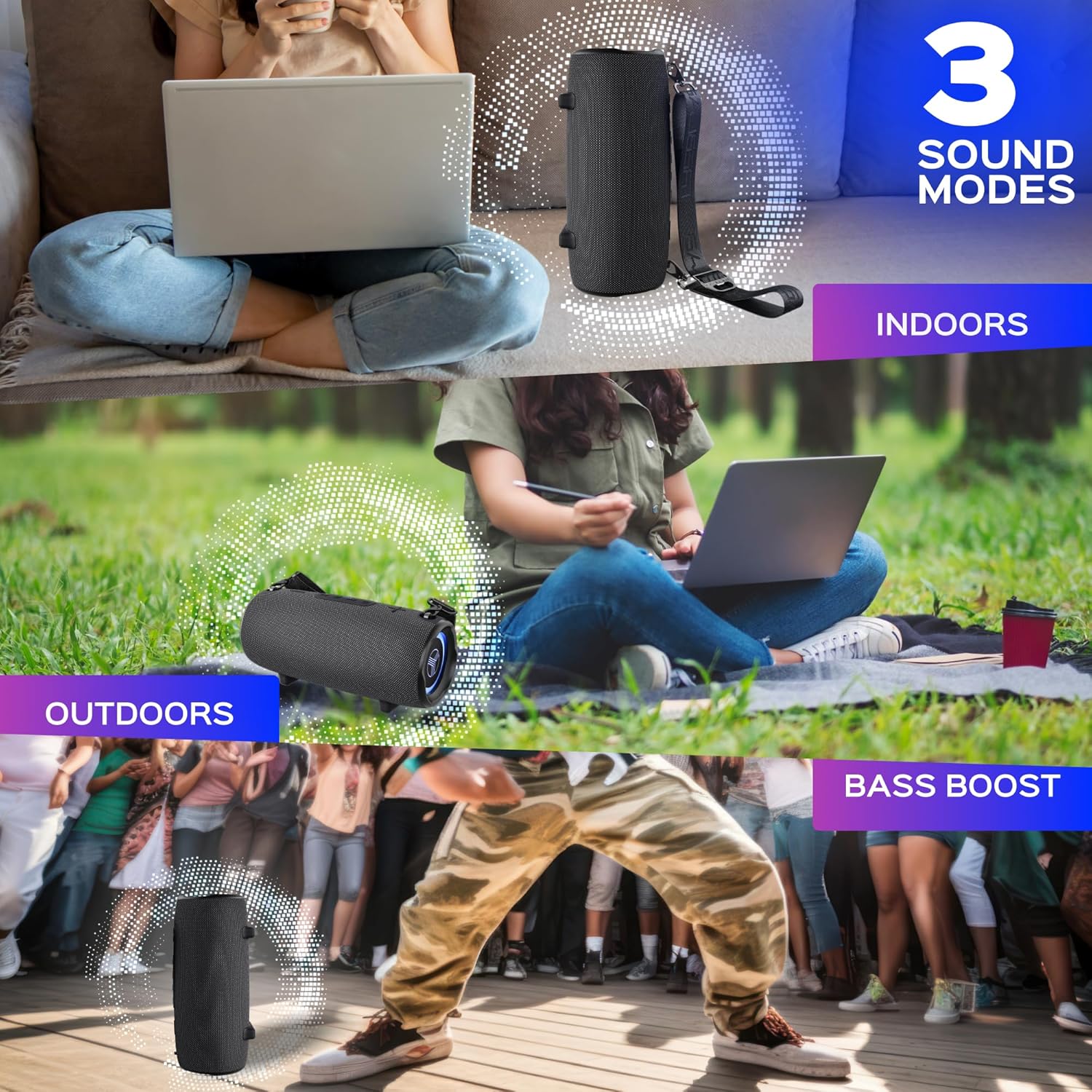
Image: Visual representation of the three sound modes (Indoor, Outdoor, Bass Boost) and their intended use scenarios.
Позивање без употребе руку
Са уграђеним микрофоном, можете директно одговарати на позиве преко звучника када сте повезани путем Блутут-а:
- Одговори на позив: Притисните дугме Плаи/Паусе.
- Заврши позив: Press the Play/Pause button again.
- Одбиј позив: Притисните и држите дугме за репродукцију/паузу.

Image: A user engaging in a hands-free call using the TREBLAB HD-Max speaker's integrated microphone.
Повер Банк функција
The HD-Max can function as a power bank to charge your mobile devices. Connect your device's charging cable to the USB-A output port on the speaker. The speaker's 6600mAh battery will provide power to your device.
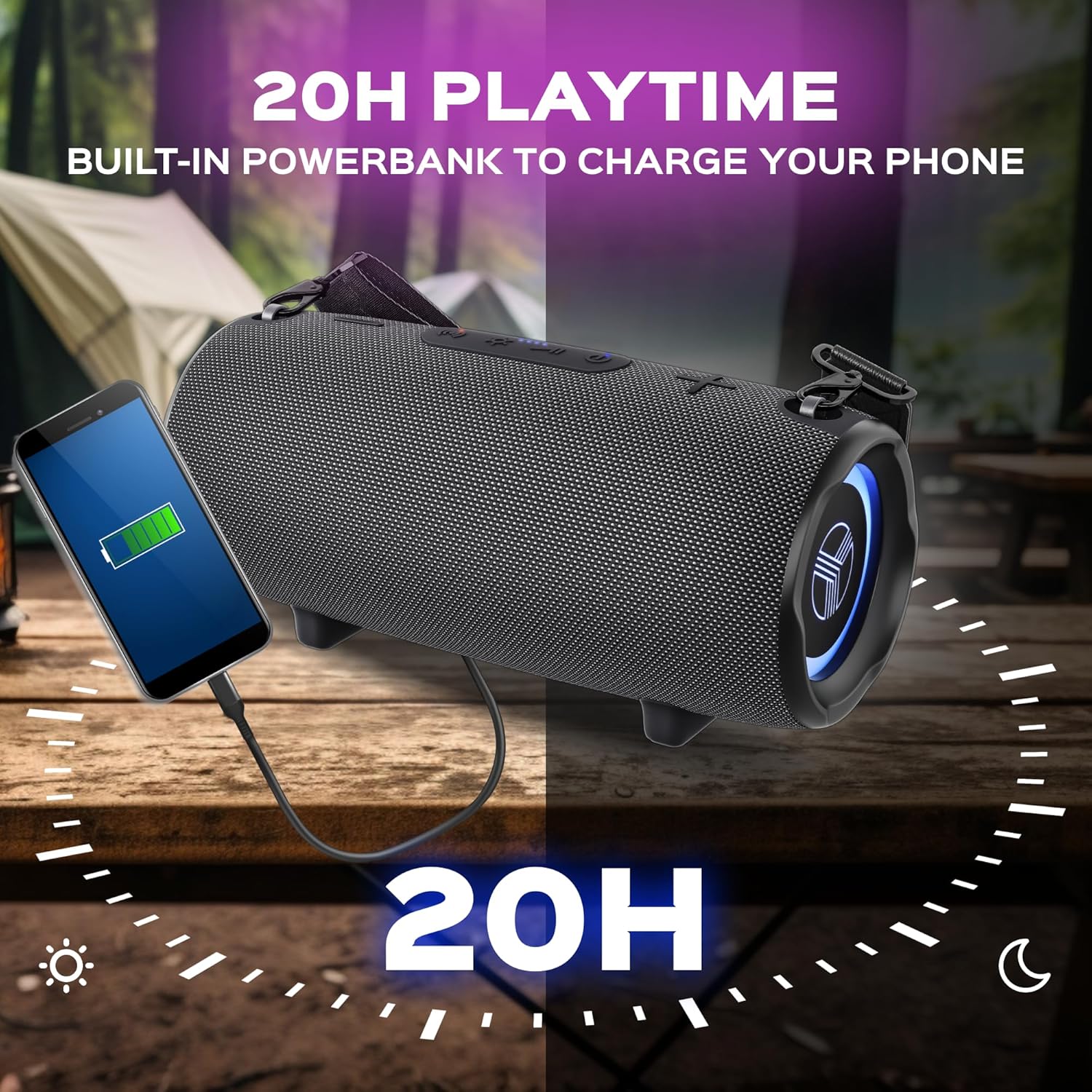
Image: The TREBLAB HD-Max speaker actively charging a smartphone, demonstrating its power bank capability.
РГБ осветљење
The speaker features dynamic RGB lighting. Press the Light button to cycle through different lighting modes or to turn the lights off.
Одржавање
Чишћење
Обришите звучник меком, дamp cloth. Do not use abrasive cleaners or solvents. Ensure all port covers are securely closed before cleaning or exposing to water.
Складиштење
Чувајте звучник на хладном и сувом месту, даље од директне сунчеве светлости и екстремних температура. Ако га складиштите дуже време, пуните батерију до приближно 50% сваких неколико месеци како бисте одржали њено здравље.
Отпорност на воду (ИПКС7)
The TREBLAB HD-Max is rated IPX7, meaning it can be submerged in water up to 1 meter (3 feet) for 30 minutes. Ensure all port covers are firmly sealed before exposing the speaker to water. This rating protects against accidental submersion but is not intended for prolonged underwater use.

Image: The TREBLAB HD-Max speaker shown partially submerged in water, highlighting its IPX7 water resistance feature.
Решавање проблема
| Проблем | Могући узрок | Решење |
|---|---|---|
| Звучник се не укључује | Слаба батерија; Дугме за напајање није правилно притиснуто | Charge the speaker; Press and hold the Power button for 3 seconds. |
| Не могу да упарим преко Bluetooth-а | Звучник није у режиму упаривања; Bluetooth уређаја је искључен; Звучник је већ повезан са другим уређајем | Ensure speaker LED is flashing; Enable Bluetooth on your device; Disconnect from other devices. |
| Нема звука | Volume too low; Incorrect input source; Device not playing audio | Increase speaker and device volume; Check AUX cable connection or Bluetooth status; Ensure audio is playing on your device. |
| ТВС упаривање не успева | Speakers too far apart; One speaker already paired to a device; Incompatible Bluetooth versions (for older models) | Place speakers closer; Ensure both speakers are disconnected from other devices; Note that new Bluetooth 5.3 speakers may not pair with older 4.2/5.0 models in TWS mode. |
| Повер банк не пуни уређај | Speaker battery low; Cable issue; Device not compatible | Charge the speaker; Try a different USB cable; Ensure your device is compatible with USB charging. |
Спецификације
| Феатуре | Детаљ |
|---|---|
| Назив модела | ХД-Мак |
| Бежична технологија | Блуетоотх 5.3 |
| Сигнал Ранге | 33 стопа / 10 метра |
| Излазна снага | 60 Ваттс |
| Dynamics Quantity | 4 |
| Плаитиме | До 20 сати (при 10% запремине) |
| Време пуњења | До 5 сати |
| Капацитет батерије | 6600mAh (13200 Milliamp Сати) |
| Отпорност на воду | ИПКС7 |
| Димензије производа | 5.43"Д к 5.51"Ш к 12.2"В |
| Тежина артикла | 5.94 фунти |
| Контролни метод | Додирните |
| Режим аудио излаза | Стерео |
| Посебне карактеристике | Powerbank, 3 Sound Modes, Built-in Mic, RGB Lighting |
| УПЦ | 860005982578 |
Гаранција и подршка
The TREBLAB HD-Max Wireless Speaker comes with a 1 година гаранције и а Политика поврата од 30 дана, ensuring a risk-free purchase. For any questions, technical support, or warranty claims, please visit the official TREBLAB store or contact customer service through the retailer where you purchased the product.
За додатне информације и подршку, можете посетити TREBLAB Store on Amazon.
Ask a question about this manual
Ask about setup, troubleshooting, compatibility, parts, safety, or missing instructions. Manuals+ will review the question and use this page’s manual context to help answer it.