
MOOKA TL2867
MOOKA H13 HEPA Filter Air Purifier TL2867 User Manual
Model: TL2867 | Brand: MOOKA
1. Увод
This manual provides comprehensive instructions for the safe and efficient operation, maintenance, and troubleshooting of your MOOKA TL2867 H13 HEPA Filter Air Purifier. This device is designed to improve indoor air quality by filtering various airborne particles and odors in large rooms up to 1650 sq.ft.

Figure 1: MOOKA TL2867 Air Purifier
2. Важна безбедносна упутства
- Прочитајте сва упутства пре употребе уређаја.
- Немојте користити уређај са оштећеним каблом или утикачем.
- Не провлачите кабл испод тепиха. Не покривајте кабл простиркама, клизачима или сличним покривачима. Поставите кабл даље од саобраћајне површине и где се неће спотакнути.
- Не користите на отвореном или на мокрим површинама.
- Искључите из утичнице када није у употреби и пре чишћења.
- Не дозволите деци да се играју прочишћивачем ваздуха.
- Изјаве у вези са суплементима исхрани нису процењене од стране ФДА и нису намењене за дијагностиковање, лечење, лечење или превенцију било које болести или здравственог стања.
3. Производ је готовview
3.1 Компоненте
- Main Air Purifier Unit
- 3-Сtage Filtration Filter (Pre-Filter, H13 HEPA Filter, Activated Carbon Filter)
- Повер Адаптер
- Упутство за употребу
3.2 Контролна табла и индикатори
The control panel is located on the top of the unit and features several buttons and indicator lights:
- Дугме за укључивање (⏻): Turns the unit On/Off. Also cycles through fan speeds when pressed repeatedly.
- AUTO Mode Indicator: Lights up when Auto Mode is active.
- Индикатори брзине вентилатора: Displays current fan speed (Low, High).
- Дугме за режим спавања (☽): Activates quiet sleep mode and dims indicator lights.
- Индикатор ресетовања филтера: Lights up red when filter replacement is needed.
- PM2.5 Air Quality Sensor Indicator: Changes color based on real-time air quality:
- плава: Good Air Quality (85-100% Clean Air)
- Жута: Moderate Air Quality (70-85% Clean Air)
- црвено: Poor Air Quality (0-69% Clean Air)

Figure 2: Control Panel with PM2.5 Air Quality Sensor Indicator
4. Подешавање
4.1 Распакивање и почетни преглед
Carefully remove the air purifier from its packaging. Inspect the unit for any signs of damage. Ensure all components listed in Section 3.1 are present.
Video 1: Unboxing and initial setup of the MOOKA Air Purifier, demonstrating how to remove the unit from its packaging and prepare it for use.
4.2 Инсталација филтера
- Искључите адаптер за напајање из јединице.
- Turn the unit upside down. Locate the two knobs on the base.
- Turn the two knobs to the left and right respectively to unlock the filter cover.
- Pull out the old filter (if replacing) or remove the new filter from its plastic packaging.
- Insert the filter into the unit, ensuring the "FRONT" label faces outwards.
- Replace the filter cover and turn the two knobs back into place to secure it.

Figure 3: Easy steps to replace the air filter.
4.3 Прикључак за напајање
Connect the power adapter to the DC IN port on the unit and then plug it into a standard electrical outlet.
5. Упутство за употребу
5.1 Укључивање/искључивање
Притисните дугме за напајање (⏻) once to turn the air purifier on. Press it again to turn the unit off.
5.2 Подешавање брзине вентилатора
When the unit is on, repeatedly press the Power Button (⏻) to cycle through the available fan speeds: Low, High, and Auto Mode.
- Мала брзина: Suitable for continuous, quiet operation.
- Велика брзина: Provides maximum air purification for quick cleaning.
- Аутоматски режим: The air purifier automatically adjusts the fan speed based on the real-time air quality detected by the PM2.5 sensor.

Figure 4: Air Purifier in Auto Mode, adjusting fan speed based on air quality.
5.3 Режим спавања
Press the Sleep Mode Button (☽) to activate Sleep Mode. In this mode, the fan operates at its lowest speed (15dB) for quiet operation, and all indicator lights are dimmed to ensure an undisturbed environment.
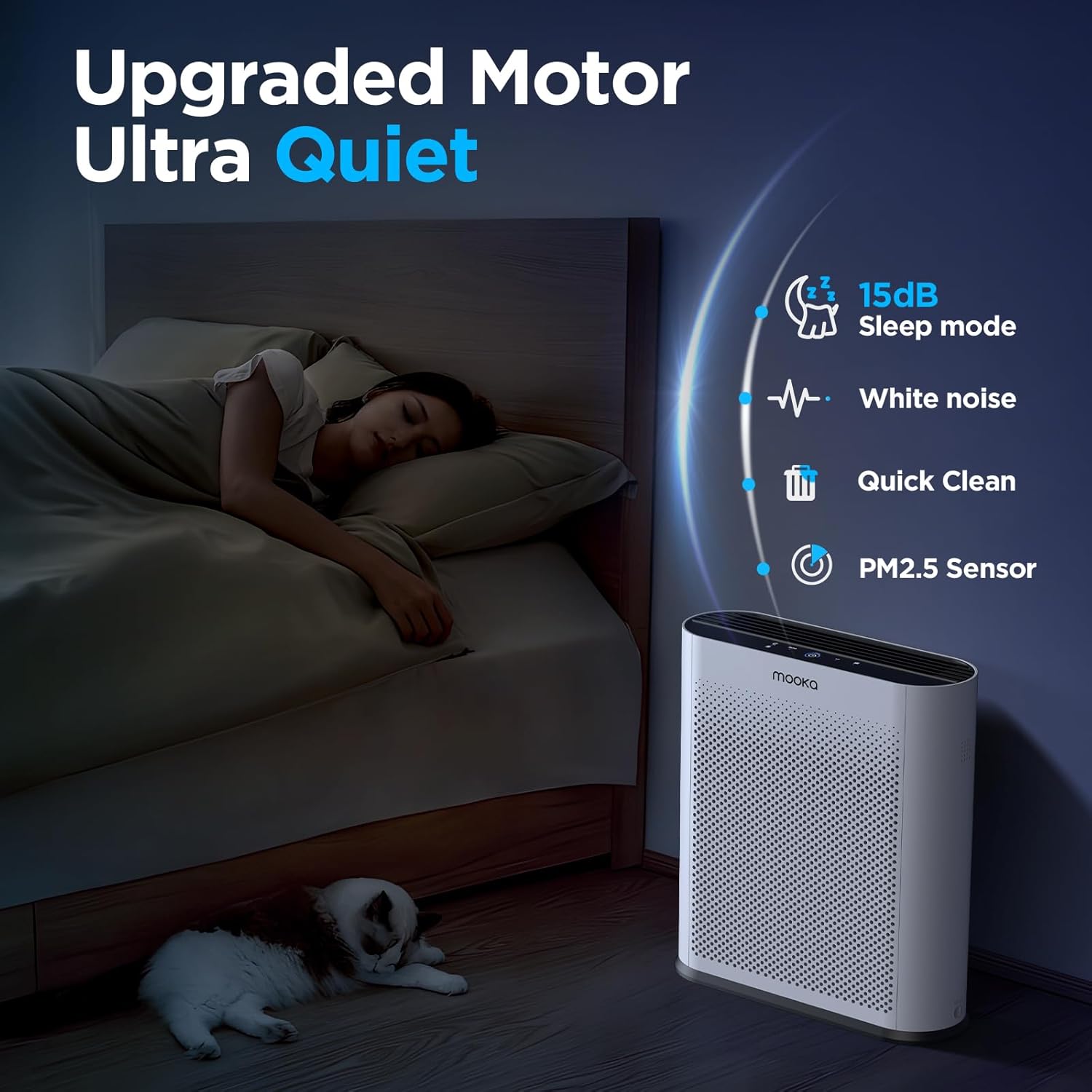
Figure 5: Quiet Sleep Mode for undisturbed rest.
5.4 PM2.5 Air Quality Sensor
The built-in PM2.5 sensor continuously monitors the surrounding air quality. The Power Button's LED ring changes color to indicate the current air quality:
- плава: Добар квалитет ваздуха
- Жута: Умерен квалитет ваздуха
- црвено: Лош квалитет ваздуха
Video 2: Demonstration of the air quality sensor changing colors based on detected air quality levels.
Video 3: Smoke purification test of the MOOKA TL2867 Smart Air Purifier, showing its effectiveness in clearing smoke from an enclosed space and the air quality indicator changing from red to blue.
6. Одржавање
6.1 Filter Replacement Reminder
The air purifier is equipped with a filter change reminder. When the filter life has expired (approximately every 3-6 months, or 1500 hours of use), the Filter Reset Indicator will light up red.

Figure 6: Filter Change Indicator.
6.2 Замена филтера
- Искључите адаптер за напајање из јединице.
- Turn the unit upside down. Turn the two knobs on the base to unlock the filter cover.
- Уклоните коришћени филтер.
- Insert a new official MOOKA filter (Тражи B0D3D4V1NY on Amazon), ensuring the "FRONT" label faces outwards.
- Replace the filter cover and turn the two knobs back into place to secure it.
- Поново укључите адаптер за напајање.
- Long press the Filter Reset Indicator button for 3-5 seconds to reset the filter timer. The red light will turn off.

Figure 7: The 3-Stagе Систем за филтрирање.
6.3 Генерално чишћење
Обришите спољашњост пречистача ваздуха меком, сувом крпом. Не користите абразивна средства за чишћење или раствараче. Уверите се да је уређај искључен из струје пре чишћења.
КСНУМКС. Решавање проблема
| Проблем | Могући узрок | Решење |
|---|---|---|
| Јединица се не укључује. | No power, power adapter not connected properly. | Уверите се да је адаптер за напајање безбедно прикључен на уређај и исправну утичницу. |
| Filter Reset Indicator remains red after filter replacement. | Filter timer not reset. | Long press the Filter Reset Indicator button for 3-5 seconds until the light turns off. |
| Air quality indicator is always red/yellow despite clean air. | PM2.5 sensor may be dirty or obstructed. | Gently clean the PM2.5 sensor area with a soft, dry cloth. Ensure no obstructions. |
| Необична бука током рада. | Filter not installed correctly, foreign object inside. | Check filter installation. Unplug and inspect for any foreign objects. |
8. Спецификације
- Бренд: МООКА
- Број модела: ТЛ2867
- Димензије производа: 34.5 цм x 13.5 цм x 41.4 цм
- Тежина: 6.77 фунти (3.07 кг)
- Ниво буке: 15 децибела (у режиму спавања)
- Област покривености: Up to 1650 sq.ft. (purifies 3x per hour in 550 sq.ft.)
- Тип филтера: H13 HEPA Filter with 3-Stage Filtration (Pre-Filter, H13 HEPA, Activated Carbon)
- Посебне карактеристике: PM2.5 Air Quality Sensor, Auto Mode, Sleep Mode, Filter Replacement Reminder
- Сертификати: CARB Certified, DOE Certified, ETL Certified
9. Гаранција и подршка
For warranty information or customer support, please refer to the official MOOKA website or contact your retailer. Ensure to use official MOOKA replacement filters for optimal performance and to maintain warranty validity.
Protection plans may be available for purchase separately. Please check with your retailer for details on 3-Year or 4-Year Protection Plans.