
1. Важна безбедносна упутства
Please read all instructions carefully before using this dehumidifier and retain this manual for future reference. Failure to follow these instructions may result in electric shock, fire, or serious injury.
- Always unplug the dehumidifier from the power outlet before cleaning, performing maintenance, or when not in use.
- Do not operate the dehumidifier with a damaged cord or plug. If the power cord is damaged, it must be replaced by the manufacturer, its service agent, or similarly qualified persons to avoid a hazard.
- Овај уређај је само за унутрашњу употребу. Не користите на отвореном.
- Уверите се да је одвлаживач ваздуха постављен на стабилну, равну површину како бисте спречили превртање и просипање воде.
- Do not block the air inlet or outlet. Maintain at least 8 inches (20 cm) clearance from walls or other objects.
- Не потапајте одвлаживач ваздуха, кабл за напајање или утикач у воду или друге течности.
- Држите децу и кућне љубимце даље од одвлаживача ваздуха током рада.
- Не користите одвлаживач ваздуха у просторијама где се складиште запаљиве течности или гасови.
- Редовно празните резервоар за воду како бисте спречили преливање.
2. Производ је готовview
The VEWIOR PC-450B Dehumidifier is designed to efficiently remove excess moisture from your indoor environment, improving air quality and comfort. It features a large water tank, quiet operation, and convenient functions like auto shut-off and a night light.
Идентификација компоненте
- Контролна табла са дигиталним дисплејом
- Аир Инлет
- Аир Оутлет
- Резервоар за воду који се може уклонити
- Прикључак за кабл за напајање


3. Подешавање
Follow these steps to set up your dehumidifier for the first time.
- Raspakujte: Пажљиво извадите одвлаживач ваздуха из амбалаже. Сачувајте сав материјал за паковање за будуће складиштење или транспорт.
- Пласман: Place the dehumidifier on a firm, level surface in the desired location. Ensure there is at least 8 inches (20 cm) of clear space around the air inlet and outlet for optimal airflow. Avoid placing it directly against walls or furniture.
- Прикључак за напајање: Plug the power adapter into the dehumidifier's power port, then plug the other end into a standard electrical outlet (100-240V AC, 50/60Hz).
- Почетна операција: Јединица је сада спремна за рад.

4. Упутство за употребу
Упознајте се са контролном таблом и њеним функцијама.
Функције контролне табле
- Дугме за укључивање (⏻): Притисните да бисте укључили или искључили одвлаживач.
- Дугме за ноћно светло (☀): Press to cycle through 7 different LED light colors or turn the night light off. This can create a warm ambiance.
- Дугме тајмера (◷): Press to set an auto-off timer from 1 to 24 hours. Each press increases the timer by one hour. The unit will automatically shut off after the set time.
- Speed/Sleep Mode Button (⇋): Press to switch between different fan speeds or activate Sleep Mode. In Sleep Mode, the unit operates at a lower fan speed for quieter operation (approximately 30dB).
- Дигитални екран: Shows the current humidity level in the room and timer settings.
Оперативни режими
- Standard Dehumidification: The unit will operate to reduce humidity based on its internal sensor.
- Режим спавања: Activates quiet operation, ideal for bedrooms or quiet environments.
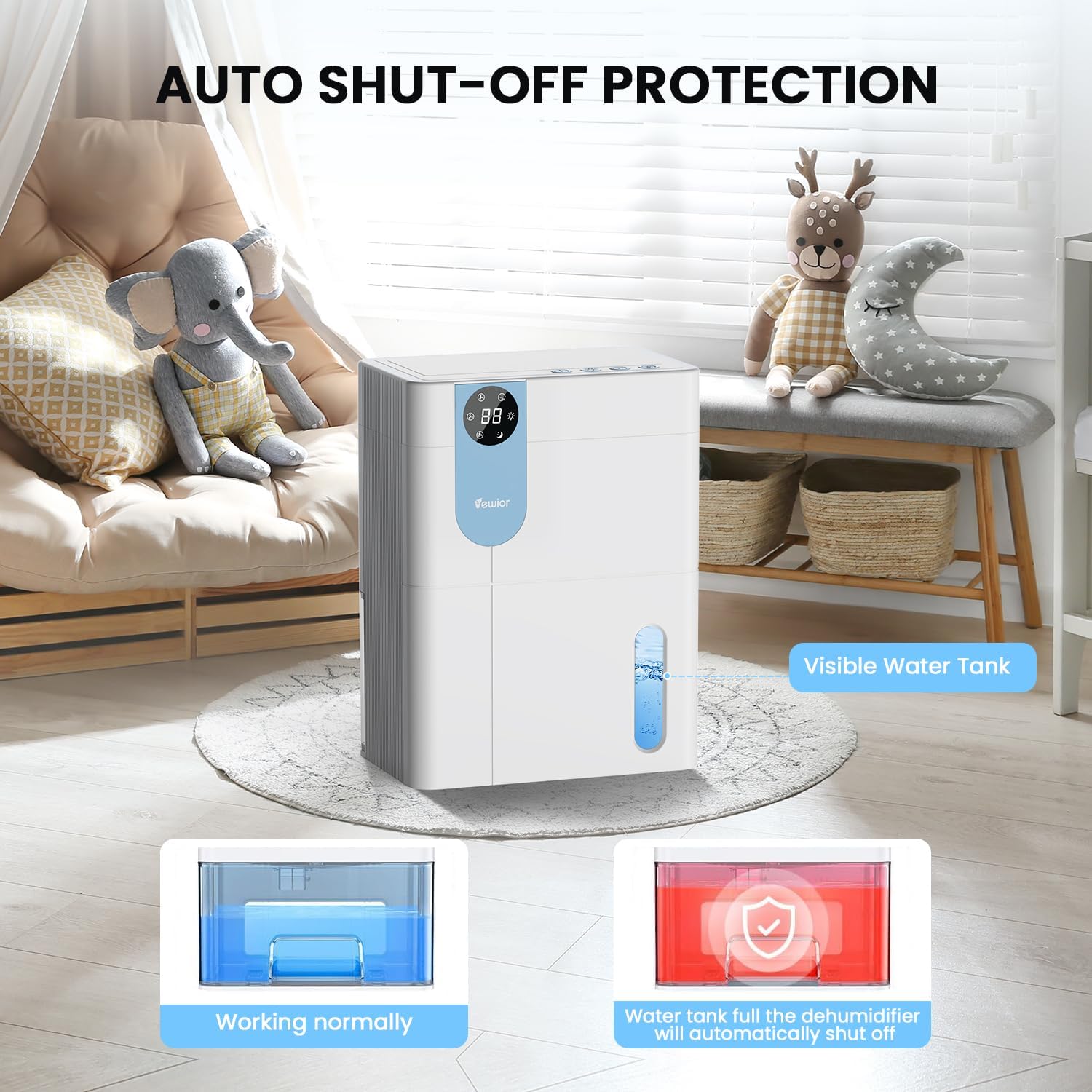
- Аутоматско искључивање: The dehumidifier will automatically stop operating when the water tank is full to prevent overflow. The digital display may flash a red light to indicate the tank needs emptying.

5. Water Tank Management
The dehumidifier features a 4500ml (152 oz) water tank and an auto shut-off function when the tank is full.
Пражњење резервоара за воду
- When the water tank is full, the dehumidifier will automatically stop operating, and the internal red light will flash to remind you to empty the water.
- Gently pull out the water tank from the side of the dehumidifier.
- Скините поклопац резервоара.
- Излијте прикупљену воду.
- Replace the tank lid securely.
- Slide the empty water tank back into the dehumidifier until it clicks into place. The unit will resume operation automatically.

6. Одржавање
Редовно одржавање осигурава оптималне перформансе и дуготрајност вашег одвлаживача ваздуха.
Чишћење екстеријера
- Увек искључите јединицу пре чишћења.
- Обришите спољашњост меком, дamp тканина. Немојте користити абразивна средства за чишћење или раствараче.
- Уверите се да вода не улази у контролну таблу или друге електричне компоненте.
Cleaning the Air Filter (Recommended Monthly)
- Locate the air filter (typically at the back or side air inlet).
- Уклоните филтер.
- Очистите филтер усисивачем или га нежно оперите топлом водом са сапуном.
- Allow the filter to air dry completely before reinstalling. Do not expose to direct sunlight or high heat.
- Reinstall the dry filter into the unit.
Дугорочно складиштење
- Empty and clean the water tank thoroughly.
- Очистите ваздушни филтер.
- Искључите кабл за напајање и уредно га намотајте.
- Store the dehumidifier in a cool, dry place, preferably in its original packaging, away from direct sunlight and extreme temperatures.
КСНУМКС. Решавање проблема
If you encounter issues with your dehumidifier, refer to the following common problems and solutions.
| Проблем | Могући узрок | Решење |
|---|---|---|
| Одвлаживач се не укључује. | No power supply. Power button not pressed. | Уверите се да је кабл за напајање безбедно прикључен у исправну утичницу. Притисните дугме за напајање. |
| Уређај ради, али не сакупља воду. | Room humidity is too low. Temperature is too low. Air filter is clogged. | Dehumidifiers are most effective in higher humidity. Ensure room temperature is above 41°F (5°C). Clean the air filter. |
| Water tank full indicator (red light) is on, but tank is not full. | Water tank not properly seated. Float sensor malfunction. | Remove and reinsert the water tank, ensuring it is correctly aligned. If the issue persists, contact customer support. |
| Јединица је бучна. | Unit not on a level surface. Air filter clogged. | Place the unit on a flat, stable surface. Clean the air filter. Ensure no objects are obstructing the fan. |
| Humidity level not decreasing significantly. | Room size exceeds capacity. High external humidity. Doors/windows open. | Ensure the dehumidifier is suitable for the room size. Close all doors and windows. Consider running the unit for longer periods. |
If the problem persists after trying these solutions, please contact VEWIOR customer support.
8. Спецификације
Detailed technical specifications for the VEWIOR PC-450B Dehumidifier.
| Феатуре | Спецификација |
|---|---|
| Бранд | ВЕВИОР |
| Назив модела | ПЦ-450Б |
| Капацитет одвлаживања | Up to 1060ml (36oz) per day (at 86°F, 80% RH) |
| Капацитет резервоара за воду | 4500 Milliliters (152 OZ) |
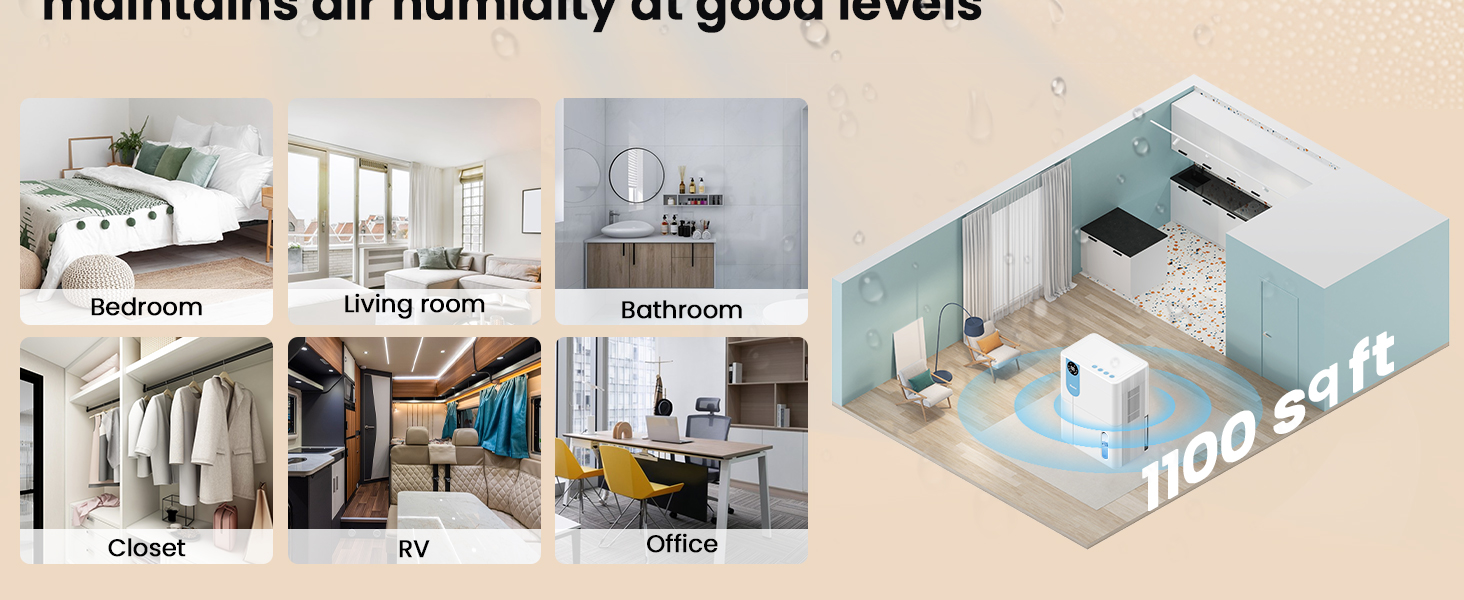
| Област покривености | До 1100 квадратних стопа |
| Димензије производа (Д x Ш x В) | 6.3 cm x 9.84 cm x 12.6 cm |
| Тежина артикла | 2.27 фунти |
| Посебне карактеристике | Automatic Shutoff, Colorful Lights, Digital Display, Removable Tank, Timer |
| Оперативни режим | Спавај |
| Капацитет протока ваздуха | 900 Cubic Feet Per Hour |
| Извор напајања | Цордед Елецтриц |

9. Гаранција и подршка
VEWIOR is committed to providing quality products and customer satisfaction.
Информације о гаранцији
- Бесплатна замена у року од 3 године: Your VEWIOR PC-450B Dehumidifier is covered by a 3-year free replacement policy for manufacturing defects.
- Доживотна подршка: VEWIOR offers lifetime technical support and satisfied solutions for its products.
Корисничка подршка
For any questions, troubleshooting assistance, or warranty claims, please contact VEWIOR customer service:
- Емаил: [Insert VEWIOR Support Email Here]
- Телефон: [Insert VEWIOR Support Phone Number Here]
- Онлине: Visit the official VEWIOR webсајт за често постављана питања и ресурсе за подршку.
Our customer service team is available for quick service via phone or email within 24 hours.
Политика враћања: A 30-day no-reason return policy is available for purchases.