1. Увод
The Z CAM E2-F8 is a professional-grade full-frame 8K cinema camera designed for high-definition video production. It features a full-frame sensor, 10-bit 4:2:2 color support, and 14 stops of dynamic range. This camera is capable of recording up to 8K resolution at 30 frames per second, with data rates up to 300 Mb/s to CFast 2.0 media. It supports various recording formats including ZRAW, MOV, and MP4, utilizing H.265 for 10-bit and H.264 for 8-bit recording. The E2-F8 offers versatile connectivity and control options for professional videographers.

Слика 1.1: Предња страна view of the Z CAM E2-F8 camera, showcasing its compact design and PL mount.
2. Безбедносне информације
- Напајање: Use only the specified power adapter and cables. Incorrect power sources can damage the device or cause fire.
- Радно окружење: Avoid exposing the camera to extreme temperatures, humidity, dust, or direct sunlight. Operate within the recommended temperature range.
- Руковање: Handle the camera with care. Do not drop or subject it to strong impacts. Avoid touching the sensor directly.
- Чишћење: Disconnect power before cleaning. Use a soft, dry cloth. Do not use liquid cleaners or solvents.
- Растављање: Не покушавајте да растављате или модификујете камеру. Сва сервисирања препустите квалификованом особљу.
3. Садржај пакета
Проверите да ли су све ставке присутне у пакету:
- Z CAM E2-F8 Camera Body
- PL Mount Cap
- Повер Адаптер
- Водич за брзи почетак
- Гарантни лист
4. Подешавање
4.1 Причвршћивање објектива
- Remove the PL mount cap from the camera body.
- Align the red dot on the lens with the red dot on the camera's PL mount.
- Insert the lens into the mount and rotate it clockwise until it clicks into place, securing the lens.

Слика 4.1: Крупни план view of the Z CAM E2-F8's PL mount, showing the lock/unlock mechanism and sensor.
4.2 Inserting CFast 2.0 Media
- Locate the CFast 2.0 slot on the side of the camera.
- Insert the CFast 2.0 card with the label facing the correct direction until it clicks into place.
- To eject, press the card gently inward until it springs out.

Слика 4.2: Страна view of the Z CAM E2-F8, highlighting the CFast 2.0 media slot and programmable function buttons (F1-F4).
4.3 Укључивање камере
- Connect the power adapter to the camera's DC input port.
- Повежите адаптер за струју у одговарајућу утичницу.
- Press and hold the power button (usually red) until the camera powers on and the display illuminates.
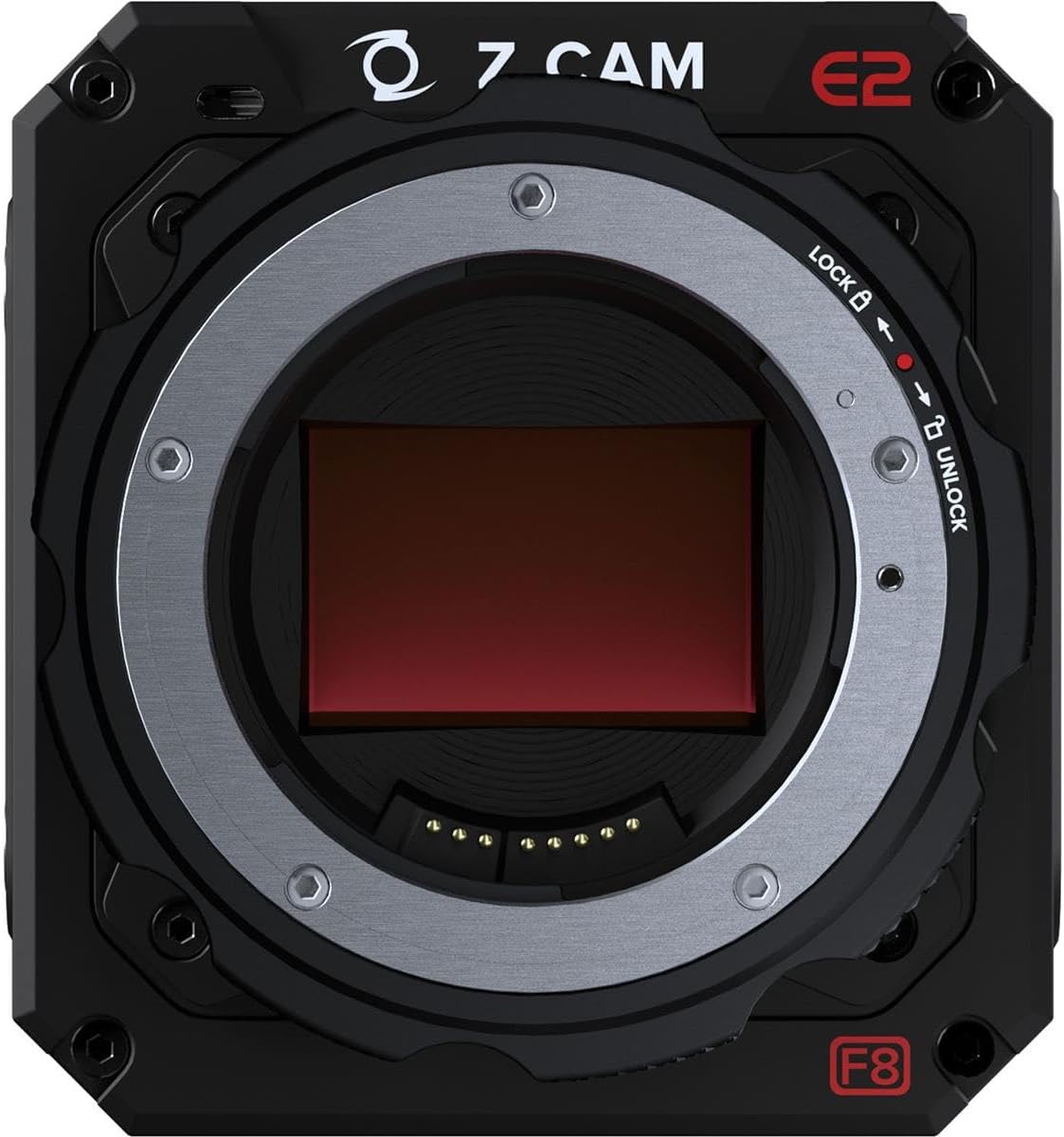
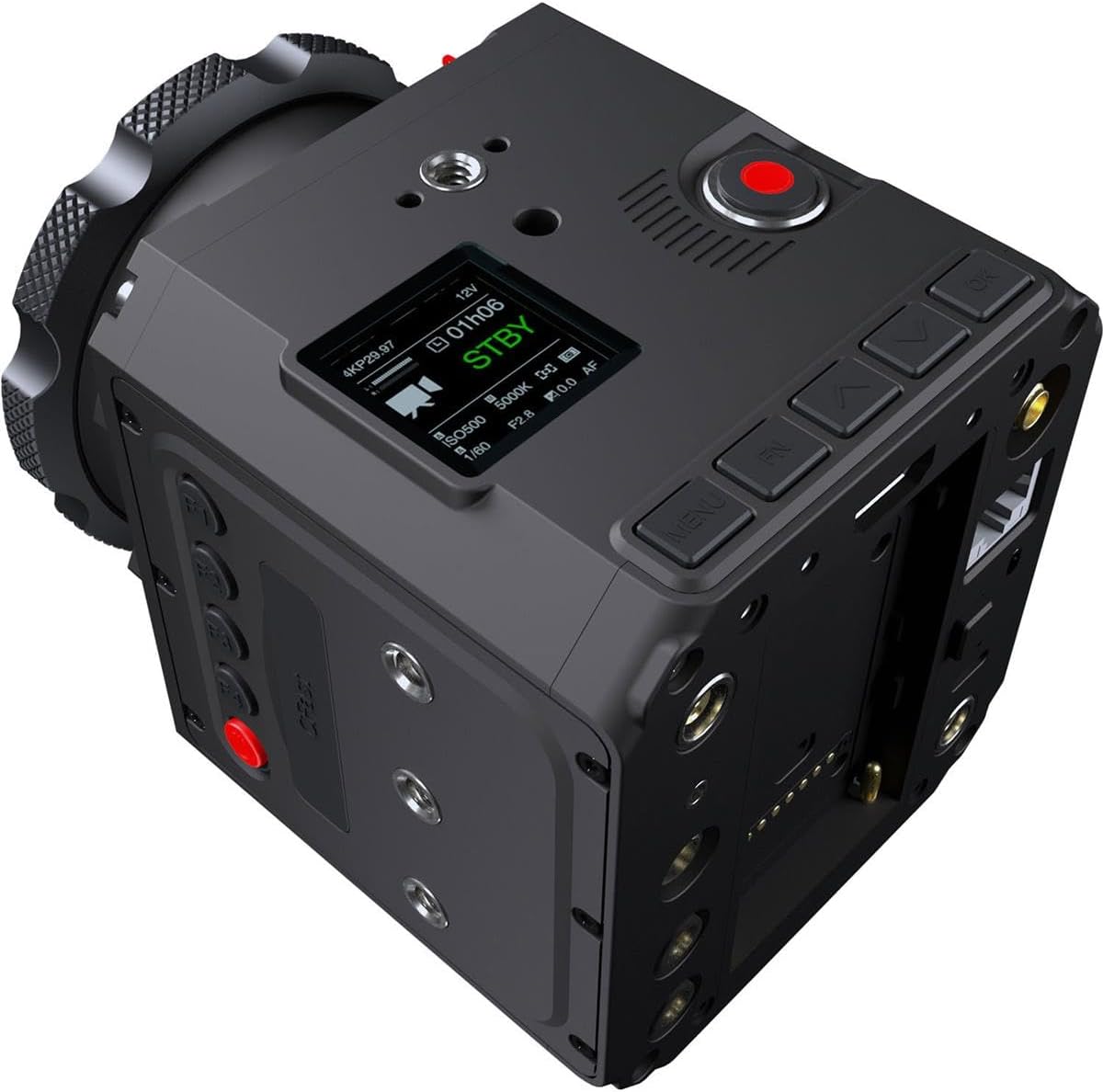
Figure 4.3: Top-rear view of the Z CAM E2-F8, showing the small display screen and various control buttons for menu navigation and settings.
5. Руковање камером
5.1 Основно снимање
- Започни/Заустави снимање: Press the dedicated record button (often red) to start and stop recording.
- Надгледање: Connect an external monitor via the HDMI 2.0 port for real-time video output (up to 4K60, 10-bit 4:2:2).
5.2 Навигација кроз мени и подешавања
Use the navigation buttons (MENU, UP, DOWN, LEFT, RIGHT, OK) located on the camera body to access and adjust settings on the integrated display or an external monitor.
- Резолуција и брзина кадрова: Navigate to the 'Video' settings to select resolutions up to 8K (8192x3456 DCI 2.4:1 or 7680x4320 UHD) and frame rates up to 30fps.
- Dynamic Range and ISO: Adjust dynamic range settings and utilize the dual native ISO (400/1250) for optimal low-light performance.
- Формати снимања: Select desired recording formats (ZRAW, MOV, MP4) and compression (H.265 for 10-bit, H.264 for 8-bit).
- Аудио подешавања: Configure audio input (3.5mm stereo jack or 5-pin LEMO for XLR) and format (24-bit 48 kHz AAC or PCM for MOV).
5.3 Повезивање
- Гигабит Етхернет: Connect an Ethernet cable for live streaming or remote control.
- Ви-Фи: Use the built-in Wi-Fi to connect to the Z Camera iOS app for remote control and monitoring.
- УСБ-Ц: For data transfer and firmware updates.
Слика 5.1: Задња страна view of the Z CAM E2-F8, displaying the HDMI, Ethernet, USB-C, and audio ports.

Слика 5.2: Друга страна view of the Z CAM E2-F8, showing additional mounting points and various input/output ports for accessories and connectivity.
6. Одржавање
- Чишћење тела камере: Користите меку крпу која не оставља влакна да обришете кућиште фотоапарата. За тврдокорну прљавштину, благо обришитеampИсперите крпу водом. Не користите јаке хемикалије.
- Чишћење сензора: Sensor cleaning should only be performed by experienced users or professional service centers. Improper cleaning can cause permanent damage.
- Ажурирања фирмвера: Regularly check the Z CAM official website for the latest firmware updates to ensure optimal performance and access to new features. Follow the provided instructions carefully for firmware installation.
- Складиштење: When not in use, store the camera in a dry, cool place, away from direct sunlight and extreme temperatures. Use a desiccant pack if storing in humid environments.
КСНУМКС. Решавање проблема
| Проблем | Могући узрок | Решење |
|---|---|---|
| Камера се не укључује. | No power, faulty power adapter, or battery (if applicable) is drained. | Ensure power adapter is securely connected and outlet is functional. If using a battery, ensure it is charged. |
| Снимање се неочекивано прекида. | CFast card full, card speed too slow, or overheating. | Check available space on CFast card. Use a high-speed CFast 2.0 card. Allow camera to cool down if it feels hot. |
| No video output via HDMI. | Incorrect cable, monitor settings, or camera output settings. | Verify HDMI cable connection. Check monitor input source. Ensure camera's HDMI output settings match monitor capabilities. |
| Проблеми са Wi-Fi везом. | Incorrect Wi-Fi settings, interference, or app issues. | Restart camera and mobile device. Reconfigure Wi-Fi settings on camera. Ensure Z Camera iOS app is updated. |
8. Спецификације
| Феатуре | Детаљ |
|---|---|
| Број модела | Z CAM E2-F8 |
| Тип сензора | Full-Frame CMOS (35.97 x 23.98 mm) |
| Ефективни пиксели | 61М |
| Динамиц Ранге | 14 заустављања |
| Native ISO | 400/1250 |
| Максимална резолуција | 8192x3456 (DCI 8K 2.4:1) @ 30fps, 7680x4320 (8K UHD) @ 30fps |
| Медији за снимање | CFast 2.0 |
| Максимална брзина преноса података | 300 Мб/с |
| Видео Форматс | ZRAW, MOV, MP4 (H.265 10-bit, H.264 8-bit) |
| Аудио формат | 24-bit 48 kHz (AAC, PCM for MOV) |
| Видео Оутпут | HDMI 2.0 (4K60, 10-bit 4:2:2) |
| Повезивање | Gigabit Ethernet, Wi-Fi, USB-C, 3.5mm Stereo Jack, 5-pin LEMO |
| Димензије | 10.7 к 8.9 к 5.2 инча |
| Тежина | 4.85 фунти |
9. Гаранција и подршка
9.1 Информације о гаранцији
The Z CAM E2-F8 Professional Full-Frame 8K Cinema Camera typically comes with a manufacturer's limited warranty covering defects in materials and workmanship for a specified period from the date of purchase. Please refer to the warranty card included in your product package for specific terms, conditions, and duration. Keep your proof of purchase for warranty claims.
9.2 Корисничка подршка
For technical assistance, troubleshooting beyond this manual, or warranty service, please contact Z CAM customer support through their official website. You may need to provide your product's serial number and proof of purchase.
Онлине ресурси: Visit the official Z CAM webсајт за:
- Најновија ажурирања фирмвера
- Detailed product documentation
- Често постављана питања и база знања
- Контакт информације за подршку