
1. Увод
Thank you for choosing the VRURC Portable Charger T01. This 10000mAh power bank is designed for convenience, featuring built-in charging cables and an integrated AC wall plug. This manual provides essential information for safe and efficient use of your device.
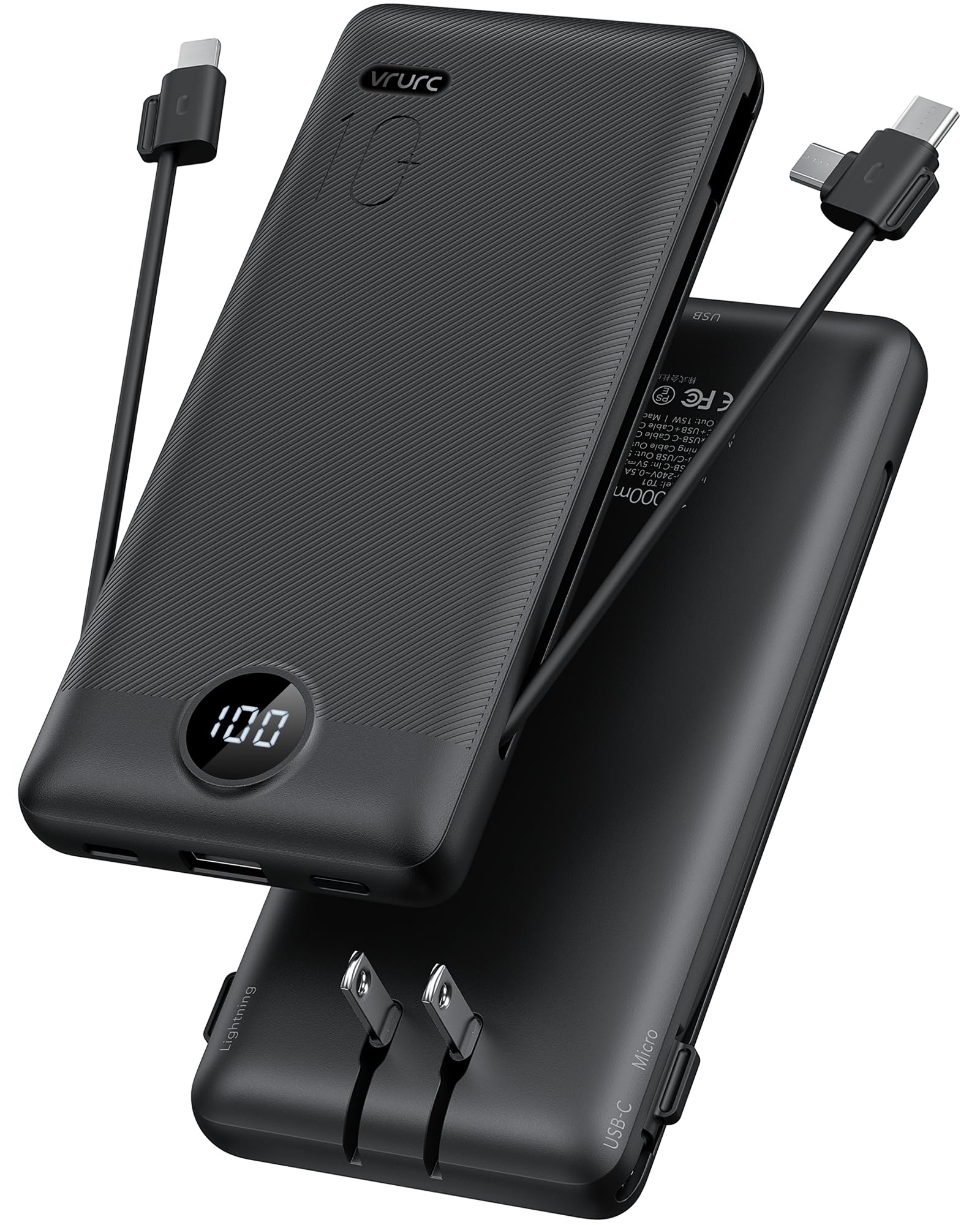
Image 1.1: VRURC Portable Charger T01
2. Производ је готовview
Кључне карактеристике
- All-in-One Charging Solution: Includes built-in Micro USB, USB-C, and Lightning cables, plus an extra USB-A port and USB-C port.
- Интегрисани зидни утикач за наизменичну струју: Charges directly from any wall outlet without additional cables.
- Slim & Lightweight Design: Compact and portable for travel and daily use.
- Смарт ЛЕД дигитални дисплеј: Clearly shows remaining battery power.
- 3D Textured Grip: Ensures a secure hold.
- Широка компатибилност уређаја: Supports most smartphones, tablets, and other mobile devices.
Компоненте

Слика 2.1: Готовоview of VRURC Portable Charger T01 components, showing the USB-C cable, Micro cable, foldable AC plug, and cable for iPhone (Lightning).
The VRURC T01 Portable Charger is equipped with the following components:
- Уграђени USB-C кабл: For charging USB-C compatible devices.
- Built-in Micro USB Cable: For charging Micro USB compatible devices.
- Уграђени Лигхтнинг кабл: For charging Apple devices.
- Склопиви АЦ зидни утикач: For recharging the power bank directly from a wall outlet.
- УСБ-А излазни порт: For connecting external USB-A charging cables.
- USB-C улазно/излазни порт: For charging devices or recharging the power bank with an external USB-C cable.
- ЛЕД дигитални дисплеј: Показује преостали проценат батеријеtage.
3. Подешавање
Пуњење Повер Банк-а
Before first use, fully charge your VRURC Portable Charger. There are two primary methods to recharge the power bank:
- Using the Built-in AC Wall Plug:
- Расклопите интегрисани зидни утикач за наизменичну струју.
- Plug the power bank directly into any standard wall outlet.
- The LED display will show the charging progress. A full charge via AC plug typically takes approximately 6 hours.
- Using an External USB-C Cable:
- Connect a USB-C charging cable (not included) to the power bank's USB-C input port.
- Connect the other end of the cable to a USB wall adapter (not included) or a powered USB port.
- The LED display will show the charging progress. A full charge via 5V/2.6A USB-C input typically takes approximately 5 hours.

Image 3.1: Charging the power bank using its built-in AC plug or an external USB-C cable.
Video 3.1: Demonstration of charging the VRURC Portable Charger T01 using its built-in AC wall plug and cables.
4. Упутство за употребу
Пуњење ваших уређаја
The VRURC T01 Portable Charger can charge up to four devices simultaneously using its various output options:
- Коришћење уграђених каблова:
- Pull out the appropriate built-in cable (USB-C, Micro USB, or Lightning) for your device.
- Connect the cable to your device's charging port.
- Повер банк ће аутоматски почети да пуни ваш уређај.
- Using External Cables (USB-A or USB-C ports):
- Connect your device's charging cable to either the USB-A output port or the USB-C input/output port on the power bank.
- Connect the other end of your cable to your device.
- Повер банк ће аутоматски почети да пуни ваш уређај.

Image 4.1: The power bank charging multiple devices at once using its various ports and built-in cables.
ЛЕД дигитални дисплеј
Интегрисани ЛЕД дисплеј приказује преостали проценат батеријеtage of the power bank. This allows you to monitor the charge level at a glance, ensuring you know when to recharge the power bank.
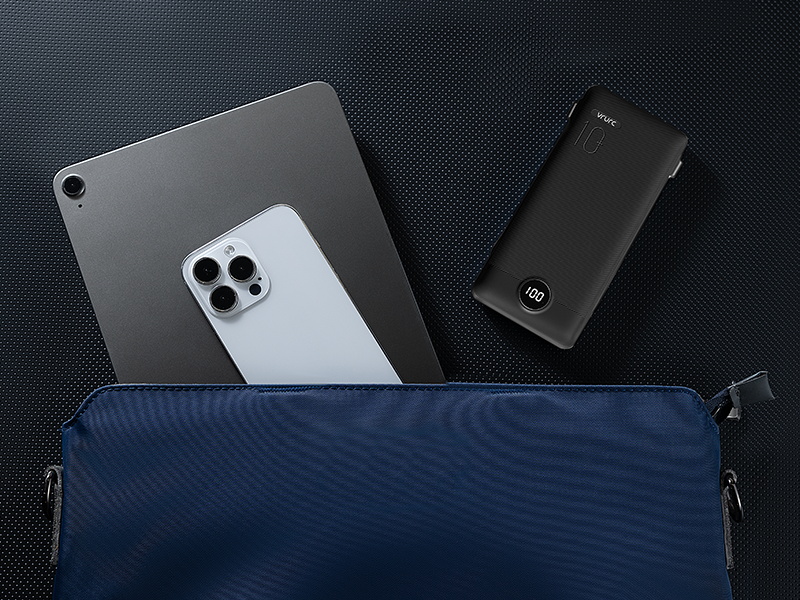
Image 4.2: Close-up of the LED digital display showing the battery percentage.
Пролазно пуњење
The VRURC T01 supports pass-through charging, meaning you can recharge the power bank while it simultaneously charges your devices. Simply plug the power bank into a wall outlet using its AC plug or a USB-C cable, and then connect your devices to the power bank's output ports or built-in cables.

Image 4.3: The power bank plugged into a wall outlet, simultaneously charging a smartphone.
5. Одржавање
To ensure the longevity and optimal performance of your VRURC Portable Charger, follow these maintenance guidelines:
- Чишћење: Користите меку, суву крпу за чишћење спољашњости преносне батерије. Избегавајте употребу јаких хемикалија или абразивних материјала.
- Складиштење: Чувајте преносни пуњач на хладном и сувом месту, даље од директне сунчеве светлости, екстремних температура и влаге.
- Одржавање батерије: For best battery health, avoid fully discharging the power bank regularly. Recharge it when the battery level is low. If storing for extended periods, charge it to about 50-70% every three months.
- Избегавајте физичка оштећења: Protect the device from drops, impacts, and excessive pressure, which can damage internal components.
КСНУМКС. Решавање проблема
If you encounter issues with your VRURC Portable Charger, refer to the following common troubleshooting steps:
- Уређај се не пуни:
- Ensure the power bank has sufficient charge (check the LED display).
- Verify that the charging cable (built-in or external) is securely connected to both the power bank and your device.
- Try a different cable or port on the power bank.
- Confirm your device is compatible with the power bank's output.
- Power Bank Not Recharging:
- Ensure the AC wall plug is fully inserted into a working wall outlet.
- If using a USB-C cable, ensure the cable and wall adapter are functional and properly connected.
- Try a different wall outlet or USB adapter.
- Споро пуњење:
- Ensure you are using appropriate cables for fast charging, if supported by your device.
- Истовремено пуњење више уређаја може смањити брзину појединачног пуњења.
- Check if your device's battery is nearly full, as charging slows down past 80% to protect battery health.
Ако проблем и даље постоји након што сте испробали ове кораке, обратите се корисничкој подршци.
7. Спецификације
Тецхницал Детаилс
| Феатуре | Детаљ |
|---|---|
| Назив модела | Т01 |
| Капацитет батерије | 10000 Милиamp Сати |
| Тип батерије | Литхиум Полимер |
| Тип конектора | USB Type C (built-in), Micro USB (built-in), Lightning (built-in), USB-A (port) |
| Број портова | 5 (3 built-in cables, 2 external ports) |
| Волtage | 5 Волтс |
| Ampераге | 2.4 Amps |
| Извор напајања | АЦ & Батерија |
| Тежина артикла | 8 унце (приближно 227 грама) |
| Item Dimensions (L x W x Th) | 151.2 x 70 x 18.2 mm (5.9" x 2.8" x 0.72") |
| Компатибилни уређаји | Smartphone, Tablet, Headphone, Gaming Console |
| Компатибилни модели телефона | Google, Samsung, iPhone |

Image 7.1: Package contents and physical dimensions of the VRURC Portable Charger T01.
Компатибилност

Image 7.2: Visual representation of device compatibility, including iPhones, Android phones, and tablets.
8. Гаранција и подршка
Информације о гаранцији
The VRURC Portable Charger T01 comes with a 24-месечна гаранција from the date of purchase. This warranty covers manufacturing defects and issues arising from normal use. It does not cover damage caused by misuse, accidents, unauthorized modifications, or natural disasters.
Корисничка подршка
For any questions, technical assistance, or warranty claims, please contact VRURC customer support. Refer to the contact information provided with your product packaging or visit the official VRURC webсајт за детаље подршке.
VRURC is committed to providing 24-hour friendly customer service and a 30-day exchange service.